
1. Introducció
The Ozeri WeightMaster Digital Weight Scale is designed to provide a simple yet comprehensive solution for measuring and tracking your weight, Body Mass Index (BMI), and weight changes over time. This manual provides instructions for proper setup, operation, and maintenance of your scale.

Figure 1: Ozeri WeightMaster Digital Weight Scale (White)
2. Informació de seguretat
- Always use the scale on a hard, flat, and stable surface to ensure accurate readings. Avoid carpets or uneven floors.
- Do not use the scale on wet or slippery surfaces to prevent falls.
- The scale is made of tempered glass; avoid dropping heavy objects on it or subjecting it to strong impacts.
- This scale is for personal use and is not intended for medical diagnosis or treatment. Consult a healthcare professional for medical advice.
- Mantingueu les piles fora de l'abast dels nens.
3. Contingut del paquet
Verifiqueu que tots els elements siguin presents al paquet:
- Ozeri WeightMaster Digital Weight Scale
- Manual d'usuari
- 3 x piles AAA
4. Característiques del producte
- BMI Measurement: Calculates your Body Mass Index based on your height and weight.
- Weight Change Detection: Displays your net weight change from your last weigh-in (L1), the average of your last 3 weigh-ins (L3), and the average of your last 7 weigh-ins (L7).
- Color Alert Technology: Provides visual feedback with a GREEN illumination for weight loss and RED for weight gain.
- Auto Recognition Technology: Automatically identifies up to 5 unique users.
- Alta capacitat: Weighs up to 400 lbs (180 kg) with precision graduations of 0.2 lbs (0.1 kg).
- Tecnologia de pas: Instant readings upon stepping on the scale.
- Auto-Calibration & Auto-Off: Ensures accuracy and preserves battery life.
- Construcció duradora: Made from impact-resistant tempered glass with non-slip, scratch-resistant feet.
5. Configuració
5.1 Instal·lació de la bateria
- Localitzeu el compartiment de la bateria a la part inferior de la bàscula.
- Obriu la tapa del compartiment de la bateria.
- Introduïu les 3 piles AAA, assegurant-vos de la polaritat correcta (+/-).
- Tanqueu la tapa del compartiment de la bateria.
5.2 Col·locació inicial
Place the scale on a hard, flat, and stable surface. Avoid placing it on soft surfaces like carpets, which can affect accuracy.

Figura 2: Slim profile of the Ozeri WeightMaster scale
5.3 Unit Selection (lbs/kg)
On the underside of the scale, locate the unit switch. Toggle it to select your preferred unit of measurement (pounds or kilograms).
5.4 Usuari Profile Configuració
The scale can store profiles for up to 5 users. Setting up a profile allows the scale to calculate BMI and track individual weight changes.
- Step on the scale briefly to turn it on.
- Press the 'SET' button located on the display. The 'USER' indicator will flash.
- Use the arrow buttons (left/right) to select a user number (1-5). Press 'SET' to confirm.
- The height setting will flash. Use the arrow buttons to adjust your height. Press 'SET' to confirm.
- The age setting will flash. Use the arrow buttons to adjust your age. Press 'SET' to confirm.
- The scale will then prompt you to step on it to record your initial weight for the profile. Ensure you stand still for a few seconds until the reading stabilizes.
- El vostre professionalfile is now set. The scale will automatically recognize you on subsequent weigh-ins.

Figure 3: Display during user profile configuració
6. Funcionament
6.1 Procediment de pesatge
- Ensure the scale is on a hard, flat surface.
- Step onto the scale with bare feet. The scale will automatically turn on and display your weight.
- Stand still until the weight reading stabilizes and flashes.
- The scale will then display your BMI, followed by your net weight change (L1, L3, L7) with color alerts.
- The scale will automatically turn off after a few seconds of inactivity.
6.2 Understanding Weight Change Detection and Color Alerts
After displaying your current weight and BMI, the scale will show your weight change relative to previous weigh-ins, accompanied by a color-coded backlight:
- Green Illumination: Indicates a net weight loss.
- Red Illumination: Indicates a net weight gain.
La pantalla mostrarà:
- L1: Net weight change from your last weigh-in.
- L3: Net weight change from the average of your last 3 weigh-ins.
- L7: Net weight change from the average of your last 7 weigh-ins.

Figure 4: Display showing green illumination for weight loss
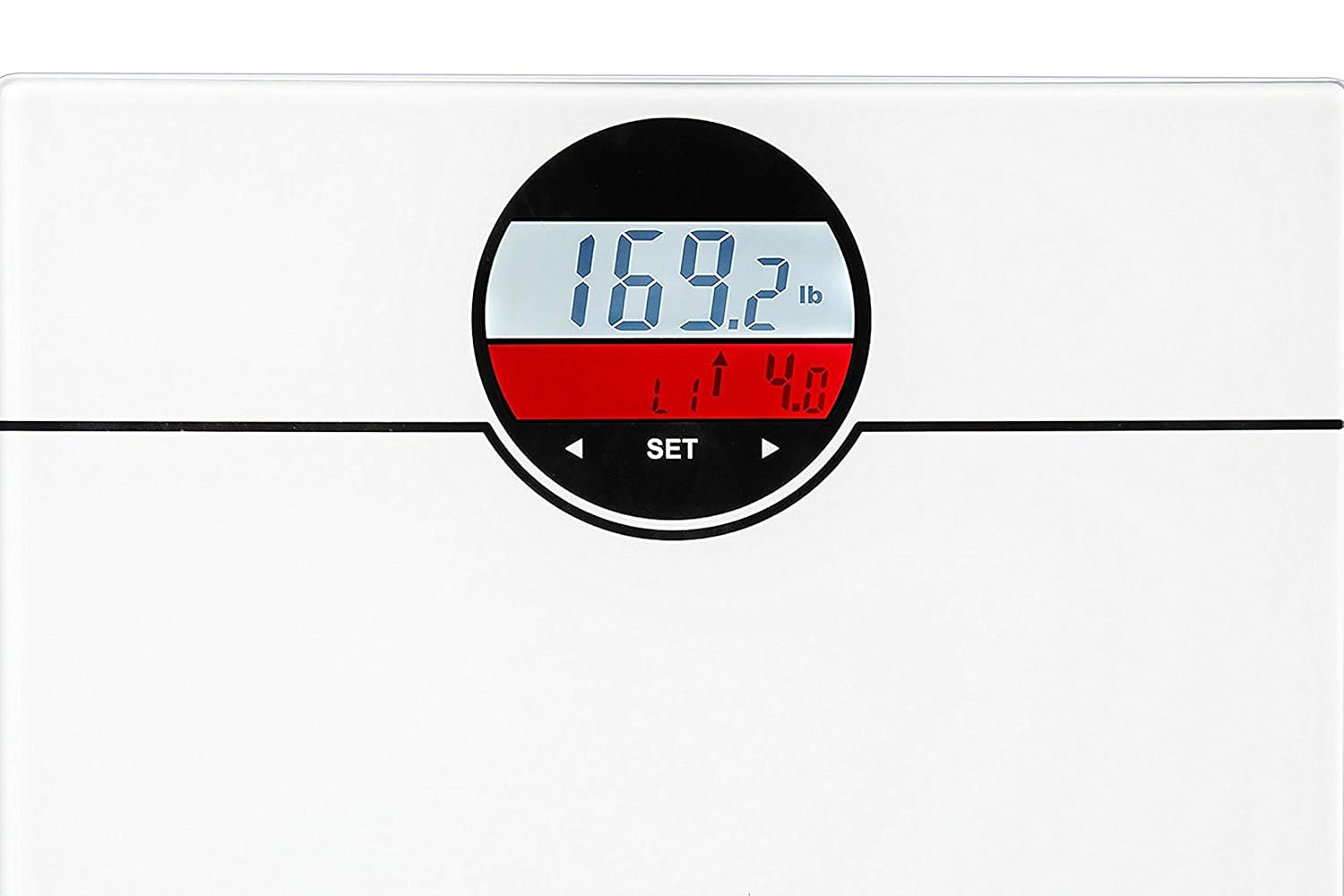
Figure 5: Display showing red illumination for weight gain
6.3 Vídeo oficial del producte
Vídeo 1: Un overview of the Ozeri WeightMaster scale, demonstrating its features including weight change detection and BMI calculation. This video highlights the color alert technology and multi-user recognition.
7. Manteniment
- Netegeu la bàscula amb l'anunciamp drap i detergent suau. No utilitzeu productes de neteja abrasius ni submergiu la bàscula en aigua.
- Si no heu d'utilitzar la bàscula durant un període prolongat, traieu-ne les piles per evitar fuites.
- Guardeu la bàscula en un lloc fresc i sec.
8. Solució De Problemes
| Problema | Causa possible | Solució |
|---|---|---|
| Es mostra "Lo" | Bateria baixa. | Substituïu les 3 piles AAA. |
| Es mostra "Err" | Overload or unstable reading. | Ensure weight does not exceed 400 lbs (180 kg). Step off and then back on the scale, ensuring stable footing. |
| Lectures inexactes | Scale on an uneven surface or carpet. | Place the scale on a hard, flat, and stable surface. |
| Sense pantalla | Piles mal instal·lades o gastades. | Comproveu la polaritat de la bateria o substituïu les bateries. |
| User not recognized | Profile not set up correctly or significant weight change. | Re-enter user profile information or manually select your user number using the arrow buttons after stepping on the scale. |
9. Especificacions
- Marca: Ozeri
- Model: ZB21-W
- Capacitat de pes: 400 lliures (180 kg)
- Precisió de lectura: 0.2 lliures (0.1 kg)
- Tipus de visualització: LCD with Color Alert Technology
- Material: Vidre temperat
- Font d'alimentació: 3 piles AAA (incloses)
- Característiques especials: Body Mass Index (BMI), Weight Change Detection, Auto Recognition (up to 5 users), Step-On Technology, Auto-Off
- Pes de l'article: Aproximadament 3.5 lliures
10. Garantia i Suport
The Ozeri WeightMaster Digital Weight Scale is backed by Ozeri's commitment to quality. For specific warranty details or technical support, please refer to the warranty information included with your product or visit the official Ozeri website. Do not attempt to repair the scale yourself, as this may void the warranty.