
1. Producte acabatview
The Philips HDP1590 Screeneo is a smart ultra-short throw projector designed for versatile media display. It incorporates LED technology for long-lasting projection and offers various connectivity options for integration with multiple devices.
- Projects an image up to 100 inches when placed 18 inches from a wall.
- Utilizes DLP (Digital Light Processing) LED technology, providing up to 30,000 hours of projection.
- Supports multiple connectivity options for set-top boxes, DVD/Blu-ray players, game consoles, and media servers.
- Enables audio streaming from smartphones or tablets via Bluetooth or Wi-Fi/DLNA.
- Wireless screen mirroring from tablets or smartphones is possible using Miracast.
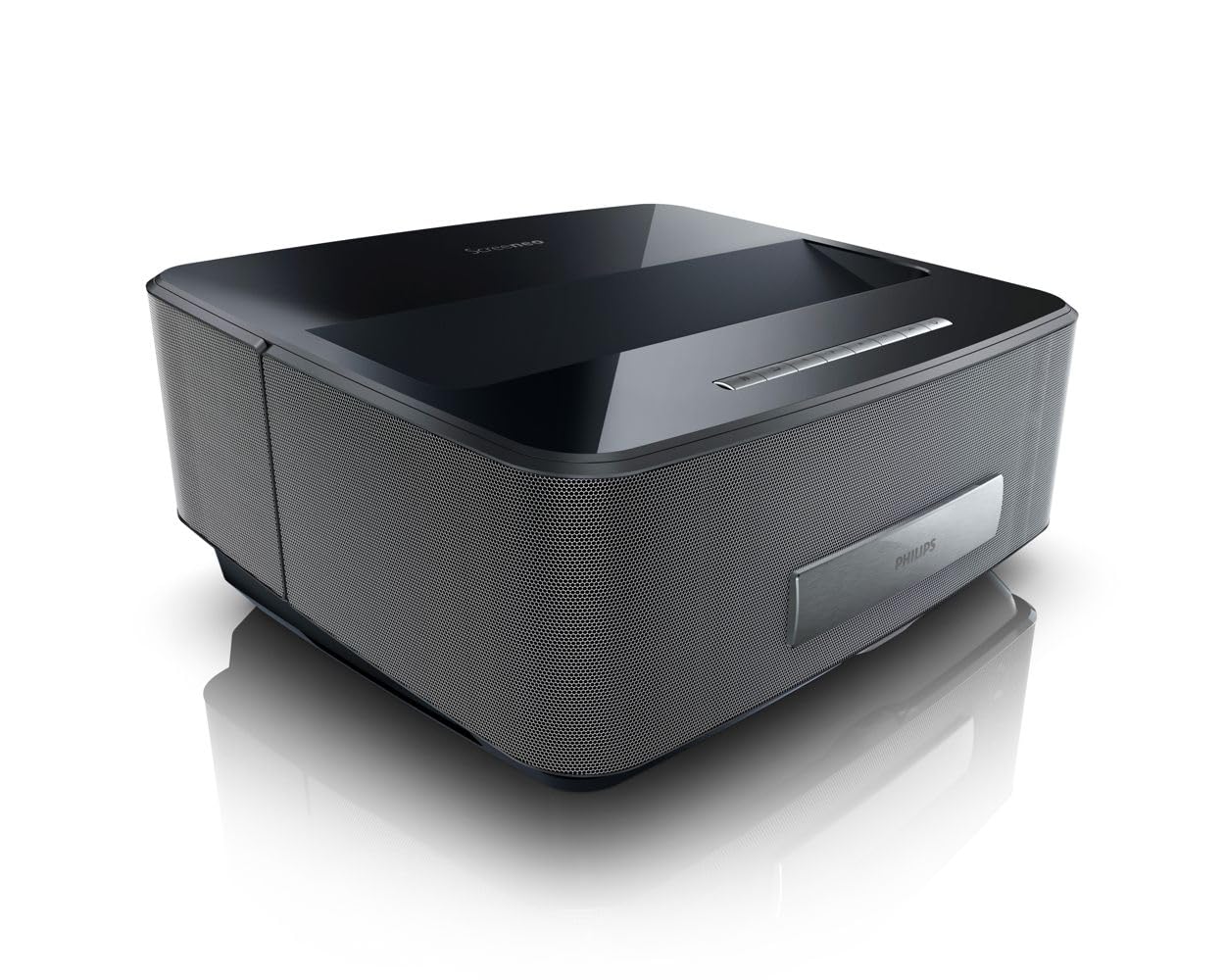
Figura 1: Frontal view of the Philips HDP1590 Screeneo Smart Projector.
2. Contingut del paquet
Verifiqueu que tots els elements siguin presents al paquet:
- Philips HDP1590 Screeneo Smart Projector
- Cable d'alimentació
- Comandament a distància (amb 2 piles AAA incloses)
- Guia d'inici ràpid
- Altres accessoris especificats a l'embalatge
Vídeo 1: Desempaquetatge i primera impressióview of the Philips HDP1590 Screeneo Smart Projector.
3. Configuració
- Col·locació: Position the projector on a stable, flat surface. For a 100-inch image, place the projector approximately 18 inches from the projection surface (wall or screen). Ensure the projection path is clear of obstructions.
- Connexió d'alimentació: Connect the power cable to the projector's power input and then to a suitable electrical outlet.
- Connexió font:
- For HDMI devices (e.g., Blu-ray player, game console, set-top box), connect an HDMI cable from the device to an HDMI input port on the projector.
- For USB media, insert a USB drive into the designated USB port.
- Encesa inicial: Press the power button on the projector or the remote control to turn on the device. Follow any on-screen prompts for initial setup, such as language selection.
4. Funcionament
- Encès/apagat: Press the power button on the projector or remote control to turn the unit on or off.
- Navegació del menú: Use the arrow keys and 'OK' button on the remote control to navigate through the on-screen menus.
- Selecció de la font: Access the input source menu to select between connected HDMI devices, USB, or internal smart features.
- Enfocament i correcció Keystone: Adjust the focus manually or via the menu. Utilize the digital keystone correction feature to square the image if the projector is not perfectly perpendicular to the screen.
- Control de volum: Adjust the audio volume using the dedicated volume buttons on the remote control.
5. Connectivitat
The Philips HDP1590 Screeneo offers a range of connectivity options:
- HDMI: Multiple HDMI ports are available for connecting external video sources such as Blu-ray players, gaming consoles, and cable/satellite boxes.
- Wi-Fi: Integrated Wi-Fi allows for network access, enabling smart features, streaming, and DLNA connectivity.
- Bluetooth: Connect Bluetooth-enabled audio devices, such as speakers or headphones, for wireless sound output.
- Miracast: Wirelessly mirror the screen of compatible Android smartphones and tablets directly to the projector.
- USB: USB ports support playback of media files de dispositius d'emmagatzematge USB.
6. Manteniment
Un manteniment regular garanteix un rendiment òptim i una llarga vida útil del projector:
- Neteja de lents: Feu servir un drap suau i sense borrissol dissenyat específicament per a lents òptiques per netejar suaument la lent del projector. Eviteu materials abrasius o productes químics agressius.
- Eliminació de pols: Periodically clean the projector's exterior with a soft, dry cloth. Ensure ventilation openings are free from dust accumulation to prevent overheating.
- Emmagatzematge: Quan no l'utilitzeu durant períodes prolongats, guardeu el projector en un lloc fresc i sec, protegit de la pols i de la llum solar directa.
7. Solució De Problemes
If you encounter issues with your Philips HDP1590 Screeneo, consider the following:
- Sense energia: Ensure the power cable is securely connected to both the projector and the electrical outlet. Verify the outlet is functional.
- Sense imatge: Check that the correct input source is selected. Verify that the video source device is powered on and functioning correctly. Ensure all video cables (e.g., HDMI) are securely connected.
- Imatge borrosa: Adjust the focus settings. Ensure the projector is placed at the recommended distance from the projection surface.
- Sense so: Check the volume level on both the projector and the connected source device. Verify that audio cables are correctly connected or that Bluetooth audio is properly paired.
- Mala qualitat d'imatge: Ensure the projection surface is clean and flat. Check the resolution settings of the source device to match the projector's native resolution (1280 x 800).
8. Especificacions
| Característica | Detall |
|---|---|
| Marca | Philips |
| Número de model | HDP1590/F7 |
| Pes de l'article | 10.72 lliures |
| Dimensions del producte | 11.29 x 13.34 x 5.83 polzades |
| Bateries | 2 piles AAA (incloses per al comandament a distància) |
| Color | Negre |
| Característiques especials | Short Throw, Built-in Speakers |
| Tipus d'altaveu | Built-In, Subwoofer |
| Tecnologia de connectivitat | Sense fil (Wi-Fi, Bluetooth) |
| Resolució de visualització | 1280 x 800 |
| Tecnologia de projecció | LED DLP |
9. Garantia i Suport
For warranty information, technical support, or service inquiries, please refer to the warranty card included with your product or visit the official Philips support weblloc web. Conserveu el comprovant de compra per a reclamacions de garantia.
Online resources and frequently asked questions may also be available on the Philips product support pages.