
Introducció
Welcome to the instruction manual for your PDP Afterglow Nur PS4/PS3 Headset. This headset is designed to provide an immersive audio experience for your PlayStation 4 and PlayStation 3 consoles. It features a unique industrial design, a comfortable split cushion headband, boom-less microphone technology, and customizable audio modes. The included wireless transmitter and conductive charging dock offer convenient charging and connectivity. Please read this manual thoroughly to ensure proper setup and operation of your headset.

Image: The PDP Afterglow Nur Headset illuminated with blue lighting, showcasing el seu disseny.
Configuració
Contingut del paquet
- Afterglow Nur Wireless Headset
- Wireless Transmitter and Charging Dock
- Cable de càrrega USB
- Manual d'instruccions (aquest document)
Càrrega dels auriculars
Before initial use, fully charge your Afterglow Nur headset. The headset uses a conductive charging system via its included dock.
- Connect the USB charging cable to the charging dock and then to a powered USB port (e.g., on your console or a USB wall adapter).
- Place the headset onto the charging dock. Ensure the charging pins on the headset align with the contacts on the dock.
- The headset will begin charging. A voice cue will indicate charging status, and the headset's lighting may change to indicate charging.

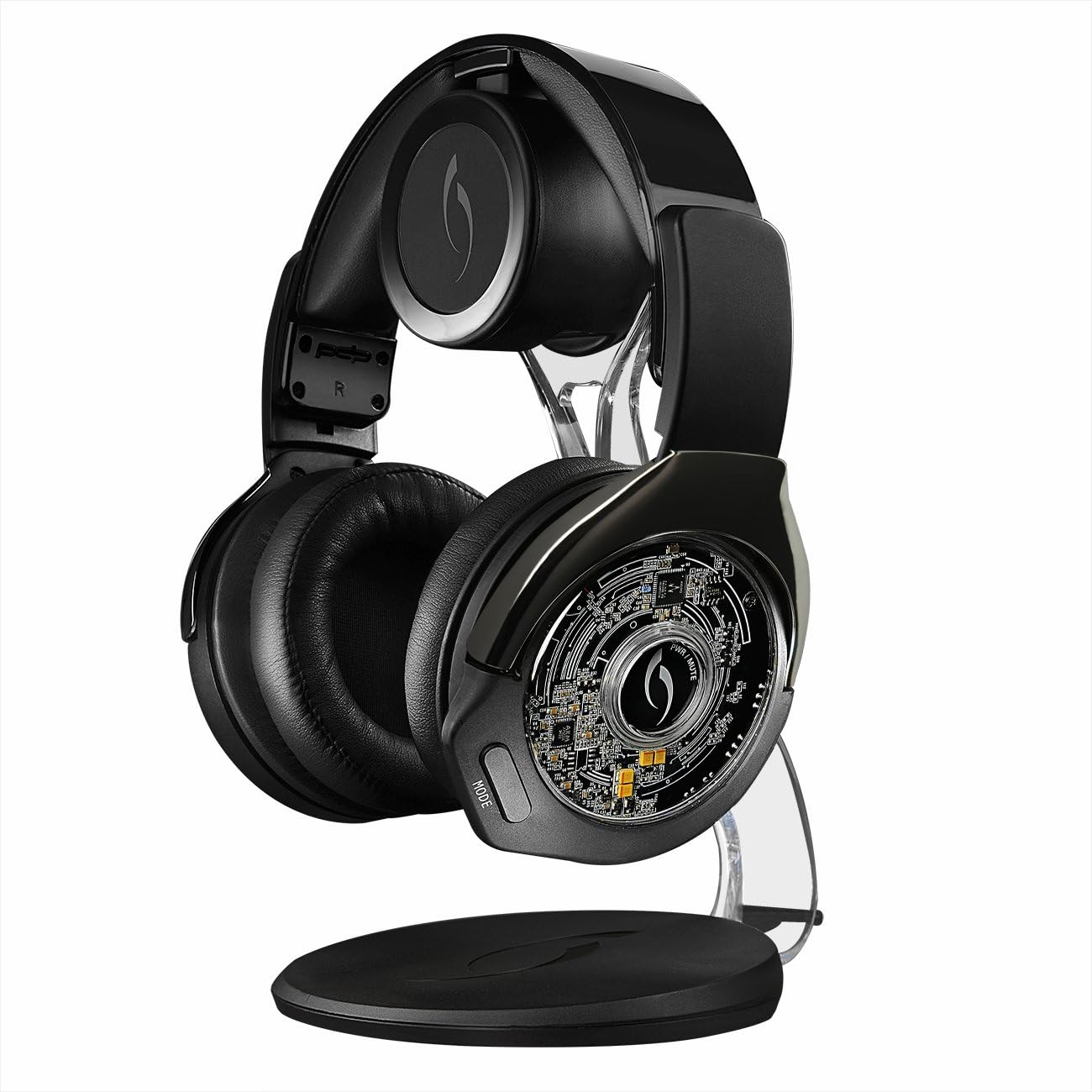
Image: The Afterglow Nur Headset resting on its charging stand, illuminated with blue light.

Imatge: Un primer pla view of the charging pins located on the headset's headband, which connect to the charging dock.
The charging dock can be placed on a flat surface or mounted on a wall to save space.
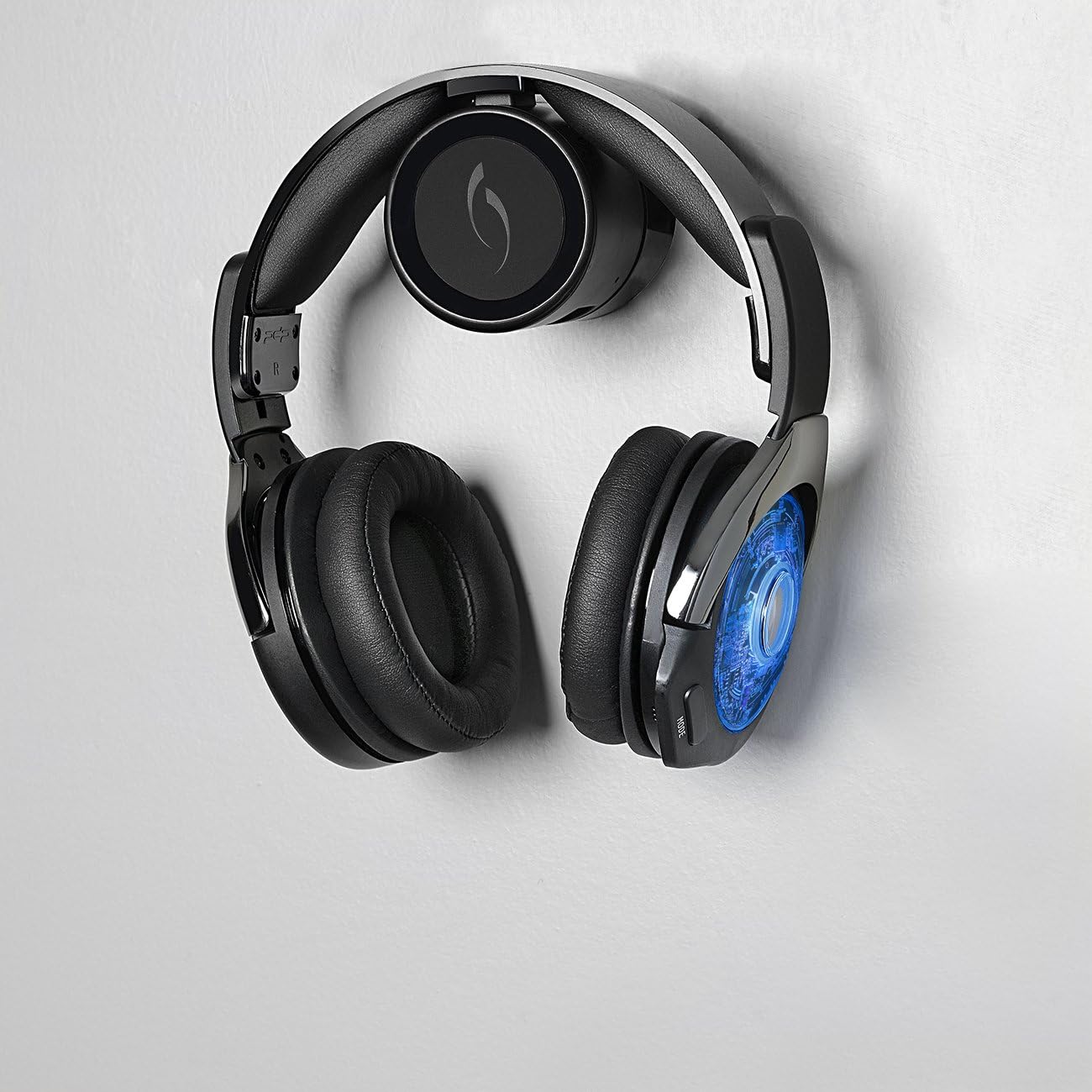
Image: The Afterglow Nur Headset conveniently mounted on a wall using its charging dock, demonstrating a space-saving setup.
Connecting to PlayStation 4 / PlayStation 3
The Afterglow Nur headset connects wirelessly to your console via the included transmitter.
- Plug the wireless transmitter (integrated into the charging dock) into an available USB port on your PlayStation 4 or PlayStation 3 console.
- Enceneu la vostra consola.
- Power on the Afterglow Nur headset by pressing and holding the power button (location detailed in the Operating section).
- The headset and transmitter should automatically pair. A voice cue will confirm successful connection. If pairing does not occur automatically, refer to the Troubleshooting section for manual pairing instructions.
Funcionament dels auriculars
Encès/Apagat
- Per encendre: Press and hold the Power button located on the ear cup until you hear a power-on voice cue.
- Per apagar: Press and hold the Power button until you hear a power-off voice cue.
Modes d'àudio
The Afterglow Nur headset offers two distinct audio modes for customized sound.
- Mode de reforç de greus: Millora els sons de baixa freqüència per a una experiència d'àudio més impactant.
- Clarity Mode: Optimizes mid and high frequencies for clear dialogue and detailed sound.
To switch between audio modes, press the "MODE" button on the ear cup. A voice cue will announce the currently active audio mode.
Imatge: Una imatge detallada view of the Afterglow Nur headset's earcups, highlighting the comfortable cushioning and potential control locations.
Boom-less Microphone Technology
The headset features integrated boom-less microphone technology for clear communication without an external boom mic. Ensure the microphone is enabled in your console's audio settings for in-game chat.
Ajust de volum
Use the volume controls located on the ear cup to adjust the game audio and chat volume independently or simultaneously, depending on the specific control layout.
Voice Cue Interface
The headset provides voice cues to inform you about important statuses, including:
- Current audio mode (Bass Boost, Clarity)
- Remaining battery life (e.g., "Battery Low," "Battery Full")
- Power on/off status
- Estat de connexió
Manteniment
Neteja
- Wipe the headset and charging dock with a soft, dry cloth.
- No utilitzeu netejadors abrasius, dissolvents ni productes químics agressius.
- Eviteu que entri humitat a cap obertura.
Cura de la bateria
The headset contains a Lithium Ion battery. To prolong battery life:
- Eviteu descarregar completament la bateria amb freqüència.
- Carregueu els auriculars regularment, fins i tot si no els feu servir constantment.
- Guardeu els auriculars en un lloc fresc i sec, allunyat de temperatures extremes.
- Do not attempt to replace the battery yourself. Contact support if battery issues arise.
Emmagatzematge
When not in use, store the headset on its charging dock or in a safe place to prevent damage. Avoid placing heavy objects on the headset.
Resolució de problemes
No Audio / Disconnected Headset
- Ensure the wireless transmitter is securely plugged into a USB port on your console.
- Verifiqueu que els auriculars estiguin encesos i completament carregats.
- Check your console's audio output settings to ensure audio is directed to the headset.
- Try re-pairing the headset:
- Apagueu els auriculars.
- Unplug the wireless transmitter from the console, wait 10 seconds, then plug it back in.
- Power on the headset. It should attempt to re-pair automatically.
El micròfon no funciona
- Confirm the headset is connected to the console.
- Check your console's microphone input settings to ensure the headset is selected as the input device and the microphone volume is not muted or too low.
- Ensure the boom-less microphone is not obstructed.
Els auriculars no es carreguen
- Ensure the USB charging cable is securely connected to both the charging dock and a powered USB port.
- Verify the headset is correctly seated on the charging dock, with the charging pins making proper contact.
- Prova un altre port USB o cable de càrrega.
Especificacions
| Característica | Detall |
|---|---|
| Número de model | 051-003-BK |
| Compatibilitat | PlayStation 4, PlayStation 3 |
| Connectivitat | Wireless (via USB transmitter) |
| Tipus de bateria | 2 bateries de ions de liti |
| Mètode de càrrega | Conductive charging dock |
| Dimensions (producte) | 21.41 x 16.69 x 27.89 cm |
| Pes (producte) | 1.32 kg |
| Data de llançament | 20 de desembre de 2014 |
Informació de la garantia
PDP products typically come with a limited manufacturer's warranty. For specific details regarding the warranty period and coverage for your Afterglow Nur PS4/PS3 Headset, please refer to the warranty card included with your product or visit the official PDP weblloc web. Conserveu el comprovant de compra per a reclamacions de garantia.
Atenció al client
If you encounter any issues not covered in this manual or require further assistance, please contact PDP customer support.
- Assistència en línia: Visit the official PDP weblloc web amb preguntes freqüents, articles de suport i formularis de contacte.
- Informació de contacte: Refer to the product packaging or the PDP website for current customer service phone numbers or email addresses.