
Introducció
This manual provides essential instructions for the proper setup, operation, maintenance, and troubleshooting of your Datalogic BC2030-BK-433 Barcode Scanner Accessory. Please read this manual thoroughly before using the product to ensure optimal performance and safety.
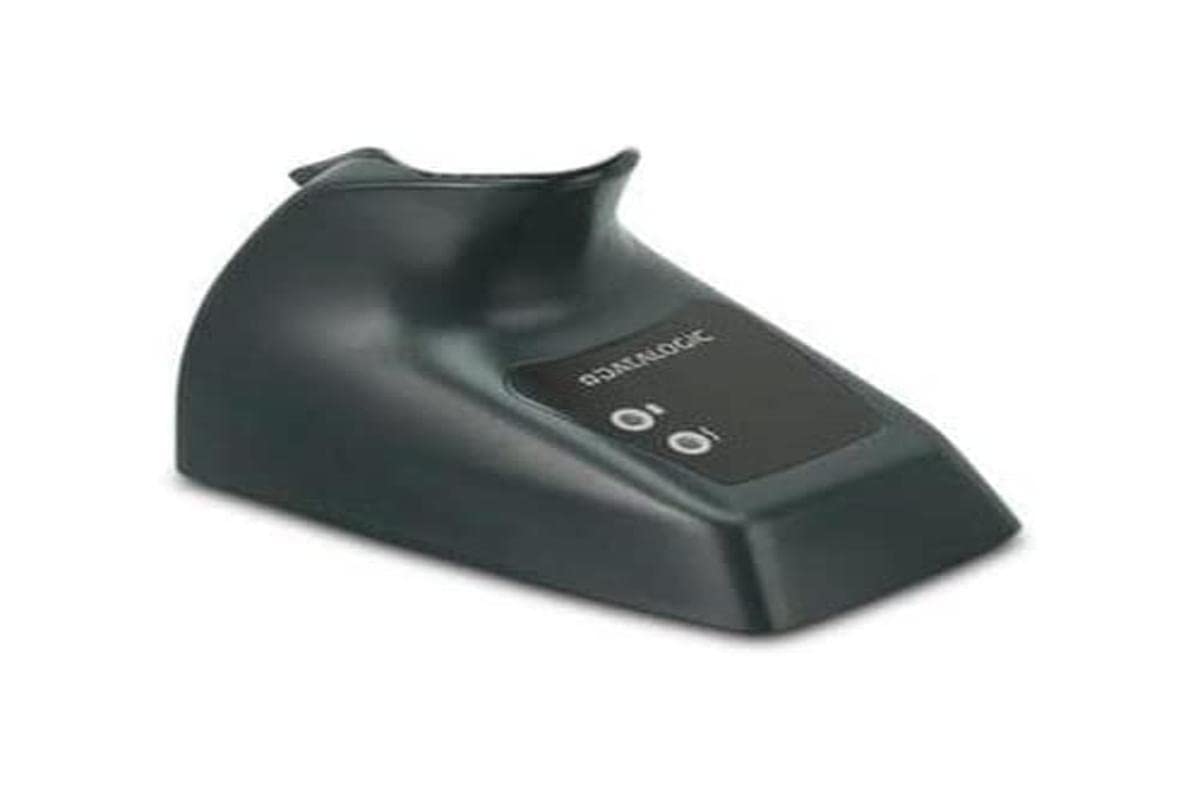
Image: Datalogic BC2030-BK-433 Barcode Scanner Accessory. This image displays the main unit of the Datalogic BC2030-BK-433, which functions as a base and charger for a barcode scanner.
Configuració
Follow these steps to set up your Datalogic BC2030-BK-433 accessory:
- Desempaquetar el dispositiu: Traieu amb cura tots els components de l'embalatge. Assegureu-vos que totes les peces hi són i no estan danyades.
- Connexió d'alimentació: The device is battery-powered. Ensure the internal battery is charged. Connect the appropriate power adapter (not included, if external charging is required) to a power outlet and to the accessory.
- Connecta't al dispositiu amfitrió: The BC2030-BK-433 supports RS232 and USB connectivity. Connect the accessory to your compatible computer or laptop using the appropriate cable (sold separately).
- Instal·lació del controlador: For USB or RS232 connections, your operating system may automatically install necessary drivers. If not, refer to the Datalogic website for specific driver downloads for your model.
- Place Barcode Scanner: Once connected and powered, place your compatible Datalogic barcode scanner into the BC2030-BK-433 base for charging and data transfer.
Instruccions de funcionament
The Datalogic BC2030-BK-433 serves as a base and charger for compatible Datalogic barcode scanners. Its primary functions include:
- Càrrega: When a compatible barcode scanner is placed in the base, it will begin charging its internal battery. An indicator light on the base or scanner (refer to scanner's manual) will typically show charging status.
- Comunicació de dades: The base facilitates data transfer between the barcode scanner and the connected host device (computer/laptop) via RS232 or USB. Scanned data will be transmitted to the host system.
- Acoblament segur: The base provides a secure and stable location for the scanner when not in use, preventing accidental drops and ensuring it is always ready for operation.
For specific operations related to scanning barcodes, refer to the instruction manual of your Datalogic barcode scanner model.
Manteniment
Proper maintenance ensures the longevity and reliable performance of your Datalogic BC2030-BK-433 accessory:
- Neteja: Use a soft, dry, lint-free cloth to clean the exterior of the base. Do not use abrasive cleaners, solvents, or harsh chemicals.
- Contact Pins: Periodically inspect the charging and data contact pins within the base for any dust or debris. Clean gently with a dry cotton swab if necessary.
- Emmagatzematge: When not in use for extended periods, store the accessory in a cool, dry place away from direct sunlight and extreme temperatures.
- Inspecció del cable: Regularly check all connected cables (USB, RS232, power) for signs of wear, fraying, or damage. Replace damaged cables immediately.
Resolució de problemes
If you encounter issues with your Datalogic BC2030-BK-433, refer to the following common problems and solutions:
- Scanner Not Charging:
- Ensure the power adapter is securely connected to both the base and a working power outlet.
- Verify that the barcode scanner is correctly seated in the base, making proper contact with the charging pins.
- Comproveu si l'adaptador de corrent i el cable estan danyats.
- No Data Transfer to Host:
- Confirm the USB or RS232 cable is securely connected to both the base and the host computer/laptop.
- Ensure the correct drivers are installed on the host computer.
- Verify the barcode scanner is properly communicating with the base (refer to scanner's manual).
- Try connecting to a different USB or serial port on your computer.
- Base Indicator Lights Not Functioning:
- Comproveu la connexió d'alimentació.
- If the issue persists, contact Datalogic support.
For more complex issues, consult the Datalogic support weblloc web o poseu-vos en contacte amb el seu servei d'assistència tècnica.
Especificacions
| Característica | Detall |
|---|---|
| Número de model | BC2030-BK-433 |
| Marca | Datalogic |
| Fabricant | DATALOGGICA |
| Dispositius compatibles | Computer, Laptop |
| Font d'alimentació | Funciona amb bateria |
| Tecnologia de connectivitat | RS232, USB |
| Dimensions del producte (L x A x A) | 15 x 15 x 16 centímetres |
| Nombre d'articles | 1 |
| Codi Internacional d'Articles (EAN) | 05712505190029 |
Informació legal i garantia
This Datalogic product originates from the European Economic Area (EEA). It is genuinely sourced from manufacturers' authorized distributors, ensuring authenticity and quality.
For specific warranty terms and conditions, please refer to the documentation provided with your purchase or visit the official Datalogic website. Standard return policies typically allow for returns within 30 days of purchase, subject to seller terms.
Suport
For technical assistance, product information, or service inquiries, please contact Datalogic customer support through their official website. You may need to provide your product model number (BC2030-BK-433) and serial number (if applicable) when seeking support.
Datalogic Official Weblloc: www.datalogic.com


