
Introducció
This manual provides comprehensive instructions for the setup, operation, maintenance, and troubleshooting of the Pentax K-S2 DSLR camera. The Pentax K-S2 features a 20-megapixel, AA Filter-less CMOS sensor, Wi-Fi connectivity, and a weather-sealed, dustproof, and cold-proof design. This guide will help you understand and utilize all functions of your camera.
Característiques clau
- 20 MP AA filter-less APS-C CMOS Sensor with ISO Speeds up to 51200
- In-camera Wi-Fi with dedicated Wi-Fi connect button and "selfie" mode
- Large High-Resolution 3-inch variable angle swing-out LCD Monitor (921K Dots)
- Fully Weather-sealed, Dustproof, Cold-proof Design with in-body shake reduction
- 4K interval movie capture & 1080P h.264 HD video recording
Configuració
1. Instal·lació de la bateria
Insert the supplied Lithium-Ion battery into the battery compartment located at the bottom of the camera. Ensure the battery is oriented correctly according to the markings inside the compartment. Close the battery cover securely.
2. Inserció de la targeta de memòria
Open the memory card slot cover, typically on the side of the camera. Insert an SD, SDHC, or SDXC memory card with the label facing the front of the camera until it clicks into place. Close the cover firmly.
3. Attaching a Lens (if applicable)
Align the red dot on the lens with the red dot on the camera body. Mount the lens by rotating it clockwise until it locks into place. To remove, press the lens release button and rotate counter-clockwise.
4. Engegada inicial i configuració
Turn the camera on using the power switch. The first time you power on, you may be prompted to set the date, time, and language. Follow the on-screen instructions using the directional buttons and OK button.
Funcionament de la càmera
1. Modes bàsics de fotografia
Gireu el selector de mode a la part superior de la càmera per seleccionar el mode de fotografia desitjat:
- Auto (Green Mode): Camera automatically sets optimal exposure and other settings.
- P (Programa AE): Camera sets aperture and shutter speed, but allows user control over other settings.
- Av (Aperture-Priority AE): L'usuari estableix l'obertura, la càmera estableix la velocitat d'obturació.
- Tv (Shutter-Priority AE): L'usuari estableix la velocitat d'obturació, la càmera estableix l'obertura.
- M (Manual): L'usuari estableix tant l'obertura com la velocitat d'obturació.
- Modes d'escena: Pre-set modes for specific situations (e.g., Portrait, Landscape, Macro).
Use the front and rear e-dials to adjust settings like aperture, shutter speed, and exposure compensation depending on the selected mode.
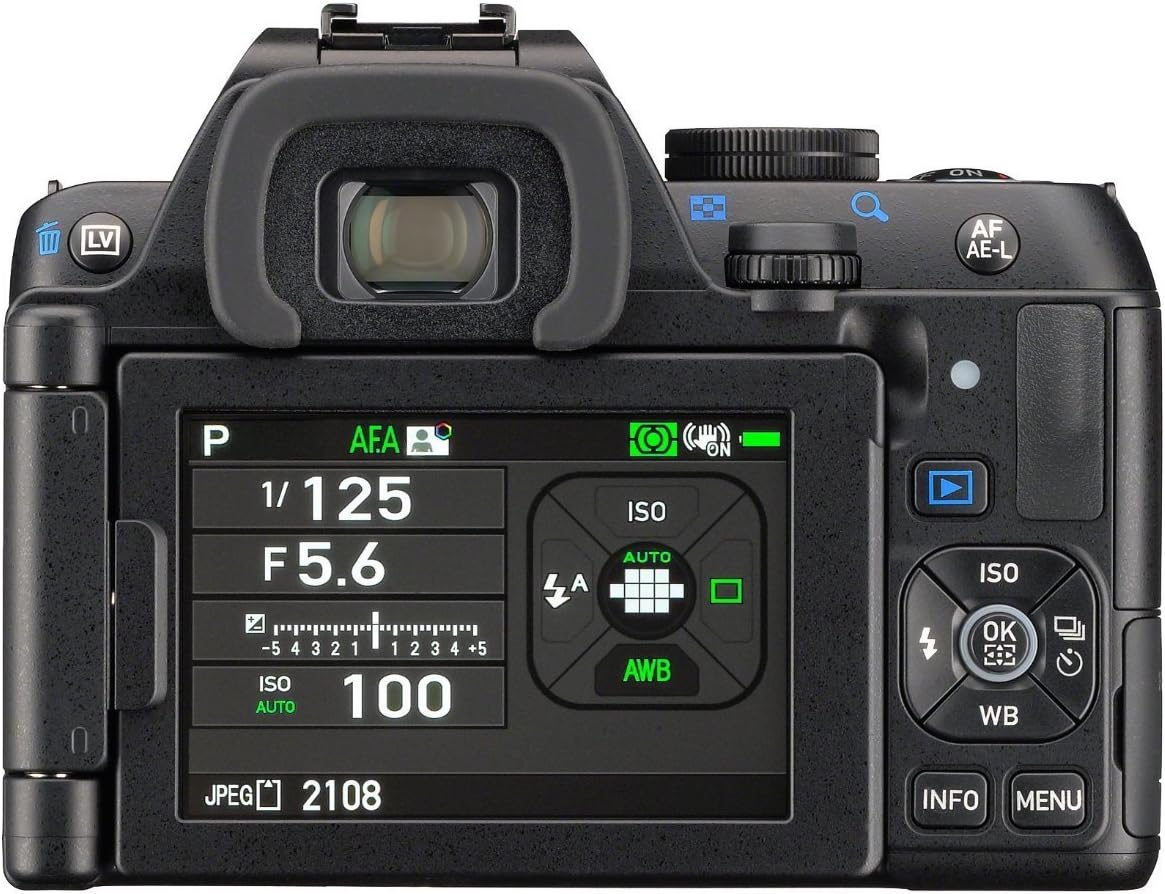
Figura 1: posterior view of the Pentax K-S2 DSLR camera, showing the LCD screen, control buttons, and mode dial. The LCD displays current shooting settings including aperture (F5.6), shutter speed (1/125), and ISO (100).
2. Enfocament
The K-S2 features phase detection autofocus. Half-press the shutter button to activate autofocus. The camera will focus on the subject within the selected AF points. You can also switch to manual focus (MF) using the switch on the lens or camera body.
3. Connectivitat Wi-Fi
To connect your camera to a smartphone or tablet, press the dedicated Wi-Fi button. Download the "Image Sync" application from your device's app store. Follow the instructions in the app to establish a connection, allowing for remote control and image transfer.
4. Gravació de vídeo
To record video, rotate the power switch to the video icon. Press the red movie record button to start and stop recording. The K-S2 supports 1080P h.264 HD video and 4K interval movie capture.
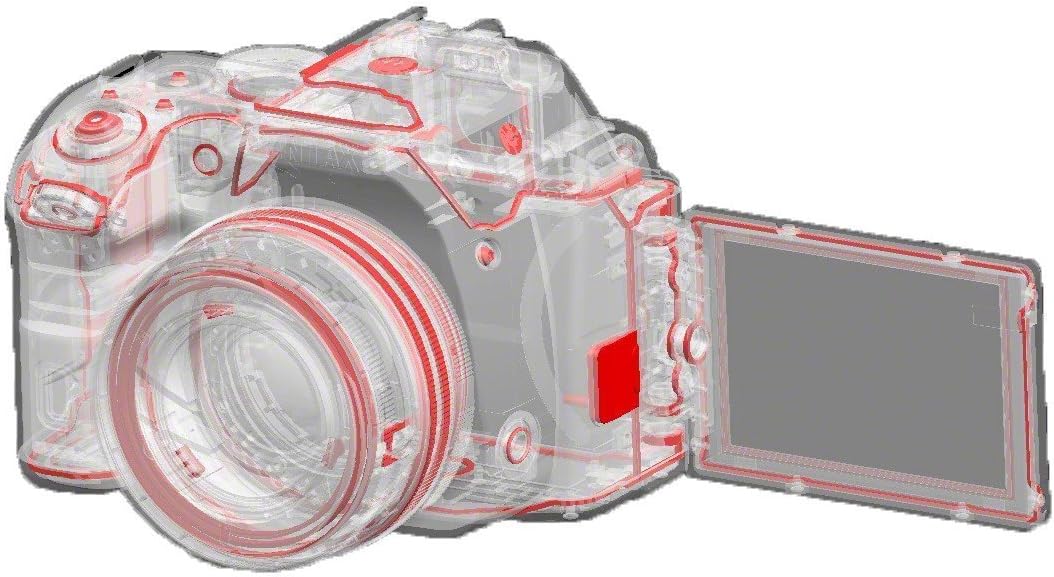
Figure 2: Diagram showing the internal components and the articulated LCD screen of the Pentax K-S2 DSLR camera. This feature allows for flexible shooting angles.
Manteniment
1. Neteja de la càmera
- Cos: Feu servir un drap suau i sec per netejar el cos de la càmera. Per a la brutícia persistent, fregueu lleugeramentampRenta el drap amb aigua. Evita l'ús de dissolvents orgànics.
- Lent: Use a lens blower brush to remove dust. For smudges, use a specialized lens cleaning solution and a microfiber cloth.
- Sensor: Sensor cleaning should be performed by authorized service personnel or with extreme caution using appropriate tools. The K-S2 has a sensor cleaning function in the menu.
- Pantalla LCD: Netegeu suaument amb un drap suau i sec. Eviteu prémer massa fort.
2. Emmagatzematge
When not in use for extended periods, store the camera in a cool, dry place away from direct sunlight and high humidity. Remove the battery to prevent leakage. Use desiccant packets if storing in humid environments.
Resolució de problemes
| Problema | Possible causa/solució |
|---|---|
| La càmera no s'encén. | Check if the battery is charged and correctly inserted. Ensure the battery cover is closed. |
| Les imatges són borroses. | Check focus mode (AF/MF). Ensure shutter speed is fast enough for the subject. Use image stabilization if available. Clean the lens. |
| La connexió Wi-Fi falla. | Ensure the "Image Sync" app is installed and updated. Restart both camera and smart device. Check camera Wi-Fi settings. |
| Error de la targeta de memòria. | Torneu a inserir la targeta de memòria. Proveu-ne una altra compatible. Formateu la targeta (això esborrarà totes les dades). |
| La pantalla LCD està en blanc. | Check if the display is turned off or if the camera is in viewfinder-only mode. Press the INFO button to cycle display options. |
If problems persist, consult the official Pentax support resources or contact customer service.
Especificacions
| Característica | Detall |
|---|---|
| Nom del model | K-S2 |
| Marca | Pentax |
| Resolució de fixes efectius | 20 MP |
| Mida del sensor fotogràfic | APS-C |
| Estabilització d'imatge | Sensor-shift, Optical |
| Tipus de visualització | Articulating LCD |
| Mida de la pantalla | 3 polzades |
| Tecnologia de connectivitat | Wi-Fi |
| Admet File Format | JPEG, RAW |
| Resolució de vídeo | 1080p (Full HD), 4K interval movie capture |
| Rang ISO ampliat | 100-51200 |
| Punts d'enfocament automàtic | 11 |
| Velocitat d'obturació mínima | 0.02 segons |
| Pes de l'article | 1.5 lliures |
| Tipus de bateria | Ió de liti |
Informació de la garantia
The Pentax K-S2 camera comes with a 1 anys de garantia de peces i mà d'obra from the date of purchase. This warranty covers defects in materials and workmanship under normal use. Please retain your proof of purchase for warranty claims. For full terms and conditions, refer to the warranty card included with your product or visit the official Pentax weblloc.
Suport
For further assistance, technical support, or service inquiries, please visit the official Pentax support website or contact their customer service department. You can often find FAQs, driver downloads, and additional resources online.
Pentax Official Weblloc: www.ricoh-imaging.co.jp/english/products/k-s2/ (Exampl'enllaç, l'enllaç real pot variar)