
Introducció
This manual provides essential information for the safe and efficient use of your Sharp LC-48LE653U 48-Inch 1080p 60Hz Smart LED TV. Please read these instructions thoroughly before operating the television and retain them for future reference. This television offers reliable performance with AquoMotion 120 technology for smooth motion, reduced blur, and access to SmartCentral Apps for various streaming services. It features an ultra-narrow bezel, a sleek modern design, Wallpaper Mode, three HDMI inputs (including MHL support), and built-in 20W audio.
Què hi ha a la caixa
Verifiqueu que tots els components siguin presents abans de continuar amb la configuració.
- Sharp LC-48LE653U 48-Inch Smart LED TV
- Control remot
- Suport de TV
- Bateries AA (2)
- Cable d'alimentació
- Documentació (Guia d'inici ràpid, Targeta de garantia)
Configuració
1. Desembalatge i col·locació
Carefully remove the television from its packaging. Place the TV on a stable, level surface or mount it on a wall using a compatible VESA mount (sold separately). Ensure adequate ventilation around the television.
2. Fixació del suport
If using the included stand, align the stand with the mounting holes on the bottom of the TV. Secure it with the provided screws. Refer to the diagram below for proper orientation.

Figure 1: Television with stand and dimensions (10.55"D x 42.56"W x 26.28"H).
3. Dispositius de connexió
Connect your external devices (e.g., cable box, Blu-ray player, gaming console) to the appropriate ports on the back or side of the TV. The TV features 3 HDMI inputs (one with MHL support), 1 USB port, and component/composite video inputs.

Figure 2: Detail of TV input ports.
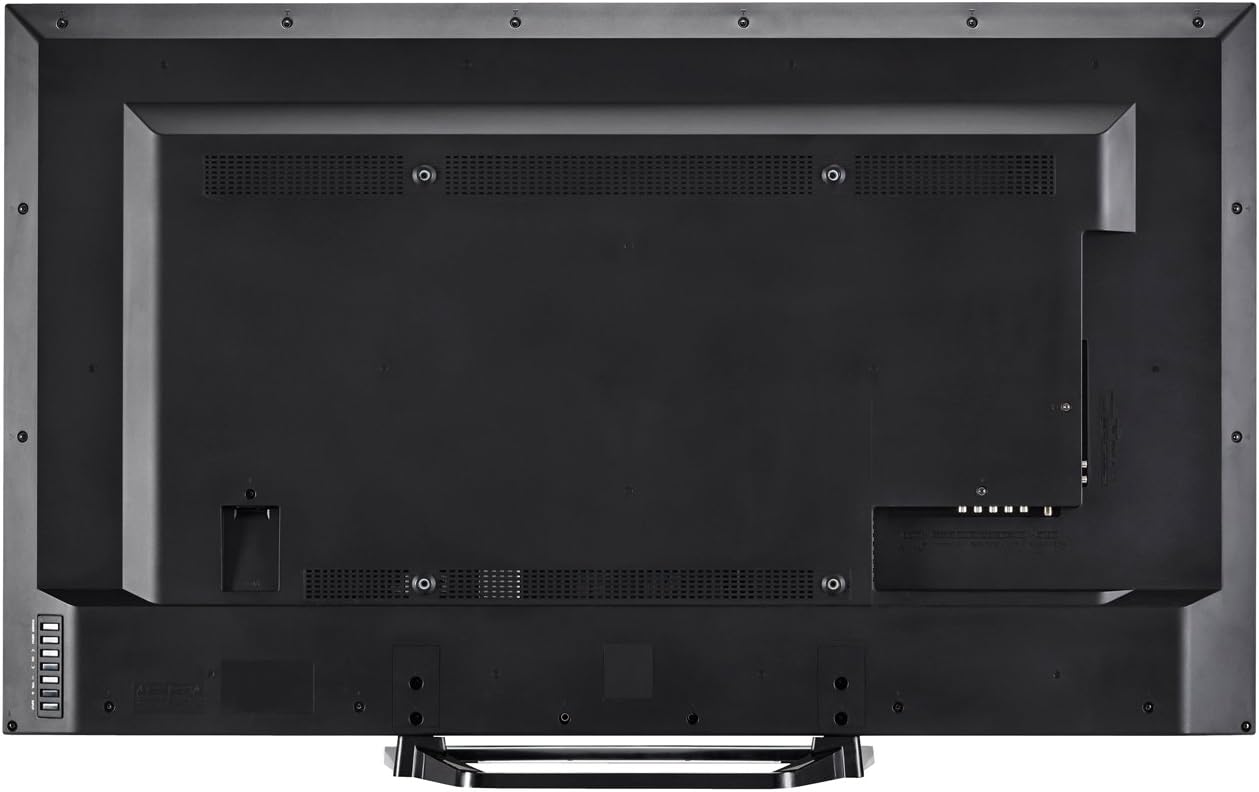
Figura 3: posterior view of the television with all connections.
4. Connexió d'alimentació
Plug the power cord into the TV's power input, then into a standard electrical outlet (110 VAC, 60 Hz).
5. Assistent d'encesa inicial i configuració
Press the Power button on the TV or remote control. Follow the on-screen instructions to complete the initial setup, including language selection, network connection (Wi-Fi or Ethernet), and channel scanning.
Instruccions de funcionament
1. Funcions de control remot
The included remote control allows you to navigate menus, change channels, adjust volume, and access smart features. Insert the two AA batteries into the remote control, observing polarity.

Figure 4: Remote Control Layout.
- Potència: Encén o apaga el televisor.
- Entrada: Selects the input source (HDMI, Component, etc.).
- Volum (+/-): Ajusta el nivell de so.
- Canal (CH +/-): Canvi de canals.
- Intel·ligent: Accesses SmartCentral Apps.
- Menú: Opens the main settings menu.
- Botons de navegació (amunt/avall/esquerra/dreta/retorn): Navega pels menús i confirma les seleccions.
- Netflix, YouTube, Pandora, Vudu: Botons dedicats per a un accés ràpid a aquests serveis de streaming.
2. SmartCentral Apps
Your Sharp Smart LED TV comes with built-in Wi-Fi and SmartCentral Apps, providing access to popular streaming services and a web browser. Press the 'Smart' button on your remote or select the SmartCentral Apps icon from the home screen.

Figure 5: SmartCentral Apps Interface.
- Accés a les aplicacions: Use the navigation buttons on the remote to select and launch applications like Netflix, Hulu Plus, Pandora, Vudu, and YouTube.
- Web Navegador: Utilitzeu el integrat web browser for general internet browsing.
- Connexió de xarxa: Ensure your TV is connected to a stable internet connection via Wi-Fi or Ethernet for optimal Smart TV functionality.
3. Configuració d'imatge i so
Access the TV's menu to customize picture and sound settings. Adjust brightness, contrast, color, and sharpness for picture quality. For audio, select sound modes or adjust bass/treble settings.
4. Wallpaper Mode
When the TV is turned off, Wallpaper Mode allows it to display virtually any image, transforming your TV into a large-format display for photos or artwork. Configure this feature through the TV's settings menu.
Manteniment
1. Neteja de la pantalla
Netegeu suaument la pantalla amb un drap suau, sec i sense borrissol. Per a marques difícils, netegeu suaument.ampNetegeu el drap amb aigua o un netejador de pantalles especialitzat. Eviteu productes químics agressius o materials abrasius.
2. Neteja de l'armari
Wipe the TV cabinet with a soft, dry cloth. Do not use liquid cleaners directly on the cabinet.
3. Actualitzacions de programari
Periodically check for software updates through the TV's settings menu to ensure optimal performance and access to the latest features. A stable internet connection is required for updates.
Resolució de problemes
Si teniu problemes amb el televisor, consulteu les solucions habituals següents:
- Sense energia: Ensure the power cord is securely plugged into both the TV and the electrical outlet. Test the outlet with another device.
- Sense imatge/so: Verify the correct input source is selected. Check all cable connections to external devices. If using an antenna, ensure it is properly connected and channels are scanned.
- No Sound (intermittent): If sound occasionally cuts out, try unplugging the TV from the power outlet for a few minutes, then plugging it back in. This can reset internal components.
- Mala qualitat d'imatge: Ajusteu la configuració de la imatge (brillantor, contrast, nitidesa). Assegureu-vos que la font d'entrada proporciona un senyal d'alta qualitat.
- Problemes de connectivitat de xarxa: Check your Wi-Fi router or Ethernet cable connection. Restart your router and the TV. Ensure Wi-Fi settings on the TV are correctly configured.
- El control remot no funciona: Canvieu les piles. Assegureu-vos que no hi hagi cap obstacle entre el comandament a distància i el sensor d'infrarojos del televisor.
For persistent issues, contact Sharp customer support.
Especificacions
| Característica | Especificació |
|---|---|
| Número de model | LC-48LE653U |
| Mida de la pantalla | 48 polzades |
| Tecnologia de visualització | LCD amb retroil·luminació LED |
| Resolució | 1080p (1920 x 1080) |
| Freqüència d'actualització | 60 Hz (AquoMotion 120) |
| Connectivitat | Built-in Wi-Fi, Ethernet |
| Ports HDMI | 3 (one with MHL) |
| Ports USB | 1 |
| Serveis d'Internet compatibles | Hulu Plus, Netflix, Pandora, Vudu, YouTube |
| Potència de sortida d'àudio | 20 watts |
| Dimensions del producte (P x A x A) | 10.55" x 42.56" x 26.28" |
| Pes de l'article | 21 lliures |
| Voltage | 110 VAC 60 Hz |
Informació de la garantia
This Sharp LC-48LE653U television is covered by a Garantia limitada d'1 any from the date of purchase. This warranty covers manufacturing defects in materials and workmanship under normal use. It does not cover damage caused by misuse, accidents, unauthorized modifications, or external causes. Please retain your proof of purchase for warranty claims.
Suport
For technical assistance, troubleshooting beyond this manual, or warranty service, please contact Sharp customer support. Refer to the contact information provided in your product documentation or visit the official Sharp weblloc.
Assistència en línia: www.sharpusa.com/support
Suport telefònic: Refer to your warranty card or Sharp's official weblloc web per obtenir els números de contacte més actuals.