
1. Introducció
The Pronomic PH15AW is a versatile, battery-powered active speaker system designed for portable sound reinforcement. It features a 15-inch speaker, integrated MP3/SD/USB player, Bluetooth connectivity, and includes wireless microphones for various applications. Its trolley design with an extendable handle and wheels ensures easy transport.
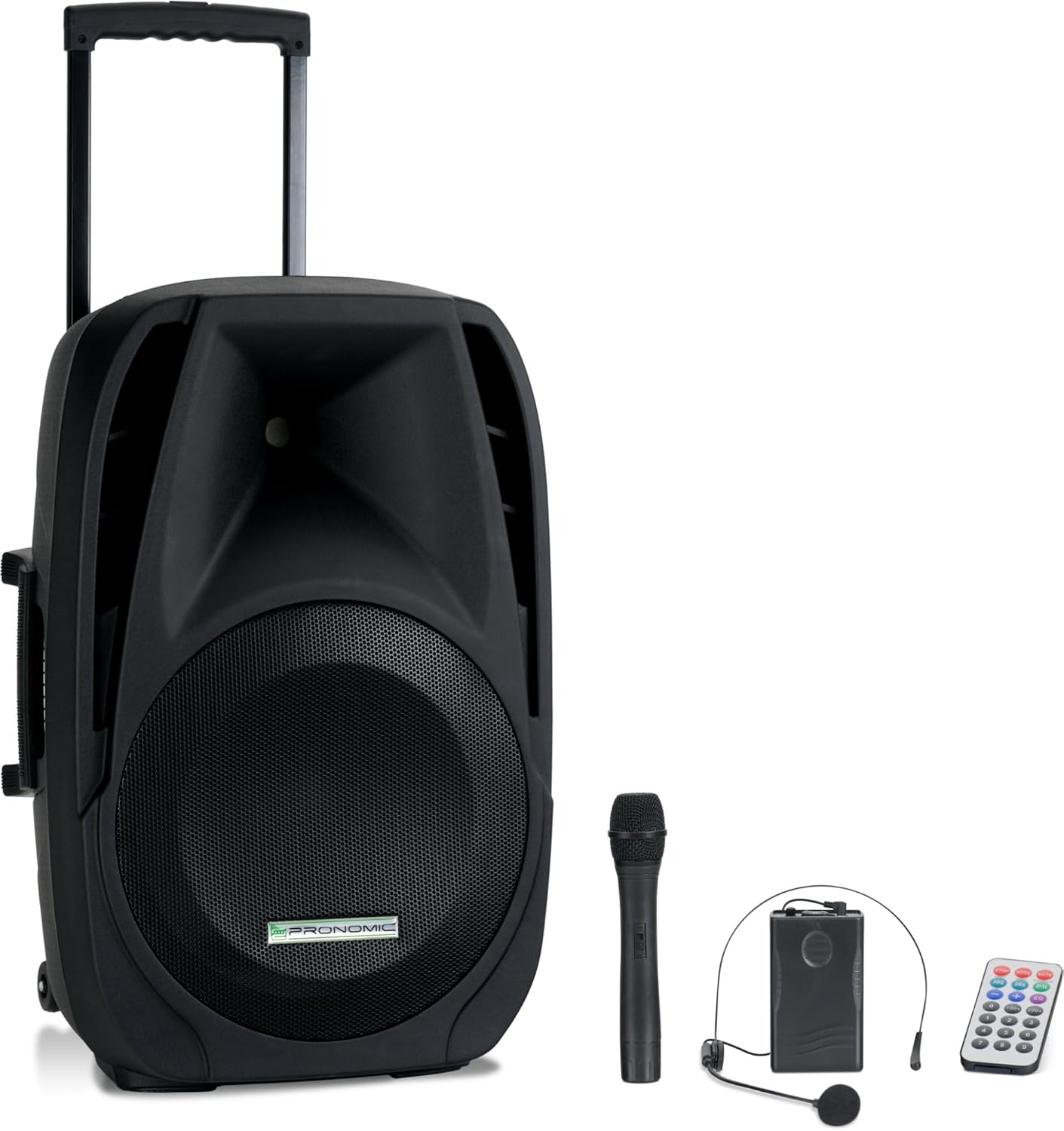
Image 1.1: The Pronomic PH15AW Battery Active Box shown with its included wireless microphone, headset microphone, and remote control.
2. Instruccions de seguretat
- Font d'alimentació: Only use the specified power adapter and voltage (AC 220-230V 50/60Hz or DC 12V).
- Aigua i humitat: Do not expose the unit to rain, moisture, or any liquids. Avoid placing liquid-filled objects on the speaker.
- Ventilació: Assegureu-vos una ventilació adequada. No bloquegeu les obertures de ventilació.
- Calor: Mantingueu la unitat allunyada de fonts de calor com ara radiadors, registres de calor, estufes o altres aparells que produeixin calor.
- Neteja: Disconnect from power before cleaning. Use a dry, soft cloth.
- Manteniment: No intenteu atendre aquest producte vosaltres mateixos. Consulteu tots els serveis a personal de servei qualificat.
- Seguretat de la bateria: Do not disassemble, crush, or expose the battery to high temperatures. Dispose of batteries properly.
3. Contingut del paquet
Si us plau, comproveu que tots els elements siguin presents al paquet:
- Pronomic PH15AW Battery Active Box
- Cable d'alimentació
- Micròfon de mà sense fil
- Wireless Headset Microphone with Bodypack Transmitter
- Control remot

Image 3.1: The included wireless handheld microphone and headset microphone with bodypack transmitter.
4. Producte acabatview
4.1 Davant View

Image 4.1: The front view of the PH15AW speaker, highlighting the 15-inch woofer and horn tweeter.
4.2 Controls i connexions del panell posterior

Imatge 4.2: Detallada view of the rear control panel, including inputs, outputs, and various adjustments.

Image 4.3: A closer look at the MP3 player section, EQ controls, and microphone inputs.
- MP3/WMA Player: SD card slot, USB port, Mode button, Play/Pause, Skip buttons, TWS (True Wireless Stereo) function.
- Controls de volum: Master Volume, Bass, Treble, Echo, Mic Volume.
- Entrades:
- MIC/Guitar Input (6.35mm jack)
- MIC Input (6.35mm jack)
- MP3/Smartphone AUX Input (3.5mm jack)
- LINE IN (RCA L/R)
- Sortides: MIX OUT (RCA L/R).
- VHF Wireless Microphones: Volume controls (VOL A, VOL B), RF indicators (RFA, RFB), ON/OFF switch.
- Secció de potència: DC 12V input, CHARGE indicator, POWER indicator, POWER SWITCH (ON/OFF).
4.3 Característiques físiques
- Mànec extensible: For easy pulling.
- Transport Rollers: Two stable wheels for mobility.
- Nanses: Three handles (two side, one top) for lifting.
- 35mm Stand Mount: For mounting on a standard speaker stand.

Imatge 4.4: Lateral view illustrating the extendable trolley handle and integrated side handles for carrying.

Image 4.5: Detail of the robust transport rollers for easy movement.
5. Configuració
5.1 Desembalatge i col·locació
- Traieu amb cura l'altaveu i tots els accessoris de l'embalatge.
- Place the speaker on a stable, flat surface or mount it on a compatible 35mm speaker stand.
5.2 Càrrega de la bateria interna
- Ensure the speaker's POWER SWITCH is in the OFF position.
- Connecteu el cable d'alimentació proporcionat a l'entrada de CA del panell posterior i després a una presa de corrent adequada.
- The CHARGE indicator LED will illuminate, indicating that the battery is charging.
- Allow sufficient time for a full charge before first use (typically several hours). The CHARGE LED will change color or turn off when fully charged.
5.3 Configuració del micròfon sense fil
- Micròfon de mà: Open the battery compartment and insert the required batteries (e.g., 9V block battery, not always included). Ensure correct polarity.
- Micròfon per a auriculars: Connect the headset microphone to the bodypack transmitter. Open the bodypack transmitter's battery compartment and insert the required batteries (e.g., 9V block battery). Ensure correct polarity.
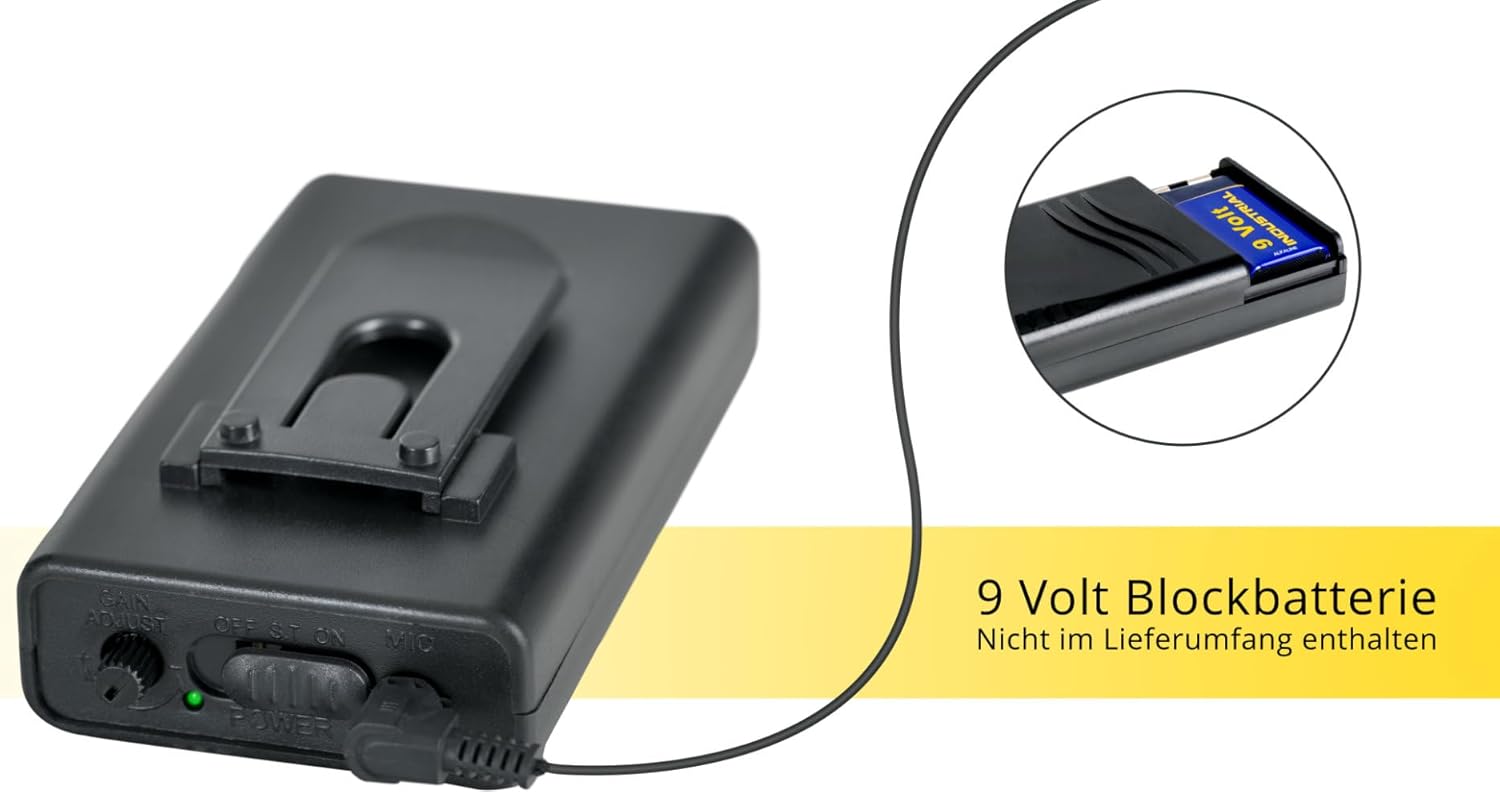
Imatge 5.1: Ex.ample of a 9-volt block battery, typically used for the wireless microphones (batteries may not be included).
5.4 Encès inicial
- After charging, disconnect the power cable if operating on battery.
- Flip the POWER SWITCH on the rear panel to the ON position. The POWER indicator LED will light up.

Image 5.2: The PH15AW's trolley function allows for easy transport, demonstrating its portability.
6. Instruccions de funcionament
6.1 MP3 Player (USB/SD)
- Insert a USB flash drive into the USB port or an SD card into the SD/MMC slot.
- Premeu el botó MODE button on the MP3 player section until 'USB' or 'SD' is displayed.
- Feu servir els botons Reproduir/Pausa i Saltar per controlar la reproducció.
6.2 Connectivitat Bluetooth
- Premeu el botó MODE button on the MP3 player section until 'Bluetooth' is displayed. The display will show 'BT' and flash, indicating it is ready for pairing.
- Al dispositiu compatible amb Bluetooth (per exemple, un telèfon intel·ligent o una tauleta), cerqueu els dispositius Bluetooth disponibles.
- Select 'PH15AW' (or similar name) from the list to pair. Once connected, the 'BT' indicator will stop flashing.
- Ara pots reproduir àudio des del teu dispositiu a través de l'altaveu.
6.3 Ús del micròfon
- Micròfons amb cable: Connect wired microphones to the 6.35mm MIC/Guitar or MIC inputs.
- Micròfons sense fil: Turn on the wireless handheld microphone or the bodypack transmitter for the headset microphone. The corresponding RF indicator (RFA or RFB) on the speaker's rear panel should light up.
- Ajusteu el VOLUM MIC knob to control the overall microphone level.
- Utilitza el ECO knob to add an echo effect to the microphone sound.
- Ajustar VOLUM A i VOL B for individual wireless microphone levels.
6.4 Line In/Out Connections
- LÍNIA A: Connect external audio sources (e.g., CD player, mixer) using RCA cables to the LINE IN (L/R) jacks.
- MEZCLA: Use the MIX OUT (L/R) jacks to send the mixed audio signal to another active speaker or recording device.
6.5 Tone Control (EQ)
- Utilitza el BASS knob to adjust the low frequencies of the sound.
- Utilitza el AGUTS knob to adjust the high frequencies of the sound.
7. Manteniment
7.1 Neteja
Wipe the exterior of the speaker with a soft, dry cloth. Do not use abrasive cleaners, waxes, or solvents.
7.2 Cura de la bateria
- Per allargar la durada de la bateria, carregueu-la completament abans del primer ús.
- Recharge the battery regularly, even if the unit is not used frequently.
- Eviteu descarregar completament la bateria, ja que això pot reduir-ne la vida útil.
- If storing the unit for an extended period, charge the battery to approximately 50% and recharge every few months.
7.3 Emmagatzematge
Guardeu la unitat en un lloc fresc i sec, allunyat de la llum solar directa i de temperatures extremes.
8. Solució De Problemes
- Sense energia:
- Ensure the power cable is securely connected and the POWER SWITCH is ON.
- Check if the internal battery is charged. Connect to AC power to charge.
- Sense so:
- Verify that the Master Volume is turned up.
- Check input source selection (MODE button for MP3/Bluetooth).
- Ensure all audio cables are correctly connected and not damaged.
- If using microphones, check their power and volume levels.
- El micròfon no funciona:
- For wireless mics, ensure batteries are inserted correctly and charged, and the microphone is switched ON. Check if the RF indicator on the speaker is lit.
- Adjust the MIC VOLUME and individual wireless mic volume knobs (VOL A/B).
- For wired mics, ensure they are securely plugged into the correct input.
- Bluetooth no connectat:
- Ensure the speaker is in Bluetooth mode ('BT' flashing).
- Assegureu-vos que el Bluetooth estigui activat al dispositiu i que estigui dins del seu abast.
- Prova de desvincular i tornar a vincular el dispositiu.
- So distorsionat:
- Reduce the Master Volume or the volume of the input source.
- Check if any input signals are too strong (clipping).
9. Especificacions
| Característica | Especificació |
|---|---|
| Model | PH15AW |
| Tipus d'altaveu | Battery Active Trolley Box, 2-way system |
| Mida de l'altaveu | 15 polzades |
| Power Output (RMS/Peak) | 100 watts (RMS) / 200 watts (màxim) |
| Interval de freqüència | 40 Hz - 20 kHz |
| Sensibilitat | 97 dB +/-2 dB |
| SPL màxim | 110 dB |
| Durada de la bateria | Fins a 5 hores |
| Connectivitat | Bluetooth, USB, SD |
| Entrades | 2 x 6.35mm (Mic/Guitar), 1 x 3.5mm AUX, RCA L/R |
| Sortides | RCA L/R (Mix Out) |
| Font d'alimentació | AC 220-230V 50/60Hz, 12V/7A Battery |
| Material | Plàstic |
| Dimensions (A x A x P) | 74 cm x 48.5 cm x 40 cm |
| Pes | 19.6 kg |
10. Garantia i Suport
For warranty information and technical support, please refer to the documentation provided at the time of purchase or contact your retailer or the manufacturer directly. Keep your proof of purchase for any warranty claims.