
1. Introducció
Welcome to the Dash Clear View Toaster instruction manual. This appliance is designed to provide a precise toasting experience with its unique clear-view window and versatile functions. Please read this manual thoroughly before use to ensure safe and efficient operation.
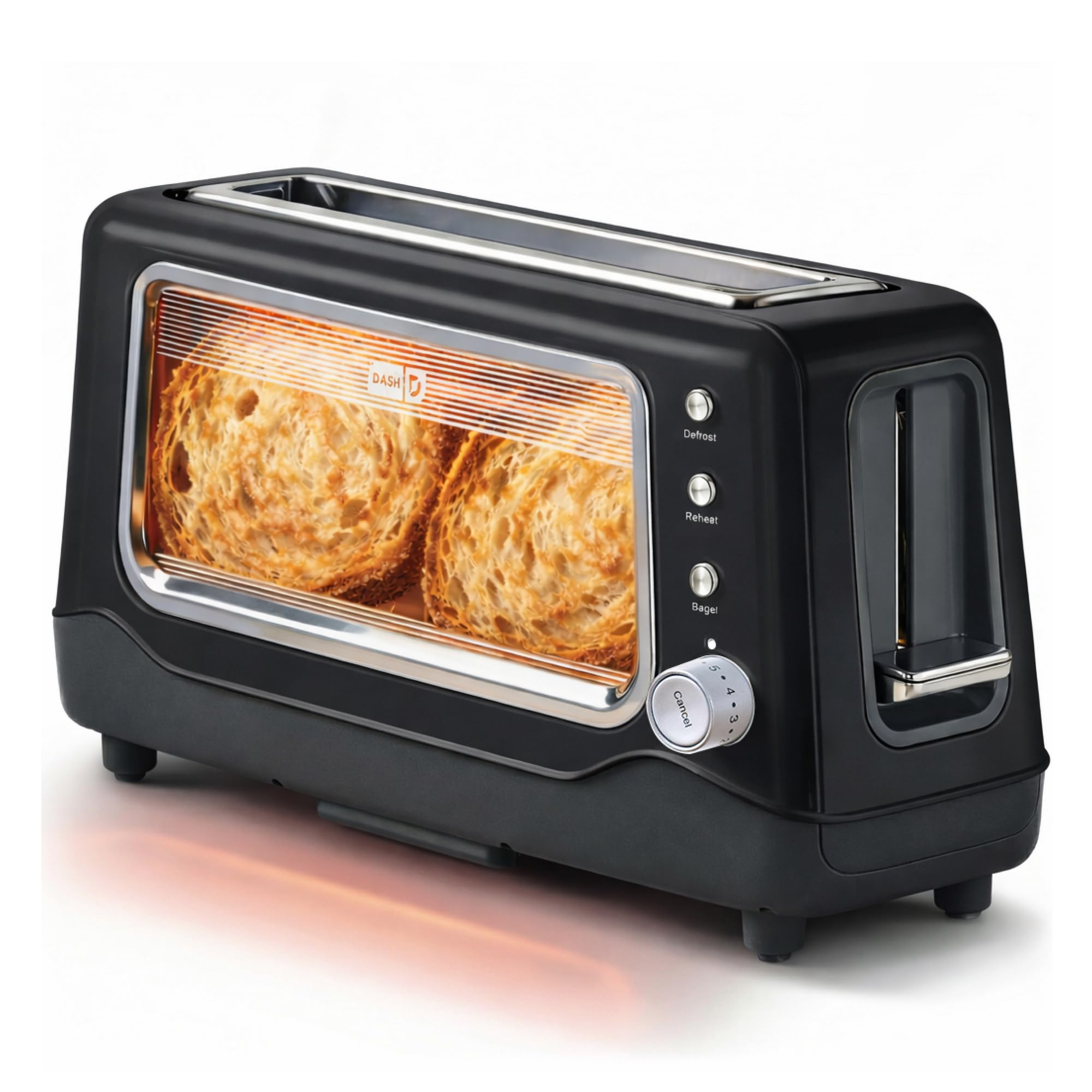
Image 1: The Dash Clear View Toaster in Black, showcasing its sleek design and prominent clear viewfinestra d’engegada.
2. Salvaguardes importants
Quan feu servir aparells elèctrics, sempre s'han de seguir les precaucions bàsiques de seguretat, com ara:
- Llegiu totes les instruccions abans de fer funcionar la torradora.
- No toqueu superfícies calentes. Utilitzeu nanses o poms.
- Per protegir-se de les descàrregues elèctriques, no submergiu el cable, els endolls o l'aparell en aigua o altres líquids.
- És necessària una supervisió estreta quan qualsevol aparell és utilitzat per o a prop dels nens.
- Desendolleu la presa de corrent quan no utilitzeu i abans de netejar. Deixeu refredar abans de posar o treure peces.
- No feu servir cap aparell amb un cable o un endoll danyats, o després que l'aparell funcioni malament o s'hagi fet malbé de cap manera.
- No utilitzar a l'aire lliure.
- No deixeu que el cable pengi de la vora de la taula o del taulell, ni toqui superfícies calentes.
- No col·loqueu-lo sobre o prop d'un cremador de gas o elèctric calent, ni en un forn calent.
- No utilitzeu l'aparell per a un altre ús que el previst.
- No s'han d'introduir aliments, embalatges de paper d'alumini o estris massa grans a la torradora, ja que poden provocar un incendi o risc de descàrrega elèctrica.
- Es pot produir un incendi si les torradores estan cobertes o toquen material inflamable, com ara cortines, cortines, parets i similars, quan estan en funcionament.
- No intenteu treure el menjar quan la torradora estigui endollada.
- No opereu sense vigilància.
3. Característiques del producte
The Dash Clear View Toaster is equipped with several features designed for convenience and optimal toasting results:
- clar-View Finestra: Allows you to monitor the toasting process to achieve your desired browning level.
- Seven-Browning Levels: Adjustable dial for precise control over toast shade, from light to dark.
- Ranures extra amples: Accommodates various bread types, including bagels, artisan bread, and Texas toast.
- 1-Touch Defrost Function: Ideal for toasting frozen items directly from the freezer.
- 1-Touch Reheat Function: Warms previously toasted items without further browning.
- 1-Touch Bagel Function: Torra el costat tallat dels bagels mentre escalfa suaument la part exterior.
- Auto-Shut Off Feature: Automatically turns off the toaster when the cycle is complete, preventing over-toasting.
- Slide-Out Crumbs Tray: Easily removable for quick and convenient cleaning.
- Removable Glass Panel: El clar viewing window can be removed for thorough cleaning.

Image 2: The Dash Clear View Toaster, highlighting its compact dimensions (15.5" W x 8" H x 6.5" D) and space-saving design on a kitchen countertop.

Image 3: A visual representation of the seven browning levels available on the Dash Clear View Toaster, ranging from very light to very dark toast.
4. Configuració
- Desembalar: Carefully remove the toaster and all packaging materials from the box. Retain packaging for future storage or returns.
- Col·locació: Place the toaster on a stable, heat-resistant, and dry surface away from flammable materials. Ensure adequate ventilation around the appliance.
- Primer ús: Before first use, operate the toaster without bread on the highest setting to burn off any manufacturing residues. A slight odor or smoke may be present; this is normal.
- Connexió d'alimentació: Plug the power cord into a standard 110V electrical outlet. The toaster lever will only stay down when the unit is plugged in.
5. Instruccions de funcionament
Follow these steps for optimal toasting:
- Inserir menjar: Place slices of bread, bagels, or other items into the extra-wide toasting slots.
- Selecciona el nivell de daurat: Turn the browning control dial to your desired setting (1 for lightest, 7 for darkest).
- Choose Function (Optional):
- Premeu el botó Descongelació button for frozen items.
- Premeu el botó Torneu a escalfar button to warm already toasted items.
- Premeu el botó Bagel button for bagels (toasts cut side, warms outer side).
- Començar a torrar: Push the toast lever down until it locks into place. The heating elements will activate, and you can observe the browning through the clear-view finestra.
- Cancel·la la torrada: Per aturar el cicle de torrada en qualsevol moment, premeu el botó Cancel·la button. The toast will automatically pop up.
- Recupera torrada: Once the toasting cycle is complete, the toast will automatically pop up. Carefully remove the toasted items.

Image 4: The Dash Clear View Toaster with two bagel halves placed in its extra-wide slots, ready for toasting using the dedicated bagel function.
Video 1: A seller-provided video demonstrating the Dash Clear View Toaster's features, including the clear window and various settings. The video shows a person using the toaster with a large slice of sourdough bread, highlighting the extra-wide slot and the ability to monitor browning.
6. Manteniment i Neteja
Regular cleaning ensures the longevity and performance of your toaster:
- Desconnecta i refresca: Desendolleu sempre la torradora de la presa de corrent i deixeu-la refredar completament abans de netejar-la.
- Safata de recollir molles buida: Slide out the crumb tray located at the bottom of the toaster. Discard crumbs and wipe the tray clean with a damp drap. Torneu a inserir la safata de manera segura.
- Neteja el panell de vidre: The clear-view glass panel can be removed for thorough cleaning. Locate the release mechanism (often a lever or clip) at the bottom or side of the glass panel, slide it out, wash with warm soapy water, rinse, and dry completely before reinserting.
- Neteja exterior: Netegeu l'exterior de la torradora amb anunciamp tela. No utilitzeu netejadors abrasius ni submergiu la torradora en aigua.
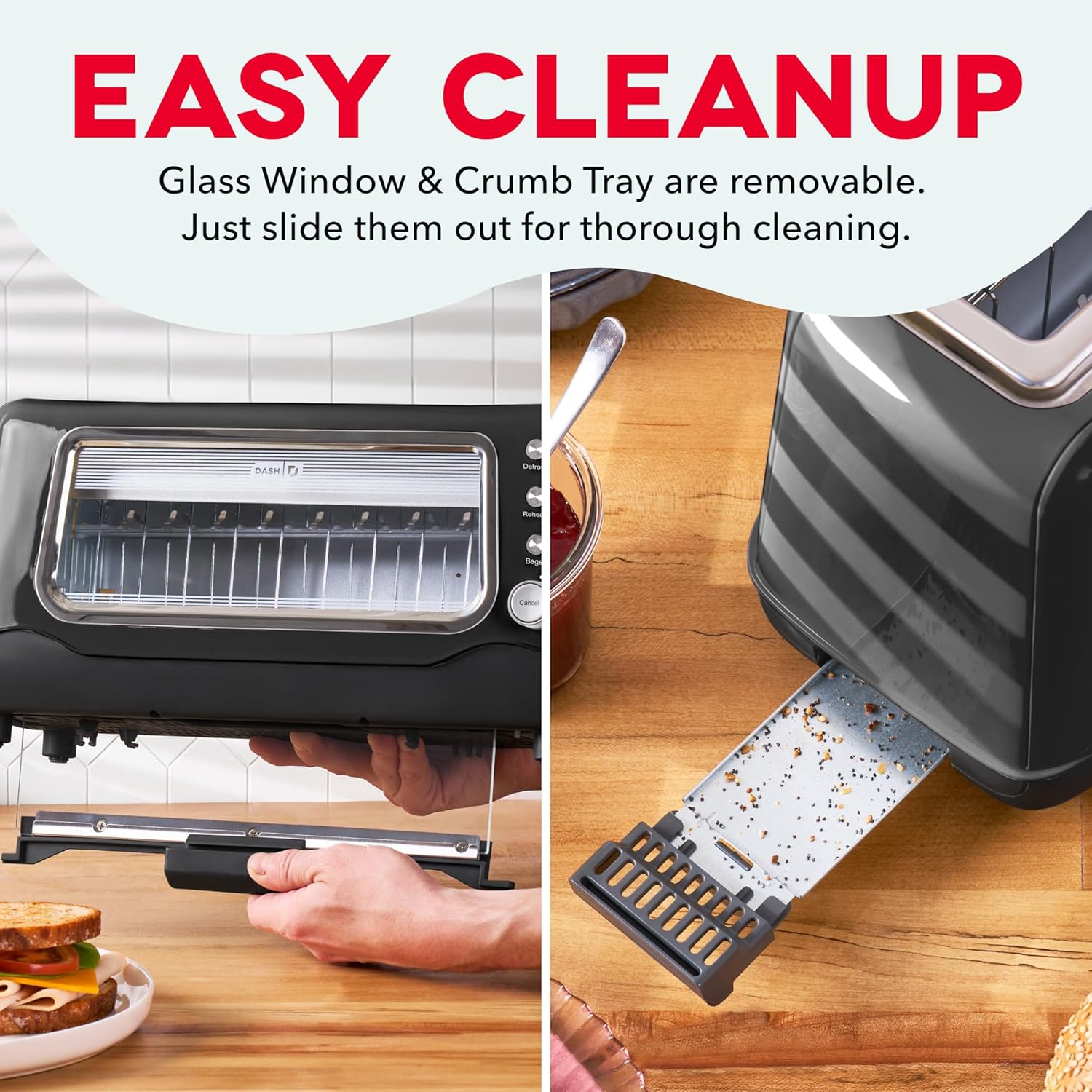
Image 5: The Dash Clear View Toaster demonstrating its easy cleaning features, including the removable slide-out crumb tray and the detachable glass panel for thorough maintenance.
Video 2: A seller-provided video showcasing the Dash Clear View Toaster's unboxing and features, including a demonstration of how to remove and clean the crumb tray and glass panel.
7. Solució De Problemes
- Toast Lever Does Not Stay Down: Ensure the toaster is properly plugged into a functioning electrical outlet. The lever is designed to only engage when power is supplied.
- Torrat desigual: Different types of bread toast differently. Adjust the browning level as needed. For very thick or dense items, a slightly higher setting or a second cycle might be required (monitor closely through the clear window).
- Smoke from Toaster: A small amount of smoke during first use is normal. If smoke persists, unplug the toaster immediately. Check for any lodged food particles or excessive crumbs in the crumb tray or heating elements.
- Food Stuck: Unplug the toaster and allow it to cool. Carefully remove the stuck food using non-metallic utensils. Never use metal objects.
8. Especificacions
| Atribut | Valor |
|---|---|
| Marca | DASH |
| Número de model | DVTS501BK |
| Color | Negre |
| Material | Glass, Polypropylene (PP), Stainless Steel |
| Dimensions del producte | 6.6 "P x 15.7" W x 7.8" H |
| Wattage | 1100 watts |
| Voltage | 110 Volts |
| Slot Count | 2 (extra-wide) |
| Number of Browning Settings | 7 |
| Característiques especials | Automatic Shut-Off, Defrost Mode, Reheat Mode, Removable Crumb Tray, Variable Browning Control |
9. Garantia i Suport
The Dash Clear View Toaster DVTS501BK comes with a Garantia limitada d'1 any. For warranty claims, troubleshooting assistance, or product support, please refer to the contact information provided in your product packaging or visit the official DASH weblloc.
Included Components: Toaster, Recipe Guide, Instruction Manual, Warranty.