
Introducció
The Superior Electronics Freedom 2in1 is a universal programmable remote control designed to operate up to two different audio/video devices. This manual provides comprehensive instructions for setup, operation, maintenance, and troubleshooting to ensure optimal performance and longevity of your device.
Informació de seguretat
- Do not expose the remote control to direct sunlight, heat sources, or extreme temperatures.
- Eviteu deixar caure el comandament a distància ni sotmetre'l a impactes forts.
- Do not immerse the remote control in water or any other liquid.
- Mantingueu les piles fora de l'abast dels nens. En cas d'ingestió, busqueu atenció mèdica immediata.
- Eliminar les bateries usades d'acord amb la normativa local.
Contingut del paquet
Si us plau, verifiqueu que tots els elements siguin presents al paquet:
- Superior Electronics Freedom 2in1 Universal Remote Control
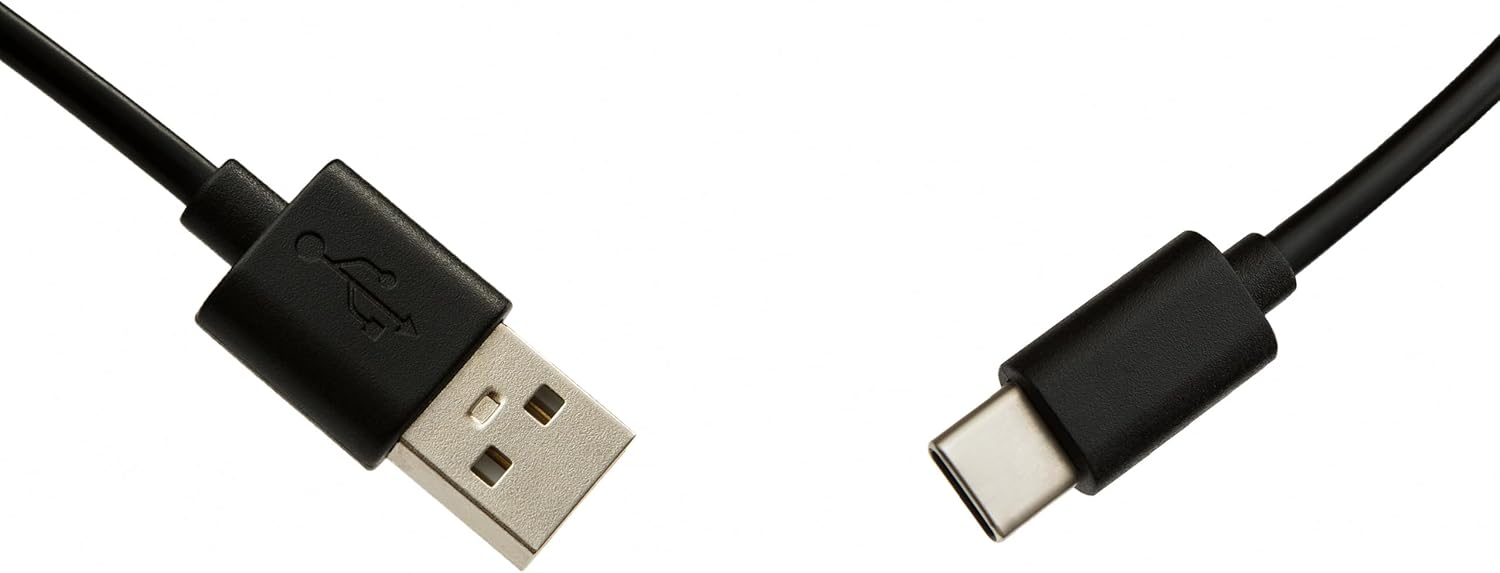
- USB-C Cable for programming
- Manual d'usuari (aquest document)
Configuració
1. Instal·lació de la bateria
El comandament a distància requereix dues piles AAA (no incloses). Per instal·lar-lo:
- Obriu la tapa del compartiment de la bateria a la part posterior del comandament a distància.
- Introduïu dues piles AAA, assegurant-vos de la polaritat correcta (+ i -).
- Tanqueu bé la tapa del compartiment de la bateria.
2. Programació del comandament a distància
The Superior Electronics Freedom 2in1 remote control is programmable via a computer using the included USB-C cable and Superior's dedicated software. This allows for quick and accurate setup for a wide range of devices.
- Descarregar programari: Visit the official Superior Electronics website to download the latest programming software for your Freedom 2in1 remote.
- Connecta el comandament a distància: Connect the remote control to your computer using the provided USB-C cable.
- Programari de llançament: Open the Superior programming software on your computer.
- Seleccioneu el dispositiu: Follow the on-screen instructions to select the brand and model of the device you wish to control (e.g., TV, SAT, DVD, Soundbar). The software utilizes a leading European database with over 260,000 compatible devices.
- Programa: Initiate the programming process. Programming is typically completed in less than one minute by double-clicking the desired brand and model within the software.
- MAP Function: The dedicated MAP function allows you to recover the original remote control functions on the Superior Freedom keypad, ensuring all original functionalities are available.

Instruccions de funcionament
Once programmed, your Superior Electronics Freedom 2in1 remote control is ready for use. It can control up to two devices, such as TVs, Smart TVs, decoders, DVD players, projectors, and soundbars.

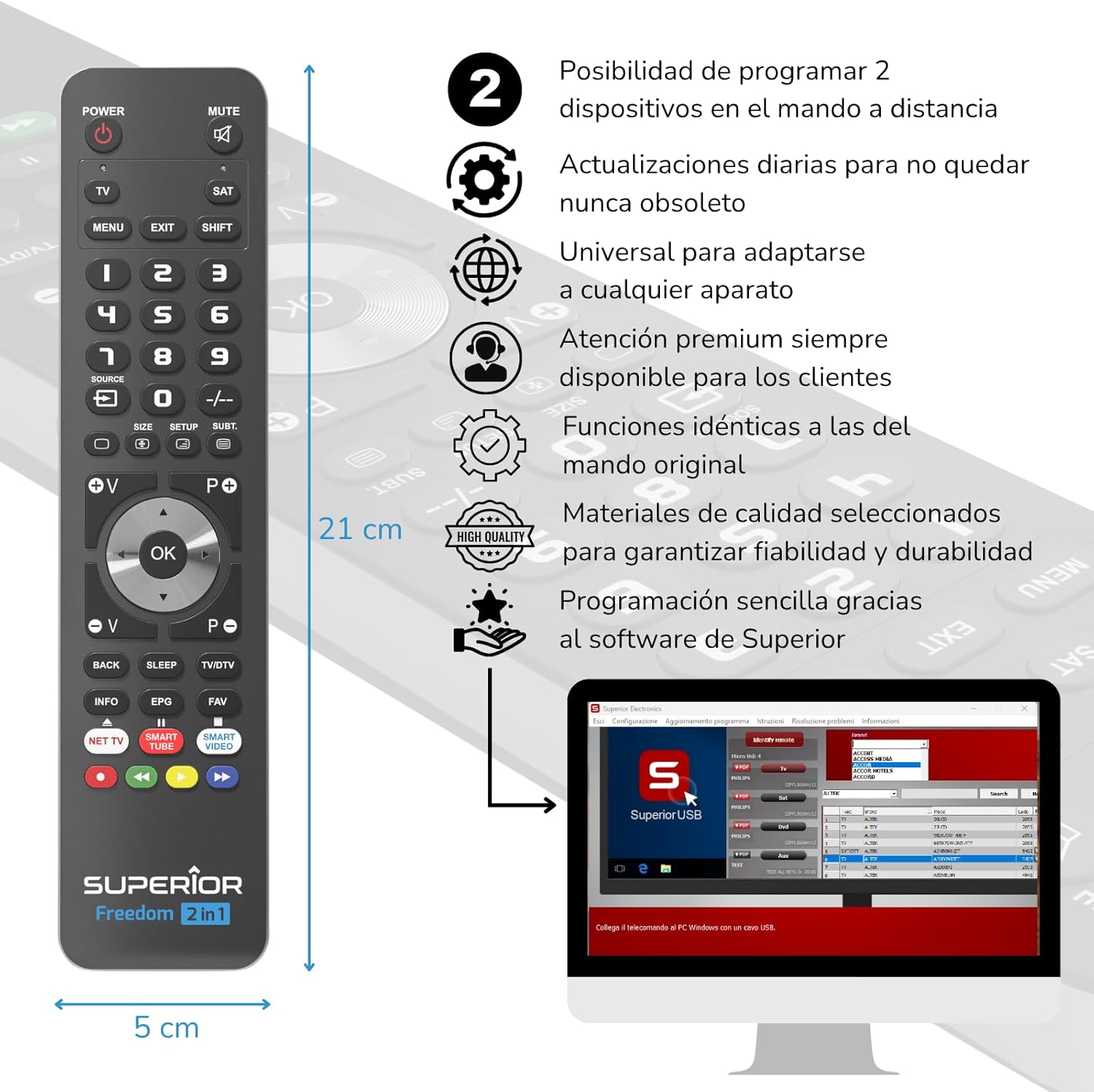
S'han acabat les funcions del botóview:
- POTÈNCIA: Encén o apaga el dispositiu seleccionat.
- MUT: Silencia o activa l'àudio.
- TV / SAT: Selects the device to be controlled (e.g., TV or Satellite receiver).
- MENU / EXIT: Accesses or exits the device's menu.
- MAJÚS: Activa les funcions secundàries de certs botons.
- 0-9: Number buttons for direct channel input.
- FONT: Changes the input source on your TV.
- +/-: Adjusts channel up/down or navigates through menus.
- SIZE / SETUP / SUBT.: Specific functions depending on the device.
- Volume (V+/-) / Channel (P+/-): Ajusta el volum i canvia de canal.
- Navigation (Up, Down, Left, Right, OK): Navega pels menús i confirma les seleccions.
- BACK / SLEEP / TV/DTV: Returns to previous screen, sets sleep timer, or switches between TV/Digital TV modes.
- INFO / EPG / FAV: Displays information, Electronic Program Guide, or Favorite channels.
- NET TV / SMART TUBE / SMART VIDEO: Dedicated buttons for smart TV applications.
- Botons de color (vermell, verd, groc, blau): Used for specific functions within menus or smart TV apps.
The maximum operating range of the remote control is 10 meters.
Manteniment
Neteja
To clean the remote control, use a soft, dry cloth. Do not use abrasive cleaners, solvents, or chemical agents, as these may damage the surface or internal components.
Canvi de bateria
When the remote control's performance diminishes or it stops responding, it is likely time to replace the batteries. Follow the battery installation steps outlined in the Setup section.
Resolució de problemes
- El comandament a distància no respon: Ensure batteries are correctly inserted and not depleted. Replace batteries if necessary.
- Device not controlling: Verify that the remote is pointed directly at the device's IR receiver. Ensure there are no obstructions between the remote and the device.
- Incorrect functions: The remote may not be programmed correctly for your specific device model. Re-program the remote using the Superior Electronics software and ensure you select the correct brand and model.
- Funcionalitat limitada: If some functions are missing, use the MAP function in the programming software to ensure all original remote functions are mapped to the Freedom 2in1.
If issues persist after following these steps, please contact Superior Electronics customer support.
Especificacions
| Número de model | SUPTUB002 |
| Marca | Electrònica Superior |
| Dimensions | 23 x 5 x 1.5 cm |
| Pes | 80 g |
| Piles necessàries | 2 x AAA (no inclòs) |
| Connectivitat | USB-C (for programming) |
| Maximum Devices Supported | 2 |
| Interval màxim | 10 metres |
| Dispositius compatibles | TVs, Smart TVs, Decoders, DVD players, Projectors, Soundbars, Hi-Fi systems |
Garantia i Suport
Superior Electronics is committed to providing high-quality products and excellent customer service.
- Actualitzacions de programari: Enjoy free and constant updates for your remote control's programming database, ensuring compatibility with new devices.
- Atenció al client: Premium customer assistance is available 7 days a week to address any questions or issues you may encounter.
For further assistance, please visit the official Superior Electronics weblloc web o contacteu directament amb el seu servei d'atenció al client.


