
1. Producte acabatview
The Volteck TEM-8 Digital Timer is designed to automate the power supply to electrical appliances, allowing for precise scheduling of on/off cycles. This device features 8 programmable events per day, offering flexibility for various applications.

Figura 1: Frontal view of the Volteck TEM-8 Digital Timer, showing the LCD display, control buttons, and power outlet.
Característiques principals:
- 8 Programmable Events: Set up to 8 distinct ON/OFF programs daily.
- Horari flexible: Programs can be set for specific days of the week or daily.
- Pantalla LCD: Clear digital display for time and program settings.
- Bateria recarregable integrada: Maintains program settings during power outages.
- Construcció duradora: Made from polycarbonate for longevity.

Figure 2: Key features of the timer, including the LCD screen, integrated rechargeable battery, and polycarbonate construction.
2. Configuració i configuració inicial
2.1 Desembalatge i càrrega inicial
Remove the timer from its packaging. Before first use, plug the timer into a standard electrical outlet for at least 30 minutes to charge the internal rechargeable battery. This ensures that the timer retains its settings even if unplugged or during a power interruption.
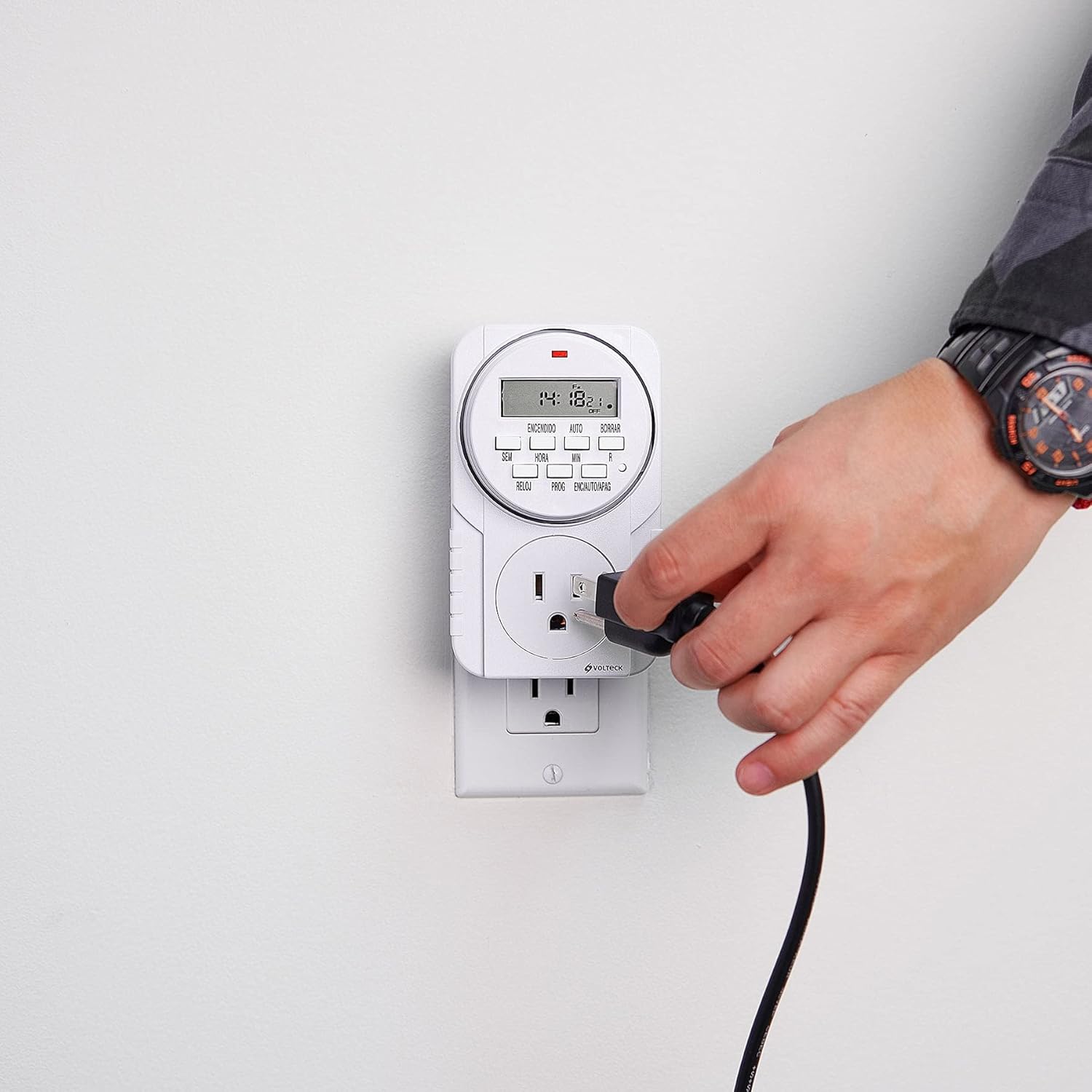
Figure 3: The Volteck TEM-8 Digital Timer plugged into a wall outlet for initial charging and operation.
2.2 Configuració de l'hora actual
- Premeu el botó RELOJ botó. La pantalla mostrarà l'hora actual.
- Mentre sosteniu el RELOJ botó, premeu SETMANA button to select the current day of the week (e.g., MO, TU, WE, TH, FR, SA, SU).
- Mentre sosteniu el RELOJ botó, premeu HORA botó per configurar l'hora actual.
- Mentre sosteniu el RELOJ botó, premeu MIN botó per configurar el minut actual.
- Allibera el RELOJ botó. L'hora ja està configurada.
3. Instruccions de funcionament
3.1 Programació d'esdeveniments ON/OFF
The TEM-8 timer allows for up to 8 ON/OFF programs. Each program consists of an ON time and an OFF time.
- Premeu el botó PROG Premeu el botó una vegada. La pantalla mostrarà "1 ON". Això serveix per configurar la primera hora d'encesa.
- Premeu el botó SETMANA button to select the desired day(s) for this program. Options include individual days, weekdays, weekends, or all days.
- Premeu el botó HORA button to set the desired hour for the ON time.
- Premeu el botó MIN button to set the desired minute for the ON time.
- Premeu el botó PROG button again. The display will show "1 OFF". This is for setting the first OFF time.
- Repeat steps 2-4 to set the desired day(s), hour, and minute for the OFF time. Ensure the OFF time is after the ON time for the same program.
- Continueu pressionant el botó PROG button to cycle through "2 ON", "2 OFF", up to "8 ON", "8 OFF", setting each program as needed.
- Després de configurar tots els programes desitjats, premeu el botó RELOJ botó per tornar a la visualització de l'hora actual.

Figure 4: A user pressing buttons on the timer to set programs or adjust settings.
3.2 Accionament manual (ON/AUTO/OFF)
El ON/AUTO/OFF button allows you to manually control the timer's output, overriding programmed settings temporarily.
- Premeu una vegada per a ON: The connected appliance will turn ON immediately and stay ON, ignoring all programs.
- Premeu de nou per AUTO: The timer will follow the programmed ON/OFF events. This is the standard operating mode.
- Press a third time for OFF: The connected appliance will turn OFF immediately and stay OFF, ignoring all programs.

Figure 5: A power cord being plugged into the timer's outlet, ready for automated control.
3.3 Clearing Programs
To clear a specific program, navigate to the desired "ON" or "OFF" setting using the PROG botó i, a continuació, premeu ESBORRAR (Clear) button. This will reset the time for that specific event to "--:--". To clear all programs, a full reset may be required (see Troubleshooting).
4. Manteniment
4.1 Neteja
To clean the timer, first unplug it from the wall outlet. Use a soft, dry cloth to wipe the exterior. Do not use liquid cleaners, abrasive materials, or immerse the device in water.
4.2 Informació sobre la bateria
The Volteck TEM-8 features an integrated rechargeable Ni-MH battery. This battery is designed to maintain the time and program settings during power interruptions or when the timer is unplugged. The battery is not user-replaceable. If the display becomes dim or settings are lost frequently, ensure the timer is plugged into a live outlet for sufficient charging time.
5. Solució De Problemes
| Problema | Causa possible | Solució |
|---|---|---|
| La pantalla està en blanc o tènue. | La bateria interna està baixa o esgotada. | Plug the timer into a live electrical outlet for at least 30 minutes to charge the internal battery. |
| Programs are not executing. | Timer is not in AUTO mode. Incorrect program settings. | Assegureu-vos el ON/AUTO/OFF el botó està configurat en AUTO. Review program settings for correct ON/OFF times and days. Ensure OFF time is after ON time. |
| Time or programs are lost after unplugging. | Internal battery is not sufficiently charged. | Plug the timer into a live outlet for an extended period (e.g., 4 hours) to fully charge the internal battery. |
| Timer is unresponsive. | Avaria electrònica temporal. | Perform a full reset by pressing the recessed R (Reset) button using a pointed object (e.g., a pen tip). This will clear all settings, and you will need to re-set the time and programs. |
6. Especificacions
- Model: TEM-8
- Marca: Volteck
- Color: Negre
- Material: Policarbonat
- Nombre de configuracions: 8 (ON/OFF events)
- Pes de l'article: 0.26 quilograms (aproximadament 9.2 unces)
- Dimensions del producte: Approximately 7 cm (width) x 12 cm (height) x 4 cm (depth). Note: Product packaging dimensions may vary.
- Bateria interna: Rechargeable Ni-MH (non-user replaceable)
- Primer disponible: 8 de desembre de 2015

Figure 6: Dimensions of the Volteck TEM-8 Digital Timer (approximately 7 cm width, 12 cm height, 4 cm depth).
7. Garantia i Suport
7.1 Informació de la garantia
Based on product packaging, the Volteck TEM-8 Digital Timer typically includes a 1 any de garantia from the date of purchase. Please retain your proof of purchase for warranty claims. The warranty covers manufacturing defects under normal use. It does not cover damage caused by misuse, accidents, unauthorized modifications, or improper installation.
7.2 Atenció al client
For further assistance, technical support, or warranty inquiries, please contact Volteck customer service. Refer to the product packaging or the official Volteck weblloc web per obtenir la informació de contacte més actualitzada.
