
1. Producte acabatview
The BUFFALO DriveStation Ultra is a high-performance, high-capacity direct attached storage (DAS) solution designed for demanding data transfer needs, such as high-resolution video editing. This 10-drive desktop model offers a 40 TB storage capacity and features multi-interface support for both Mac and PC systems.
Les característiques clau inclouen:
- Industry-leading throughput: Up to 972 MB/s Read and 737 MB/s Write speeds.
- Multi-interface support: Thunderbolt 2 for Mac, and eSATA/USB 3.0 for Windows.
- Advanced data protection: Supports RAID 6 configurations, allowing for up to two drive failures without data loss.
- Equipped with enterprise or NAS hard drives for continuous operation.
1.1 Què hi ha a la caixa
- DriveStation™ Ultra unit
- Cable Thunderbolt
- Cable USB 3.0
- cable eSATA
- Guia de configuració ràpida
- Declaració de garantia
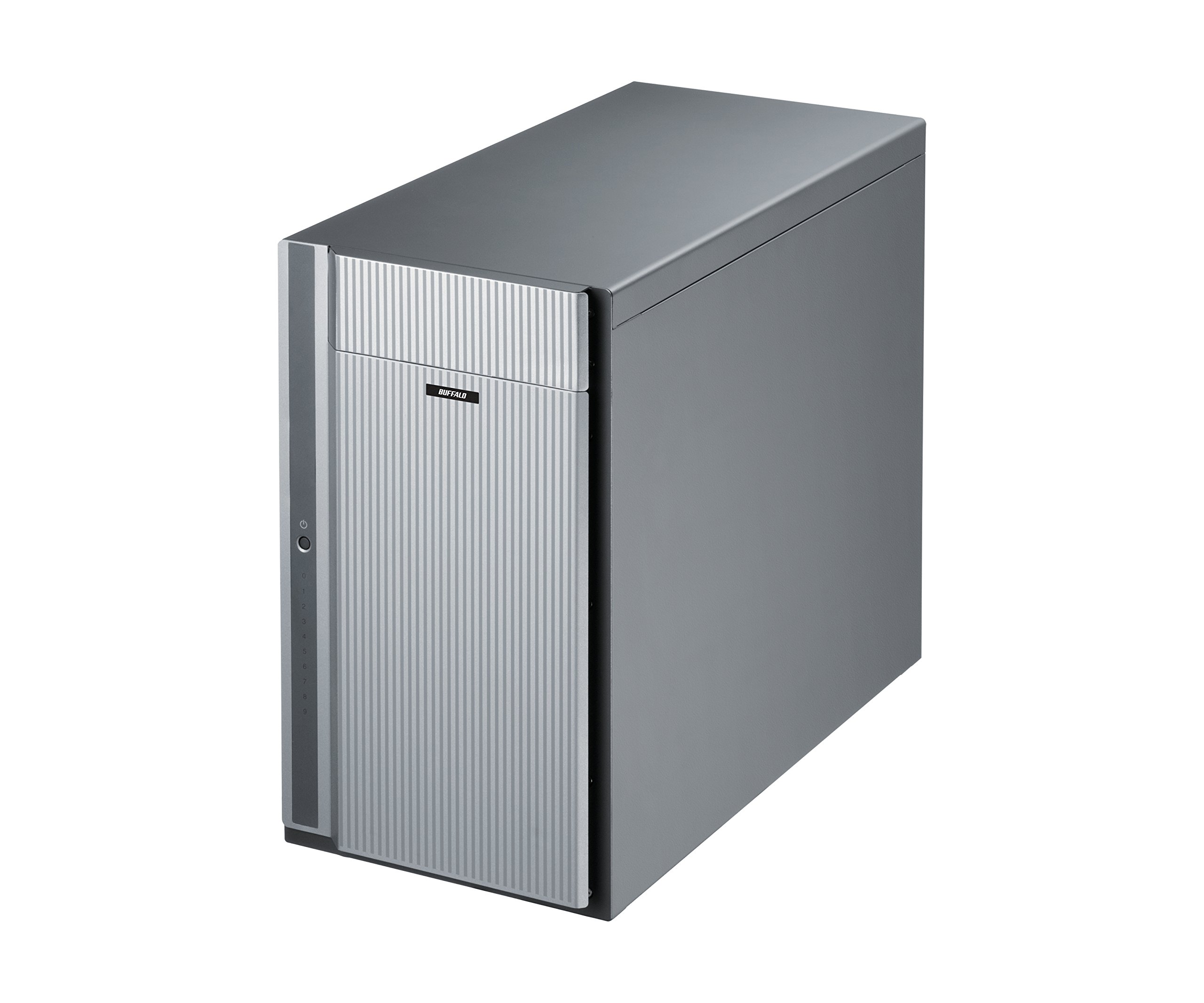
Figura 1: Frontal view of the BUFFALO DriveStation Ultra unit.
2. Instruccions de configuració
Follow these steps to set up your DriveStation Ultra:
- Desempaquetar el dispositiu: Carefully remove the DriveStation Ultra and all accessories from its packaging.
- Posicionar el dispositiu: Place the unit on a stable, flat surface with adequate ventilation. Ensure no vents are obstructed.
- Connectar l'alimentació: Connect the power cable to the unit and then to a power outlet. Do not power on the device yet.
- Connexió a l'ordinador: Trieu un dels mètodes de connexió següents:
- Thunderbolt 2 (Mac): Use the provided Thunderbolt cable to connect the DriveStation Ultra to your Mac's Thunderbolt port.
- USB 3.0 (PC/Mac): Use the provided USB 3.0 cable to connect the DriveStation Ultra to your computer's USB 3.0 port.
- eSATA (PC): Use the provided eSATA cable to connect the DriveStation Ultra to your computer's eSATA port.
- Encès: Once connected, press the power button on the DriveStation Ultra. The device will initialize.
- Instal·lació del controlador (si cal): Your operating system should automatically detect the device. If prompted, install any necessary drivers from the included software or BUFFALO's support weblloc.
- Configuració RAID: The DriveStation Ultra comes pre-configured. For advanced RAID configurations (e.g., changing from default RAID 6), refer to the detailed software manual available on the BUFFALO support weblloc.

Figura 2: posterior view of the DriveStation Ultra, highlighting Thunderbolt, USB 3.0, and eSATA ports.
3. Instruccions de funcionament
Once the DriveStation Ultra is set up and recognized by your computer, it functions as an external storage device. You can access it like any other connected drive.
- Transferència de dades: Arrossegueu i deixeu anar files to and from the DriveStation Ultra. For optimal performance, use the Thunderbolt 2 connection on Mac systems or USB 3.0/eSATA on PC systems.
- Rendiment: Expect high-speed data transfers, particularly with large files, due to the optimized hardware and RAID configuration.
- Eliminació segura: Always safely eject the DriveStation Ultra from your operating system before disconnecting the cables or powering down the unit to prevent data corruption.
- Gestió d'energia: The device is designed for continuous operation. If you need to power it off, use the power button on the unit after safely ejecting it from your computer.
4. Manteniment
Proper maintenance ensures the longevity and reliability of your DriveStation Ultra:
- Neteja: Use a soft, dry cloth to clean the exterior of the unit. Do not use liquid cleaners or aerosols directly on the device.
- Ventilació: Assegureu-vos que les obertures de ventilació estiguin lliures de pols i obstruccions per evitar el sobreescalfament.
- Actualitzacions de firmware: Revisa periòdicament el suport de BUFFALO website for firmware updates. Keeping the firmware updated can improve performance and stability.
- Còpia de seguretat de dades: While the DriveStation Ultra offers RAID 6 for data protection, it is always recommended to maintain separate backups of critical data.
- Salut de la unitat: Monitor the health of the drives using the included utility software or your operating system's disk management tools.
5. Solució De Problemes
If you encounter issues with your DriveStation Ultra, try the following steps:
- Dispositiu no detectat:
- Assegureu-vos que el cable d'alimentació estigui connectat correctament i que la unitat estigui engegada.
- Verify that the data cable (Thunderbolt, USB, or eSATA) is firmly connected to both the DriveStation Ultra and your computer.
- Try connecting to a different port on your computer or using a different cable.
- Restart your computer and the DriveStation Ultra.
- Rendiment lent:
- Ensure you are using the correct high-speed interface (Thunderbolt 2, USB 3.0, or eSATA) and compatible cables.
- Check for background processes on your computer that might be consuming resources.
- Verify that the DriveStation Ultra has adequate ventilation to prevent thermal throttling.
- Drive Failure Indication:
- The DriveStation Ultra's RAID 6 configuration provides protection against up to two drive failures. Consult the detailed manual or BUFFALO support for drive replacement procedures.
- Do not attempt to replace drives without proper guidance to avoid data loss.
- Altres qüestions: If the problem persists after trying these steps, refer to the comprehensive user manual on the BUFFALO support weblloc o contacteu amb l'assistència tècnica.
6. Especificacions
| Característica | Detall |
|---|---|
| Capacitat del disc dur | Disc dur mecànic de 40 TB |
| Marca | BÚFAL |
| Sèrie | DriveStation Ultra |
| Número de model | HD-DN040T/R6 |
| Plataforma de maquinari | Mac, PC |
| Pes de l'article | 39.7 lliures |
| Dimensions del producte (LxWxH) | 15.24 x 7.48 x 12.6 polzades |
| Color | Plata |
| Interfície de disc dur | eSATA |
| Velocitat de rotació del disc dur | 7200 RPM |
| Tecnologia de connectivitat | Thunderbolt, USB, eSATA |
| Tipus d'instal·lació | Disc dur extern |
| Primera data disponible | 22 de juliol de 2015 |
7. Informació de la garantia
The BUFFALO DriveStation Ultra 10-Drive Thunderbolt Desktop DAS 40 TB (Model HD-DN040T/R6) comes with a Garantia limitada de 3 anys.
For detailed terms and conditions of the warranty, please refer to the warranty statement included in your product packaging or visit the official BUFFALO weblloc.
8. Suport
For technical assistance, additional documentation, or to download the latest drivers and firmware, please visit the official BUFFALO support weblloc.
You can typically find support resources by searching for your product model (HD-DN040T/R6) on the BUFFALO support portal.
Contact information for customer service may also be available on the BUFFALO website or in your product's quick setup guide.