Introducció
This manual provides detailed instructions for the proper use and maintenance of your Sanyo M5445 Microcassette Recorder. Please read this manual thoroughly before operating the device to ensure optimal performance and longevity. The Sanyo M5445 is designed for convenient audio recording with features such as one-touch recording and two-speed operation.
Key features of the Sanyo M5445 include:
- Quick record / quick review functionality for efficient operation.
- 2-speed operation to optimize recording time or playback quality.
- Cue and review functions for easy navigation through recordings.
- Operates on two "AA" size batteries (not included), providing portability.
Producte acabatview
Familiarize yourself with the components of your Sanyo M5445 Microcassette Recorder.

Figura 1: Frontal view of the Sanyo M5445 Microcassette Recorder in its original packaging. This image displays the recorder's front panel, including the speaker grille and basic controls, as seen through its clear plastic packaging.

Figura 2: posterior view of the Sanyo M5445 Microcassette Recorder in its original packaging. This perspective shows the back of the packaging, detailing key features and specifications, including the UPC barcode (0043712774050) and battery requirements.
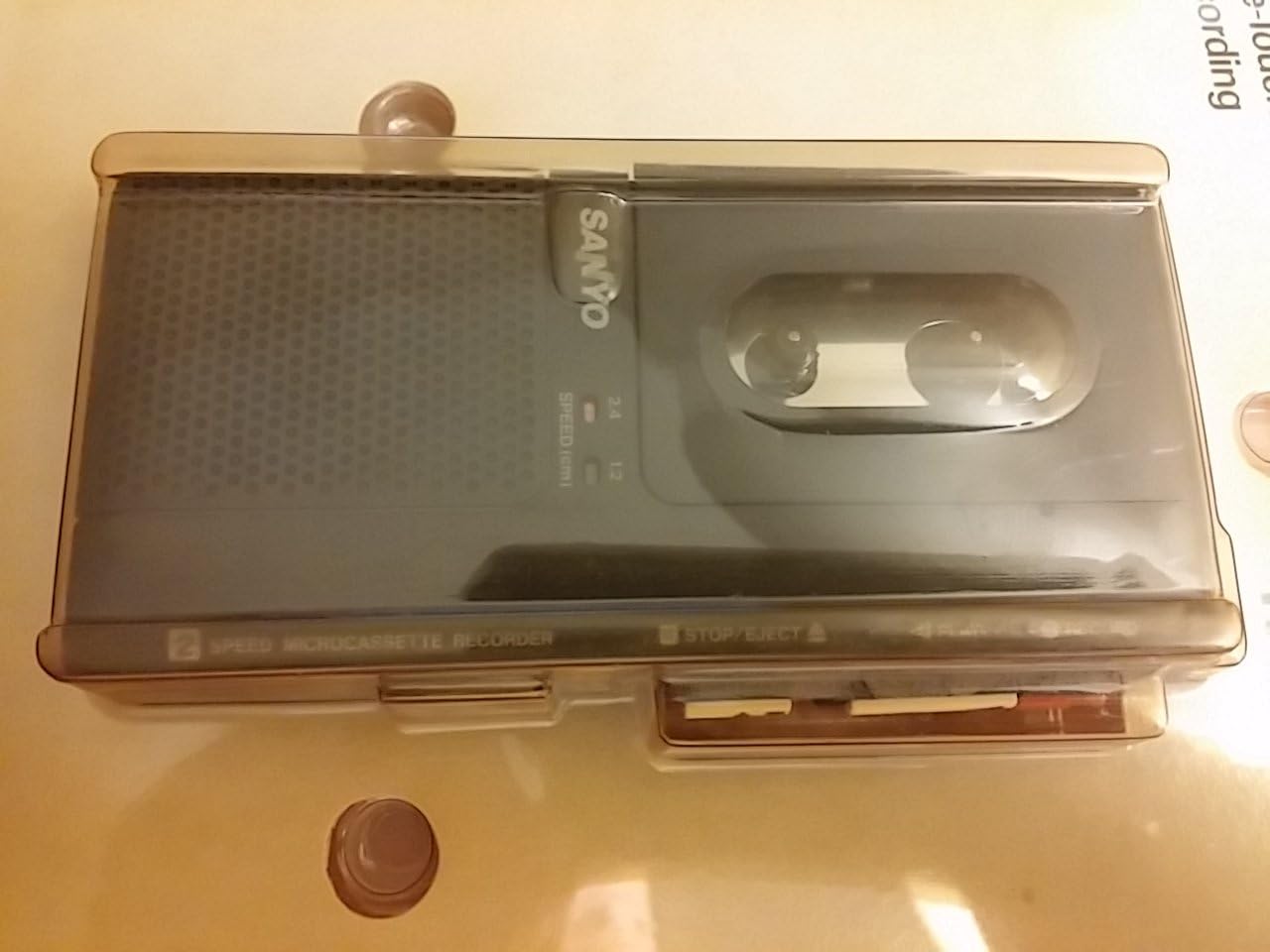
Figura 3: superior view of the Sanyo M5445 Microcassette Recorder in its original packaging. This image provides a clear view of the top-mounted controls, such as the record, play, stop/eject, and speed selection switches, as they appear within the packaging.
Configuració
1. Instal·lació de la bateria
- Localitzeu la tapa del compartiment de la bateria a la part posterior de la unitat.
- Feu lliscar o aixequeu la tapa per obrir el compartiment.
- Insert two (2) "AA" size batteries, ensuring correct polarity (+/-) as indicated inside the compartment.
- Col·loqueu la coberta del compartiment de la bateria amb seguretat.
2. Microcassette Insertion
- Premeu el botó PARAR/EXPULTAR botó per obrir el compartiment del casset.
- Gently insert a microcassette tape with the open side facing the recording head.
- Close the cassette compartment cover until it clicks into place.
Instruccions de funcionament
Gravació
- Ensure a microcassette is inserted and batteries are installed.
- Premeu el botó REGISTRAR button (usually red). The unit will automatically begin recording.
- Speak clearly into the built-in microphone.
- Per aturar la gravació, premeu el botó PARAR/EXPULTAR botó.
Reproducció
- Premeu el botó JUGAR button. Audio from the microcassette will begin playing.
- Utilitza el RÀPID REVIEW function by pressing and holding the REBOBINAR button during playback to quickly scan backward through the audio. Release to resume normal playback.
- Utilitza el CUE function by pressing and holding the AVANT RÀPID button during playback to quickly scan forward through the audio. Release to resume normal playback.
- Per aturar la reproducció, premeu el botó PARAR/EXPULTAR botó.
2-Speed Operation
The Sanyo M5445 offers two recording/playback speeds to suit your needs:
- Velocitat normal: Provides standard audio quality and tape usage.
- Velocitat lenta: Doubles the recording time on a single microcassette, useful for extended dictation or lectures, though audio quality may be slightly reduced.
To switch between speeds, locate the VELOCITAT switch (often labeled 1.2/2.4 or similar) on the unit and slide it to your desired setting.
Manteniment
Proper maintenance ensures the longevity and optimal performance of your microcassette recorder.
Neteja dels Caps
Over time, dust and tape residue can accumulate on the recording/playback heads, affecting sound quality. Use a cotton swab lightly dampened with isopropyl alcohol to gently clean the heads, pinch roller, and capstan. Allow to dry completely before use.
Cura de la bateria
- Traieu les piles si no heu d'utilitzar la unitat durant un període prolongat per evitar fuites.
- No barregeu piles velles i noves, o diferents tipus de piles.
- Eliminar les bateries usades de manera responsable d'acord amb la normativa local.
Emmagatzematge
Store the recorder in a cool, dry place away from direct sunlight, extreme temperatures, and high humidity. Keep it free from dust and vibrations.
Resolució de problemes
If you encounter issues with your Sanyo M5445, refer to the following common problems and solutions:
| Problema | Causa possible | Solució |
|---|---|---|
| La unitat no s'encén. | Piles gastades o incorrectament inserides. | Check battery polarity; replace with fresh "AA" batteries. |
| Mala qualitat d'enregistrament o reproducció. | Dirty recording heads; worn-out tape; incorrect speed setting. | Clean recording heads; try a new microcassette; ensure correct speed setting for playback. |
| Tape does not move. | Tape jammed; mechanical issue. | Open cassette compartment and gently re-seat the tape. If issue persists, seek professional service. |
| No hi ha so durant la reproducció. | Volume too low; headphones not connected properly (if applicable); speaker malfunction. | Increase volume; ensure headphones are fully inserted into the 3.5mm jack. |
If the problem persists after attempting these solutions, please contact Sanyo customer support or a qualified service technician.
Especificacions
| Característica | Especificació |
|---|---|
| Marca | SANYO |
| Número de model | M5445 |
| Fabricant | Sanyo Inc |
| Pes de l'article | 8.3 unces (0.24 quilograms) |
| Dimensions del producte | 9.5 x 9 x 2 polzades |
| Color | Negre |
| Factor de forma del micròfon | Integrat |
| Conector d'auriculars | 3.5 mil·límetres |
| Font d'alimentació | 2 x "AA" Batteries (not included) |
Garantia i Suport
For information regarding product warranty, please refer to the documentation provided at the time of purchase or contact your retailer. Sanyo's official website or customer service channels may also provide details on warranty coverage and support options.
For technical assistance or service inquiries, please consult the contact information provided with your product packaging or visit the official Sanyo support weblloc.