
Instruccions importants de seguretat
Read all instructions before using the shredder. Keep this manual for future reference.
- Keep fingers, loose clothing, jewelry, and hair away from the paper entry slot.
- Desendolleu la trituradora quan no l'utilitzeu o abans de netejar-la.
- Do not shred metal objects, large paper clips, or wet paper.
- Avoid exceeding the maximum sheet capacity of 6 sheets to prevent jams and overheating.
- The shredder has a limited continuous run time. After approximately 2 minutes of continuous use, allow the unit to cool down for 30 minutes to prevent overheating.
- No feu funcionar la trituradora si el cable d'alimentació està danyat.
- This shredder is designed for personal, light-duty use.
Producte acabatview
The Sentinel FS60B is a stripcut paper shredder designed for personal use, capable of shredding up to 6 sheets of paper or one credit card at a time.

Figure 1: Sentinel FS60B Shredder with its included wastebasket.
Components:
- Shredder Head: Contains the cutting mechanism and control switch.
- Paper Entry Slot: For inserting paper documents.
- Credit Card Entry Slot: A dedicated slot for shredding credit cards.
- Interruptor de control: Used to select ON, OFF, or REVERSE modes.
- Paperera: Collects shredded material.
Configuració
Desembaleu la trituradora: Carefully remove all components from the packaging. Ensure all packing materials are removed from the shredder head and wastebasket.
Position the Shredder Head: Place the shredder head securely onto the rim of the included wastebasket. Ensure it sits flat and stable.

Figure 2: Shredder head properly seated on the wastebasket.
Connectar l'alimentació: Connecteu el cable d'alimentació a una presa de corrent estàndard. La trituradora ja està a punt per funcionar.
Instruccions de funcionament
Configuració de l'interruptor de control:
- ON (Auto): The shredder motor runs continuously when switched to ON. Insert paper or a credit card into the appropriate slot to begin shredding.
- DESACTIVAT: Turns the shredder off. Always switch to OFF when not in use or when emptying the wastebasket.
- REVERSE (REV): Reverses the shredder motor direction to help clear paper jams.
Paper triturador:
- Ensure the shredder head is securely placed on the wastebasket and the power cord is plugged in.
- Posa l'interruptor de control a ON position. The motor will start running.
- Insert up to 6 sheets of paper straight into the paper entry slot. The shredder will pull the paper through and shred it.
- After shredding, switch the control to OFF.
Trituració de targetes de crèdit:
- Ensure the shredder is powered on (control switch set to ON).
- Insert one credit card at a time into the dedicated credit card entry slot.
- The shredder will process the credit card.
- After shredding, switch the control to OFF.
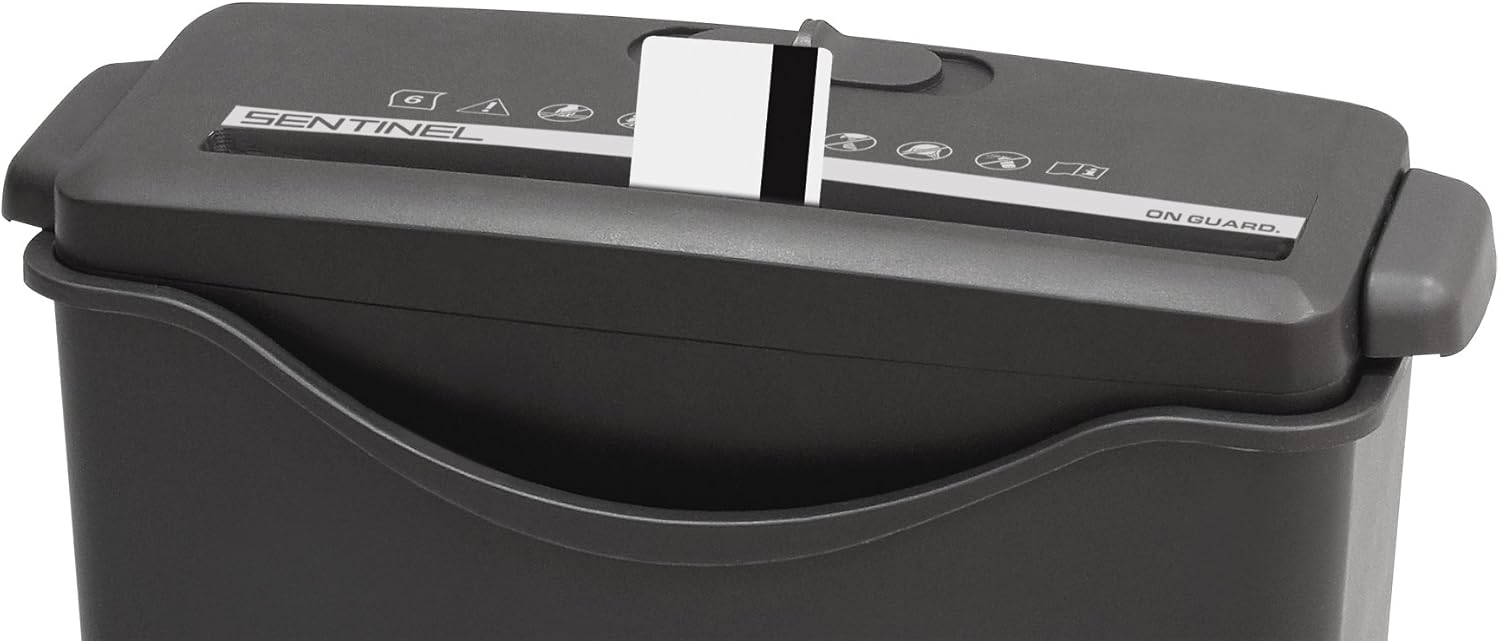
Figure 3: Shredding a credit card using the dedicated slot.
Run Time and Overheat Protection:
The Sentinel FS60B is designed for intermittent use. It can operate continuously for approximately 2 minutes. After this period, the motor may overheat and automatically shut off. If this occurs, allow the shredder to cool down for at least 30 minutes before resuming operation. This protects the motor from damage.
Manteniment
Buidar la paperera:
- Switch the control to OFF i desendolleu la trituradora de la presa de corrent.
- Carefully lift the shredder head off the wastebasket.
- Empty the shredded contents from the wastebasket into a trash receptacle.
- Replace the shredder head securely onto the wastebasket.
- Plug the shredder back into the power outlet.
Lubricació:
Regular lubrication helps maintain shredder performance and extends its lifespan. A sample ShredCare brand lubricant sheet is included with your shredder. Follow the instructions provided with the lubricant sheet for proper application.
General lubrication steps:
- With the shredder in ON mode, feed the lubricant sheet into the paper entry slot.
- Allow the sheet to be fully shredded.
- Switch the shredder to OFF.
Neteja:
To clean the exterior of the shredder, wipe it with a soft, dry cloth. Do not use abrasive cleaners or solvents. Ensure the shredder is unplugged before cleaning.
Resolució de problemes
| Problema | Causa possible | Solució |
|---|---|---|
| La trituradora no s'encén. |
|
|
| Emballament de paper. |
|
|
| La trituradora funciona lentament o fa un soroll inusual. |
|
|
Especificacions
| Número de model | FS60B |
| Tipus de tall | Tall de tira |
| Capacitat del full | 6 fulls (paper bond de 20 lliures) |
| Capacitat de la targeta de crèdit | 1 card at a time |
| Capacitat de la paperera | 2.06 galons |
| Temps d'execució contínua | 2 minuts |
| Temps de refredament | 30 minuts |
| Dimensions del producte (L x A x A) | 12.2 x 10.63 x 15.16 polzades |
| Pes de l'article | 4.35 lliures |
Garantia i Suport
The Sentinel FS60B shredder comes with a one-year warranty.
For any questions about the product, troubleshooting assistance, or warranty claims, please contact the seller directly. You can typically do so by clicking on the seller name (e.g., "PaperJet") on the product page and selecting the "Ask a question" button. Alternatively, a toll-free number may be found on the yellow tag connectat al cable d'alimentació.
Most troubleshooting issues can be resolved with the support team.


