
Introducció
This manual provides essential information for the safe and efficient installation, operation, and maintenance of your APC Smart-UPS SRT 8kVA Rack Mount Uninterruptible Power Supply (UPS) with a 208V to 120V Step-Down Transformer. Please read this manual thoroughly before installing or operating the equipment.
The APC Smart-UPS SRT 8kVA is designed to provide protected power to electronic equipment from utility power outages, sags, surges, and small utility fluctuations. The integrated step-down transformer converts 208V input to 120V output for compatible equipment.
Instruccions importants de seguretat
DESA AQUESTES INSTRUCCIONS - This manual contains important instructions that should be followed during installation and maintenance of the UPS and batteries.
- Aquest SAI està dissenyat només per a ús en interiors.
- No feu servir aquest SAI a la llum solar directa, en contacte amb fluids o on hi hagi pols o humitat excessives.
- Connecteu el cable d'alimentació del SAI directament a una presa de corrent. No utilitzeu protectors contra sobretensions ni cables d'extensió.
- El manteniment de les bateries ha de ser realitzat o supervisat per personal coneixedor de les bateries i les precaucions necessàries. Mantingueu el personal no autoritzat lluny de les bateries.
- Quan substituïu les bateries, substituïu-les amb el mateix tipus i nombre de bateries o paquets de bateries.
- No llenceu les piles al foc. Les bateries poden explotar.
- No obriu ni mutileu les bateries. L'electròlit alliberat és nociu per a la pell i els ulls. Pot ser tòxic.
- Una bateria pot presentar un risc de descàrrega elèctrica i corrent de curtcircuit elevat. Cal tenir en compte les precaucions següents quan es treballa amb bateries:
- Traieu rellotges, anells o altres objectes metàl·lics.
- Utilitzeu eines amb nanses aïllades.
- Porteu guants i botes de goma.
- No col·loqueu eines ni peces metàl·liques a sobre de les bateries.
- Desconnecteu la font de càrrega abans de connectar o desconnectar els terminals de la bateria.
Contingut del paquet
Inspect the package upon receipt. Notify the carrier and dealer if there is any damage. The package contains:
- APC Smart-UPS SRT 8kVA UPS Unit
- 208V to 120V Step-Down Transformer
- Maquinari de muntatge en bastidor
- Cable de comunicació sèrie
- Cable de comunicació USB
- CD de documentació
- Instruccions de seguretat
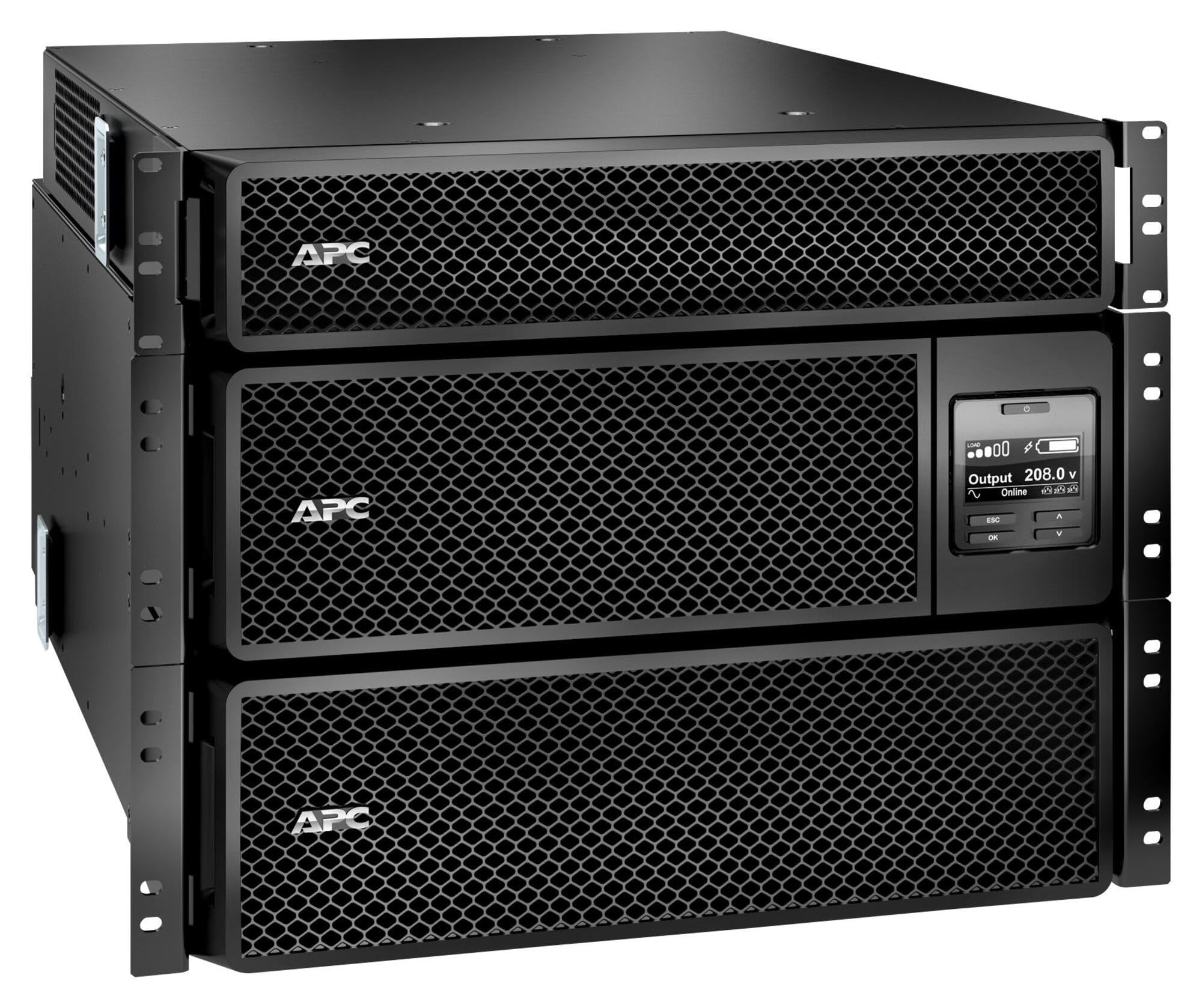
Image: APC Smart-UPS SRT 8kVA Rack Mount UPS with 208V to 120V Step-Down Transformer. This image shows the main UPS unit and the accompanying step-down transformer, typically in a rack-mountable configuration.
Configuració
1. Col·locació
The UPS and transformer are heavy. For rack-mount installations, ensure the rack is stable and capable of supporting the combined weight of the UPS, transformer, and any other equipment. For tower installations, place the unit on a flat, stable surface.
- Maintain at least 20 cm (8 inches) of clearance from the front and rear panels for proper ventilation.
- Eviteu col·locar la unitat a prop de fonts de calor o sota la llum solar directa.
2. Connexió de la bateria
The UPS is shipped with the internal batteries disconnected for safety. Follow these steps to connect the batteries:
- Remove the front bezel or access panel to expose the battery compartment.
- Connect the internal battery cables as indicated by the labels or instructions inside the compartment. Ensure a secure connection.
- Replace the front bezel or access panel.
3. Connexió d'alimentació
Connect the UPS to utility power and your equipment.
- Potència d'entrada: Connect the UPS input power cord (NEMA L6-30P) to a dedicated 208V AC outlet. Ensure the outlet is properly grounded and rated for the UPS capacity.
- Connexió del transformador: Connect the output of the UPS to the input of the 208V to 120V Step-Down Transformer.
- Potència de sortida: Connect your 120V equipment to the 120V output receptacles on the step-down transformer. Do not overload the transformer or the UPS.
- Cables de comunicació: Connect the serial or USB communication cable from the UPS to your computer or server for monitoring and management.
4. Inici inicial
Després de fer totes les connexions:
- Press the power ON button on the UPS front panel. The UPS will perform a self-test.
- Allow the UPS to charge its batteries for at least 24 hours before connecting critical loads to ensure full runtime capacity.
- Verify the UPS display shows normal operation status.
Funcionament del SAI
Pantalla i controls del panell frontal
The front panel features an LCD display and control buttons for monitoring and configuring the UPS. Refer to the detailed user manual on the documentation CD for specific menu navigation.
- Botó ON/OFF: Powers the UPS on or off.
- Escape/Menu Button: Navigates back or enters the main menu.
- Fletxes amunt/avall: Desplaça't per les opcions del menú o ajusta la configuració.
- Botó Enter: Selecciona una opció o confirma una configuració.
- Indicadors LED: Provide quick status updates (e.g., On Line, On Battery, Fault).
Funcionament normal
During normal operation, the UPS will be in "On Line" mode, providing conditioned power to connected equipment and charging its batteries. The LCD display will show input/output voltage, percentatge de càrregatage, i el nivell de càrrega de la bateria.
Mode de bateria
If utility power fails or fluctuates outside acceptable limits, the UPS will automatically switch to battery power. An audible alarm may sound, and the display will indicate "On Battery" mode. The runtime available depends on the load and battery charge level.
Procediments d'aturada
- Tancament elegant: Use the PowerChute software (if installed) to gracefully shut down connected equipment before the UPS runs out of battery power.
- Apagada manual: Press and hold the OFF button on the front panel until the UPS powers down. Ensure all connected equipment is safely shut down first.
Manteniment
Canvi de bateria
The batteries in the UPS are user-replaceable hot-swappable battery modules. Refer to the specific battery replacement instructions provided with your replacement battery kit or on the APC website. Always use genuine APC replacement battery cartridges (RBCs).
- Battery life is typically 3-5 years, but can vary based on temperature and discharge cycles.
- Replace batteries when the UPS indicates a "Replace Battery" warning or when runtime significantly decreases.
Neteja
Keep the UPS and transformer free of dust and debris. Use a dry cloth to clean the exterior. Do not use liquid cleaners or solvents.
Actualitzacions de firmware
Reviseu periòdicament l'APC website for available firmware updates for your UPS model. Firmware updates can provide enhanced features, improved performance, or bug fixes. Follow the instructions provided with the firmware update package carefully.
Resolució de problemes
This section provides solutions to common issues. For more complex problems, contact APC Technical Support.
| Problema | Causa possible | Solució |
|---|---|---|
| L'UPS no s'encén. | Battery not connected; No input power; UPS fault. | Ensure battery cables are securely connected. Verify input power cable is plugged into a live outlet. If fault persists, contact support. |
| UPS beeps continuously or frequently. | On battery mode; Overload; Low battery. | Check utility power. Reduce connected load. Allow batteries to charge. |
| L'indicador "Substitueix la bateria" està encès. | Batteries are at end of life or faulty. | Order and install new APC replacement battery cartridges. |
| Connected equipment not receiving 120V. | Transformer not connected or faulty; UPS output issue. | Verify transformer connections. Check UPS output voltage on display. Ensure equipment is plugged into the 120V outlets of the transformer. |
Especificacions
The following table outlines the key specifications for the APC Smart-UPS SRT 8kVA Rack Mount with 208V to 120V Step-Down Transformer (SRT8KRMXLT-5KTF).
| Característica | Detall |
|---|---|
| Marca | APC |
| Número de model | SRT8KRMXLT-5KTF |
| Capacitat (VA/Watts) | 8000 VA / 8000 W |
| Entrada Voltage | 208 V AC |
| Vol. De sortidatage | 120 V AC (via Step-Down Transformer) |
| Corrent de sortida | 66.67 Amps |
| Interval de freqüència | 50/60 Hz |
| Tipus de bateria | Àcid de plom |
| Temps de càrrega de la bateria | 1.5 hores |
| Typical Runtime (Full Load) | 5 minuts |
| Factor de forma | Rack / Tower Mountable (8U) |
| Dimensions del producte (P x A x A) | 28.2" x 17" x 13.9" (71.6 cm x 43.2 cm x 35.3 cm) |
| Pes de l'article | 341 lliures (154.7 kg) |
| Connexions de sortida | 1 x NEMA L6-30R, 4 x NEMA 5-20R (via transformer) |
| Material de tancament | Metall |
| Color | Negre |
| Norma de seguretat | UL 1778 |
Garantia i Suport
For detailed warranty information, please refer to the warranty card included with your product or visit the official APC website. APC offers technical support to assist with installation, troubleshooting, and product inquiries.
- Assistència en línia: Visita l'APC website for FAQs, documentation, and software downloads.
- Suport telefònic: Contact APC Technical Support using the numbers provided on the APC weblloc per a la vostra regió.
- Registre de productes: Register your product online to receive notifications about firmware updates and product information.