
Introducció
This manual provides comprehensive instructions for the setup, operation, maintenance, and troubleshooting of your Proscan PSVR62 Hi-Fi Stereo 4-Head VHS VCR Plus Player. Please read this manual thoroughly before using the device to ensure proper functionality and longevity.
Informació de seguretat
Seguiu sempre les precaucions de seguretat bàsiques quan utilitzeu aquest producte per reduir el risc d'incendi, descàrrega elèctrica i lesions a les persones.
- No exposeu la unitat a la pluja o la humitat.
- No obriu la c.asing; refer all servicing to qualified service personnel.
- Assegureu-vos una ventilació adequada al voltant de la unitat.
- Desendolleu la unitat durant les tempestes llamps o quan no l'utilitzeu durant llargs períodes.
Contingut del paquet
Verifiqueu que tots els elements siguin presents al paquet:
- Proscan PSVR62 VHS VCR Player
- Control remot
- Audio/Video (RCA) Cables
- Manual d'instruccions (aquest document)
Producte acabatview

Figura 1: Frontal view of the Proscan PSVR62 VHS VCR player. The image shows the main unit with its front panel controls (Power, Stop/Eject, REC/XPR, Pause, Play, Reverse, Forward) and the VHS tape slot. A remote control and RCA audio/video cables are visible on top of the unit.
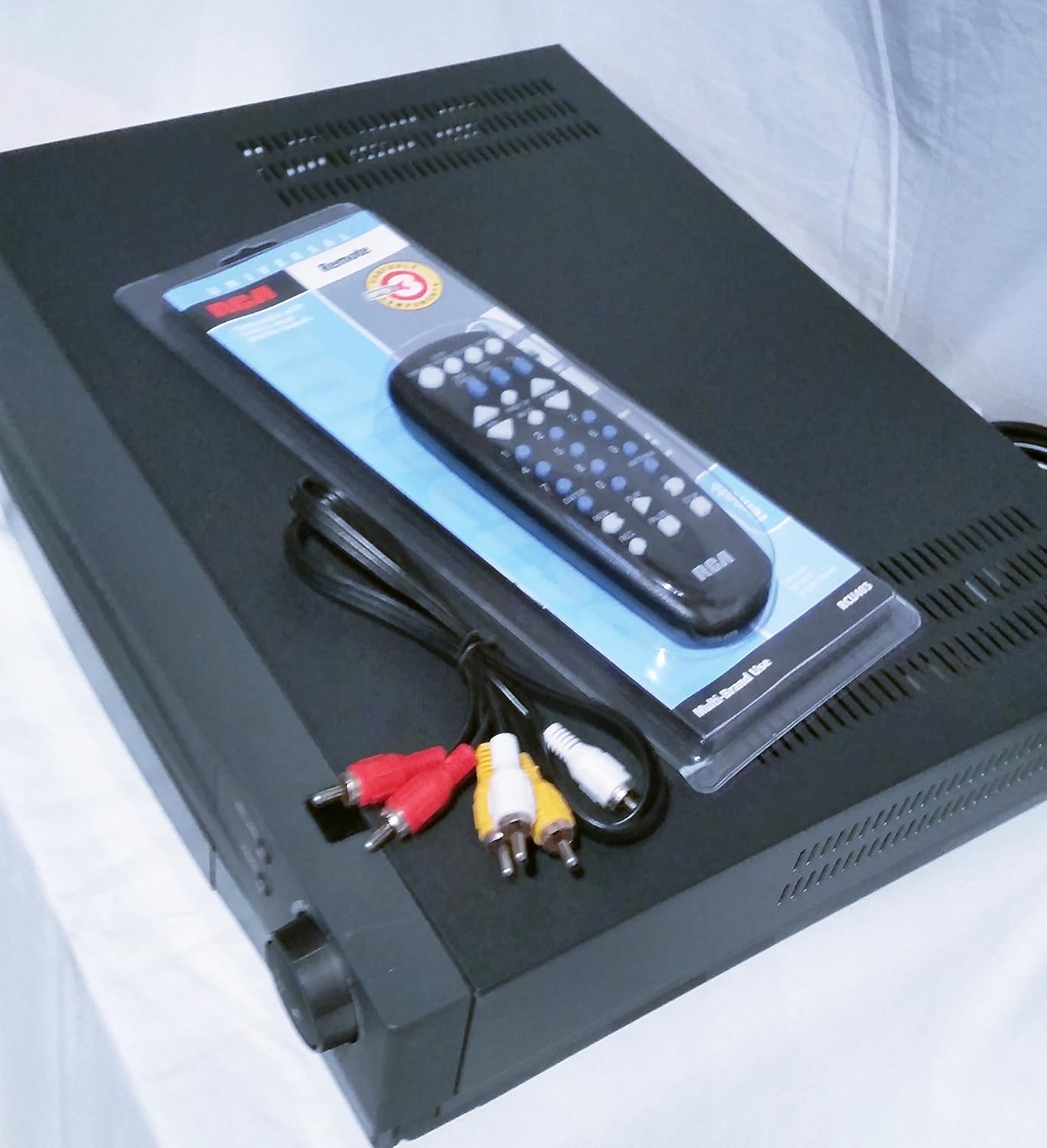
Figura 2: De dalt a baix view of the Proscan PSVR62 VHS VCR player. This perspective highlights the top surface of the VCR, with the included remote control and RCA cables placed beside it, showing the multi-brand use label on the remote packaging.
Controls del panell frontal:
- POTÈNCIA: Encén o apaga el VCR.
- STOP/EXPULSIÓ: Stops playback/recording or ejects the VHS tape.
- REC/XPR: Initiates recording or activates Express Recording.
- PAUSA: Pauses playback or recording.
- JUGAR: Inicia la reproducció de la cinta.
- REVERSA: Rebobina la cinta.
- AVANT: Avanceu ràpidament la cinta.
Connexions del panell posterior:
El panell posterior normalment inclou:
- Audio/Video (RCA) Input/Output jacks (Yellow for Video, White for Left Audio, Red for Right Audio).
- RF Coaxial Input/Output (for antenna/cable connection).
- Power Cord input.
Configuració
1. Desembalatge i col·locació:
Carefully remove the VCR from its packaging. Place the unit on a stable, flat surface with adequate ventilation. Avoid placing it near heat sources or in direct sunlight.
2. Connexió a un televisor:
- Using RCA Cables (Recommended for best quality):
- Connect the yellow video output jack on the VCR to the yellow video input jack on your TV.
- Connect the white audio output jack on the VCR to the white audio input jack on your TV.
- Connect the red audio output jack on the VCR to the red audio input jack on your TV.
- Set your TV's input source to the corresponding AV input (e.g., Video 1, AV1, Input 1).
- Using RF Coaxial Cable (Alternative):
- Connect an RF coaxial cable from the VCR's RF OUT jack to your TV's ANTENNA IN jack.
- Connect your antenna or cable TV signal to the VCR's RF IN jack.
- Tune your TV to channel 3 or 4 (depending on the VCR's output setting) to receive the VCR signal.
3. Connexió d'alimentació:
Plug the VCR's power cord into a standard AC outlet.
4. Configuració del control remot:
Insert two AAA batteries (not included) into the remote control, observing the correct polarity (+/-).
Instruccions de funcionament
Reproducció d'una cinta VHS:
- Turn on the VCR and your television.
- Select the correct input source on your TV (e.g., AV1, Video 1).
- Insert a VHS tape into the tape slot with the label facing up. The VCR will automatically load the tape.
- Premeu el botó JUGAR botó del VCR o del comandament a distància.
- Per aturar la reproducció, premeu PARAR/EXPULTAR.
- Per fer una pausa, premeu PAUSA. Torneu a prémer per reprendre.
- To fast forward or rewind, press AVANT or INVERSA.
Recording a Program:
The Proscan PSVR62 features a 4-head system for high-quality recording and playback.
- Ensure a blank or recordable VHS tape is inserted.
- Tune the VCR to the desired channel you wish to record (if using RF input).
- Premeu el botó REC/XPR botó. L'enregistrament començarà immediatament.
- Per deixar de gravar, premeu PARAR/EXPULTAR.
Setting the Program Timer (8 Event, 1 Year):
The VCR allows you to program up to 8 recording events over a 1-year period.
- Access the VCR's menu system using the remote control. (Specific menu navigation will vary by remote, refer to remote's manual if needed).
- Navigate to the "Timer Recording" or "Program" section.
- Set the start time, end time, channel, and recording date/frequency for each event.
- Ensure the VCR is powered on or in standby mode and a recordable tape is inserted at the scheduled time.
Manteniment
Neteja de la unitat:
- Wipe the exterior of the VCR with a soft, dry cloth.
- No utilitzeu netejadors líquids ni aerosols, ja que poden danyar l'acabat o els components interns.
- Avoid blocking ventilation slots.
Neteja del capçal de cinta:
Over time, dust and tape residue can accumulate on the VCR's heads, affecting picture and sound quality. If you notice distorted playback, consider using a dry-type VHS head cleaning tape. Follow the instructions provided with the cleaning tape.
Note: Excessive use of wet-type cleaning tapes can damage the heads.
Resolució de problemes
| Problema | Causa possible | Solució |
|---|---|---|
| Sense poder | Power cord unplugged; outlet not active. | Comproveu la connexió del cable d'alimentació; proveu una presa de corrent diferent. |
| Sense imatge/so | Incorrect TV input; loose AV cables; VCR not on. | Select correct TV input (AV1, Video 1); ensure AV cables are securely connected; turn on VCR. |
| Poor picture quality (snowy/distorted) | Dirty VCR heads; damaged tape; weak signal. | Use a VHS head cleaning tape; try a different tape; check antenna/cable connection. |
| La cinta no s'expulsa | Power off; mechanical issue. | Ensure VCR is powered on; if problem persists, do not force, seek professional service. |
| El comandament a distància no funciona | Piles esgotades; sensor obstruït. | Replace batteries; ensure clear line of sight to VCR's IR sensor. |
Especificacions
- Model: Proscan PSVR62
- Tipus: Hi-Fi Stereo 4-Head VHS VCR Plus Player
- Caps: 4 VHS Heads
- Temporitzador de programa: 8 Event, 1 Year
- Color: Negre
- Dimensions (aprox.): 42.42 x 33.02 x 9.91 cm (16.7 x 13.0 x 3.9 polzades)
- Pes (aprox.): 4.33 kg (9.55 lliures)
- Font d'alimentació: AC 120V, 60Hz (standard for North America)
Informació de la garantia
Proscan products are manufactured to high quality standards. For specific warranty terms and conditions, please refer to the warranty card included with your product or visit the official Proscan weblloc web. Conserveu el rebut de compra com a comprovant de compra per a reclamacions de garantia.
Atenció al client
For technical assistance, service, or general inquiries, please contact Proscan customer support. Contact information can typically be found on the manufacturer's weblloc o a l'embalatge del producte.
Note: Product specifications and appearance are subject to change without notice.