
1. Introducció
Welcome to the GUESS CONNECT Smartwatch C0001G2 user manual. This guide provides essential information for setting up, operating, maintaining, and troubleshooting your smartwatch. The GUESS CONNECT C0001G2 combines classic watch aesthetics with modern smartwatch functionality, allowing you to stay connected with notifications, calls, and more.
2. Producte acabatview
The GUESS CONNECT C0001G2 is a stylish smartwatch designed for men, featuring a brown band and a stainless steel case. It offers a range of smart features while maintaining the appearance of a traditional timepiece.
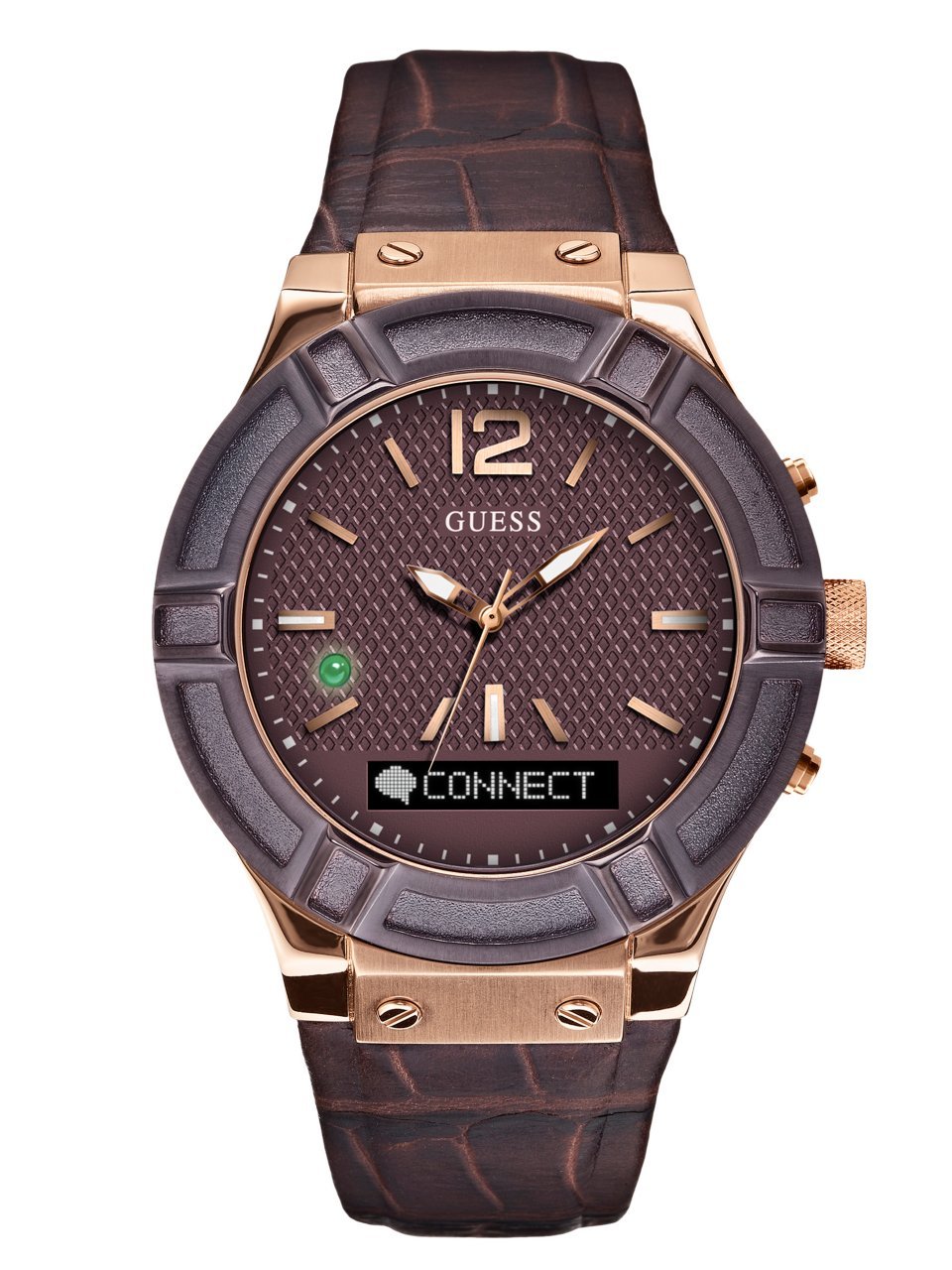
Figura 1: Davant view of the GUESS CONNECT Smartwatch C0001G2, showcasing its classic design with a brown strap and dark dial.
Components clau:
- Estoig del rellotge: Acer inoxidable
- Visualització: Analog display with a 45mm screen size, 390 x 390 resolution.
- Banda: Brown, with a Tang Buckle closure.
- Buttons/Crown: For navigation and interaction.
- Micròfon: Per a ordres de veu i trucades.
- Ponent: Per a la sortida d'àudio.
3. Configuració
3.1 Càrrega del rellotge intel·ligent
Before initial use, fully charge your GUESS CONNECT smartwatch. Use the provided charging cable and connect it to a standard USB power adapter. The watch will indicate when it is charging and when it is fully charged.
3.2 Emparellament amb el telèfon intel·ligent
To unlock the full functionality of your smartwatch, you must pair it with your smartphone via Bluetooth.
- Assegura't que el teu rellotge intel·ligent estigui carregat i encès.
- Download the official GUESS CONNECT app from your smartphone's app store (iOS or Android).
- Activa el Bluetooth al teu telèfon intel·ligent.
- Open the GUESS CONNECT app and follow the on-screen instructions to search for and connect to your C0001G2 smartwatch.
- Confirm the pairing code on both your watch and smartphone if prompted.

Figura 2: The smartwatch displayed alongside a smartphone, illustrating the pairing process with the companion application.
4. Instruccions de funcionament
4.1 Navegació bàsica
- Control tàctil: Interact with the watch's interface using touch gestures on the screen.
- Botons laterals: Use the physical buttons on the side of the watch for specific functions, as defined in the app or on-screen prompts.
4.2 Notificacions
Once paired, your smartwatch will receive notifications from your smartphone. These include calls, messages, and app alerts.
- ViewNotificacions: When a notification arrives, the watch will vibrate, and the message will scroll across the display.
- Character Limit: Notifications typically display the first 40 characters.
- Repeat Last Message: If you miss part of a notification, you can tap the watch face to repeat the last message within a 5-minute window.
4.3 Fer i rebre trucades
The smartwatch features a built-in microphone and speaker, allowing you to make and receive calls directly from your wrist when connected to your phone.
- Contestar trucades: Tap the appropriate icon on the watch face when a call comes in.
- Fer trucades: Use the voice assistant or the watch's interface to initiate calls.
4.4 Voice Assistant (Siri/Alexa)
Utilize the integrated microphone to interact with your smartphone's voice assistant (e.g., Siri for iOS). Note: The Alexa feature may not be active or supported at all times. Check the GUESS CONNECT app for current functionality.
4.5 Control de música
Control music playback on your smartphone directly from your smartwatch. This includes playing, pausing, skipping tracks, and adjusting volume.
4.6 Find My Watch Function
If you misplace your watch, use the 'Find My Watch' feature in the GUESS CONNECT app to make your watch emit a sound, helping you locate it.
4.7 Gesture Control
The watch may feature gesture controls for certain actions. If you find these gestures too sensitive or interfering with other activities (e.g., answering your phone), you can typically adjust or disable them within the GUESS CONNECT app settings.
5. Manteniment
5.1 Neteja del rellotge intel·ligent
Per mantenir l'aspecte i la funcionalitat del rellotge:
- Wipe the watch case and screen with a soft, lint-free cloth.
- For the leather strap, use a damp cloth and mild soap if necessary, then dry thoroughly. Avoid harsh chemicals.
- Assegureu-vos que els contactes de càrrega estiguin nets i secs abans de carregar.
5.2 Resistència a l'aigua
The GUESS CONNECT C0001G2 has a water resistance depth of 50 meters. This means it is suitable for splashes, rain, and brief immersion in water. However, it is no recomanable for swimming, showering, or diving, as prolonged exposure to water pressure or steam can compromise the seals.
6. Solució De Problemes
If you encounter issues with your GUESS CONNECT smartwatch, refer to the following common problems and solutions:
- El rellotge no es connecta al telèfon:
Ensure Bluetooth is enabled on both devices. Restart both the watch and the phone. Re-open the GUESS CONNECT app. If issues persist, try unpairing and re-pairing the devices. - Notifications delayed or not appearing:
Check app permissions on your smartphone to ensure the GUESS CONNECT app has access to notifications. Verify that the watch is properly connected via Bluetooth. Note that there might be a slight delay between phone and watch notifications. - Low speaker volume (calls, 'Find My Watch'):
The watch's speaker volume may be limited, especially in noisy environments. Ensure the watch is close to your ear for calls. The 'Find My Watch' sound is intended for quiet indoor environments. - Watch strap is too short:
Some users may find the standard strap length insufficient. Replacement straps may be available from GUESS or third-party retailers. - Gesture control is too sensitive:
Access the settings within the GUESS CONNECT app on your smartphone to adjust the sensitivity of gesture controls or disable them if they are causing unintended actions. - Email or specific app notifications not working:
Verify that the specific app (e.g., email client, Snapchat) is enabled for notifications within the GUESS CONNECT app settings. Some apps may not be fully supported or may require updates.
7. Especificacions
| Característica | Especificació |
|---|---|
| Número de model | C0001G2 |
| Marca | GUESS |
| Sistema operatiu | Sistema operatiu per a rellotges intel·ligents |
| Comunicació sense fils | Bluetooth |
| Mida de la pantalla | 45 Mil·límetres |
| Resolució | 390 x 390 |
| Tipus de visualització | Analògic |
| Case Material Type | Acer inoxidable |
| Color de banda | marró |
| Amplada de banda | 22 Mil·límetres |
| Tipus de tancament | Sivella Tang |
| Nivell de resistència a l'aigua | Resistent a l'aigua |
| Profunditat de resistència a l'aigua | 50 metres |
| Entrada de la interfície humana | Microphone, Touch Control |
| Públic objectiu | Homes |
| Fabricant | Timex Nederlano B.V |
| Dimensions de l'article | 8 x 9 x 9 centímetres |
| Pes de l'article | 0.01 lliures |
8. Garantia i Suport
For warranty information, please refer to the documentation included with your purchase or visit the official GUESS website. For technical support, product inquiries, or service, please contact GUESS customer support through their official channels. Keep your proof of purchase for warranty claims.