
1. Introducció
This manual provides comprehensive instructions for the installation, operation, and maintenance of your Vanxse BX2812 CCTV Mini HD 960H 1000TVL Security Camera. Please read this manual carefully before using the product to ensure proper functionality and safety. Keep this manual for future reference.
2. Informació de seguretat
- Ensure the power supply matches the camera's requirements (DC 12V).
- Do not expose the camera to extreme temperatures, humidity, or direct water unless housed in a waterproof enclosure.
- Eviteu col·locar la càmera en zones amb fortes interferències electromagnètiques.
- Desconnecteu l'alimentació abans de netejar o realitzar qualsevol manteniment.
- No intenteu desmuntar ni modificar la càmera. Encarregueu tot el manteniment a personal qualificat.
3. Producte acabatview
The Vanxse BX2812 is a compact CCTV security camera featuring a 1/3 CCD 960H 1000TVL sensor and a 2.8-12mm varifocal auto-iris lens. It is designed for both indoor and outdoor surveillance applications when used with appropriate housing.
3.1 Contingut del paquet
- Vanxse BX2812 Security Camera
- Manual d'usuari (aquest document)
- Note: Power adapter and video cables are typically sold separately.
3.2 Components de la càmera

Figure 1: Camera Components Overview
This image displays the Vanxse BX2812 camera with key components labeled, including the 2.8-12mm F1.4 Auto Iris lens, OSD menu control, BNC video output, Auto Iris port, and DC12V power input.
- Varifocal Lens (2.8-12mm F1.4 Auto Iris): Allows adjustment of focal length and zoom.
- OSD Menu Control: Button for accessing and navigating the On-Screen Display menu.
- BNC Video Output: Connector for analog video signal output to a DVR or monitor.
- Auto Iris Port: Connection for the auto-iris lens control.
- Entrada d'alimentació de 12 V CC: Port for connecting the 12V DC power supply.
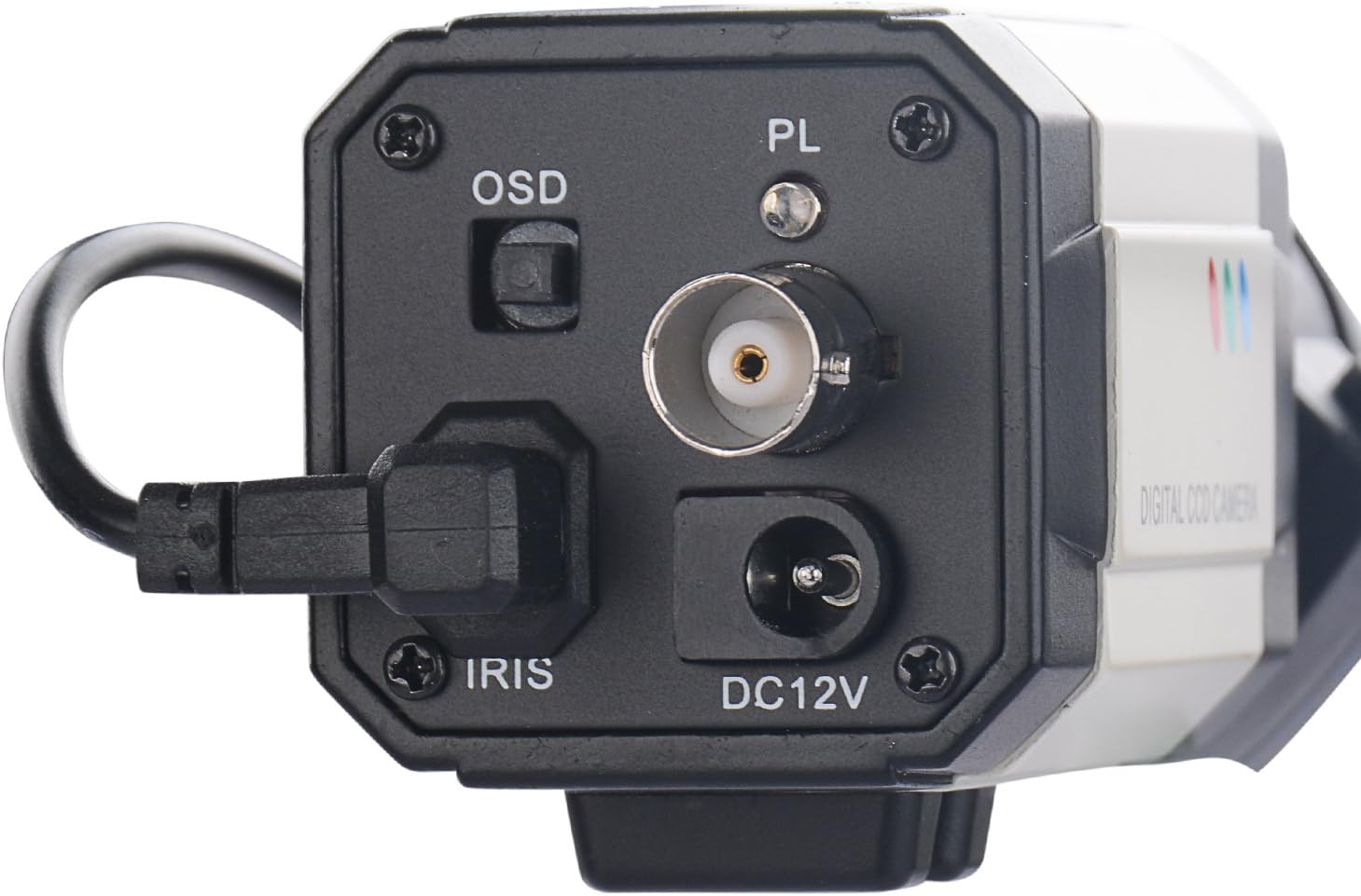
Figura 2: Connexions del panell posterior
Un primer pla view of the camera's rear panel, highlighting the OSD button, BNC video output, Auto Iris connection, and DC12V power input.
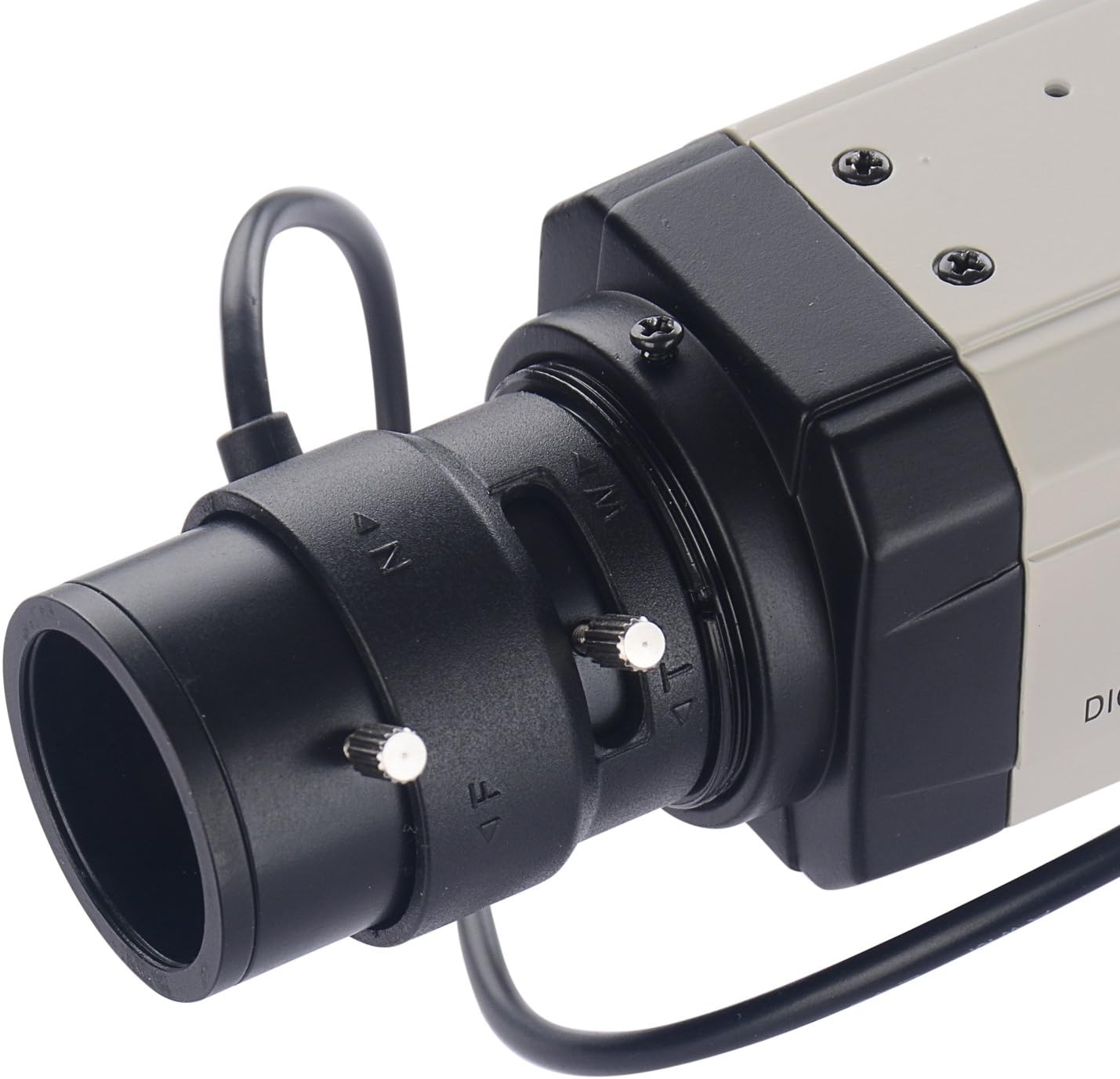
Figure 3: Varifocal Lens Adjustment
This image shows the adjustment screws on the varifocal lens, used for manually setting the zoom and focus.
4. Configuració i instal·lació
4.1 Muntatge de la càmera
The BX2812 camera is designed for wall or ceiling mounting. Ensure the mounting surface is strong enough to support the camera's weight. Use appropriate screws and anchors for secure installation.

Figura 4: Frontal View de Càmera
Un clar view of the front of the Vanxse BX2812 camera, showing the lens and overall bullet box form factor.
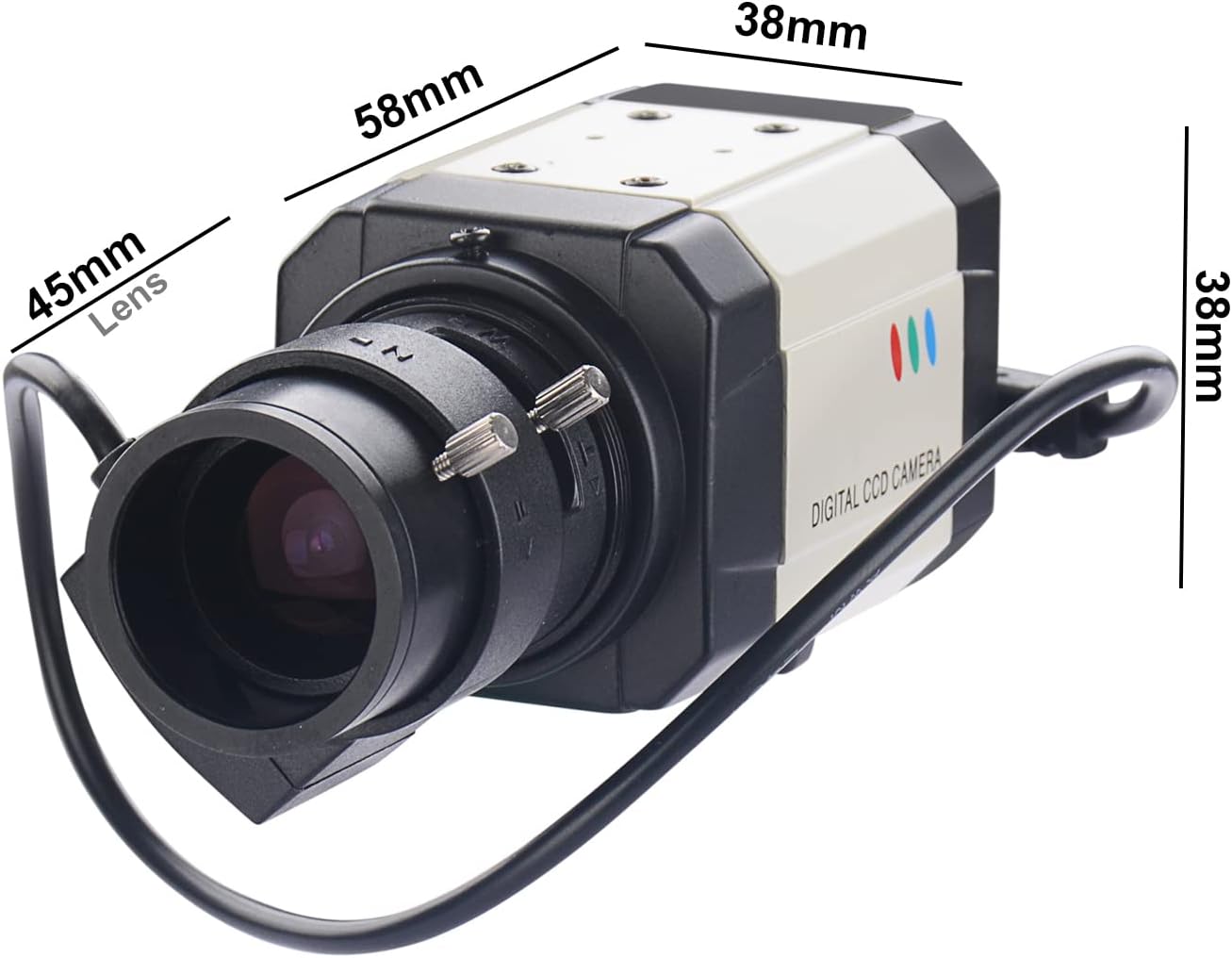
Figura 5: Dimensions de la càmera
This image provides the physical dimensions of the camera, including length, width, and height, which are useful for planning installation space.
4.2 Connexió de la càmera
- Connect the BNC video output of the camera to a compatible DVR or monitor using a BNC cable.
- Connect the auto-iris cable from the lens to the IRIS port on the camera body.
- Connect a DC 12V power adapter (not included) to the DC12V power input port.
- Ensure all connections are secure before powering on the camera.
Video 1: Unboxing and Connection Guide
This video demonstrates the unboxing process of the Vanxse BX2812 camera and provides a visual guide on how to connect the power and video cables to a monitor for initial setup and testing.
5. Funcionament
5.1 Ajust de la lent varifocal
The 2.8-12mm varifocal lens allows you to adjust the field of view and focus. Use the adjustment screws on the lens barrel to achieve the desired zoom and sharpness. It is recommended to perform these adjustments while viewing the camera's output on a monitor.
5.2 Menú OSD (visualització en pantalla).
The OSD menu provides access to various camera settings, including image adjustments, exposure, white balance, and more. To access the OSD menu, press the OSD button located on the rear panel of the camera. Navigate through the menu using the OSD button or external joystick if available, and confirm selections.
- Sensor d'imatge: 1/3 Color Super HAD CCD Effio-E processor.
- Resolució: HD 960H 1000TVL.
- Mode dia/nit: The camera displays in color during the day.
6. Manteniment
- Neteja: Use a soft, dry cloth to clean the camera body. For the lens, use a lens cleaning solution and a microfiber cloth to avoid scratches.
- Protecció del medi ambient: If used outdoors, ensure the camera is protected by a suitable waterproof housing to prevent damage from weather elements.
- Comprovacions periòdiques: Periodically check all cable connections for security and signs of wear.
7. Solució De Problemes
| Problema | Causa possible | Solució |
|---|---|---|
| Sense senyal de vídeo |
|
|
| Poor image quality / Blurry picture |
|
|
| La càmera no s'encén |
|
|
8. Especificacions
| Característica | Detall |
|---|---|
| Número de model | BX2812 |
| Sensor d'imatge | 1/3 Color Super HAD CCD Effio-E processor |
| Resolució de vídeo | 960H 1000TVL (976(H)x494(V)) |
| Lent | 2.8-12mm F1.4 Varifocal Auto Iris Lens |
| Format de vídeo | NTSC |
| Font d'alimentació | Elèctric amb cable |
| Voltage | 12 volts (CC) |
| Wattage | 2.5 watts |
| Tecnologia de connectivitat | Cablejat (BNC) |
| Ús interior/exterior | Indoor (Outdoor with suitable housing) |
| Material | Alumini |
| Dimensions (L x A x A) | 11.81 x 7.87 x 3.94 polzades |
| Pes de l'article | 8.8 unces (0.25 quilograms) |
| UPC | 704256528102 |
9. Garantia i Suport
This product is manufactured with care to provide reliable performance. For any issues or technical assistance, please contact Vanxse customer support. The manufacturer offers a 100% satisfaction guarantee and 24/7 online technical support.
For further assistance, please refer to the seller's information or contact them directly:
- Venedor: Vanxsemall
- Assistència en línia: Available 24/7 (as per product description)
Protection plans may be available for extended coverage. Please check with your retailer for details.