
Introducció
Thank you for choosing the AT&T SEB50 In-Ear Wired Earphones. These earphones are designed to provide high-definition sound with deep bass through dual dynamic drivers. They feature a tangle-free cable, gold-plated jack, and convenient in-line controls with an integrated microphone for hands-free communication.

Imatge: Més deview of the AT&T SEB50 in-ear wired earphones, showing the earbuds, in-line microphone, and cable.
Què hi ha a la caixa
The AT&T SEB50 package includes the following items:
- One (1) AT&T SEB50 Earphone Unit
- Multiple sizes of soft gel earpieces (ear sleeves) for a comfortable fit
Configuració
- Seleccioneu els consells per a les orelles: Choose the ear tips that provide the most comfortable and secure fit for your ears. A proper fit is essential for optimal sound isolation and audio performance. The package includes three sizes of noise-isolating soft gel earpieces.
- Inserir auriculars: Gently insert the earphones into your ears. Ensure the left earbud is in your left ear and the right earbud is in your right ear.
- Connecta't al dispositiu: Plug the 3.5 mm gold-plated jack into the headphone port of your audio device (e.g., smartphone, tablet, laptop, MP3 player). Ensure the connection is secure.

Image: A person wearing the AT&T SEB50 earphones, demonstrating proper usage.
Instruccions de funcionament
Reproducció d'àudio
- Once connected, begin playing audio from your device.
- Adjust the volume using your device's volume controls or the in-line remote control on the earphone cable.
In-Line Controls and Microphone
The AT&T SEB50 earphones feature an in-line remote control and microphone for convenient management of calls and music playback.
- Reproduir/pausar música: Premeu el botó multifunció una vegada.
- Omet la pista: Premeu el botó multifunció dues vegades ràpidament per saltar a la pista següent.
- Respondre/Finalitzar la trucada: Press the multi-function button once during an incoming call to answer. Press again to end an active call.
- Rebutja la trucada: Press and hold the multi-function button for approximately 2 seconds during an incoming call.
- Control de volum: Use the dedicated volume up (+) and volume down (-) buttons on the in-line remote to adjust audio levels.
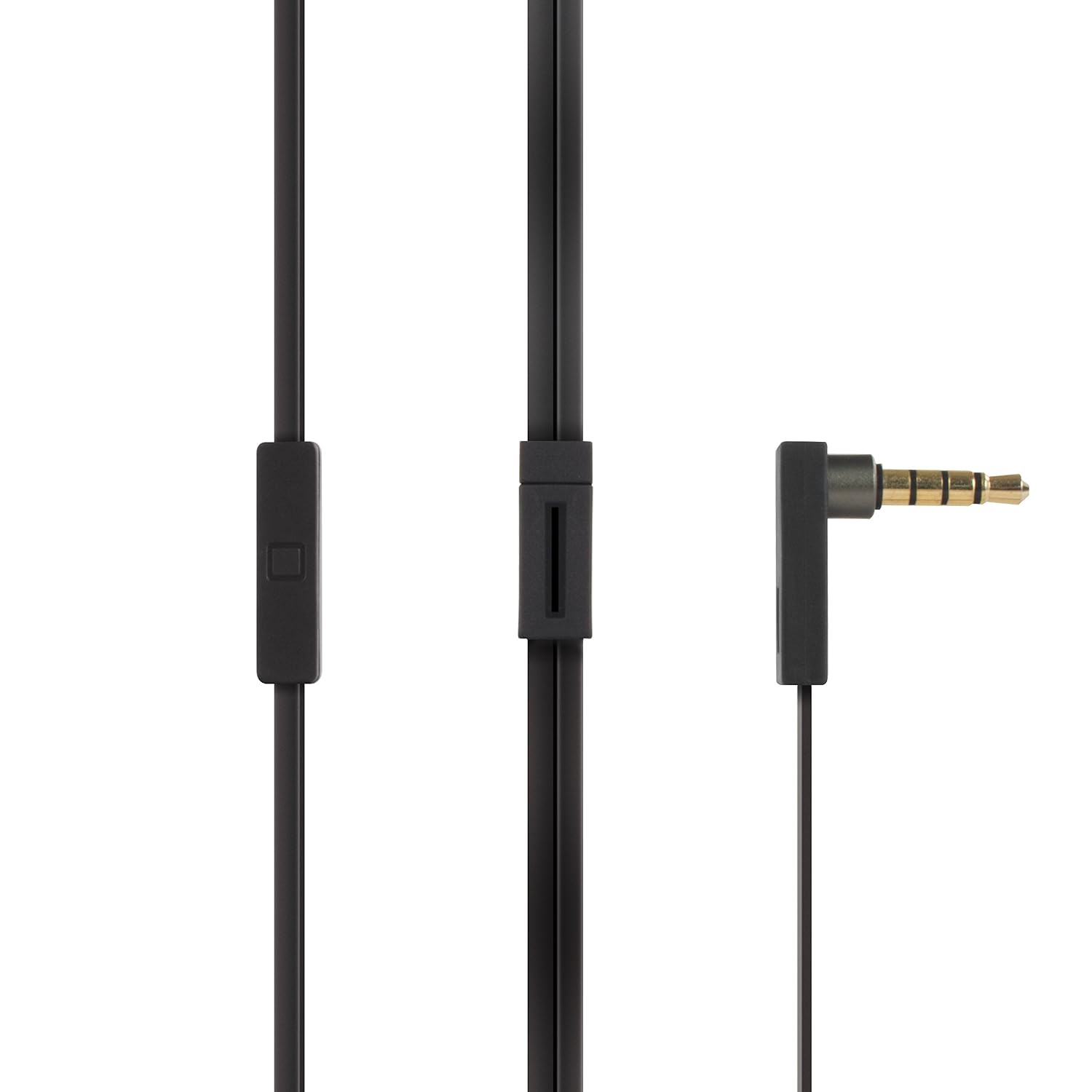
Image: Close-up of the AT&T SEB50's 3.5mm gold-plated jack and the in-line remote control with microphone.
Manteniment
- Neteja: Regularly clean the ear tips with a soft, dry cloth. For deeper cleaning, remove the ear tips and wash them with mild soap and water, ensuring they are completely dry before reattaching. Do not use harsh chemicals or abrasive materials on the earphones.
- Cura del cable: The earphones feature a tangle-free flat cable. To maintain its condition, avoid excessive bending or pulling. When storing, coil the cable loosely.
- Emmagatzematge: Store the earphones in a clean, dry place away from extreme temperatures and direct sunlight. Avoid placing heavy objects on them.
- Humitat: Keep the earphones away from water and moisture. They are not waterproof.

Image: AT&T SEB50 earphones neatly stored inside a bag, demonstrating proper storage.
Resolució de problemes
- Sense so o volum baix:
- Ensure the 3.5 mm jack is fully inserted into your device's audio port.
- Check the volume levels on both your audio device and the in-line remote.
- Prova els auriculars amb un altre dispositiu d'àudio per descartar problemes específics del dispositiu.
- Verify that the audio source is playing correctly.
- Poor Sound Quality (Distortion, Muffled Sound):
- Assegureu-vos que les puntes de les orelles estiguin netes i correctament col·locades als auriculars.
- Try different sized ear tips to achieve a better seal in your ear canal.
- Comproveu si la font d'àudio té problemes de qualitat.
- Ensure the 3.5 mm jack and device port are clean and free of debris.
- El micròfon no funciona:
- Ensure the 3.5 mm jack is fully inserted into your device. Some devices require a TRRS (Tip-Ring-Ring-Sleeve) jack for microphone functionality, which these earphones provide.
- Check your device's settings to ensure the external microphone is selected as the input source.
- Prova el micròfon amb una altra aplicació o dispositiu.
- In-Line Controls Not Responding:
- Assegureu-vos que els auriculars estiguin connectats correctament al dispositiu.
- Some older devices or specific operating systems may have limited compatibility with in-line controls.
- Reinicieu el dispositiu d'àudio.
Especificacions
| Marca | AT&T |
| Número de model | SEB50 |
| Col·locació de l'orella | A l'orella |
| Factor de forma | A l'orella |
| Control de soroll | Aïllament acústic |
| Tecnologia de connectivitat | Cablejat (connector de 3.5 mm) |
| Característiques del cable | Sense enredos |
| Tipus de control | Control de volum, comandament a distància |
| Dispositius compatibles | Laptops, Desktops, Mobiles, Tablets, TV, Audio Players, Gaming Consoles |
| Pes | 0.1 lliures (aprox. 45 grams) |
| País d'origen | Xina |
Garantia i Suport
Informació de la garantia
The AT&T SEB50 In-Ear Wired Earphones come with a 1 any de garantia proporcionat pel fabricant des de la data de compra. Si us plau, conserveu el comprovant de compra per a reclamacions de garantia.
Atenció al client
For technical assistance, warranty claims, or product inquiries, please contact the manufacturer:
Fabricant: Concept 101 LLCAdreça: 1356 Broadway, New York, NY 10018, USA
Telèfon: (646) 856-8650