
1. Introducció
This manual provides essential information for the installation, configuration, operation, and maintenance of your SonicWall TZ300 Network Security Appliance. The TZ300 is designed to deliver comprehensive security for small to medium-sized businesses, offering advanced threat protection, secure wireless connectivity, and flexible network management. Please read this manual thoroughly before operating the device.
2. Configuració i instal·lació
2.1 Contingut del paquet
Comproveu que el vostre paquet contingui els elements següents:
- SonicWall TZ300 Network Security Appliance
- Adaptador d'alimentació
- Cable Ethernet
- Guia d'inici ràpid (consulteu aquest manual per obtenir instruccions detallades)
2.2 Instal·lació física
- Trieu una ubicació: Place the appliance in a cool, dry, and well-ventilated area, away from direct sunlight and heat sources. Ensure adequate space for cable connections and airflow.
- Connectar l'alimentació: Connect the power adapter to the appliance's power input and then to a suitable power outlet. The power LED should illuminate.
- Connecteu els cables de xarxa:
- Connect your Internet Service Provider's (ISP) modem or router to the WAN port (typically labeled X1) on the TZ300 using an Ethernet cable.
- Connect your internal network switch or a computer directly to one of the LAN ports (e.g., X0) on the TZ300 using an Ethernet cable.

Imatge: Frontal view of the SonicWall TZ300 Series Firewall, showing ports and indicator lights.

Imatge: Part posterior view of the SonicWall TZ300, illustrating the various connectivity ports including Ethernet and power input.
2.3 Configuració inicial
After physical connections are made, access the SonicWall management interface via a web navegador.
- Ensure your computer is connected to a LAN port of the TZ300.
- Obre a web navegador i navegueu fins a l'adreça IP predeterminada (per exemple, http://192.168.168.168).
- Follow the on-screen wizard to set up basic network settings, administrator password, and time zone.
- Register your device with SonicWall to enable full features and receive updates.
3. Funcionament
3.1 Interfície de gestió
El SonicOS web interface provides comprehensive control over your network security appliance.
- Tauler de control: View real-time network status, security threats, and system performance.
- Configuració de la xarxa: Configure WAN, LAN, WLAN, and VPN settings.
- Serveis de seguretat: Manage features like Intrusion Prevention, Gateway Anti-Virus, Anti-Spyware, and Content Filtering.
- Users and Zones: Define user access policies and network zones for granular control.
3.2 Característiques clau
The TZ300 offers a range of features to secure your network:
- Deep Packet Inspection (DPI): Inspects traffic for threats regardless of port or protocol.
- Suport VPN: Accés remot segur i connectivitat entre llocs.
- Seguretat sense fils: Integrated wireless capabilities (if applicable to your model) with robust security protocols.
- Control d'aplicacions: Manage and prioritize network applications.
4. Manteniment
4.1 actualitzacions de microprogramari
Regularly update the SonicOS firmware to ensure optimal performance and the latest security patches.
- Log in to the SonicWall management interface.
- Navega a Sistema > Firmware i còpies de seguretat.
- Check for new firmware versions and follow the on-screen instructions to download and apply updates.
- Nota: Firmware updates may require a device reboot.
4.2 Còpia de seguretat i restauració de la configuració
Regularly back up your configuration settings to prevent data loss.
- From the management interface, go to Sistema > Firmware i còpies de seguretat.
- Save your current configuration to a local file.
- In case of issues, you can restore a previous configuration from this section.
4.3 Neteja física
Keep the appliance free from dust and obstructions to ensure proper ventilation. Use a soft, dry cloth for cleaning. Do not use liquid cleaners.
5. Solució De Problemes
5.1 Problemes comuns i solucions
- Sense accés a Internet:
- Check all cable connections (WAN, LAN, power).
- Verify ISP modem/router status.
- Ensure WAN interface is configured correctly in SonicOS.
- Reboot the TZ300 and your ISP equipment.
- No es pot accedir a la interfície de gestió:
- Confirm your computer is connected to a LAN port.
- Verify your computer's IP address is in the same subnet as the TZ300's LAN interface.
- Prova http://192.168.168.168 or the custom IP if changed.
- Esborra la memòria cau del navegador o prova un altre navegador.
- Rendiment de xarxa lent:
- Check network utilization on the SonicOS dashboard.
- Review security service logs for high threat activity.
- Assegureu-vos que el firmware estigui actualitzat.
- Consider adjusting security policies if they are overly restrictive.
5.2 Restabliment de fàbrica
A factory reset will revert all settings to their default state. This should be a last resort for troubleshooting.
- Locate the reset button on the device (often recessed).
- Using a paperclip or similar pointed object, press and hold the reset button for approximately 10-15 seconds until the TEST LED begins to flash.
- Release the button. The device will reboot with factory default settings.
6. Especificacions
Key technical specifications for the SonicWall TZ300 Network Security Appliance:
| Característica | Detall |
|---|---|
| Marca | Sonicwall |
| Nom del model | TZ300 |
| Número de part | 01-SSC-0215 |
| Tecnologia de connectivitat | Ethernet, Wi-Fi |
| Sistema operatiu | SonicOS |
| Nombre de Ports | 8 |
| LAN Port Bandwidth | 10/100 megabits per segon |
| Comunicació sense fils estàndard | 802.11ac |
| Classe de banda de freqüència | Doble banda |
| Protocol de seguretat | WPS |
| Usos recomanats | Seguretat |
| Color | Gris |
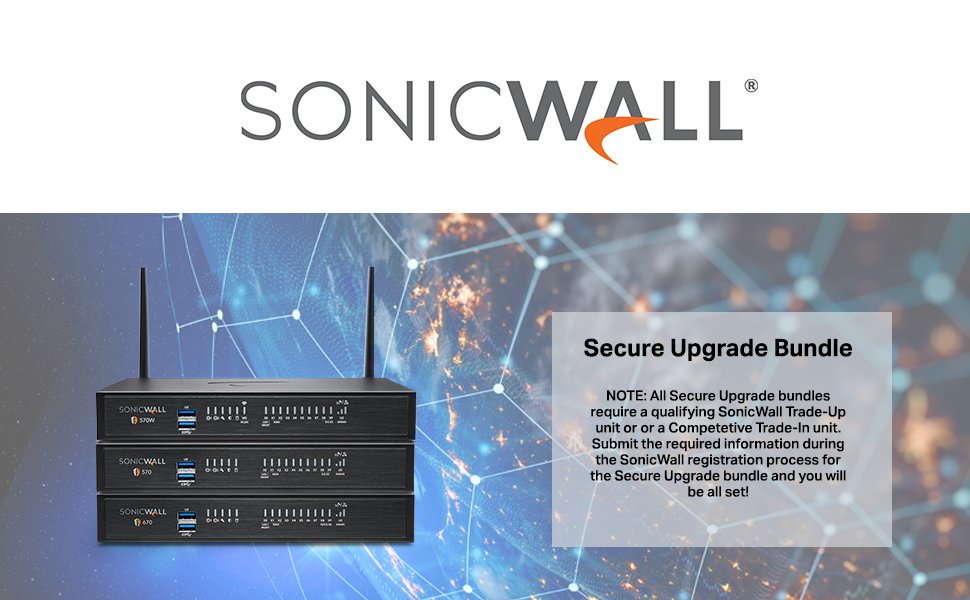
Image: Illustration of a SonicWall Secure Upgrade Bundle, showing multiple devices and a text box explaining the upgrade process.

Image: A bundle featuring Next-Gen Firewalls, SonicWall Security Suite Service, and a Rackmount Kit, demonstrating a comprehensive security solution.
7. Garantia i Suport
7.1 Garantia del producte
For detailed information regarding the product warranty, please refer to the official SonicWall website or the warranty documentation included with your purchase. Warranty terms typically cover manufacturing defects for a specified period.
7.2 Suport tècnic
If you encounter issues that cannot be resolved using this manual, please contact SonicWall Technical Support. Ensure you have your product serial number and registration details available when contacting support.
- Assistència en línia: Visit the official SonicWall support portal for knowledge base articles, FAQs, and support ticket submission.
- Suport telefònic: Refer to the SonicWall website for regional support contact numbers.
Per obtenir recursos addicionals i informació sobre el producte, visiteu SonicWall Store on Amazon.


