
Introducció
Thank you for choosing the Perixx PERIMICE-608II Wireless Vertical Mouse. This manual provides essential information for setting up, operating, and maintaining your new ergonomic mouse. Designed for right-handed users, this mouse promotes a natural hand position to enhance comfort during extended use. Please read this manual thoroughly before using the product.
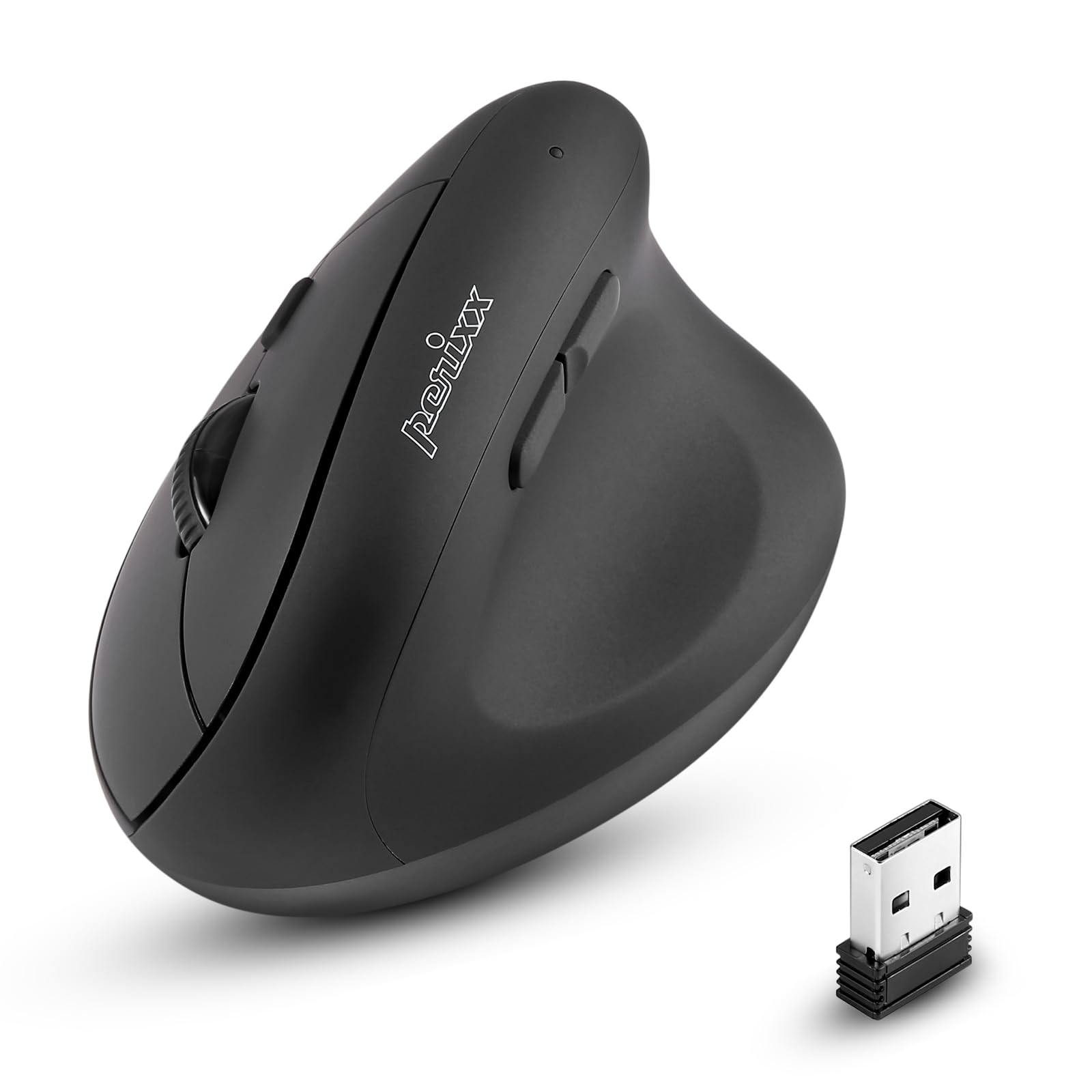
Davant view of the Perixx PERIMICE-608II Wireless Vertical Mouse.
Què hi ha a la caixa
Verifiqueu que tots els elements siguin presents al vostre paquet:
- 1 x Perixx PERIMICE-608II Wireless Vertical Mouse
- 1 x Receptor USB
- 1 x Manual d'usuari (aquest document)
Instruccions de configuració
- Instal·la la bateria: Locate the battery compartment on the underside of the mouse. Insert one AA battery (not included) according to the polarity indicators.
- Inseriu el receptor USB: Remove the USB receiver from its storage slot on the mouse's underside. Plug the USB receiver into an available USB port on your computer.
- Encès: Slide the ON/OFF switch on the bottom of the mouse to the "ON" position. The mouse should now be recognized by your computer and ready for use.

Underside of the mouse, illustrating the battery compartment and ON/OFF switch.

The mouse positioned next to a laptop, demonstrating the USB receiver plugged into a port.
Instruccions de funcionament
Disseny ergonòmic
The PERIMICE-608II features a vertical design that positions your hand in a natural handshake posture, reducing wrist strain and promoting comfort.

Demonstration of a relaxed, neutral grip on the vertical mouse.
Funcions del botó
- Clic esquerre: Selecció i activació estàndard.
- Clic dret: Accedeix als menús contextuals.
- Roda de desplaçament: Documents en rotllana i web pages vertically. Can also be pressed for middle-click functionality.
- Botons Endavant/Enrere: Located on the side for convenient web browsing and navigation.
Ajust de DPI
The mouse features a DPI (Dots Per Inch) button to adjust cursor sensitivity. Press the DPI button located on the top of the mouse to cycle through the available settings: 800, 1200, 1600, and 2400 DPI. An LED indicator will briefly light up to confirm the change.

The DPI switch on the mouse, allowing for quick sensitivity adjustments.
Manteniment
Neteja
Per netejar el ratolí, netegeu suaument la superfície amb un drap suau.amp drap. Eviteu utilitzar productes químics agressius o materials abrasius, ja que poden danyar l'acabat. Assegureu-vos que no entri líquid als components interns del ratolí.
Canvi de bateria
When the mouse performance degrades or it stops responding, it may be time to replace the AA battery. Follow the battery installation steps in the Setup section.
Resolució de problemes
- El ratolí no respon:
- Ensure the mouse is switched to the "ON" position on its underside.
- Comproveu si el receptor USB està connectat correctament a un port USB que funcioni de l'ordinador.
- Substituïu la bateria AA per una de nova.
- Proveu de connectar el receptor USB a un port USB diferent.
- Moviment erràtic del cursor:
- Assegureu-vos que el ratolí s'utilitzi sobre una superfície neta i no reflectant.
- Adjust the DPI setting using the DPI button to find a suitable sensitivity.
- Problemes de connectivitat:
- Move the mouse closer to the USB receiver to ensure a strong 2.4GHz wireless connection.
- Avoid using the mouse near other wireless devices that might cause interference.
Especificacions
| Marca | Perixx |
| Número de model | 12383 |
| Sèrie | PERIMICE-608 II |
| Tecnologia de connectivitat | Sense fil de 2.4 GHz (receptor USB) |
| Nivells de DPI | 800/1200/1600/2400 |
| Nombre de botons | 6 |
| Orientació de la mà | Dretrà |
| Font d'alimentació | Funciona amb piles (necessita 1 pila AA) |
| Durada mitjana de la bateria | 100 hores |
| Pes de l'article | 4.4 unces (aproximadament 125 grams) |
| Dimensions del producte (LxWxH) | 4.87 x 2.67 x 2.43 polzades (aprox. 123.7 x 67.8 x 61.7 mm) |
| Compatibilitat de sistemes operatius | Linux, Windows 7, Windows XP (i versions més recents) |

Detailed dimensions and weight of the Perixx PERIMICE-608II mouse.
Garantia i Suport
For detailed warranty information, technical support, and frequently asked questions, please visit the official Perixx website or contact Perixx customer service. You can find more information at the Botiga Perixx a Amazon.