
LG 55UF670T
LG 55UF670T 4K Ultra HD LED TV Instruction Manual
Model: 55UF670T
Introducció
Welcome to the instruction manual for your new LG 55UF670T 4K Ultra HD LED TV. This guide provides essential information for the safe and efficient use of your television. Please read it thoroughly before operating the device and retain it for future reference.
Què hi ha a la caixa
En desempaquetar, assegureu-vos que hi hagi tots els elements següents:
- LG 55UF670T 4K Ultra HD LED TV
- Suport de TV
- Control remot
- Power Cable (not explicitly listed but implied)
- Manual d'usuari (aquest document)
Configuració
1. Desembalatge i col·locació
Carefully remove the TV from its packaging. Place the TV on a stable, flat surface or mount it on a wall using a compatible VESA mount (sold separately). Ensure adequate ventilation around the TV.

Imatge: Anglesa view of the LG 55UF670T TV, showcasing és Slim Profile and stand design. This view helps in visualizing placement options.
2. Fixació del suport
If you are not wall-mounting, attach the included stand to the television. Refer to the diagrams in the quick setup guide for proper screw placement and assembly. Ensure the stand is securely fastened before placing the TV upright.
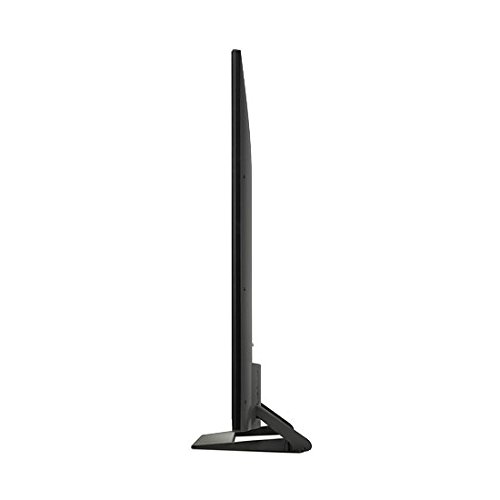
Imatge: Lateral view of the LG 55UF670T TV, illustrating its thin design and how the stand supports it. This perspective is useful for understanding the TV's depth and stand attachment.
3. Connexió d'alimentació
Connect the power cable to the TV's power input and then to a wall outlet. Do not plug in the TV until all other connections are made.
Funcionament del televisor
1. Assistent d'encesa inicial i configuració
Press the power button on the remote control or on the TV. The initial setup wizard will guide you through language selection, network connection, and channel scanning.
2. Connectivitat
The LG 55UF670T features multiple input options for connecting external devices.
- Entrades HDMI: The TV is equipped with 2 HDMI ports for connecting devices such as Blu-ray players, gaming consoles, and set-top boxes.
- Entrades USB: Connecteu dispositius d'emmagatzematge USB per reproduir contingut multimèdia files.
- Connectivitat de xarxa: Supports Wi-Fi for internet access and streaming services.
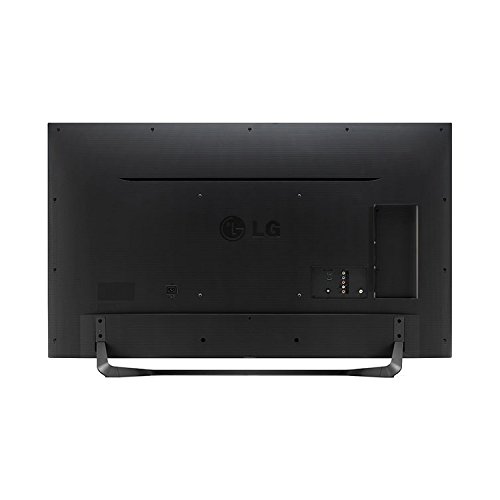
Imatge: Part posterior view of the LG 55UF670T TV, showing the various input and output ports, including HDMI and USB connections. This helps users locate the correct ports for their devices.
3. Funcions de Smart TV
This TV runs on the Android operating system, providing access to various internet applications, including Amazon Instant Video. Use the remote control to navigate the smart TV interface and access your favorite content.
Manteniment
Neteja del televisor
Per netejar la pantalla, netegeu-la suaument amb un drap suau, sec i sense borrissol. Per a marques difícils, netegeu-la lleugerament.ampen the cloth with water or a specialized screen cleaner. Avoid using harsh chemicals, abrasive materials, or direct spraying of liquids onto the screen or cabinet. Always unplug the TV before cleaning.
Resolució de problemes
Si teniu problemes amb el televisor, consulteu les solucions habituals següents:
- Sense energia: Ensure the power cable is securely connected to both the TV and the wall outlet. Try plugging another device into the same outlet to confirm it is working.
- Sense imatge/so: Check all cable connections (HDMI, antenna, etc.) to ensure they are firmly seated. Verify the correct input source is selected on the TV.
- El control remot no funciona: Substituïu les piles del comandament a distància. Assegureu-vos que no hi hagi cap obstacle entre el comandament a distància i el sensor d'infrarojos del televisor.
- Mala qualitat d'imatge: Check the signal source. If using an antenna, adjust its position. For external devices, ensure high-quality cables are used. Adjust picture settings in the TV menu.
- Sense connexió a Internet: Verify your Wi-Fi router is on and functioning. Re-enter your Wi-Fi password in the TV's network settings.
Si el problema persisteix després d'intentar aquests passos, poseu-vos en contacte amb l'atenció al client.
Especificacions
| Mida de la pantalla | 55 polzades (140 cm) |
| Tecnologia de visualització | LED |
| Resolució | 3840 x 2160 (4K Ultra HD) |
| Nom del model | 55UF670T |
| Tecnologia de connectivitat | HDMI, Wi-Fi |
| Entrades HDMI | 2 |
| Entrada d'àudio | HDMI, USB |
| Sistema operatiu | Android |
| Serveis d'Internet compatibles | Vídeo instantani d'Amazon |
| Viewangle ing | 178 graus |
| Components inclosos | Stand, TV |
Garantia i Suport
Informació de la garantia
This product comes with a 1-year warranty provided by the manufacturer from the date of purchase. Please retain your purchase receipt as proof of warranty.
Atenció al client
For any assistance, including installation requests or troubleshooting not covered in this manual, please reach out to LG customer support. You can contact them on their Toll-Free Number: 1800 3000 9027.
For installation requests, Amazon will connect with you via Email and SMS on your registered mobile number to share the next steps.
Ask a question about this manual
Ask about setup, troubleshooting, compatibility, parts, safety, or missing instructions. Manuals+ will review the question and use this page’s manual context to help answer it.