
1. Introducció
This manual provides essential information for the safe and effective use of your Westek Indoor Wireless Outlet Switch, Model RFK100LC. This device allows for remote operation of indoor appliances and lighting, offering convenience and energy savings. Please read these instructions thoroughly before installation and operation.
2. Informació de seguretat
- Només per a ús interior: Aquest dispositiu està dissenyat per a ús interior en llocs secs. No l'exposeu a l'aigua ni a la humitat.
- Valoració elèctrica: Ensure the connected appliance's wattage does not exceed the switch's maximum rating. This switch is not rated for high-wattage appliances such as humidifiers or portable A/C units, especially those with three-prong plugs.
- Instal·lació correcta: Always ensure the receiver is fully plugged into a wall outlet and the appliance is securely plugged into the receiver.
- Advertència de la proposta 65: Aquest producte pot contenir productes químics coneguts per l'estat de Califòrnia per causar càncer i defectes de naixement o altres danys reproductius. Rentar-se les mans després de la manipulació.
- Nens i animals de companyia: Mantingueu el dispositiu fora de l'abast dels nens i les mascotes.
3. Contingut del paquet
Your Westek Indoor Wireless Outlet Switch package (Model RFK100LC) includes:
- 2 x Wireless Wall Switch Transmitters
- 2 x Plug-in Receivers
- Mounting Screws for Wall Switches (if desired)
- Manual d'instruccions

Image: Components of the Westek Indoor Wireless Outlet Switch, showing the wall switch and the plug-in receiver.
4. Configuració
Follow these steps to set up your Westek Indoor Wireless Outlet Switch:
- Prepare the Wall Switch: The wireless wall switch transmitter is battery-powered. Before use, open the switch cover (usually by gently prying or unscrewing) and remove any plastic tab protecting the battery. Ensure the battery is correctly seated.
- Plug in the Appliance: Connect the desired indoor appliance or lamp into the outlet on the plug-in receiver.
- Connecteu el receptor: Insert the receiver into a standard wall socket. The receiver typically has an indicator light (e.g., green LED) to show its status.
- Mount the Wall Switch (Optional): You can mount the wall switch transmitter to a desired location using the provided mounting screws. Alternatively, it can be placed on any flat surface.
- Prova de funcionament: Use the wall switch to turn the connected device on and off. The receiver's indicator light will typically change state (e.g., turn off when the device is off) to confirm operation.
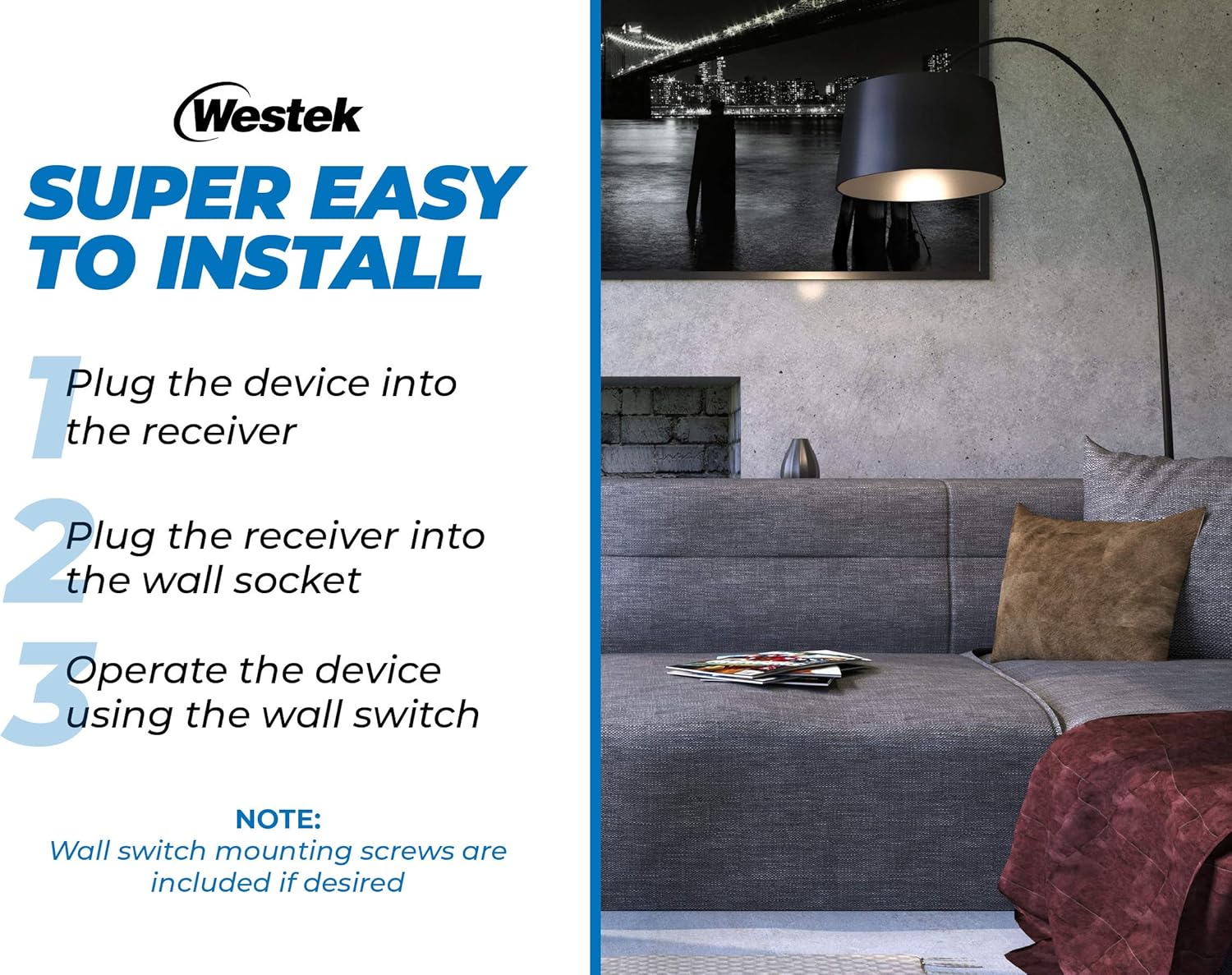
Image: Visual guide illustrating the three simple steps for installing the wireless outlet switch.
Video: An official product video from Firefly Buys demonstrating the setup and functionality of the Westek Indoor Wireless Light Switch and Receiver Kit. This 34-second video shows how to connect the receiver and use the remote switch.
5. Instruccions de funcionament
The Westek Indoor Wireless Outlet Switch provides convenient control over your connected devices:
- Comandament a distància: Use the wall switch transmitter to turn the connected appliance or light on and off from a distance. The radio frequency (RF) signal works up to 100 feet away, even through walls and around corners.
- Control manual: The plug-in receiver also features a manual on/off button. You can press this button directly on the receiver to control the connected device. The button's indicator light will show the current status (e.g., green for ON).
- Unitats múltiples: If using multiple Westek wireless switches, ensure they are on different frequencies (A through E) to avoid interference. If you experience issues, check the frequency of each unit.

Image: Diagram illustrating the 100 ft. wireless transmission range between the wall switch and the plug-in receiver.
6. Manteniment
- Substitució de la bateria: The wireless wall switch transmitter requires a battery (type not specified in product data, typically a coin cell or A23 battery). If the switch becomes unresponsive, replace the battery. Refer to the switch housing for battery type and replacement instructions.
- Neteja: Netegeu els dispositius amb un drap suau i sec. No utilitzeu productes de neteja abrasius ni dissolvents.
- Emmagatzematge: Quan no els utilitzeu durant períodes prolongats, guardeu els dispositius en un lloc fresc i sec.
7. Solució De Problemes
| Problema | Causa possible | Solució |
|---|---|---|
| Device does not turn on/off via wall switch. | Dead or improperly installed battery in wall switch. Receiver not plugged in or not receiving power. Appliance not plugged into receiver. Wall switch cover screwed too tightly. | Replace battery in wall switch. Ensure receiver is securely plugged into a live outlet. Ensure appliance is securely plugged into receiver. Loosen wall switch cover screws slightly if it feels too tight. |
| Intermittent operation or unexpected on/off. | Interference from other wireless devices. Wall switch cover screwed too tightly. | Ensure multiple Westek switches are on different frequencies. Loosen wall switch cover screws slightly. Relocate the receiver or switch to minimize interference. |
| Limited range for remote operation. | Obstructions (thick walls, metal objects). Distance exceeds 100 ft. | Try to minimize obstructions between the switch and receiver. Ensure operation is within the specified 100 ft. range. |
| Receiver indicator light is off. | No power to the outlet. Receiver is off. | Check the wall outlet with another device. Press the manual on/off button on the receiver to turn it on. |
8. Especificacions
| Característica | Especificació |
|---|---|
| Model | RFK100LC |
| Marca | Westek |
| Mode d'operació | Manual, Remote |
| Mètode de control | Remot |
| Protocol de connectivitat | RF (freqüència de ràdio) |
| abast sense fils | Up to 100 feet (through walls and around corners) |
| Dispositius compatibles | Any indoor device (e.g., lamps, appliances) |
| Tipus de circuit | 3 vies |
| Tipus de muntatge | Suport de paret (per a interruptor) |
| Color | Blanc |
| Material | Copper (contact material) |
| Dimensions de l'article (L x A x A) | 9 x 8.5 x 3 polzades (dimensions totals de l'embalatge/producte) |
| Recompte d'unitats | 2 Count (pack of 2) |
| Classificació de protecció internacional | IP00 |
9. Garantia
No specific warranty information is provided in the product data. Please refer to the product packaging or contact Westek customer service for details regarding warranty coverage.
10. Suport
For further assistance, technical support, or inquiries regarding your Westek Indoor Wireless Outlet Switch, please contact Westek customer service through their official weblloc web o la informació de contacte que figura a l'embalatge del producte.