
Introducció
The StarTech.com HDMI Audio Extractor (HD2A) allows you to extract and convert the audio from an HDMI signal to 3.5mm stereo audio. This device is ideal for connecting HDMI source devices, such as Blu-ray players or computers, to external speakers or headphones that use a 3.5mm audio jack, while simultaneously passing the video signal through to an HDMI display. It supports resolutions up to 1080p and is HDCP compliant.
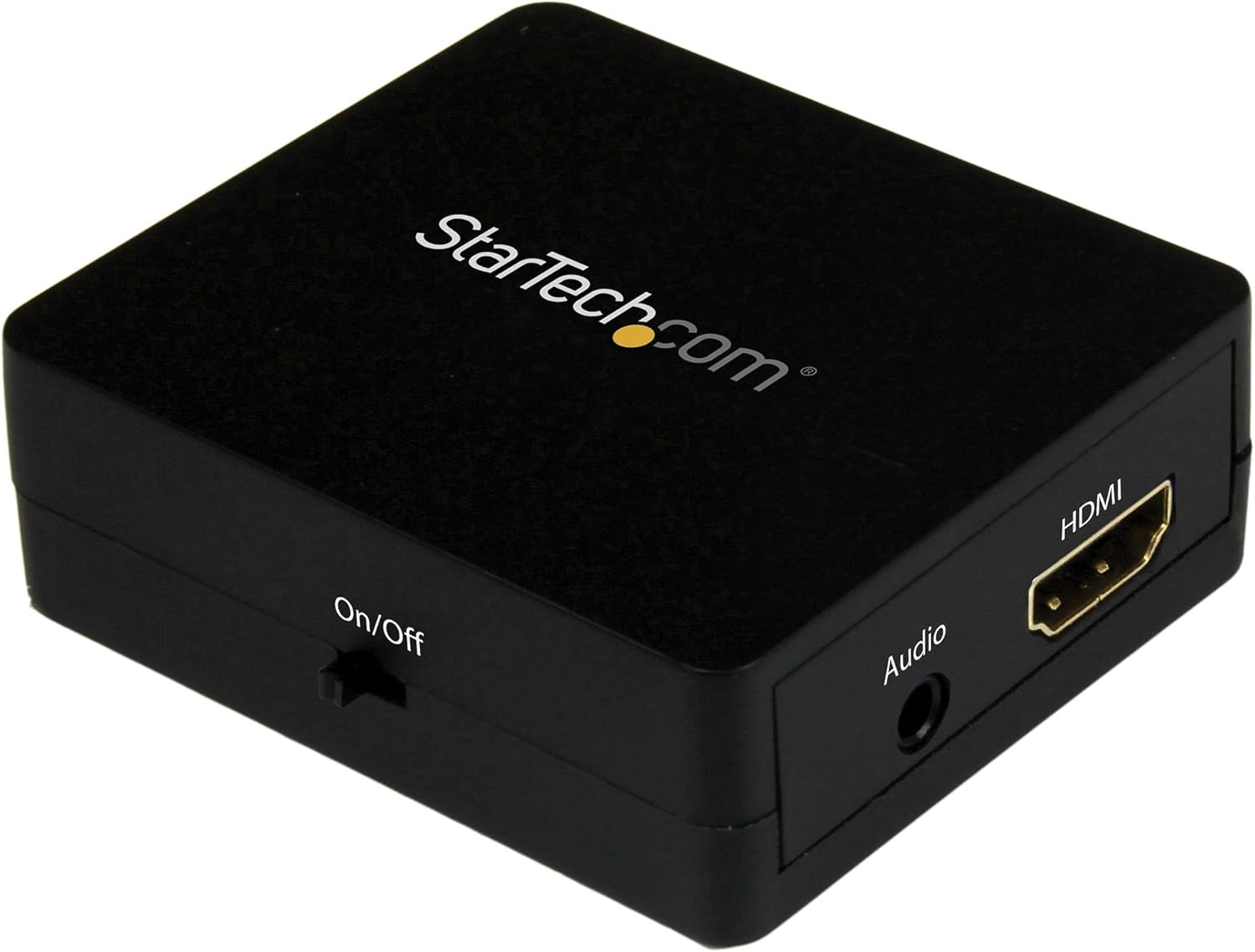
Image: The StarTech.com HDMI Audio Extractor (HD2A) unit, showcasing its compact design and various ports for connectivity.
Contingut del paquet
- 1x HDMI Audio Extractor (HD2A)
- 1x cable d'alimentació USB
- 1x Toslink Adapter
Configuració
Segueix aquests passos per configurar l'extractor d'àudio HDMI:
- Connecteu la font HDMI: Connect an HDMI cable from your source device (e.g., Blu-ray player, computer, game console) to the Entrada HDMI port on the audio extractor.
- Connect HDMI Display (Optional): If you wish to pass the video signal to a display, connect an HDMI cable from the SORTIDA HDMI port on the audio extractor to your TV or monitor.
- Connecta la sortida d'àudio: Connect a 3.5mm audio cable from the Sortida d'àudio de 3.5 mm port on the extractor to your stereo speakers, headphones, or audio receiver.
- Connectar l'alimentació: Connecteu el cable d'alimentació USB inclòs a Alimentació USB port on the extractor and then to a USB power source (e.g., a USB wall adapter, computer USB port). Ensure the power source provides sufficient power for stable operation.
- Dispositius d'encesa: Power on your HDMI source device, display (if connected), and audio output device.
Nota: The device requires external power via the USB cable for operation.
Instruccions de funcionament
Once all connections are made and devices are powered on, the HDMI Audio Extractor will automatically detect the HDMI input and begin extracting the audio. The video signal will be passed through to the HDMI output (if connected).
- Ensure your source device is outputting audio via HDMI.
- Adjust the volume on your connected audio output device (speakers, headphones) as needed.
- The extractor supports 2.1 stereo audio output through the 3.5mm port.
Manteniment
To ensure the longevity and optimal performance of your HDMI Audio Extractor, follow these maintenance guidelines:
- Mantingueu el dispositiu net netejant-lo amb un drap suau i sec. Eviteu utilitzar productes químics agressius o netejadors abrasius.
- Guardeu el dispositiu en un lloc fresc i sec, allunyat de la llum solar directa i de temperatures extremes.
- Eviteu exposar el dispositiu a humitat o líquids.
- Do not attempt to disassemble or modify the device, as this will void the warranty and could cause damage.
Resolució de problemes
If you encounter issues with your HDMI Audio Extractor, refer to the following troubleshooting steps:
- Sense sortida d'àudio:
- Ensure all cables (HDMI input, 3.5mm audio, USB power) are securely connected.
- Verify that your audio output device (speakers, headphones) is powered on and its volume is adjusted.
- Check the audio settings on your HDMI source device to ensure audio is being sent via HDMI.
- Try a different 3.5mm audio cable or audio output device to rule out faulty components.
- No Video Output (if connected to a display):
- Ensure the HDMI cable from the extractor's SORTIDA HDMI to your display is properly connected.
- Verify your display is set to the correct HDMI input.
- Test the HDMI cables directly between the source and display to confirm they are functional.
- Buzzing Sound from Audio Output:
- A buzzing sound can sometimes occur if the HDMI input source is turned off while the extractor remains powered. Ensure the HDMI source is active when using the extractor.
- Ensure the USB power cable is connected to a stable power source.
- Try connecting the USB power cable to a different USB port or power adapter.
- Àudio/vídeo intermitent:
- Comproveu si totes les connexions dels cables estan soltes.
- Ensure the USB power supply is stable and sufficient.
- Try using shorter, high-quality HDMI cables.
Especificacions
| Model | HD2A |
| Marca | StarTech.com |
| Tipus d'interfície | HDMI |
| Sortida d'àudio | 3.5mm Stereo (2.1 Channel) |
| Resolució màxima | 1080p |
| Compatibilitat amb HDCP | Sí |
| Dimensions (L x A) | 2.01" de llargada x 1.61" d'amplada |
| Material | Plàstic |
| Pes | 0.04 quilos |
| Components inclosos | HDMI audio extractor, USB power cable, Toslink adapter |
Garantia i Suport
StarTech.com provides a warranty for this product. For specific warranty terms and conditions, please refer to the warranty information included with your purchase or visit the official StarTech.com weblloc.
For technical support, product drivers, manuals, and frequently asked questions, please visit the Suport de StarTech.com weblloc o contactar directament amb el seu servei d'atenció al client.