
Introducció
Gràcies per la compraasing the HORI Nintendo Switch Wireless HORIPAD (Zelda). This controller is officially licensed by Nintendo and designed to enhance your gaming experience on the Nintendo Switch. This manual provides essential information for setting up, operating, and maintaining your new controller. Please read it thoroughly before use and keep it for future reference.
Característiques del producte
- Bluetooth wireless connectivity with a 32-foot range.
- Built-in rechargeable lithium-ion battery offering up to 15 hours of playtime per charge.
- Lightweight and ergonomic design for comfortable extended play sessions.
- Equipped with accelerometer and gyroscope for full-motion control.
- Officially Licensed by Nintendo, ensuring compatibility and quality.
Contingut del paquet
- HORI Nintendo Switch Wireless HORIPAD (Zelda) Controller
- Cable de càrrega USB-C
- Manual d'instruccions
Disseny del controlador
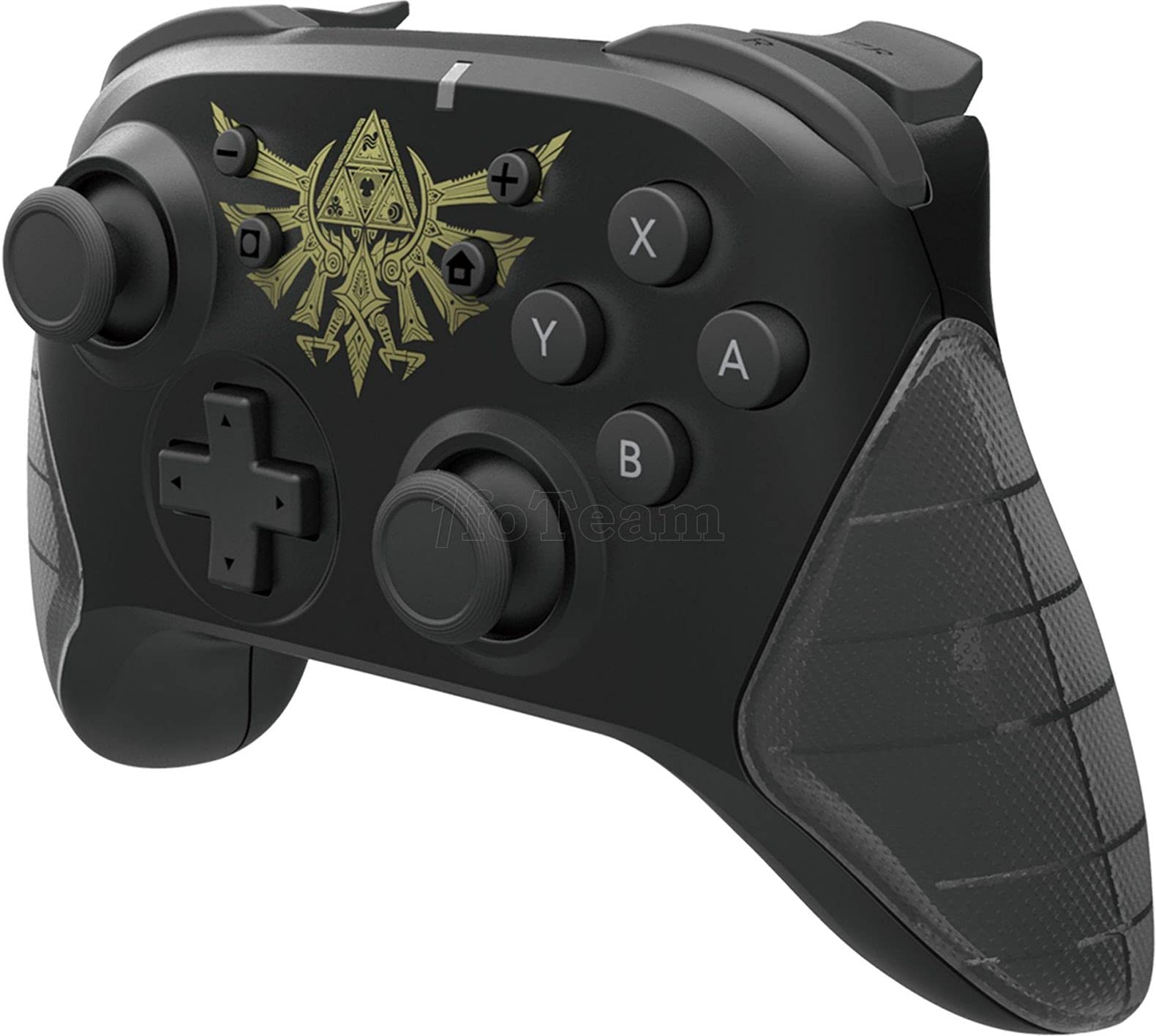
Figura 1: Frontal view of the HORI Nintendo Switch Wireless HORIPAD (Zelda) controller, featuring the Triforce emblem.

Figura 2: lateral view of the HORI Nintendo Switch Wireless HORIPAD (Zelda) controller, showing shoulder buttons and ergonomic grip.
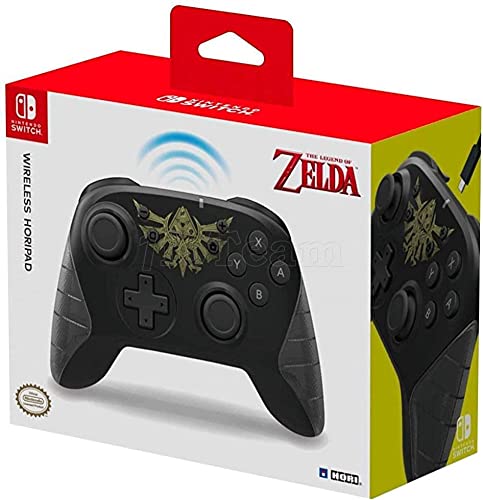
Figura 3: Esquena view of the HORI Nintendo Switch Wireless HORIPAD (Zelda) controller, showing the USB-C charging port.
The controller features standard Nintendo Switch button layouts, including two analog sticks, a D-pad, A/B/X/Y buttons, L/R/ZL/ZR shoulder buttons, and Home/Capture/Plus/Minus buttons. The USB-C charging port is located on the top edge of the controller.
Configuració
Emparellament amb Nintendo Switch
- Assegura't que la consola Nintendo Switch estigui engegada i actualitzada amb el programari del sistema més recent.
- Al menú INICI, seleccioneu Controladors, doncs Canviar l'adherència/l'ordre.
- On the HORI Wireless HORIPAD, press and hold the Botó SYNC (located on the top edge, next to the USB-C port) for a few seconds until the Player LED lights begin to flash.
- Once the controller is successfully paired, the Player LED corresponding to its player number will remain lit.
- Premeu el botó Un botó on the controller to confirm and exit the pairing screen.
Carregant el controlador
The HORI Wireless HORIPAD features a built-in rechargeable battery. To charge:
- Connect the included USB-C charging cable to the USB-C port on the top of the controller.
- Connect the other end of the USB-C cable to a USB power source (e.g., Nintendo Switch Dock, USB wall adapter, computer USB port).
- The charging indicator LED on the controller will illuminate during charging and turn off when fully charged. A full charge typically takes approximately 2-3 hours and provides up to 15 hours of playtime.
Instruccions de funcionament
Controls bàsics
- Encès: Premeu el botó Inici.
- Apagar: Hold the Home button for several seconds until the controller powers down, or disconnect it from the Switch.
- Moviment: Use the Left Analog Stick or D-pad.
- Camera/Aiming: Use the Right Analog Stick.
- Botons d'acció: A, B, X, Y buttons for in-game actions.
- Botons a l'espatlla: L, R, ZL, ZR for various in-game functions.
- System Buttons: Plus (+) for options, Minus (-) for menu, Home for HOME Menu, Capture for screenshots/video clips.
Controls de moviment
The controller supports motion controls via its built-in accelerometer and gyroscope. These functions are automatically enabled for compatible games. Ensure the controller is held steadily for accurate motion input.
Manteniment
- Neteja: Use a soft, dry cloth to clean the controller. Do not use liquid cleaners or solvents.
- Emmagatzematge: Guardeu el controlador en un lloc fresc i sec, allunyat de la llum solar directa i de temperatures extremes.
- Cura de la bateria: Per allargar la durada de la bateria, eviteu descarregar-la completament amb freqüència. Carregueu el controlador regularment, fins i tot si no l'utilitzeu constantment.
- Evitar l'impacte: No deixeu caure el controlador ni el sotmeteu a impactes forts, ja que això podria danyar els components interns.
Resolució de problemes
- El controlador no es connecta:
- Assegureu-vos que el controlador estigui carregat.
- Verify the Nintendo Switch is updated to the latest system software.
- Attempt to re-pair the controller following the 'Pairing with Nintendo Switch' steps.
- Move closer to the Nintendo Switch console to ensure you are within the 32-foot Bluetooth range.
- Comproveu si hi ha interferències sense fil d'altres dispositius.
- Buttons or sticks not responding:
- Assegureu-vos que el controlador estigui connectat i carregat correctament.
- Reinicieu la consola Nintendo Switch.
- Test the controller in a different game or application to determine if the issue is game-specific.
- Autonomia curta de la bateria:
- Assegureu-vos que el controlador estigui completament carregat abans d'utilitzar-lo.
- El rendiment de la bateria pot degradar-se amb el temps amb un ús extensiu.
Especificacions
| Marca | HORI |
| Nom del model | HORIPAD sense fil |
| Dispositius compatibles | Nintendo Switch |
| Tipus de controlador | Gamepad |
| Tecnologia de connectivitat | USB, sense fil (Bluetooth) |
| Característiques addicionals | Ergonomic, Wireless, Accelerometer, Gyroscope |
| Quantitat de botons | 15 |
| Font d'alimentació | Funciona amb bateria (ió de liti recarregable) |
| Pes de l'article | 305 grams |
| Dimensions de l'article | 3.15 x 7.01 x 5.71 polzades |
| Color | Black (Zelda design) |
Garantia i Suport
For warranty information and customer support, please refer to the official HORI weblloc web o poseu-vos en contacte amb el vostre distribuïdor. Conserveu el comprovant de compra per a qualsevol reclamació de garantia.


