
Introducció
The CAD Audio CADLive D88 is a large diaphragm supercardioid dynamic microphone specifically engineered for capturing kick drum sounds. Its robust design and advanced capsule technology are optimized for high sound pressure levels (SPL) and delivering a powerful, clear signal, making it suitable for demanding live performance and studio environments.
This manual provides essential information for the proper setup, operation, maintenance, and troubleshooting of your CADLive D88 microphone to ensure optimal performance and longevity.
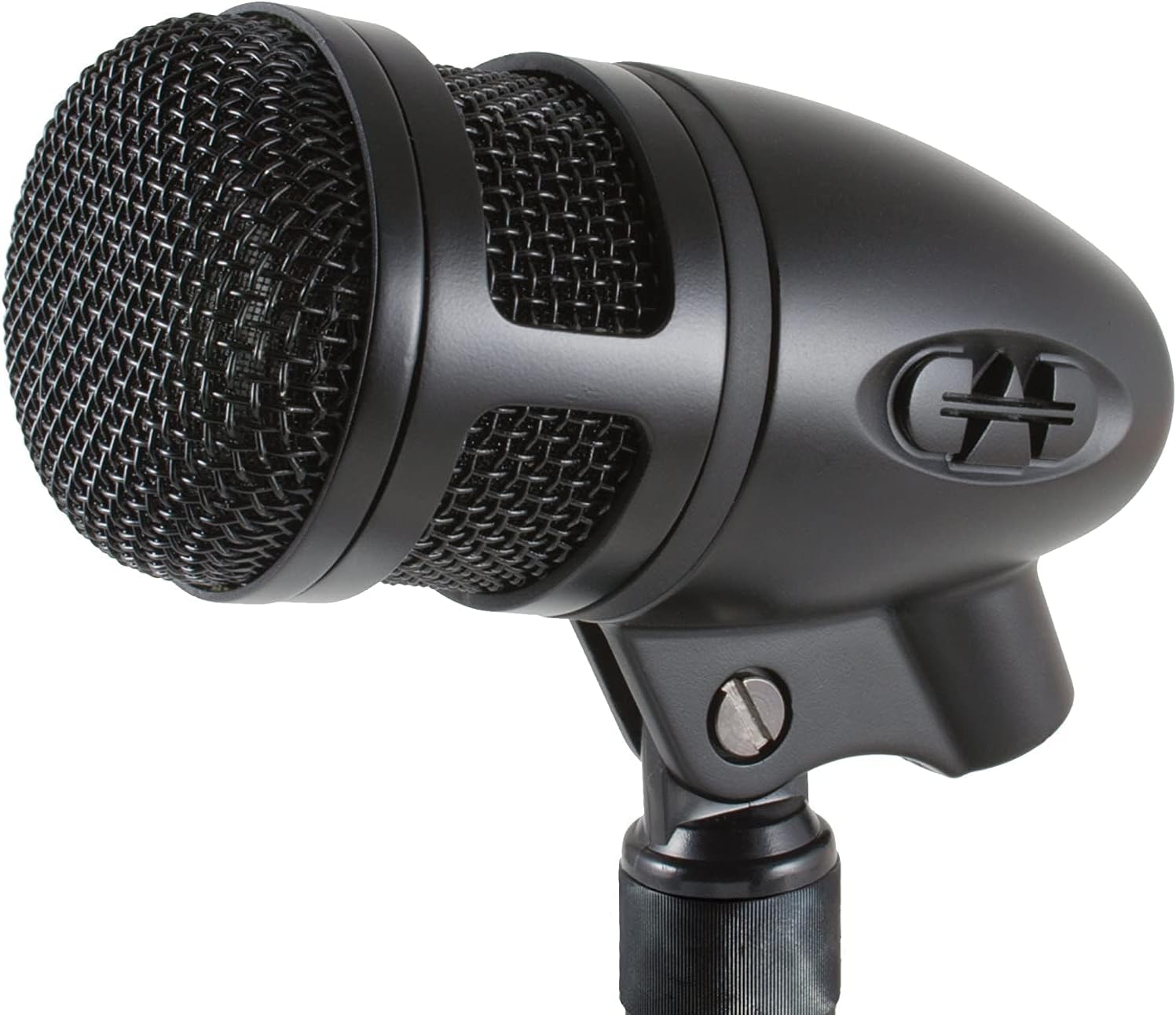
Image: The CAD Audio CADLive D88 microphone, showcasing its durable black finish and grille.
Configuració
- Desembalatge: Carefully remove the D88 microphone from its packaging. Inspect for any signs of damage.
- Muntatge: Attach the D88 microphone to a sturdy microphone stand using the integrated mount. Ensure the microphone is securely fastened to prevent accidental drops.
- Posicionament: For kick drum applications, position the microphone inside or just outside the kick drum's resonant head, typically aimed at the beater for attack or further back for more resonance. Experiment with placement to achieve the desired sound.
- Connexió: Connect a standard XLR cable (not included) to the microphone's XLR output. Connect the other end of the XLR cable to a microphone input on your audio mixer, audio interface, or PA system. Ensure a secure connection at both ends.
- Potència fantasma: The CADLive D88 is a dynamic microphone and does not require phantom power. Ensure phantom power is turned OFF on the connected input channel to avoid potential issues, although it typically will not damage dynamic microphones.

Image: The CADLive D88 microphone mounted on a stand, positioned for a kick drum, illustrating a typical setup scenario.
Instruccions de funcionament
- Guanyar Staging: Once connected, gradually increase the gain (preamp level) on your mixer or interface for the D88's channel. Monitor the input level to ensure it is strong enough without clipping (distortion). The D88 provides a hot signal output, so less gain may be required compared to other microphones.
- Patró polar: The D88 features a supercardioid polar pattern. This pattern offers excellent rejection of sounds from the sides and rear, focusing on the sound source directly in front of the microphone. This is ideal for isolating the kick drum sound and minimizing bleed from other instruments on stage o a l'estudi.
- Maneig alt SPL: The D88 is designed to handle extremely high sound pressure levels (SPLs exceeding 150dB) without distortion. This makes it perfectly suited for loud kick drums and other high-volume percussion instruments.
- Resposta de freqüència: With a frequency response of 20Hz-17kHz, the D88 is tailored to capture the full range of a kick drum, from deep lows to crisp attack. Adjust equalization on your mixer as needed to fine-tune the sound to your preference.

Imatge: Un costat view of the CADLive D88 microphone, highlighting its compact and durable design.
Manteniment
- Neteja: To clean the microphone body, use a soft, dry cloth. For the grille, a soft brush can be used to gently remove dust or debris. Avoid using liquid cleaners or solvents, as these can damage the microphone's components.
- Emmagatzematge: When not in use, store the D88 microphone in its original packaging or a protective case to shield it from dust, moisture, and physical impact. Store in a cool, dry place.
- Manipulació: While the D88 is built for durability, avoid dropping the microphone or subjecting it to excessive force, as this can affect its performance and internal components.
Resolució de problemes
| Problema | Causa possible | Solució |
|---|---|---|
| Sense sortida de so | Loose or faulty XLR cable connection. Mixer channel muted or gain too low. | Check all cable connections. Ensure the mixer channel is unmuted and increase gain gradually. Test with a different XLR cable if possible. |
| Low or Weak Signal | Insufficient gain on mixer/interface. Incorrect microphone placement. | Increase the input gain on your mixer/interface. Adjust microphone placement closer to the sound source or optimize its angle. |
| So distorsionat | Input gain too high, causing clipping. Faulty cable or input. | Reduce the input gain on your mixer/interface until distortion is eliminated. Check for damaged cables or try a different input channel. |
| Lack of Low-End Response | Microphone placement too far from the sound source or incorrect angle. EQ settings on mixer. | Adjust microphone placement, ensuring it is adequately capturing the low frequencies of the kick drum. Check and adjust EQ settings on your mixer to boost desired low frequencies. |
Especificacions
| Característica | Especificació |
|---|---|
| Número de model | AMS-D88 |
| Factor de forma del micròfon | Diafragma gran |
| Patró polar | Supercardioide |
| Resposta de freqüència | 20 Hz - 17 kHz |
| Sensibilitat d'àudio | -65dBv (mV) @ 1Pa |
| Impedància | 80 ohms |
| SPL màxim | > 150 dB |
| Ràtio senyal / soroll | 58 dB |
| Nombre de canals | 1 |
| Material | Metall |
| Dimensions de l'article (L x A x A) | 8 x 5 x 3 polzades |
| Pes de l'article | 12 unces |
Informació de la garantia
Specific warranty details for the CAD Audio CADLive D88 microphone are typically provided with your purchase documentation or can be found on the official CAD Audio website. Please retain your proof of purchase for warranty claims. For detailed terms and conditions, refer to the manufacturer's official warranty policy.
Suport i Contacte
For technical assistance, product inquiries, or support, please contact CAD Audio directly through their official website or the retailer from whom you purchased the product. Ensure you have your model number (AMS-D88) and purchase details available when seeking support.
Official CAD Audio Weblloc: www.cadaudio.com