
1. Introducció
This manual provides essential instructions for the safe and efficient use of your PCD E501 Smartphone. Please read this manual thoroughly before operating your device and retain it for future reference. The PCD E501 is a 5-inch Android smartphone featuring an 8 MP camera and running Android Kit Kat 4.4.2.
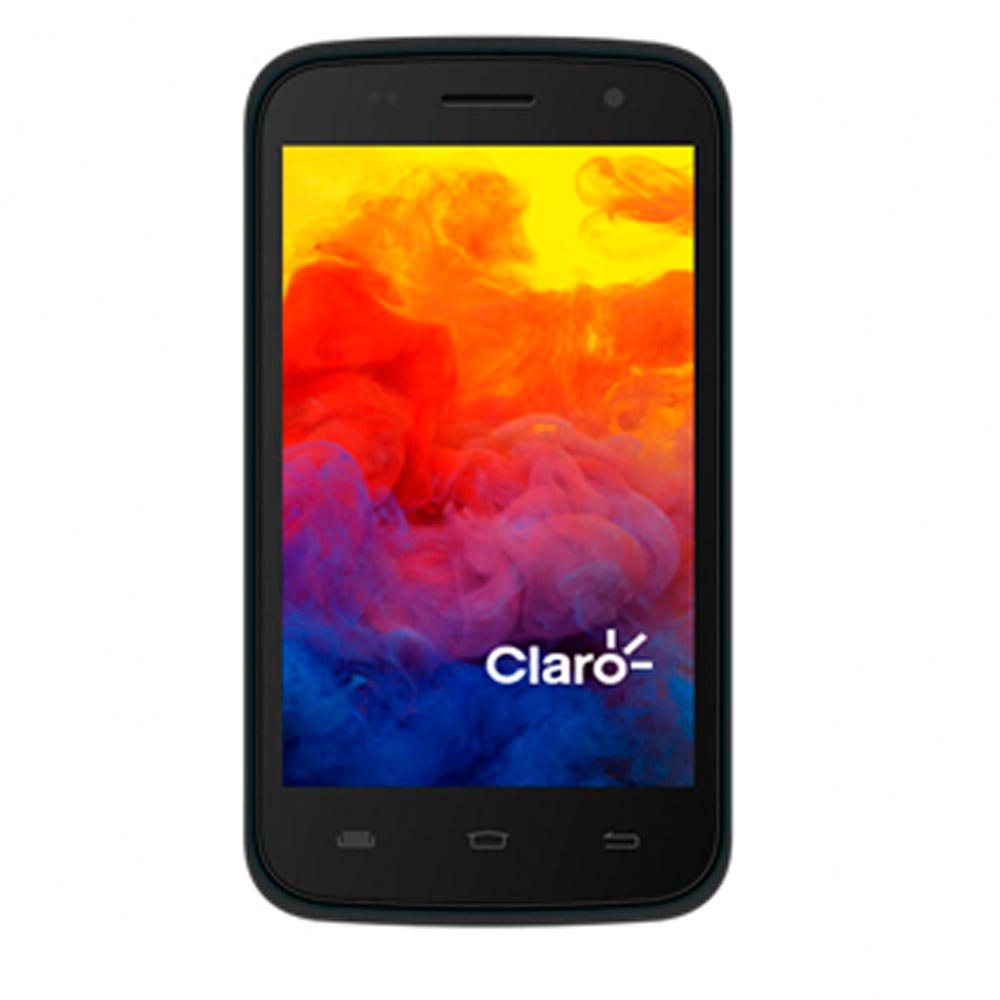
Figura 1: Frontal view of the PCD E501 Smartphone, showcasinamb la seva pantalla de 5 polzades.
2. Configuració
2.1 Desembalatge i inspecció inicial
Traieu amb cura tots els components de l'embalatge. Verifiqueu que hi hagi els elements següents:
- PCD E501 Smartphone
- Bateria recarregable de ions de liti
- Carregador de paret
- Cable USB
- Manual d'usuari (aquest document)
- Targeta de garantia
Inspect the device for any signs of damage. If any components are missing or damaged, contact customer support immediately.
2.2 Inserció de la targeta SIM i la bateria
- Locate the back cover notch on the side or bottom of the phone. Gently pry open the back cover.
- If a battery is already installed, remove it by lifting it from the designated slot.
- Insert your SIM card(s) into the appropriate slot(s) with the gold contacts facing down. Ensure it clicks into place.
- Insert the rechargeable Lithium-Ion battery, aligning the gold contacts on the battery with the contacts in the phone. Press down gently until it is securely seated.
- Replace the back cover, pressing firmly around the edges until it snaps into place.
2.3 Càrrega de la bateria
Before first use, fully charge the battery. Connect the USB cable to the phone's charging port and the other end to the wall charger. Plug the wall charger into a power outlet. The charging indicator will appear on the screen. A full charge typically takes approximately 2-3 hours.
2.4 Engegada/apagada
- To power on: Press and hold the Power button (usually on the side) until the screen lights up.
- To power off: Press and hold the Power button until the power options menu appears. Select "Power off" and confirm.
3. Instruccions de funcionament
3.1 Navegació bàsica
The PCD E501 features a 5-inch touchscreen for navigation. Use the following gestures:
- Toca: Per seleccionar un element o obrir una aplicació.
- Llisca: Per desplaçar-se per pantalles o llistes.
- Pessigar: Per ampliar o reduir les imatges i web pàgines.
- Premsa llarga: Per accedir a menús contextuals o moure icones.
3.2 Fer trucades
- Toqueu Telèfon icona a la pantalla d'inici.
- Introduïu el número de telèfon amb el teclat numèric.
- Toqueu Truca botó per iniciar la trucada.
- Per finalitzar una trucada, toqueu Finalitzar la trucada botó.
3.3 Enviament de missatges
- Toqueu Missatges icona.
- Toqueu Missatge nou icona (normalment un signe més o una bombolla de diàleg).
- Introduïu el número del destinatari o seleccioneu-lo dels contactes.
- Escriviu el vostre missatge al camp de text.
- Toqueu Enviar botó.
3.4 Ús de la càmera
The PCD E501 features an 8 MP rear camera and a 2 MP front camera.
- Toqueu Càmera icona a la pantalla d'inici.
- Enquadra la teva foto utilitzant la pantalla com a viewcercador.
- Toqueu Obturador botó per fer una foto.
- To switch between front and rear cameras, tap the Canvia càmera icona.
3.5 Connexió a Wi-Fi
- Vés a Configuració > Wi-Fi.
- Activa/desactiva el Wi-Fi a On.
- Seleccioneu la xarxa Wi-Fi que vulgueu de la llista.
- Introduïu la contrasenya si us demana i toqueu Connecta't.
4. Manteniment
4.1 Neteja del dispositiu
Use a soft, lint-free cloth to clean the screen and body of the phone. Avoid using harsh chemicals, abrasive cleaners, or aerosol sprays. Do not expose the device to excessive moisture.
4.2 Cura de la bateria
- Eviteu exposar la bateria a temperatures extremes.
- No perforeu ni danyeu la bateria.
- If the battery appears swollen or damaged, discontinue use and replace it with an authorized PCD battery.
- Per a una durada òptima de la bateria, eviteu esgotar-la completament amb freqüència o mantenir-la al 100% de càrrega durant períodes prolongats.
4.3 Actualitzacions de programari
Comproveu periòdicament si hi ha actualitzacions de programari per garantir un rendiment i una seguretat òptims. Aneu a Configuració > Sobre el telèfon > Actualitzacions del sistema.
5. Solució De Problemes
| Problema | Possible solució |
|---|---|
| El telèfon no s'encén. | Ensure the battery is charged. Connect the charger and wait a few minutes before attempting to power on again. Verify the battery is correctly inserted. |
| No es poden fer ni rebre trucades. | Check if the SIM card is properly inserted. Ensure you have network signal. Restart the phone. Contact your service provider if the issue persists. |
| Problemes de connexió Wi-Fi. | Ensure Wi-Fi is enabled on your phone. Restart your Wi-Fi router. Forget the network and reconnect. |
| Les aplicacions es bloquegen o es congelen. | Tanca i torna a obrir l'aplicació. Esborra la memòria cau de l'aplicació (Configuració > Aplicacions > [Nom de l'aplicació] > Emmagatzematge > Esborra la memòria cau). Reinicia el telèfon. |
| La bateria s'esgota ràpidament. | Reduce screen brightness. Close unused apps running in the background. Disable Wi-Fi, Bluetooth, and GPS when not in use. Check battery usage in Settings to identify power-hungry apps. |
6. Especificacions
| Característica | Detall |
|---|---|
| Número de model | E501 |
| Sistema operatiu | Android Kit Kat 4.4.2 |
| Processador | AMR Cortex-A7 1.3 GHz |
| RAM | 1 GB |
| Emmagatzematge intern | 8 GB ROM (approx. 6.09 GB usable) |
| Emmagatzematge ampliable | Up to 32 GB via microSD (card not included) |
| Mostra | 5-inch LCD, 960 x 540 pixels, Touchscreen |
| Càmera posterior | 8 megapíxels |
| Càmera frontal | 2 megapíxels |
| Connectivitat sense fil | Mòbil, Wi-Fi |
| Bateria | 1 ió de liti (inclòs) |
| Dimensions (L x A x A) | 14.74 x 7.4 x 1 cm (5.8 x 2.9 x 0.4 polzades) |
| Pes | 350 g (12.3 oz) |
| Color | Negre |
7. Garantia i Suport
7.1 Informació de la garantia
Your PCD E501 Smartphone comes with a limited manufacturer's warranty. Please refer to the included Warranty Card for specific terms, conditions, and duration of coverage. This warranty typically covers defects in materials and workmanship under normal use. It does not cover damage caused by misuse, accidents, unauthorized modifications, or normal wear and tear.
7.2 Atenció al client
For technical assistance, troubleshooting, or warranty claims, please contact PCD customer support. Refer to the contact information provided on your Warranty Card or visit the official PCD weblloc web per obtenir els detalls d'assistència més actualitzats.
When contacting support, please have your product model (E501) and proof of purchase readily available.