
1. Introducció
Thank you for choosing the Kaiser MSS-8915 Audio System. This professional 15-inch speaker is designed to deliver powerful and clear audio for various applications, including events, parties, and professional use. This manual provides essential information for safe and efficient operation, setup, maintenance, and troubleshooting.
2. Instruccions de seguretat importants
Si us plau, llegiu i comprengui totes les instruccions de seguretat abans de fer servir aquest dispositiu. Conservi aquest manual per a futures consultes.
- Font d'alimentació: Connecteu la unitat només a la font d'alimentació especificada del voltage. Ensure the power cable is not damaged.
- Ventilació: No bloquegeu les obertures de ventilació. Assegureu-vos que hi hagi un flux d'aire adequat al voltant de la unitat.
- Aigua i humitat: No exposeu la unitat a la pluja, la humitat o la humitat excessiva. No col·loqueu objectes plens de líquids a sobre de la unitat.
- Calor: Mantingueu la unitat allunyada de fonts de calor com ara radiadors, registres de calor, estufes o altres aparells que produeixin calor.
- Neteja: Desendolleu la unitat de la presa de corrent abans de netejar-la. Feu servir un drap sec per netejar-la.
- Manteniment: No intenteu atendre aquest producte vosaltres mateixos. Consulteu tots els serveis a personal de servei qualificat.
- Col·locació: Ensure the unit is placed on a stable surface or securely mounted on a stand to prevent tipping.
- Nens: Mantingueu la unitat i els seus accessoris fora de l'abast dels nens.
3. Contingut del paquet
Verifiqueu que tots els elements siguin presents al paquet:
- Kaiser MSS-8915 Audio System Unit
- Cable d'alimentació
- Manual d'usuari (aquest document)
4. Producte acabatview
Familiarize yourself with the components and features of your Kaiser MSS-8915 Audio System.
4.1 Davant View
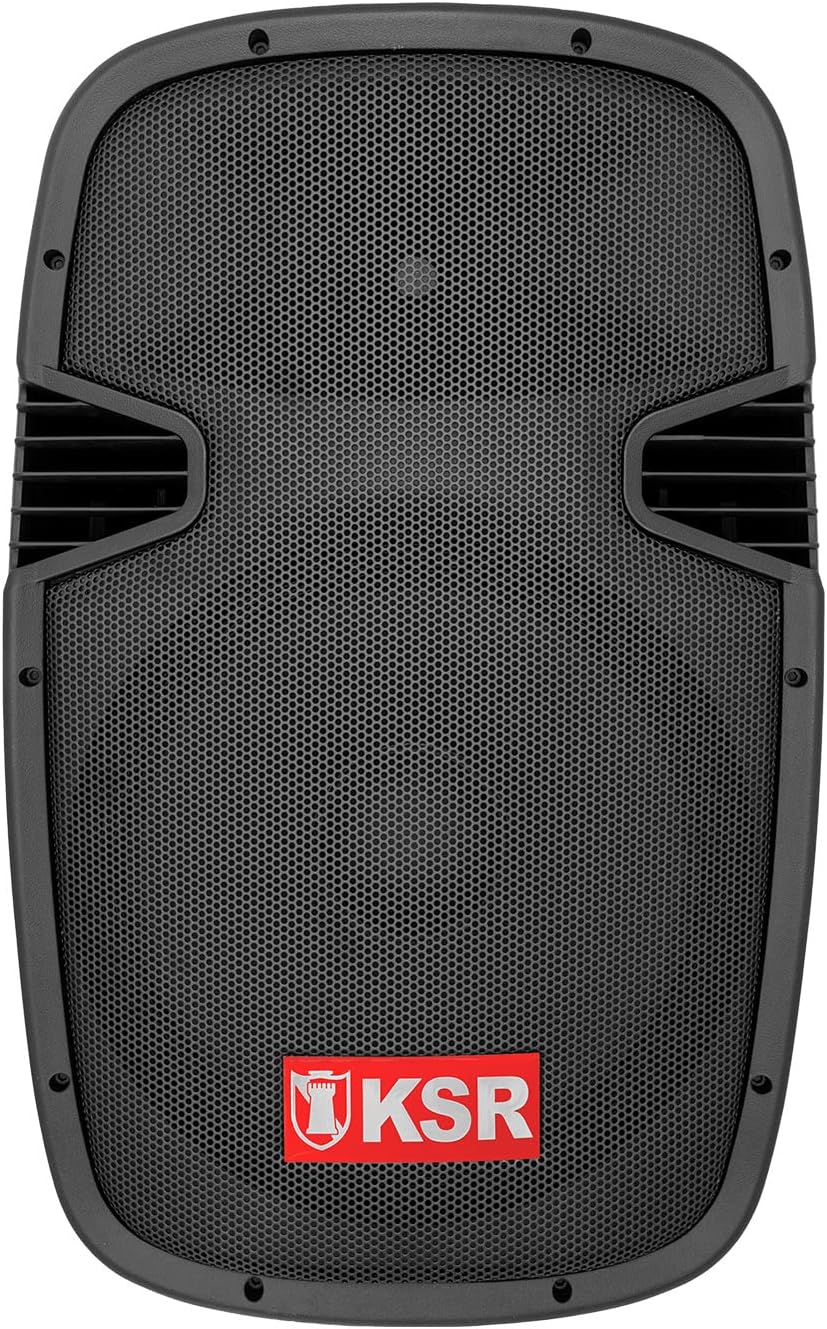
Figura 4.1: Davant view of the Kaiser MSS-8915 speaker, showing the protective grille and the KSR logo.
4.2 Panell posterior i connexions

Figura 4.2: Rear panel of the Kaiser MSS-8915, featuring Speakon quick connections for audio input/output and the Kaiser branding plate.
- Speakon Connectors: For secure and reliable audio input and daisy-chaining to other speakers.
- Entrada d'alimentació: Connexió per al cable d'alimentació principal.
- Tauler de control: (If applicable, for Bluetooth, USB, and SD features).
4.3 Transport and Mounting Features

Figura 4.3: lateral view illustrating the integrated side handle for easy transport.

Figura 4.4: A baix view of the speaker, highlighting the integrated wheels for convenient mobility.
- Side and Top Handles: Ergonomically designed for comfortable lifting and carrying.
- Rodes: Integrated at the bottom for effortless transportation.
- Muntatge de suport: A rear knob and socket allow for secure mounting on a speaker stand.
5. Instruccions de configuració
Follow these steps to set up your Kaiser MSS-8915 Audio System.
5.1 Col·locació
- Choose a stable, flat surface for the speaker.
- For optimal sound dispersion, consider placing the speaker on a compatible stand using the rear mounting socket.
- Ensure there is adequate space around the speaker for ventilation.
5.2 Connexió d'alimentació
- Ensure the speaker's power switch (if present) is in the OFF position.
- Connect the provided power cable to the power input on the rear panel of the speaker.
- Connecteu l'altre extrem del cable d'alimentació a una presa de corrent adequada.
5.3 Connexions d'àudio
The MSS-8915 uses Speakon connectors for audio input and output.
- Connect your audio source (e.g., mixer, amplifier) to the Speakon input connector on the rear panel using a compatible Speakon cable.
- To daisy-chain multiple MSS-8915 speakers, connect a Speakon cable from the output of the first speaker to the input of the next speaker.
6. Instruccions de funcionament
This section details how to operate your audio system. Note: While the product description mentions a "passive speaker," the product title and specifications indicate integrated Bluetooth, USB, and SD functionality, suggesting an active component. These instructions assume the presence of such active features.
6.1 Engegada/apagada
- Després de fer totes les connexions, poseu el botó d'engegada a la posició ON.
- To power off, switch the power button to the OFF position and then unplug the power cable from the outlet.
6.2 Connectivitat Bluetooth
- Assegureu-vos que l'altaveu estigui encès.
- Activa el Bluetooth al teu dispositiu mòbil (telèfon intel·ligent, tauleta, etc.).
- Cerca available Bluetooth devices and select "Kaiser MSS-8915" (or similar name).
- Un cop emparellat, podeu reproduir àudio sense fil des del dispositiu a l'altaveu.
Reproducció 6.3 USB i targeta SD
- Insert a USB flash drive or SD card into the respective port on the speaker's control panel.
- The speaker should automatically detect the media and begin playback.
- Use the control panel buttons (Play/Pause, Next/Previous Track, Volume) to manage playback.
6.4 Control de volum
Adjust the master volume using the dedicated volume control knob on the speaker's control panel. Start with a low volume and gradually increase it to your desired level.
7. Manteniment
Proper maintenance ensures the longevity and optimal performance of your audio system.
7.1 Neteja
- Always unplug the speaker before cleaning.
- Feu servir un drap suau i sec per netejar les superfícies exteriors.
- No utilitzeu netejadors abrasius, ceres o dissolvents, ja que poden danyar l'acabat.
- For the speaker grille, use a soft brush or vacuum cleaner with a brush attachment to remove dust.
7.2 Emmagatzematge
- Quan no l'utilitzeu durant períodes prolongats, guardeu l'altaveu en un lloc fresc i sec, allunyat de la llum solar directa i de temperatures extremes.
- If possible, use the original packaging or a protective cover to prevent dust accumulation and physical damage.
8. Solució De Problemes
If you encounter issues with your Kaiser MSS-8915, refer to the following common problems and solutions.
| Problema | Causa possible | Solució |
|---|---|---|
| Sense poder | Power cable not connected; Power outlet not working; Speaker power switch off. | Ensure power cable is securely connected. Test the outlet with another device. Turn the speaker power switch ON. |
| Sense sortida de so | Volume too low; Incorrect audio input connection; Audio source issue; Damaged cable. | Increase volume. Check Speakon cable connections. Verify audio source is playing. Try a different audio cable. |
| Error de vinculació de Bluetooth | Altaveu no en mode d'emparellament; Dispositiu massa lluny; Interferències. | Ensure speaker is discoverable. Move device closer to speaker. Avoid other wireless devices. |
| La reproducció per USB/SD no funciona | Sense suport file format; Corrupted media; Incorrect insertion. | Assegureu-vos files are in a supported format (e.g., MP3). Try a different USB drive/SD card. Reinsert media correctly. |
| So distorsionat | Volume too high; Input signal too strong; Damaged speaker component. | Reduce volume on speaker and audio source. Check input levels. If problem persists, contact support. |
9. Especificacions
Technical specifications for the Kaiser MSS-8915 Audio System.

Figura 9.1: posterior view of the Kaiser MSS-8915, including key dimensions for reference.
| Nom del model | MSS-8915 |
| Tipus d'altaveu | Professional Passive Speaker, 2-way, Surround Sound |
| Mida del woofer | 15 polzades (38.1 cm) |
| Conductor | Titanium Driver |
| Audio Power (PMPO) | 4000 W PMPO |
| Audio Power (RMS) | 150 W RMS |
| Impedància | 8 ohms |
| Tecnologia de connectivitat | Bluetooth, USB, SD (for active system features) |
| Comunicació sense fils | Bluetooth |
| Mètode de control | Tactile (for integrated audio system controls) |
| Font d'alimentació | Elèctric amb cable |
| Dimensions (L x A x A) | 49 x 42 x 76 cm |
| Pes | 15 kg |
| Components inclosos | Cable d'alimentació |
| Tipus de muntatge | Muntatge al terra |
10. Garantia i Suport
Kaiser products are manufactured to high-quality standards. For warranty information and technical support, please refer to the warranty card included with your product or visit the official Kaiser weblloc.
- Període de garantia: Please consult your purchase documentation or the manufacturer's website for specific warranty terms.
- Suport tècnic: For assistance with setup, troubleshooting, or product inquiries, contact Kaiser customer service.
- Recursos en línia: Visita el Kaiser Brand Store on Amazon per obtenir informació i suport addicionals sobre el producte.