
1. Introducció
This manual provides essential instructions for the proper setup, operation, and maintenance of your YI YAS.1616.INT 4K Action Camera Kit. Please read this manual thoroughly before using the product to ensure optimal performance and safety. Keep this manual for future reference.
2. Producte acabatview
2.1 Contingut del kit
The YI YAS.1616.INT 4K Action Camera Kit includes the following components:
- YI 4K Action Camera
- YI Monopod
- Bluetooth a distància
- Bateria recarregable
- Cable USB
- Manual d'instruccions

Image 2.1: Contents of the YI 4K Action Camera Kit.
2.2 Característiques de la càmera
The YI 4K Action Camera is designed for high-quality video and photo capture, featuring:
- 4K/30fps Video Recording: Captures video at 60mbps, offering 4 times the quality of standard 1080p.
- Advanced Imaging Hardware: Equipped with an Amarelle A9SE75 chip, Sony IMX377 image sensor, and 7-layer optical glass lenses with an F2.8 large aperture for enhanced light intake.
- 2.19" LCD Touchscreen: A 640 x 360 high-resolution display with Gorilla Glass Retina for easy previewing, shooting, and scratch resistance.
- Llarga vida útil de la bateria: A 1400mAh 4.4V lithium-ion battery provides up to 120 minutes of 4K/30fps video recording on a single charge.
- Sistema de refrigeració eficient: Prevents overheating during extended recording sessions.
- Connectivitat: Built-in Wi-Fi for smartphone app control and Bluetooth for remote control.
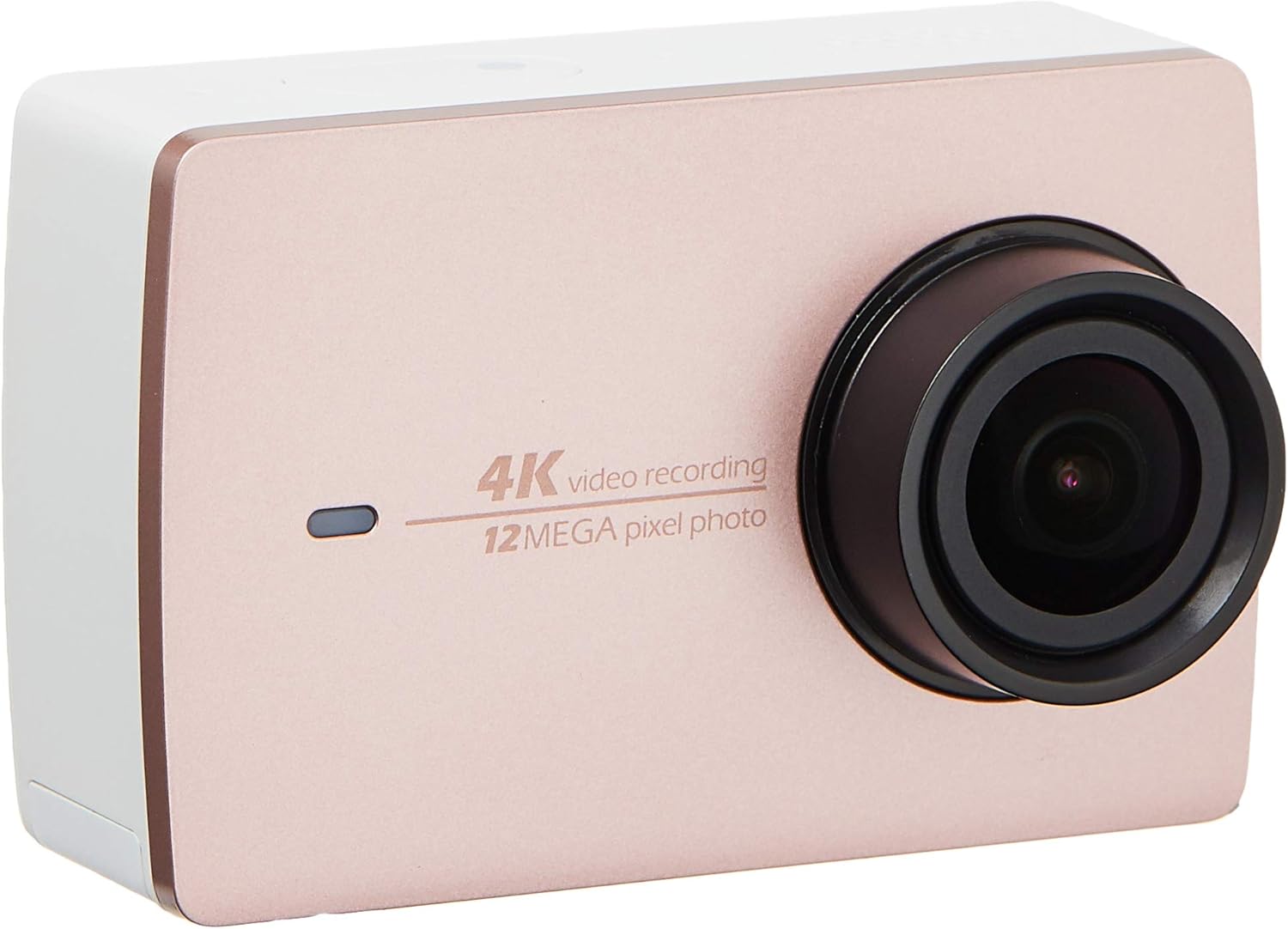
Imatge 2.2: Frontal view of the YI 4K Action Camera.
3. Configuració
3.1 Instal·lació i càrrega de la bateria
- Localitzeu el compartiment de la bateria a la càmera.
- Insert the 1400mAh lithium-ion battery, ensuring correct polarity.
- Tanqueu el compartiment de la bateria de manera segura.
- Connect the camera to a power source using the provided USB cable for charging. The charging indicator will illuminate.
3.2 Instal·lació de la targeta de memòria
The YI 4K Action Camera supports SDHC and SmartMedia flash memory types.
- Obriu la tapa de la ranura de la targeta de memòria.
- Insert a compatible memory card (not included) into the slot with the contacts facing the correct direction. Push until it clicks into place.
- Tanqueu la tapa de la ranura de la targeta de memòria.
3.3 Engegada/apagada
- Per encendre: Premeu i manteniu premut el botó d'engegada fins que la pantalla s'il·lumini.
- Per apagar: Press and hold the Power button until the camera shuts down.
3.4 Connecting the Bluetooth Remote
The included Bluetooth remote allows for convenient control of the camera.
- Assegureu-vos que la càmera estigui engegada.
- Activate Bluetooth pairing mode on the camera via the settings menu.
- Follow the remote's instructions to enter pairing mode.
- Once paired, the remote can be used to switch between video and photo modes and trigger recording/capture.

Image 3.1: The YI Monopod, included in the kit.
4. Funcionament de la càmera
4.1 Navegació amb pantalla tàctil
The 2.19" LCD touchscreen provides intuitive control:
- Llisca: Navigate through different modes (Video, Photo, Time-lapse, etc.) and settings.
- Toca: Select options, adjust settings, or start/stop recording.
- Preview: View el teu foo capturattage and photos directly on the screen.
4.2 Enregistrament de vídeo
- Select the Video mode on the touchscreen.
- Adjust video resolution (e.g., 4K/30fps) and other settings as desired.
- Press the Shutter button or tap the record icon on the screen to start recording.
- Press the Shutter button or tap the record icon again to stop recording.
4.3 Captura de fotos
- Select the Photo mode on the touchscreen.
- Adjust photo settings such as resolution, exposure, and white balance.
- Press the Shutter button or tap the capture icon on the screen to take a photo.
4.4 Connectivitat Wi-Fi i ús d'aplicacions
The camera's built-in Wi-Fi allows connection to a smartphone app for remote control, live preview, and content management.
- Download the official YI Action Camera app from your device's app store.
- Enable Wi-Fi on the camera via the settings menu.
- Connect your smartphone to the camera's Wi-Fi network (SSID and password displayed on camera screen).
- Open the YI Action Camera app to control the camera, view footage, i transferència files.
5. Manteniment
5.1 Neteja
- Use a soft, lint-free cloth to clean the camera body and touchscreen.
- Per a la lent, feu servir un drap i una solució especials per netejar lents. Eviteu materials abrasius.
- Assegureu-vos que tots els ports estiguin lliures de pols i deixalles.
5.2 Emmagatzematge
- Guardeu la càmera en un lloc fresc i sec, allunyat de la llum solar directa i de temperatures extremes.
- Remove the battery if storing for extended periods to prevent leakage.
5.3 actualitzacions de microprogramari
Periodically check the official YI website or the YI Action Camera app for available firmware updates. Keeping your camera's firmware updated ensures optimal performance and access to new features.
6. Solució De Problemes
6.1 Problemes comuns i solucions
- La càmera no s'encén: Assegureu-vos que la bateria estigui completament carregada i inserida correctament.
- La gravació s'atura de manera inesperada: Check if the memory card has sufficient space or if it's a high-speed card suitable for 4K recording. Ensure the battery is not depleted.
- La pantalla tàctil no respon: Try restarting the camera. If the issue persists, ensure the screen is clean and dry.
- El comandament a distància Bluetooth no es connecta: Ensure both the camera and remote are in pairing mode and within range. Check the remote's battery.
- Problemes de connexió Wi-Fi: Verify the camera's Wi-Fi is enabled and your smartphone is connected to the correct network. Try restarting both devices.
For further assistance, refer to the official YI support resources.
7. Especificacions
| Fabricant | YI |
| Número de model | 90010 |
| Dimensions del producte | 6.6 x 3 x 4.3 cm |
| Pes | 96.39 g |
| Tecnologia del sensor fotogràfic | CMOS |
| Resolució de captura de vídeo | 4K |
| Distància focal màxima | 1 |
| Apertura màxima | 2.8 mil·límetres |
| Tipus de memòria flash | SDHC, SmartMedia |
| Format de captura de vídeo | MP4 |
| Format d'àudio compatible | AAC, MP3 |
| Mida de la pantalla | 2.19 polzades |
| Tecnologia de connectivitat | Wi-Fi |

Image 7.1: YI 4K Action Camera with monopod, illustrating approximate dimensions.
8. Garantia i Suport
8.1 Informació de la garantia
Aquest producte ve amb un Garantia local d'1 any (Singapur)Si us plau, conserveu el comprovant de compra per a reclamacions de garantia. La garantia cobreix defectes de fabricació en condicions d'ús normals.
8.2 Atenció al client
For technical support, service, or warranty inquiries, please visit the official YI Technology website or contact their authorized service centers in Singapore. Contact information can typically be found on the product packaging or the official weblloc.


