
Introducció
The TUSA IQ-1204 DC Solar Link Dive Computer is an advanced instrument designed for divers. This device features solar recharging, eliminating the need for battery replacement. It supports 4-Mix Gas diving, includes a Free-Dive Mode, and allows dive log transfer to smartphones or tablets via Bluetooth SMART technology. Its factory-sealed design enhances durability and prevents water intrusion.
This manual provides essential information for the proper setup, operation, and maintenance of your IQ-1204 dive computer.
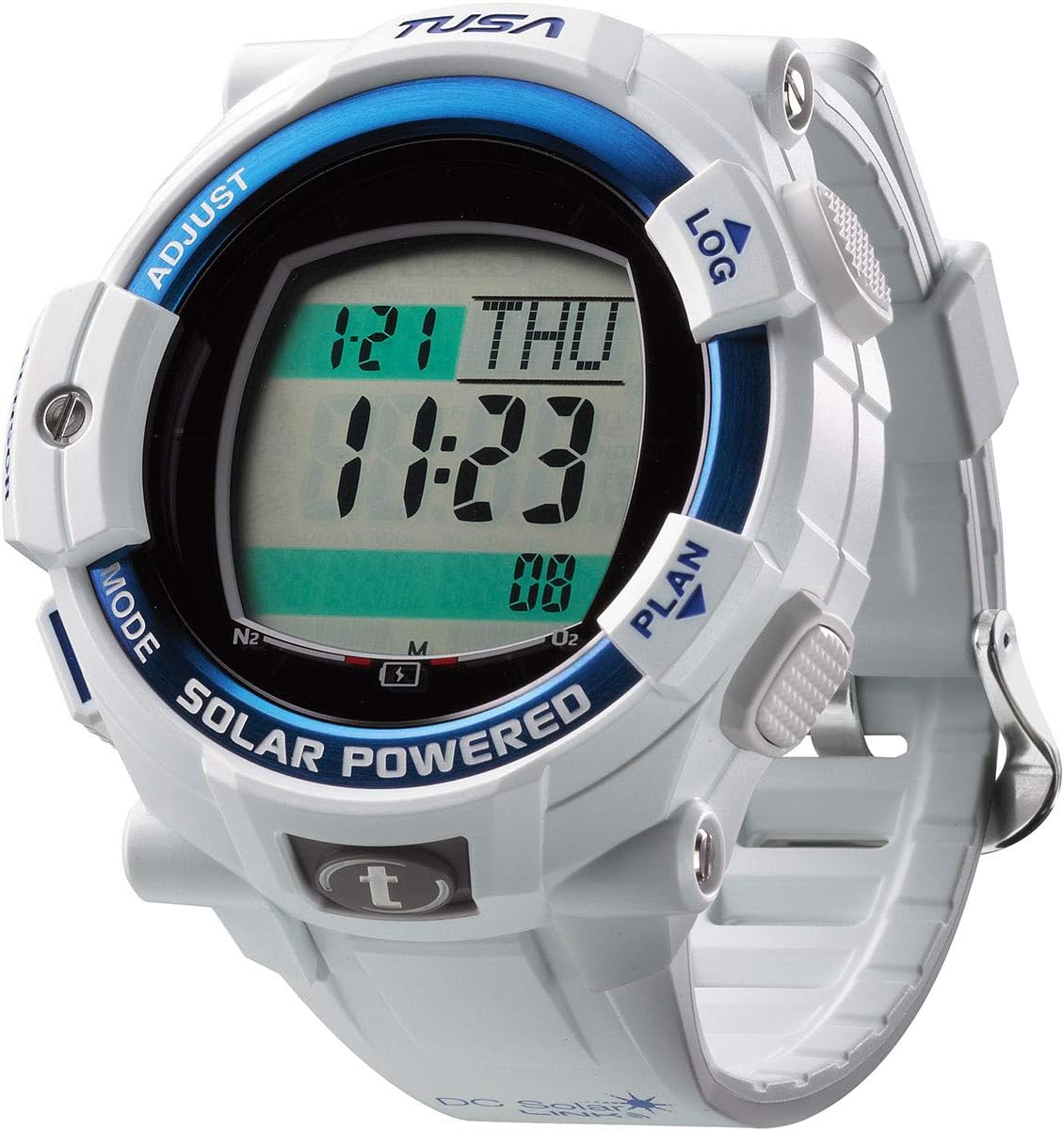
Imatge: Frontal view of the TUSA IQ-1204 DC Solar Link Dive Computer displaying the current time and date, with "SOLAR POWERED" visible on the bezel.
Informació important de seguretat
Always read and understand this manual completely before using the TUSA IQ-1204 DC Solar Link Dive Computer. Failure to follow instructions can result in serious injury or death.
- This dive computer is a dive aid and does not replace proper dive training or experience.
- Always plan your dives and dive within your training and experience limits.
- Perform pre-dive checks to ensure the computer is functioning correctly.
- Never dive alone.
- In case of any malfunction, ascend safely and terminate the dive.
- Regularly check the computer's display and battery status.
Configuració i configuració inicial
1. Càrrega solar
The IQ-1204 is powered by solar energy. For optimal performance, ensure the dive computer is exposed to light regularly. A full charge can take several hours depending on light intensity. The battery indicator on the display shows the current charge level.
2. Configuració inicial (hora, data, unitats)
Upon first use or after extended storage, you may need to set the time, date, and measurement units (metric/imperial).
- Manteniu premut el botó MODE botó per entrar al menú principal.
- Utilitza el AJUSTAR or REGISTRE buttons to navigate to the "Settings" option.
- Premeu MODE to select "Settings".
- Navigate to "Time", "Date", or "Units" and press MODE per entrar.
- Ús AJUSTAR or REGISTRE to change values, and MODE per confirmar i passar a la configuració següent.
- Exit the menu by holding MODE or navigating to "Exit".
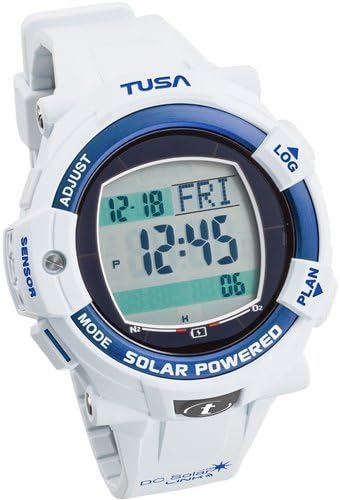
Image: Close-up of the TUSA IQ-1204 DC Solar Link Dive Computer display, illustrating button labels for navigation and adjustment.
3. Bluetooth SMART Pairing
To transfer dive logs, download the TUSA Diving LOG app on your smartphone or tablet. Follow the app's instructions to pair your device with the IQ-1204 via Bluetooth SMART technology.
Modes de funcionament
The IQ-1204 features several operating modes accessible via the MODE botó.
1. Dive Mode
This is the primary mode for diving. It automatically activates when submerged and displays critical dive information such as current depth, dive time, no-decompression limit, and ascent rate. The computer uses the AA Buhrmann ZHL-16C Decompression algorithm for calculations.
2. Gauge Mode
In Gauge Mode, the computer functions as a bottom timer, displaying current depth, dive time, and temperature. Decompression calculations are disabled in this mode, requiring the diver to manage decompression manually.
3. Free-Dive Mode
Optimized for freediving, this mode tracks maximum depth, dive time, and surface interval. It provides specific alarms and data relevant to freediving activities.
4. Log Mode
Access your stored dive history. The computer records details of your previous dives, which can be reviewed on the device or transferred to the TUSA Diving LOG app.
5. Plan Mode
Use Plan Mode to simulate no-decompression limits for various depths and bottom times. This helps in planning safe dives before entering the water.
Planificació de la immersió
The Plan Mode allows you to simulate dives to determine no-decompression limits. To use:
- From the surface interval display, press the PLANA botó.
- Utilitza el AJUSTAR or REGISTRE buttons to scroll through different depths.
- The display will show the corresponding no-decompression limit for each depth.
- Premeu PLANA de nou per sortir.
Dive Log Transfer
The TUSA IQ-1204 can transfer dive log data to compatible smartphones or tablets using Bluetooth SMART technology. This requires the TUSA Diving LOG app, available for download from your device's app store.
- Assegureu-vos que el Bluetooth estigui habilitat al vostre telèfon intel·ligent/tauleta.
- Open the TUSA Diving LOG app.
- Follow the app's instructions to initiate pairing and data transfer with your IQ-1204.
- The dive computer will display a confirmation message when data transfer is active.
Manteniment i cura
1. Neteja
After each dive, rinse your IQ-1204 thoroughly with fresh water to remove salt, sand, and other debris. Dry with a soft cloth. Do not use chemical cleaners or solvents.
2. Emmagatzematge
Store the dive computer in a cool, dry place away from direct sunlight and extreme temperatures. Ensure it is fully charged before long-term storage to maintain battery health.
3. Solar Cell Care
Keep the solar panel clean and free from obstructions to ensure efficient charging. Avoid scratching the surface of the solar cell.

Imatge: Completa view of the TUSA IQ-1204 DC Solar Link Dive Computer, showcasing its overall design and strap.
Resolució de problemes
| Problema | Causa possible | Solució |
|---|---|---|
| La pantalla està en blanc o tènue. | Baixa càrrega de la bateria. | Expose the dive computer to bright light for several hours to recharge. |
| No es pot emparellar amb el telèfon intel·ligent. | Bluetooth not enabled; app not open; computer not in pairing mode. | Ensure Bluetooth is on, open the TUSA Diving LOG app, and follow app instructions to initiate pairing. |
| Incorrect depth/time readings. | Sensor obstruction; unit setting error. | Rinse sensors thoroughly. Check unit settings (metric/imperial) in the setup menu. If problem persists, contact support. |
| Computer does not activate Dive Mode. | Not submerged deep enough; sensor issue. | Ensure the computer is submerged to the activation depth (typically 1.2m/4ft). Clean sensors. |
If you encounter issues not listed here or if solutions do not resolve the problem, please contact TUSA customer support.
Especificacions
| Característica | Detall |
|---|---|
| Nom del model | TUSA IQ-1204 DC Solar Link Dive Computer |
| Font d'alimentació | Solar recarregable |
| Connectivitat | Bluetooth SMART (for dive log transfer) |
| Gas Mix Support | 4 Gas Mixes (21-100% Oxygen) |
| Modes de funcionament | Dive, Gauge, Free-Dive, Log, Plan |
| Algoritme de descompressió | AA Buhrmann ZHL-16C |
| Material | Plàstic |
| Dimensions de l'article (LxWxH) | 5 x 5 x 5 polzades (aproximadament) |
| Dimensions del paquet de l'article (L x A x A) | 4.65 x 3.31 x 3.23 polzades |
| Pes del paquet | 0.06 quilos |
| Components inclosos | Ordinador de busseig |
Informació de la garantia
TABATA USA warrants to the purchaser, consumer that the products TABATA USA manufacture or distribute are free from defects in materials or workmanship. For specific warranty terms, conditions, and duration, please refer to the official warranty documentation included with your product or visit the TUSA weblloc.
Atenció al client
For technical assistance, service, or further inquiries regarding your TUSA IQ-1204 DC Solar Link Dive Computer, please contact TUSA customer support through their official weblloc web o la informació de contacte que es proporciona a l'embalatge del producte.
Weblloc: www.tusa.com