
1. Introducció
This manual provides instructions for the assembly, operation, maintenance, and troubleshooting of your DEVAISE 55-inch Height Adjustable Standing Desk. Please read this manual thoroughly before assembly and use to ensure proper function and safety. Keep this manual for future reference.
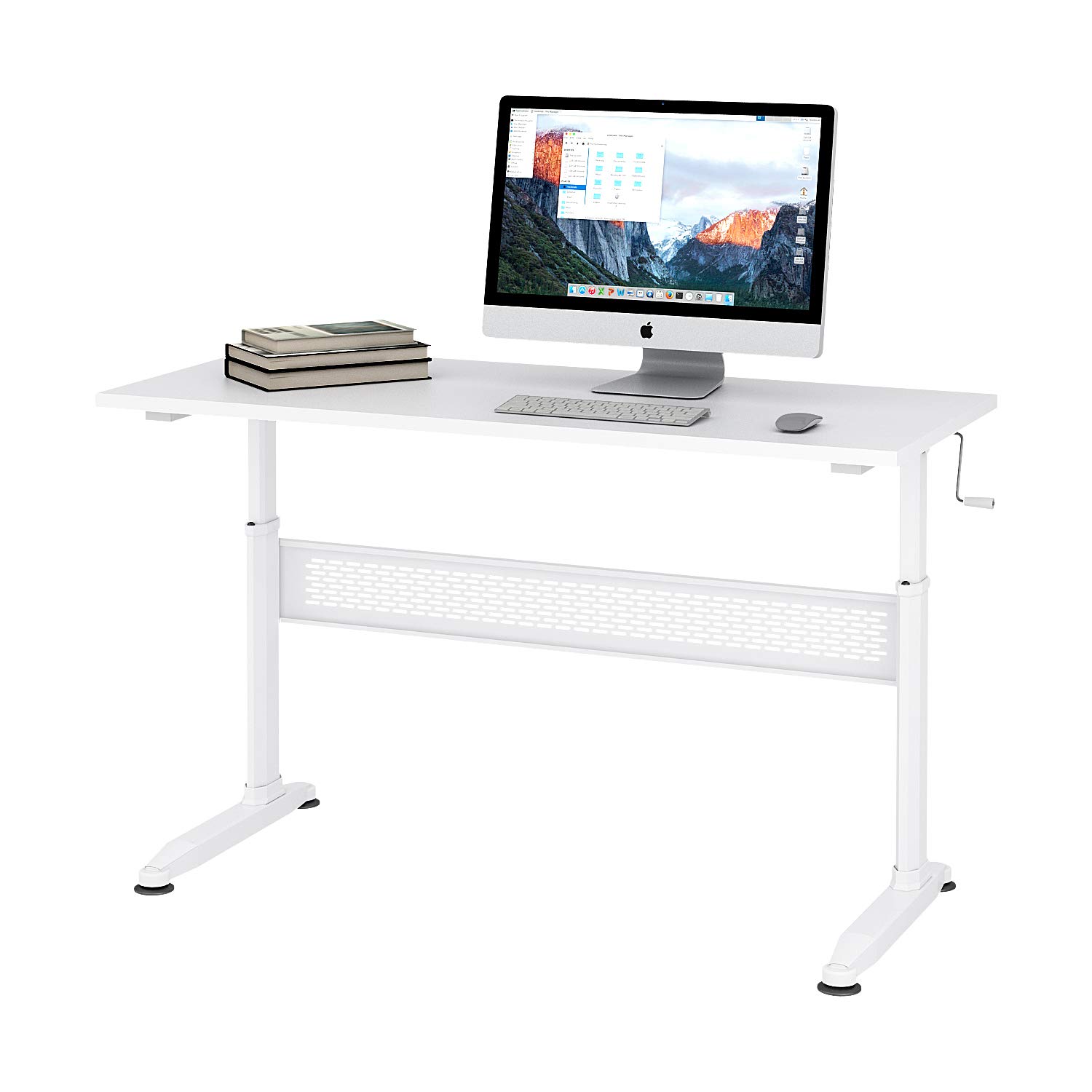
Figure 1: DEVAISE 55-inch Height Adjustable Standing Desk.
2. Informació de seguretat
- Assegureu-vos que tots els components estiguin ben subjectats abans d'utilitzar-los.
- No sobrecarregueu l'escriptori. Consulteu les especificacions per conèixer la capacitat màxima de pes.
- Mantingueu els nens i les mascotes allunyats de l'escriptori durant l'ajust d'alçada per evitar lesions.
- Eviteu col·locar líquids directament sobre la superfície de l'escriptori sense posavasos protectors.
- Use caution when adjusting the desk height to avoid pinching hands or objects.
- If any parts are damaged or missing, do not attempt to assemble or use the desk. Contact customer support.
3. Contingut del paquet
Verifiqueu que totes les peces siguin presents i no estiguin danyades abans de començar el muntatge. Si falta alguna peça o hi ha alguna danyada, poseu-vos en contacte amb el servei d'atenció al client.
- Superfície d'escriptori
- Potes d'escriptori (2)
- Crossbar/Support Beam
- Maneta de manovella
- Peus ajustables (4)
- Maquinari de muntatge (cargols, perns, clau Allen)
4. Muntatge i muntatge
Assembly typically takes 10-15 minutes. An Allen wrench is provided for convenience.
- Desembaleu tots els components i col·loqueu-los sobre una superfície neta i tova per evitar ratllades.
- Attach the desk legs to the crossbar/support beam using the provided hardware. Ensure all screws are tightened securely.
- Attach the adjustable feet to the bottom of the desk legs. These can be adjusted later to level the desk on uneven floors.
- Carefully place the desktop surface upside down on your soft surface.
- Align the assembled leg frame with the pre-drilled holes on the underside of the desktop.
- Secure the leg frame to the desktop using the remaining hardware. Tighten all screws firmly.
- Insert the crank handle into the designated slot. The crank handle can be installed on either the left or right side of the desk.
- Carefully flip the desk upright. Adjust the feet as needed to ensure stability.
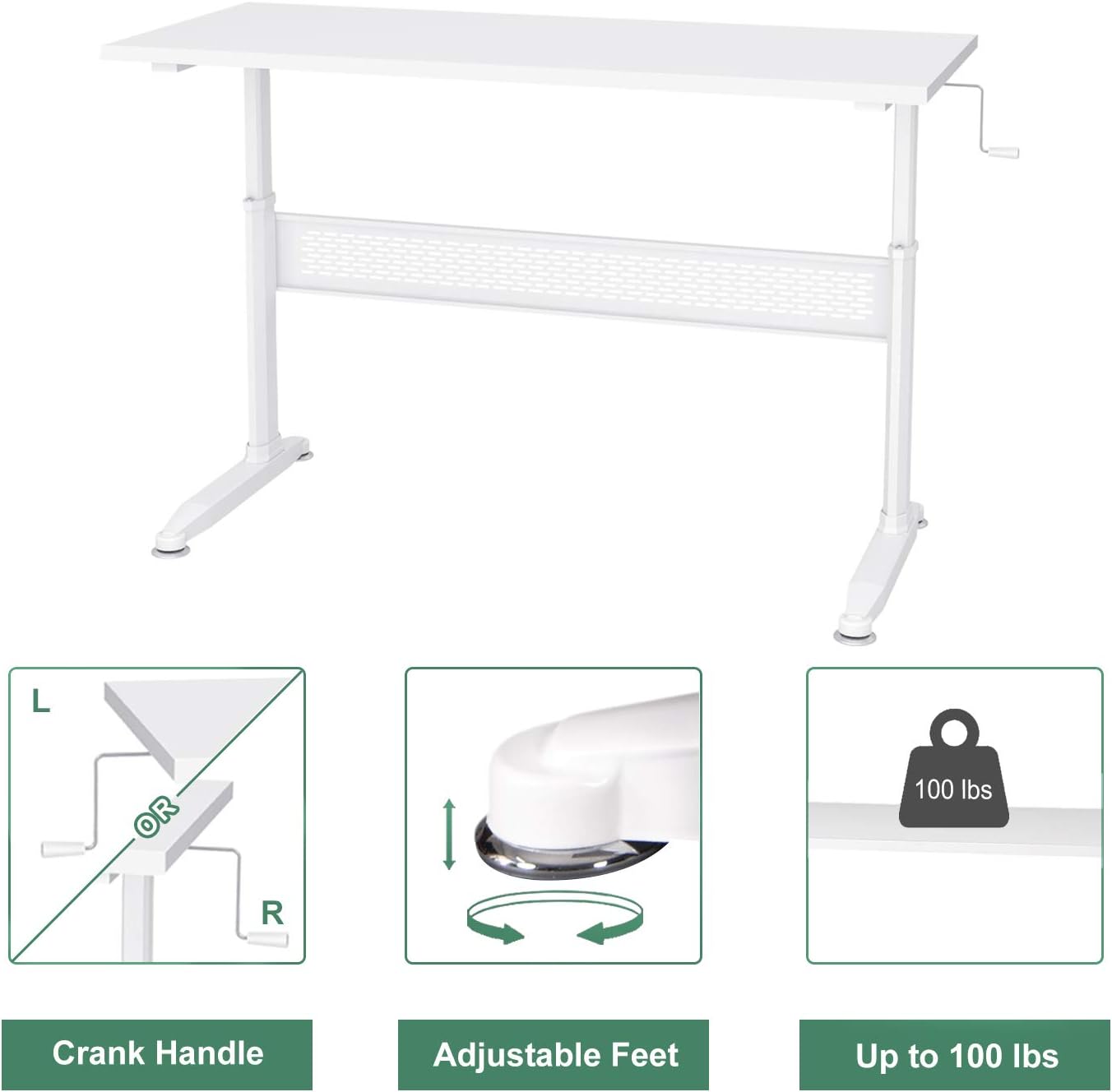
Figure 2: Key components including the crank handle and adjustable feet.

Figure 3: Hand crank installation flexibility.
5. Instruccions de funcionament
Ajust de l'alçada de l'escriptori
Your DEVAISE standing desk features a manual crank system for height adjustment.
- Ensure there are no obstructions above or below the desk surface that could interfere with movement.
- Locate the crank handle on either the left or right side of the desk.
- To raise the desk, turn the crank handle clockwise.
- To lower the desk, turn the crank handle counter-clockwise.
- Ajusteu l'escriptori a l'alçada desitjada per seure o estar dret.
- The crank handle is removable. After adjusting the height, you may remove the handle and store it to maintain a clean aesthetic and prevent accidental adjustments.

Figure 4: Desk usage scenarios.
6. Manteniment
- Neteja: Netegeu la superfície de l'escriptori amb un damp drap. Eviteu productes químics agressius o netejadors abrasius.
- Comprovació de maquinari: Reviseu periòdicament tots els cargols i perns per assegurar-vos que romanen ajustats. Torneu a apretar-los si cal.
- Mechanism Inspection: Inspect the crank mechanism for any signs of wear or damage. If issues are found, contact customer support.
7. Solució De Problemes
L'escriptori està inestable:
- Assegureu-vos que tots els cargols de muntatge estiguin completament apretats.
- Adjust the leveling feet at the bottom of the desk legs to compensate for uneven floor surfaces.
- Verify that the desk is placed on a stable, flat surface.
Crank handle is difficult to turn:
- Check if the desk is overloaded. Reduce the weight on the desk.
- Ensure the crank mechanism is free of obstructions.
- Si el problema persisteix, poseu-vos en contacte amb el servei d'atenció al client.
8. Especificacions

Figure 5: Desk dimensions.
| Característica | Detall |
|---|---|
| Marca | DEVAISAR |
| Model | B01K4H3CHQ |
| Forma | Rectangular |
| Dimensions del producte (P x A x A) | 55.12" x 23.62" x 29.1" - 44.9" (Adjustable) |
| Color | Blanc |
| Material base | Fusta d'enginyeria |
| Tipus de material superior | Fusta d'enginyeria |
| Tipus d'acabat | Acer |
| Característica especial | Alçada ajustable |
| Pes de l'article | 59.5 lliures |
| Muntatge requerit | Sí |
9. Informació de la garantia
For specific warranty details regarding your DEVAISE Height Adjustable Standing Desk, please refer to the warranty card included with your product or visit the official DEVAISE weblloc web. Conserveu el comprovant de compra per a reclamacions de garantia.
10. Atenció al client
If you have any questions, require assistance with assembly, or need to report missing/damaged parts, please contact DEVAISE customer support through their official website or the retailer where the product was purchased. Please have your model number (B01K4H3CHQ) and purchase information ready.