
1. Introducció
The Philips SmartSleep Wake-up Light HF3532/01 is designed to enhance your wake-up and sleep experience through light therapy and natural sounds. Inspired by natural sunrise and sunset, this device helps you wake up more naturally and fall asleep more easily. It features customizable brightness levels, a selection of natural sounds, and smart functions like a night light and FM radio.
2. Informació de seguretat
Please read this instruction manual carefully before using the appliance and save it for future reference. Incorrect use may lead to electric shock, fire, or other hazards. Always ensure the appliance is placed on a stable, flat surface. Do not immerse the appliance in water. Keep away from children. Use only the original power adapter provided.
3. Contingut del paquet
Comproveu que el vostre paquet contingui els elements següents:
- 1 x Philips SmartSleep Wake-up Light HF3532/01
- 1 x Power Cable (150 cm)
- 1 x Manual d'usuari (aquest document)
4. Producte acabatview
The Philips SmartSleep Wake-up Light features an intuitive design with touch controls and a clear display. The main light dome simulates sunrise and sunset, while integrated speakers provide natural sounds or FM radio. The display automatically adjusts its brightness based on ambient light conditions.
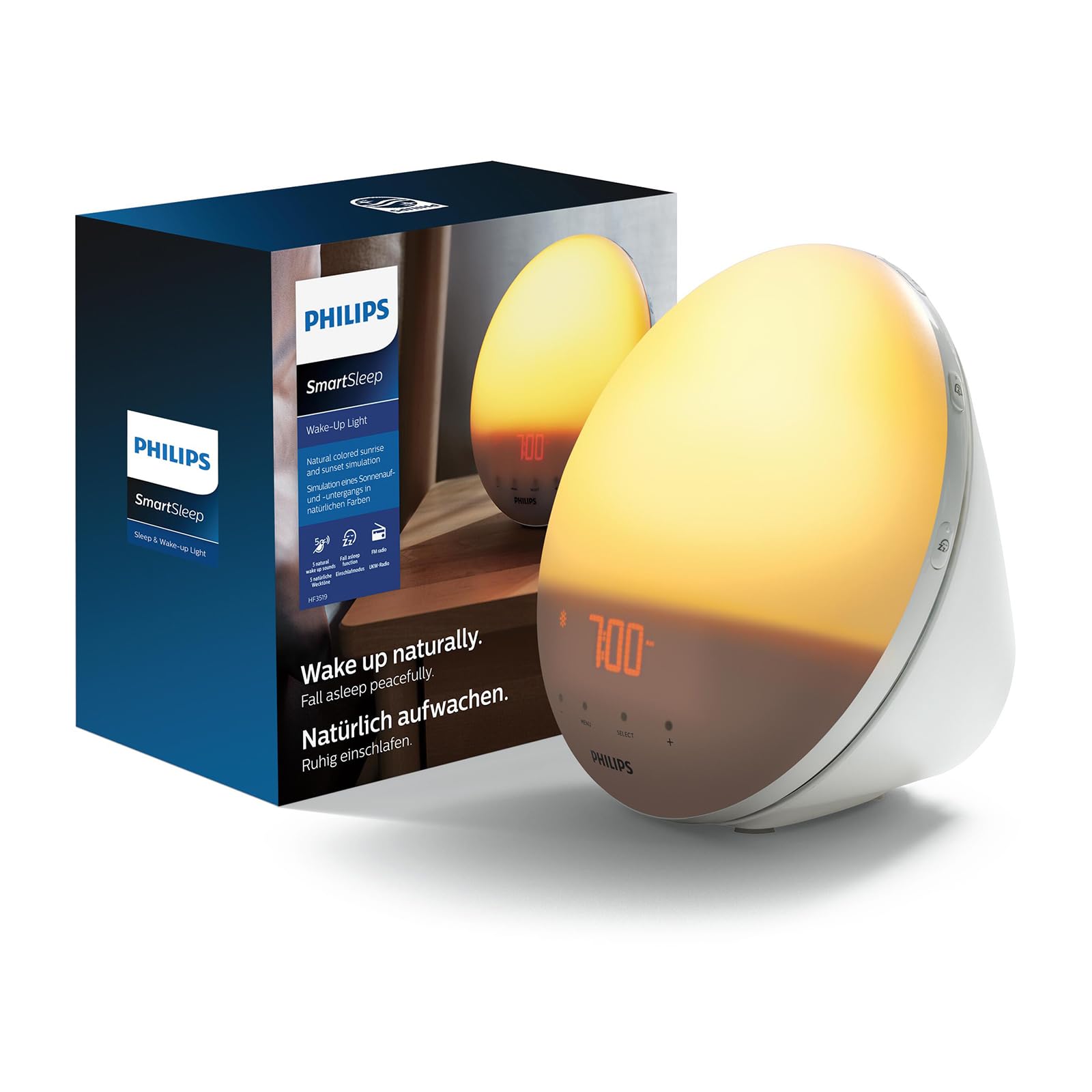
Image: The Philips SmartSleep Wake-up Light HF3532/01 on a bedside table, showing the time 7:00 AM with a warm, bright light.
5. Configuració
5.1 Col·locació inicial
Place the Wake-up Light on a stable surface, such as a bedside table, ensuring it is within reach of a power outlet. Position it so the light can illuminate your face when you are in bed.
5.2 Connexió d'alimentació
- Connect the power cable to the back of the Wake-up Light.
- Connecteu l'adaptador a una presa de corrent.
The display will light up, and you can proceed to set the time.
5.3 Configuració de l'hora
Refer to the controls on the device (usually touch-sensitive buttons or a dial) to set the current time. The display intensity automatically adjusts to ambient light.
6. Instruccions de funcionament
6.1 Alarma de simulació de sortida del sol
The Wake-up Light simulates a natural sunrise, gradually increasing light from a soft red to a warm orange, then to a bright yellow. This process occurs over a period of 5 to 60 minutes (adjustable), stimulating your body to wake up naturally before your chosen alarm sound.

Image: A visual representation of the sunrise simulation, showing the light transitioning from a dim red to a bright yellow over time.
6.2 Configuració d'alarmes
You can set up to two alarms, which is useful for different schedules (e.g., weekday and weekend). Each alarm can be customized with:
- Wake-up Time: The exact time you wish to be fully awake.
- Intensitat de la llum: Choose from 20 customizable brightness settings, up to 300 lux.
- So natural: Select from 6 natural sounds to complement the light, such as birdsong or gentle melodies.
- Durada de la sortida del sol: Adjust the duration of the light simulation (5-60 minutes).
6.3 Sunset Simulation for Sleep
To help you fall asleep, the device offers a sunset simulation. The light gradually dims from a bright yellow to a soft red, mimicking a natural sunset, over a customizable period. This helps prepare your body for sleep.

Image: A person sleeping soundly, with the Wake-up Light providing a gentle, warm glow on a bedside table, illustrating the sunset simulation feature.
6.4 Funció de llum nocturna
For navigating in the dark, the Wake-up Light includes a midnight night light function. Simply tap the device twice to activate a soft orange light, providing enough illumination without disturbing your sleep cycle.

Image: A hand reaching out to tap the Wake-up Light, which is emitting a soft orange light, demonstrating the night light function.
6.5 Ràdio FM
The device includes an FM radio function. Tune into your favorite stations to wake up to music or news, or to listen during the day. (Note: FM radio availability may vary by region).
6.6 Funció de repetició
If you need a few extra minutes of sleep, simply tap the device to activate the snooze function. The alarm will pause and then resume after a short interval (typically 9 minutes).
7. Manteniment
7.1 Neteja
To clean the Wake-up Light, unplug it from the power outlet. Use a soft, dry cloth to wipe the exterior. Do not use abrasive cleaning agents or solvents, as these can damage the surface. Do not immerse the device in water.
7.2 Emmagatzematge
If you do not plan to use the device for an extended period, unplug it and store it in a dry, dust-free environment.
8. Solució De Problemes
| Problema | Causa possible | Solució |
|---|---|---|
| El dispositiu no s’encén. | Power cable not connected properly or power outlet is faulty. | Ensure the power cable is securely plugged into both the device and a working wall outlet. |
| L'alarma no sona ni s'encén. | L'alarma no està activada o està configurada incorrectament. | Check alarm settings to ensure it is enabled and the time, light, and sound preferences are correctly configured. |
| Difficulty setting time or alarm. | Desconeixement dels controls. | Refer to the detailed operating instructions in section 6. The controls are typically touch-sensitive; ensure firm and precise touches. |
| La pantalla és massa brillant o massa tènue. | Automatic brightness adjustment or manual setting. | The display brightness adapts automatically. If you prefer a different setting, check if there's a manual override option in the device settings. |
9. Especificacions
| Característica | Especificació |
|---|---|
| Marca | PHILIPS |
| Número de model | HF3532/01 |
| Dimensions (L x A x A) | 19.9 x 14.6 x 19.2 cm |
| Pes | 1.07 quilos |
| Material | Plastic, Acrylic (lampombra) |
| Font de llum | LED |
| Flux lluminós | 300 lm |
| Poder | 16.5 watts |
| Voltage | 240 Volts |
| Característiques especials | Non-slip rubber, Snooze function, UV-free, Wake-up tones, Wake-up light |
| Number of Light Settings | 20 |
| Sons naturals | 6 |
| Mostra | Atenuació automàtica |
| Potència Outagcòpia de seguretat electrònica | Time settings retained for up to 8 hours |
10. Garantia i Suport
Per obtenir informació sobre la garantia i assistència al client, consulteu la targeta de garantia inclosa amb el producte o visiteu el lloc web oficial de Philips. website. You can also contact Philips customer service for assistance with product setup, troubleshooting, or any other inquiries.
Assistència en línia: www.philips.com/support