
1. Introducció
Thank you for choosing the Avidsen YLVA 2+ 7-Wire Color Video Intercom with RFID Reader. This system provides enhanced security and convenience for your home or office by allowing you to see and communicate with visitors before granting access. This manual provides detailed instructions for the installation, operation, and maintenance of your new video intercom system. Please read this manual thoroughly before installation and use, and retain it for future reference.
2. Instruccions de seguretat
- Seguretat elèctrica: Installation must be performed by a qualified electrician and in accordance with all local electrical codes. Ensure the power supply is disconnected before any wiring work.
- Cablejat: Use only the specified 7-wire cable for connection between the indoor monitor and outdoor station. Incorrect wiring can damage the device or pose a fire hazard.
- Medi ambient: Do not expose the outdoor station to direct water spray or immerse it in water. Avoid installing the indoor monitor in areas with high humidity, extreme temperatures, or direct sunlight.
- Neteja: Utilitzeu un drap suau i sec per netejar. No utilitzeu netejadors abrasius ni dissolvents.
- Reparació: Do not attempt to repair the device yourself. Refer all servicing to qualified personnel. Unauthorized repairs will void the warranty.
3. Contingut del paquet
Si us plau, reviseu atentament el contingut del paquet. Si falta algun article o hi ha algun dany, poseu-vos en contacte immediatament amb el vostre distribuïdor.
- Indoor Video Monitor
- Outdoor Station with Camera and RFID Reader
- Suports i cargols de muntatge
- Power Adapter for Indoor Monitor
- RFID Badges (typically 3-5 pieces)
- Manual d'usuari
4. Producte acabatview
4.1 Indoor Video Monitor
The indoor monitor features a color display for clear visitor identification and intuitive buttons for system control.

This image shows the indoor monitor of the Avidsen YLVA 2+ video intercom system. The screen displays a clear color image of a person, indicating its video communication capability. To the right of the screen are several control buttons for various functions.
- Pantalla de visualització: Shows live video feed from the outdoor station.
- Answer/Talk Button: Initiates two-way communication with the visitor.
- Botó d'obertura de la porta: Activates the electronic door lock (if connected).
- Botó del monitor: Et permet view the outdoor station camera feed at any time.
- Botó de configuració: Accesses menu for adjusting brightness, volume, and other parameters.
4.2 Outdoor Station with RFID Reader
The outdoor station houses the camera, microphone, speaker, call button, and RFID reader for secure access.

This image displays the outdoor station of the Avidsen YLVA 2+ video intercom. A hand is shown holding an RFID badge near the reader, demonstrating the access control feature. The station includes a camera lens and a nameplate area.
- Càmera: Captures video of visitors, often with night vision capabilities.
- Micròfon i altaveu: Permet la comunicació d'àudio bidireccional.
- Botó de trucada: Visitors press this button to alert the indoor monitor.
- Lector RFID: Allows entry using programmed RFID badges.
- Placa d'identificació: Area for displaying resident's name or address.

This image illustrates the day and night vision capabilities of the Avidsen YLVA 2+ outdoor station. The top half shows the station in daylight ('JOUR'), while the bottom half shows it in low light ('NUIT'), demonstrating its functionality in various lighting conditions.
5. Configuració i instal·lació
Proper installation is crucial for optimal performance. It is recommended that installation be carried out by a professional.
5.1 Planificació de la instal·lació
- Location for Outdoor Station: Choose a location near the entrance, at a height of approximately 1.5 to 1.6 meters from the ground, ensuring the camera has a clear view of visitors. Avoid direct sunlight or strong backlighting.
- Location for Indoor Monitor: Select a convenient indoor location, away from direct heat sources or moisture, and within reach of a power outlet.
- Wiring Route: Plan the route for the 7-wire cable between the indoor and outdoor units. Ensure the cable is protected from damage and interference.

This image shows the main components of the Avidsen YLVA 2+ system: the indoor monitor, the outdoor station, and an additional security camera, indicating the system's expandability and comprehensive security features.
5.2 Diagrama de cablejat (general)
The Avidsen YLVA 2+ uses a 7-wire connection. Refer to the specific wiring diagram provided in your product packaging for exact terminal connections. Generally, the wires connect as follows:
- Wires 1-4: Video, Audio, Power, Ground (core functions)
- Wires 5-6: Door Lock Control (for electronic strike/gate)
- Fil 7: Auxiliary function (e.g., additional camera trigger, if applicable)
Assegureu-vos que totes les connexions estiguin segures i aïllades.
5.3 Muntatge de les unitats
- Outdoor Station:
- Attach the mounting bracket to the wall using screws and wall plugs.
- Feed the 7-wire cable through the opening in the bracket.
- Connect the wires to the terminals on the back of the outdoor station according to the wiring diagram.
- Secure the outdoor station onto the mounting bracket.
- Monitor interior:
- Attach the indoor monitor mounting bracket to the wall.
- Connect the 7-wire cable from the outdoor station to the corresponding terminals on the indoor monitor.
- Connect the power adapter to the indoor monitor and plug it into a power outlet.
- Mount the indoor monitor onto its bracket.
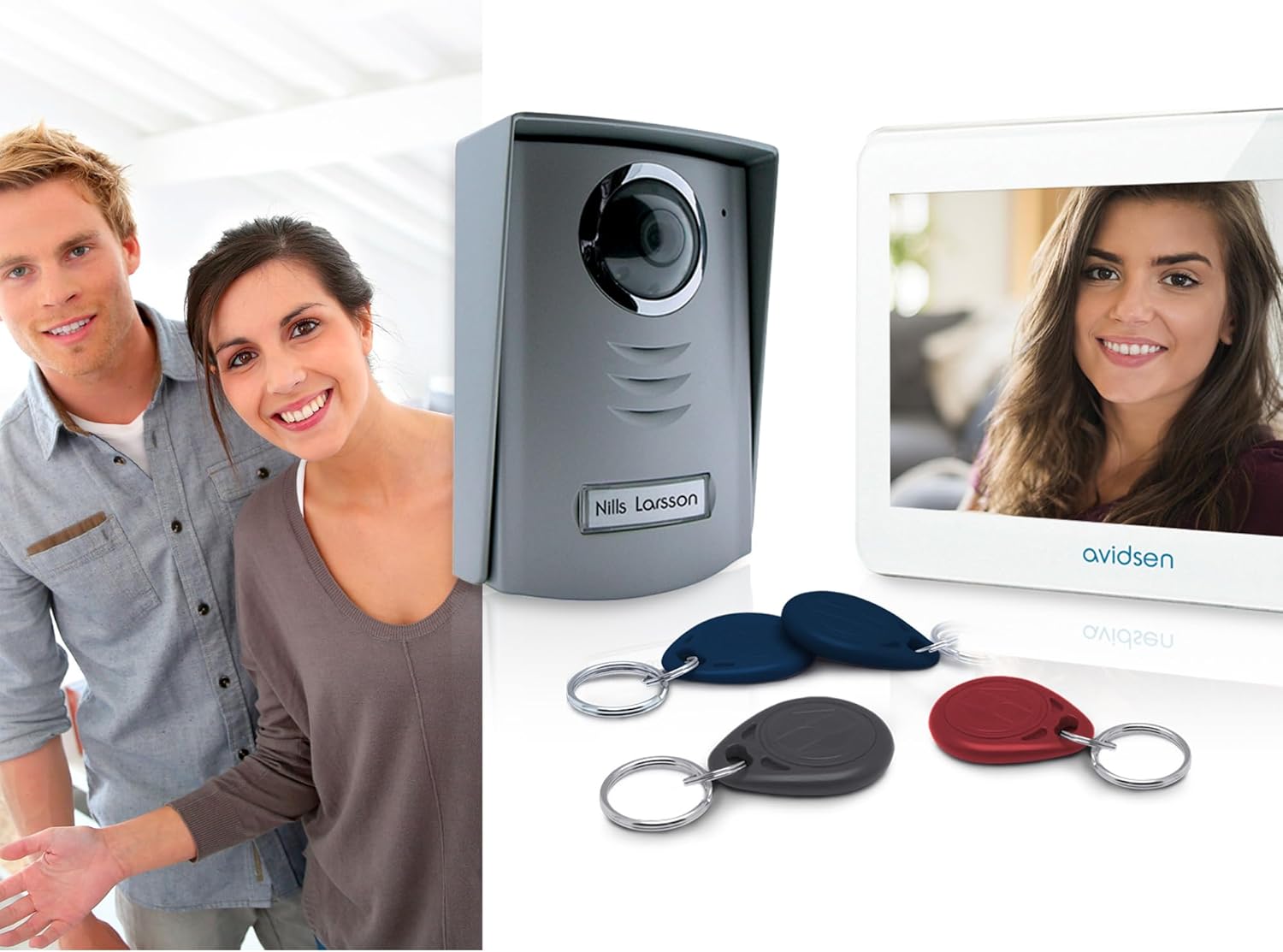
This image presents the complete Avidsen YLVA 2+ system, including the indoor monitor, outdoor station, and multiple RFID badges. A couple is visible in the background, suggesting the system's use in a residential setting.
5.4 Initial Power-Up and Testing
- Once all connections are made, plug in the indoor monitor's power adapter.
- The monitor should power on.
- Press the call button on the outdoor station. The indoor monitor should ring and display the video feed.
- Test two-way audio communication.
- If an electronic lock is connected, test the door release function.
- Test RFID badge functionality by presenting a badge to the outdoor station's reader.
6. Instruccions de funcionament
6.1 Recepció d'una trucada
- When a visitor presses the call button on the outdoor station, the indoor monitor will ring and automatically display the video feed from the outdoor camera.
- To speak with the visitor, press the Answer/Talk button on the indoor monitor.
- Per finalitzar la conversa, premeu la tecla Answer/Talk button again or wait for the call to automatically disconnect after a set time.
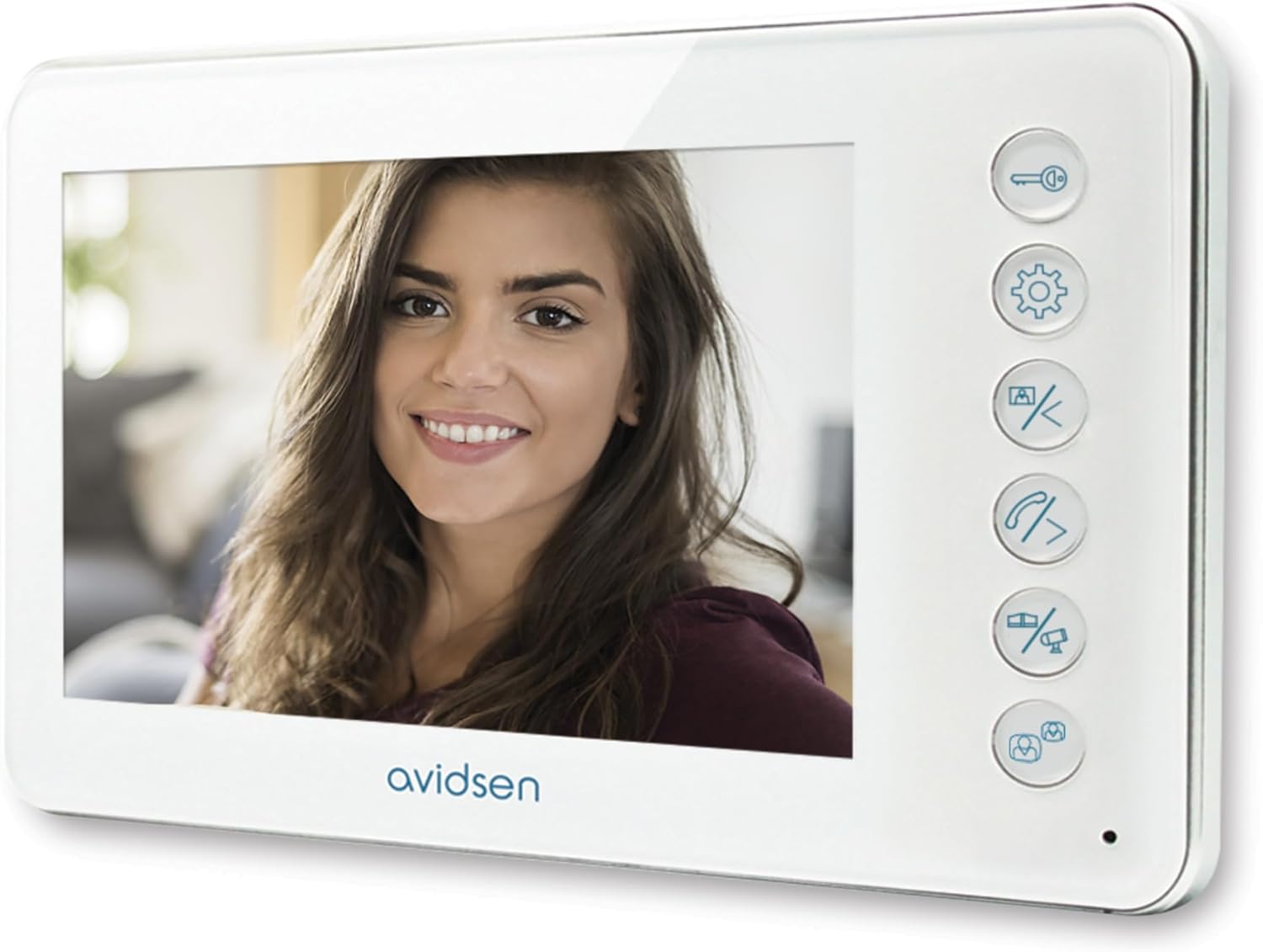
The indoor monitor of the Avidsen YLVA 2+ video intercom system is shown, featuring a bright display with a smiling woman's face. This illustrates the clear video quality for identifying visitors.
6.2 Obrir la porta
If an electronic door lock is connected to the system:
- During a call or while monitoring the outdoor station, press the Alliberament de la porta button on the indoor monitor to unlock the door.
- The door will remain unlocked for a few seconds before re-locking.
6.3 Using RFID Badges
The RFID reader on the outdoor station allows authorized users to gain access without needing to use the indoor monitor.
- Present a programmed RFID badge to the RFID reader area on the outdoor station.
- The door lock will momentarily activate, allowing entry.
- Refer to the specific instructions in your product manual for programming new RFID badges or deleting existing ones.
6.4 Monitoring the Outdoor Station
Tu pots view the outdoor camera feed at any time without a visitor pressing the call button.
- Premeu el botó Monitor button on the indoor monitor.
- The screen will display the live video feed from the outdoor station.
- Premeu el botó Monitor botó de nou per apagar la pantalla.
6.5 Ajustar la configuració
Utilitza el Configuració button to access the monitor's menu and adjust various parameters.

A hand is shown pressing one of the control buttons on the side of the Avidsen YLVA 2+ indoor monitor. This demonstrates the tactile interface for operating the intercom functions.
- Brillantor/Contrast: Adjust the display quality of the video feed.
- Volum: Control the ringtone volume and communication audio levels.
- Selecció de tons de trucada: Choose from available ringtones.
- Durada de la trucada: Set the duration for which the monitor rings or stays active during a call.
7. Manteniment
- Neteja: Wipe the indoor monitor and outdoor station surfaces with a soft, dry, or slightly damp cloth. Do not use harsh chemicals, solvents, or abrasive materials.
- Outdoor Station Camera: Periodically clean the camera lens on the outdoor station to ensure a clear video feed.
- Comprovació del cablejat: Occasionally inspect the visible wiring for any signs of wear or damage.
8. Solució De Problemes
| Problema | Causa possible | Solució |
|---|---|---|
| No power to indoor monitor. | Power adapter unplugged or faulty; no power at outlet. | Check power adapter connection and wall outlet. Test outlet with another device. |
| No video or distorted video on monitor. | Loose or incorrect wiring; damaged cable; outdoor camera lens obstructed. | Check all 7-wire connections. Ensure cable is not damaged. Clean outdoor camera lens. |
| No hi ha àudio o hi ha mala qualitat d'àudio. | Volume too low; loose wiring; microphone/speaker obstructed. | Ajusteu la configuració del volum al monitor. Comproveu el cablejat. Assegureu-vos que el micròfon i l'altaveu de les dues unitats no tinguin soroll. |
| L'obertura de la porta no funciona. | Electronic lock not connected or faulty; incorrect wiring for door release. | Verify electronic lock connection and functionality. Check door release wiring. |
| RFID badge not working. | Badge not programmed; badge faulty; RFID reader faulty. | Ensure the RFID badge is correctly programmed. Try another badge. Contact support if issue persists. |
9. Especificacions
- Model: Avidsen YLVA 2+
- Tipus de connexió: 7-Cable
- Visualització: Color LCD (size may vary by specific model variant)
- Outdoor Station Camera: Color, with IR night vision
- Control d'accés: Integrated RFID reader
- Font d'alimentació: AC 100-240V, 50/60Hz (via adapter for indoor unit)
- Temperatura de funcionament: Indoor: 0°C to 40°C; Outdoor: -20°C to 50°C
- Humitat: 10% a 90% (sense condensació)
10. Garantia i assistència
Avidsen products are designed for reliability and performance. This product comes with a standard manufacturer's warranty against defects in materials and workmanship. The specific terms and duration of the warranty may vary by region and retailer. Please retain your proof of purchase for warranty claims.
For technical support, troubleshooting assistance, or warranty inquiries, please contact your retailer or visit the official Avidsen website for contact information. When contacting support, please have your product model number (YLVA 2+) and proof of purchase ready.

