
Introducció
This manual provides instructions for the proper setup, operation, and maintenance of your Targus W600 Wireless Optical Mouse. Please read this manual thoroughly before using the device to ensure optimal performance and longevity.
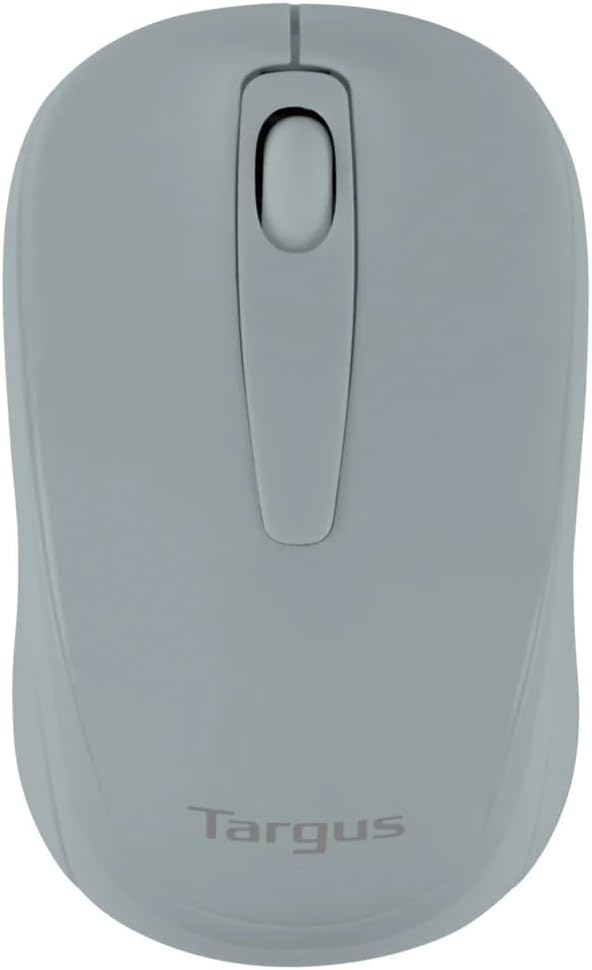
Figure 1: Targus W600 Wireless Optical Mouse (Quarry Gray)
Contingut del paquet
Assegureu-vos que tots els elements siguin presents al paquet:
- Targus W600 Wireless Optical Mouse
- Receptor USB
- Manual d'usuari (aquest document)
Note: 1 AA battery is required and sold separately.
Característiques del producte
- 2.4 GHz Wireless Technology for reliable connection
- 1600 DPI Optical Sensor for precise tracking
- Disseny ergonòmic per a un ús còmode
- Compatible amb sistemes operatius Windows i Mac
- Integrated USB receiver storage compartment
Configuració
1. Instal·lació de la bateria
- Turn the mouse over to locate the battery compartment cover.
- Gently slide the cover off.
- Inseriu una (1) pila AA, assegurant-vos de la polaritat correcta (+/-).
- Substituïu la tapa del compartiment de la bateria.
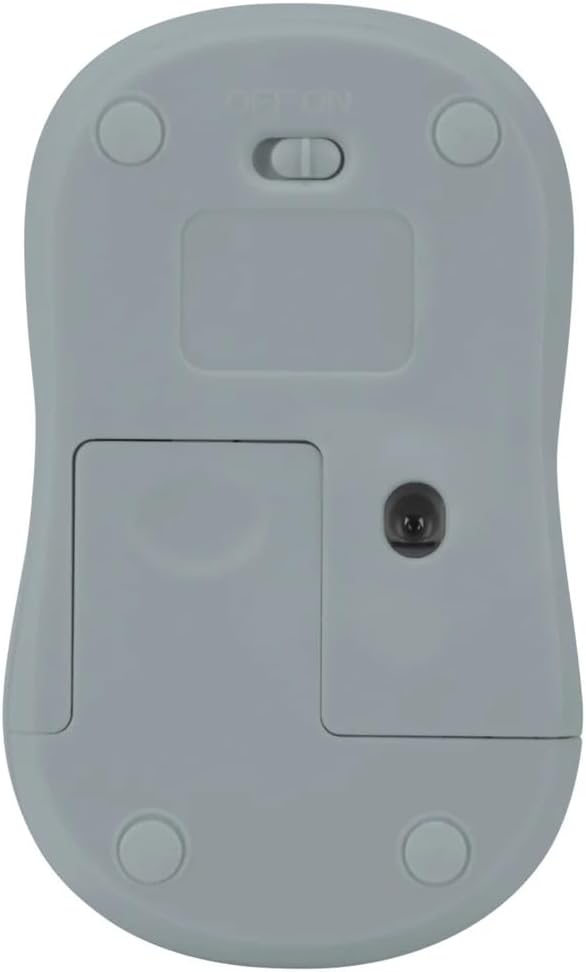
Figura 2: A baix view of the mouse with battery compartment and power switch.
2. Connexió del receptor USB
- Locate the USB receiver, typically stored inside the mouse's battery compartment or a dedicated slot.
- Connecteu el receptor USB a un port USB disponible de l'ordinador.
- L'ordinador hauria de detectar i instal·lar automàticament els controladors necessaris. Això pot trigar uns instants.
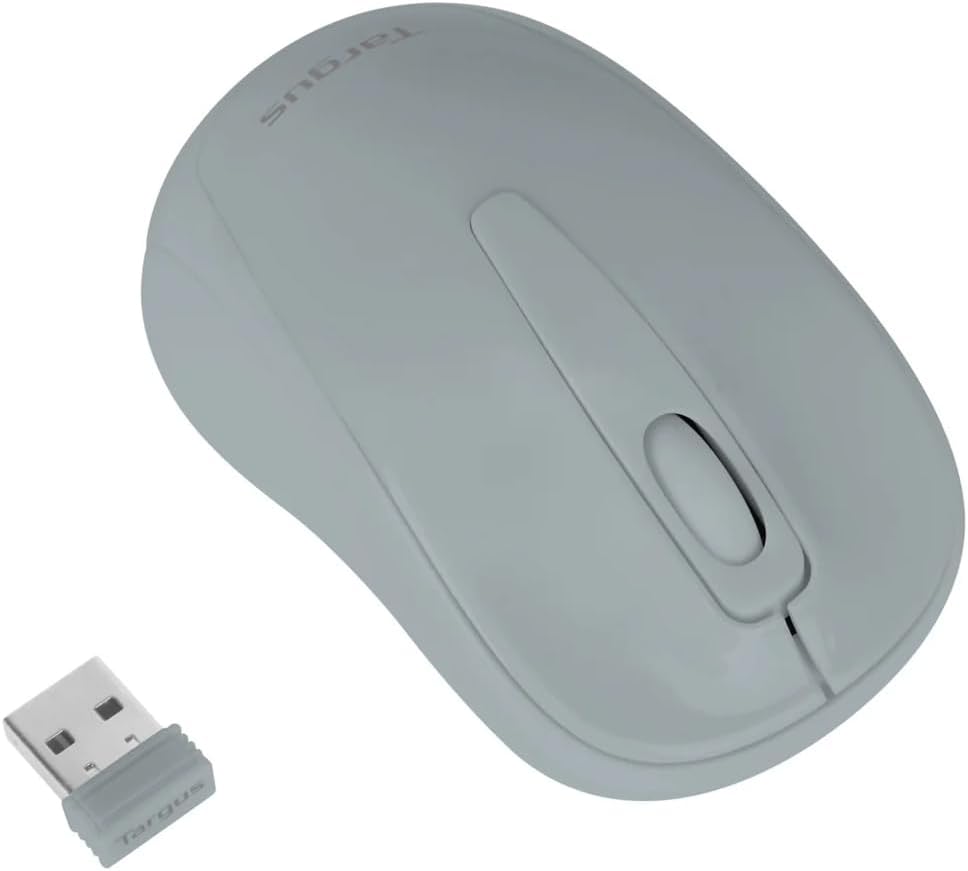
Figure 3: Targus W600 mouse and its USB receiver.

Figure 4: USB receiver plugged into a laptop, with the mouse nearby.
3. Encendre el ratolí
On the bottom of the mouse, slide the ON/OFF switch to the "ON" position. The mouse is now ready for use.
Funcionament del ratolí
The Targus W600 Wireless Optical Mouse functions like a standard 3-button mouse. It features a left button, a right button, and a scroll wheel that also acts as a middle button.
- Clic esquerre: Acció principal, selecció, obertura d'elements.
- Clic dret: Obre menús contextuals.
- Roda de desplaçament: Documents en rotllana i web pages vertically. Pressing the scroll wheel acts as a middle click, often used for opening links in new tabs or specific application functions.
The 1600 DPI optical sensor provides smooth and accurate cursor control on most surfaces. For best performance, use on a mouse pad or a non-reflective, uniform surface.
Manteniment
Neteja
Per netejar el ratolí, netegeu suaument la superfície amb un drap suau.amp cloth. Avoid using harsh chemicals or abrasive cleaners, as these can damage the finish or internal components. Ensure no liquid enters the mouse.
Canvi de bateria
When the mouse performance degrades or stops responding, it may be time to replace the battery. Follow the steps outlined in the "Installing the Battery" section to replace the AA battery. Dispose of used batteries responsibly according to local regulations.
Resolució de problemes
| Problema | Solució |
|---|---|
| El ratolí no respon |
|
| Moviment erràtic del cursor |
|
| abast sense fil curt |
|
Especificacions
| Número de model | AMW60006AP-55 |
| Connectivitat | Sense fil de 2.4 GHz (receptor USB) |
| La tecnologia de sensors | Òptic |
| DPI | 1600 DPI |
| Nombre de botons | 3 (Esquerra, Dreta, Roda de desplaçament/Clic central) |
| Font d'alimentació | 1 x piles AA (no incloses) |
| Sistemes operatius compatibles | Windows, Mac |
Nota: Les especificacions estan subjectes a canvis sense previ avís.
Garantia i Suport
For warranty information and technical support, please refer to the official Targus weblloc web o poseu-vos en contacte amb el seu servei d'atenció al client. Conserveu el rebut de compra com a comprovant de compra per a reclamacions de garantia.
Targus Official Weblloc: www.targus.com


