
1. Producte acabatview
The TRENDnet TEG-10GECSFP is a 10 Gigabit SFP+ PCIe Network Adapter designed to convert a free PCI Express slot into a 10 Gigabit SFP+ port. This adapter supports advanced features such as jumbo frames and VLAN tagging. It includes both standard and low-profile brackets for versatile installation and is compatible with Windows and Windows Server operating systems.
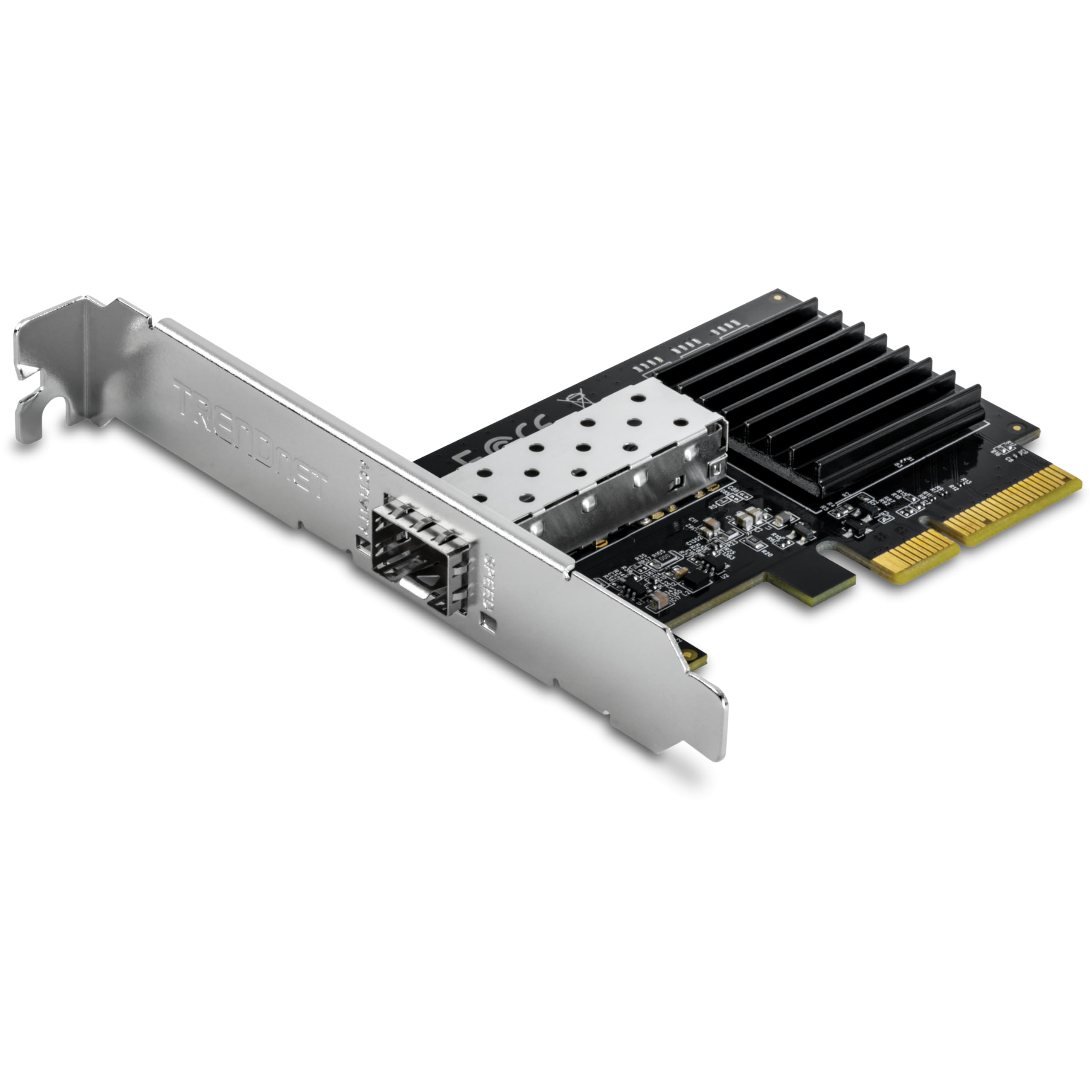
Figure 1: TRENDnet TEG-10GECSFP 10 Gigabit PCIe SFP+ Network Adapter.
Característiques clau
- Interfície de maquinari: PCIe 3.0 x4 interface with one 10Gbps SFP+ port (1Gbps / 10Gbps) and LED indicators.
- NDAA + TAA Compliant: Meets U.S. integrity and supply chain standards for government contracts.
- 10G SFP+: Provides high-speed 10 Gigabit connectivity.
- PCI Express: Converts a PCIe 3.0 x4 slot into a 10 Gigabit SFP+ port.
- Suport VLAN: Supports IEEE 802.1Q tagged-based VLANs.
- Marc Jumbo: Supports jumbo frames up to 16 KB for increased performance.
- Compatibilitat del sistema operatiu: Compatible with Windows 11, 10 (64-bit), and Windows Server 2025, 2022, 2019, 2016.
- Brackets Included: Comes with standard and low-profile brackets for various system installations.
2. Contingut del paquet
Comproveu que el vostre paquet contingui els elements següents:
- TEG-10GECSFP 10 Gigabit PCIe SFP+ Network Adapter
- Guia d'instal·lació ràpida
- CD-ROM (guia del controlador i de l'usuari)
- Standard & low profile claudàtors
3. Configuració i instal·lació
3.1 Instal·lació física
To install the TEG-10GECSFP adapter into your desktop computer or server:
- Power off your computer and disconnect the power cord.
- Obriu la caixa de l'ordinador.
- Locate an available PCIe 3.0 x4 slot or higher.
- Remove the corresponding slot cover from the computer case. If necessary, replace the standard bracket on the adapter with the included low-profile bracket to fit your system.
- Carefully insert the TEG-10GECSFP adapter into the PCIe slot until it is firmly seated.
- Secure the adapter with a screw or the case's retention mechanism.
- Tanqueu la carcassa de l'ordinador i torneu a connectar el cable d'alimentació.
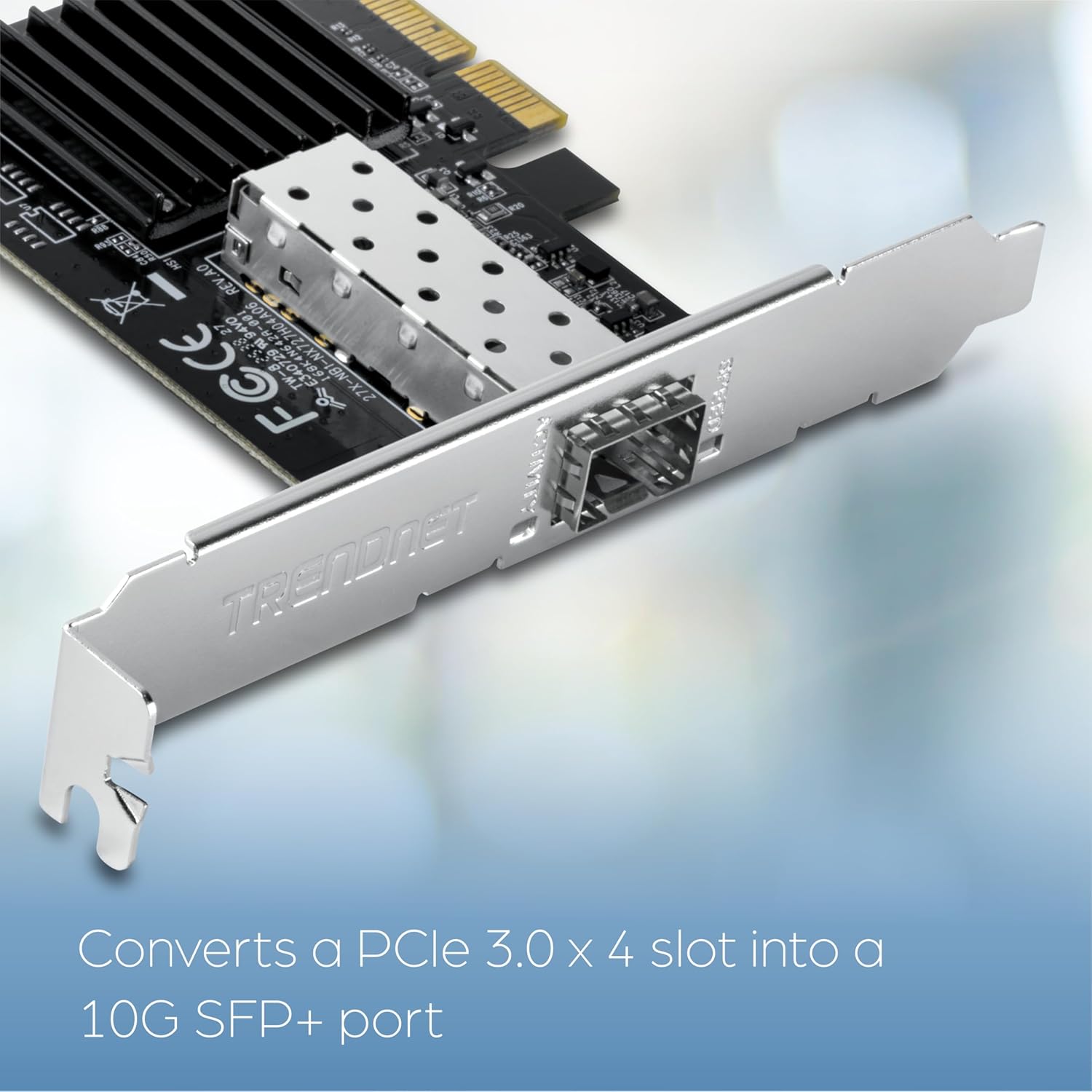
Figure 2: Installing the TEG-10GECSFP into a PCIe slot.

Figure 3: TEG-10GECSFP components and included brackets.
3.2 Driver Installation and Initial Configuration
After physical installation, you will need to install the appropriate drivers for the adapter to function correctly.
- Enceneu l'ordinador.
- Insert the provided CD-ROM to install the drivers, or download the latest drivers from the official TRENDnet website. It is recommended to use the latest drivers from the manufacturer's weblloc per a un rendiment i compatibilitat òptims.
- Seguiu les instruccions a la pantalla per completar la instal·lació del controlador.
- Once drivers are installed, the adapter will be recognized by your operating system.

Figure 4: Operating System Compatibility.
3.3 Connecting SFP+ Modules
The TEG-10GECSFP requires an SFP+ module (sold separately) for network connectivity. Ensure you use compatible SFP+ modules for your desired fiber type and distance.

Figure 5: SFP+ Module Compatibility and Range.
4. Funcionament
Once installed and configured, the TEG-10GECSFP adapter provides high-speed network connectivity. The LED indicators on the bracket provide visual feedback on the adapter's status.
4.1 Indicadors LED
- LED d'activitat: Indicates network activity (blinking when data is being transmitted or received).
- LED de velocitat: Indicates the current connection speed (e.g., solid for 10Gbps, off for 1Gbps, or different colors depending on the specific model's implementation). Refer to the full user manual on the CD-ROM or TRENDnet website for detailed LED behavior.

Figure 6: High-performance 10G SFP+ PCIe adapter.
4.2 Integració de xarxa
The TEG-10GECSFP integrates seamlessly into existing 10 Gigabit networks, allowing for high-speed data transfer between your computer/server and other network devices such as 10G switches or storage devices.
Vídeo 1: Acabatview of the TRENDnet 10 Gigabit PCIe SFP+ Network Adapter (TEG-10GECSFP), demonstrating its features and installation.
Video 2: TRENDnet 10G Networking Ecosystem, showing how the adapter fits into a complete 10 Gigabit network setup.
5. Manteniment
The TEG-10GECSFP network adapter is designed for reliable operation with minimal maintenance. To ensure optimal performance and longevity:
- Keep the computer's interior clean and free of dust to prevent overheating of components, including the network adapter.
- Ensure all cable connections to the SFP+ module are secure.
- Periodically check the TRENDnet website for updated drivers to benefit from performance improvements or bug fixes.
6. Solució De Problemes
If you encounter issues with your TEG-10GECSFP adapter, consider the following troubleshooting steps:
- Sense enllaç/activitat:
- Verify that the SFP+ module is correctly inserted and the fiber optic cable is securely connected.
- Ensure the connected network device (e.g., switch) is powered on and configured correctly.
- Check the LED indicators on the adapter for status.
- Velocitats lentes:
- Confirm that your network infrastructure (cables, switches, SFP+ modules) supports 10 Gigabit speeds.
- Ensure the latest drivers are installed for the adapter.
- Check network adapter settings in your operating system for duplex mode and speed negotiation.
- Connexió/caigudes intermitents:
- Update the network adapter drivers and firmware from the TRENDnet weblloc.
- Disable power-saving features for the network adapter in your operating system's device manager. Common settings to check include 'Energy-Efficient Ethernet', 'Green Ethernet', and 'Power Saving Mode'.
- Ensure the adapter is properly seated in the PCIe slot.
- Problemes del controlador:
- If the adapter is not recognized or shows errors, uninstall existing drivers and reinstall the latest version from the TRENDnet weblloc.
- Ensure your operating system is compatible with the adapter.
7. Especificacions
| Característica | Detall |
|---|---|
| Marca | TRENDnet |
| Número de model | TEG-10GECSFP |
| Interfície del maquinari | PCIe 3.0 x4 |
| Protocol d'enllaç de dades | Ethernet |
| Velocitat de transferència de dades | 10 gigabits per segon |
| Dispositius compatibles | Escriptori |
| Família de sistemes operatius compatibles | Linux, Windows |
| Minimum Required Operating System Version | Windows 10 |
| Pes de l'article | 52 grams |
| Dimensions del producte (L x A x A) | 3.4" x 2.4" x 0.7" |
| Certificació de proves externes | CE, FCC |
| UPC | 710931140330 |
8. Informació de la garantia
The TRENDnet TEG-10GECSFP 10 Gigabit PCIe SFP+ Network Adapter is backed by a 3-year TRENDnet Manufacturer Protection. For detailed terms and conditions, please refer to the warranty information provided on the product packaging or the official TRENDnet weblloc.
9. Suport tècnic
TRENDnet offers reliable technical support for its products. Our team of advisors and technical experts are available during normal business hours to assist with any questions or issues you may encounter. For support, please visit the official TRENDnet website or refer to the contact information provided in the Quick Installation Guide.
Recursos en línia: www.trendnet.com/support