Introducció
Thank you for choosing the SPT SF-16T07 Touch Stop Stand Fan. This 16-inch stand fan is designed to provide efficient air circulation with advanced features for comfort and safety. Key features include a unique touch-stop sensor, 6 fan speeds, 4 distinct wind modes (Normal, Natural, Sleep, and Smart), oscillation, and a convenient timer-off function. This manual provides detailed instructions for assembly, operation, maintenance, and troubleshooting to ensure safe and optimal use of your fan.
Instruccions importants de seguretat
Llegiu atentament totes les instruccions abans d'utilitzar aquest aparell i conserveu-les per a futures consultes. Si no seguiu aquestes instruccions, podeu patir descàrregues elèctriques, incendis o lesions greus.
- Desendolleu sempre el ventilador de la presa de corrent abans de netejar-lo, fer-ne el manteniment o moure'l.
- No feu funcionar el ventilador amb un cable o endoll danyat. Si el cable o l'endoll estan danyats, poseu-vos en contacte amb personal de servei qualificat per a la seva reparació o substitució.
- Keep the fan away from water or other liquids. Do not immerse the fan in water.
- Assegureu-vos que el ventilador estigui col·locat sobre una superfície estable i plana per evitar que bolqui.
- No introduïu els dits ni cap objecte a través de la reixeta quan el ventilador estigui en funcionament.
- The fan features a Touch-Stop Sensor: If the fan guard is touched while the fan is operating, the fan will automatically stop. This is a safety feature designed to protect users, especially children. The fan will resume operation once the touch is removed and the fan is restarted.
- Close supervision is necessary when the fan is used by or near children or individuals with reduced physical, sensory, or mental capabilities.
- This fan is intended for indoor use only. Do not use outdoors.
Contingut del paquet
Si us plau, comproveu el contingut del paquet per assegurar-vos que tots els elements hi són i no estan danyats:
- Fan Unit (Motor Housing, Fan Blades, Front and Rear Grilles)
- Stand Pole and Base
- Control remot
- Manual d'usuari (aquest document)
Instruccions de muntatge
The SPT SF-16T07 fan requires some assembly before use. Follow these steps carefully:
- Muntar la base: Connect the two halves of the base together, if applicable, and secure them with the provided screws.
- Fixeu el pal del suport: Insert the stand pole into the assembled base and tighten the locking nut or screw from underneath the base to secure it.
- Muntar la carcassa del motor: Place the fan's motor housing onto the top of the stand pole. Ensure it is firmly seated and secure it with the provided screw or locking mechanism.
- Install the Rear Grille: Position the rear grille onto the motor housing, aligning the notches. Secure it with the grille nut.
- Attach the Fan Blade: Slide the fan blade onto the motor shaft, ensuring it clicks into place or is secured with a cap.
- Install the Front Grille: Place the front grille over the fan blade and align it with the rear grille. Secure the grilles together using the clips or screws provided around the perimeter.
Assegureu-vos que totes les peces estiguin ben fixades abans d'endollar el ventilador.
Instruccions de funcionament
Your SPT SF-16T07 fan can be operated using the control panel on the fan unit or the included remote control. Ensure the fan is plugged into a standard electrical outlet.
Tauler de control acabatview
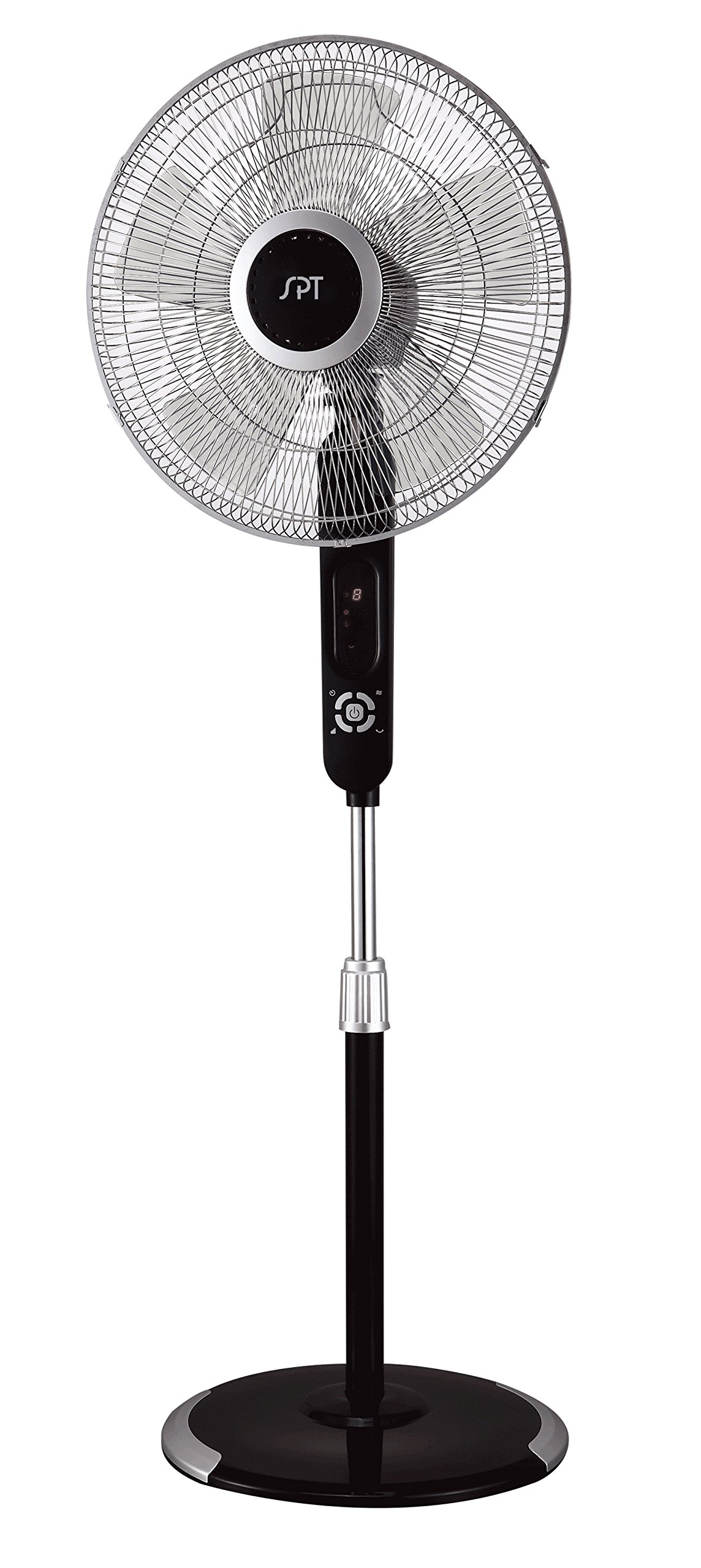
Image: The control panel of the SPT SF-16T07 Stand Fan. It features a digital display at the top showing numbers (e.g., '8') and icons for timer, fan speed, and mode. Below the display are several white buttons arranged in a circular pattern around a central power button. Other buttons include timer, fan speed, oscillation, and mode selection.
- Power Button ( ⏻ ): Premeu per encendre o apagar el ventilador.
- Speed Button ( ✴ ): Press repeatedly to cycle through 6 fan speeds. The current speed will be indicated on the digital display.
- Mode Button ( ☻ ): Press to select one of the 4 wind modes: Normal, Natural, Sleep, or Smart.
- Oscillation Button ( 🌀 ): Press to start or stop the fan head oscillation (side-to-side movement).
- Timer Button ( ⏱ ): Press to set the auto-off timer. Each press increases the timer by 1 hour, up to a maximum of 8 hours. The set time will be displayed.
Explicació dels modes de vent
- Mode normal: Proporciona un flux d'aire constant a la velocitat seleccionada.
- Mode natural: Simulates natural breezes by varying the fan speed intermittently.
- Mode de repòs: Gradually decreases the fan speed over time to provide a quieter and more comfortable environment for sleeping.
- Mode intel·ligent: Adjusts the fan speed automatically based on the ambient room temperature.
Control remot
The included remote control allows you to operate all fan functions from a distance. The buttons on the remote correspond to the functions on the main control panel. Ensure batteries are correctly installed in the remote control.
Manteniment
Regular cleaning and proper maintenance will ensure the longevity and efficient operation of your fan.
- Neteja: Desendolleu sempre el ventilador abans de netejar-lo. Feu servir un drap suau i sec.amp cloth to wipe the exterior surfaces. For stubborn dirt, a mild soap solution can be used. Do not use abrasive cleaners or solvents.
- Neteja de reixes: Periodically remove the front grille (refer to assembly instructions in reverse) to clean the fan blades and inside of the grilles. Use a soft brush or vacuum cleaner to remove dust and debris. Ensure all parts are dry before reassembling.
- Emmagatzematge: Quan no l'utilitzeu durant períodes prolongats, guardeu el ventilador en un lloc fresc i sec, preferiblement en el seu embalatge original, per protegir-lo de la pols i els danys.
Resolució de problemes
Si teniu problemes amb el ventilador, consulteu els següents problemes i solucions habituals:
| Problema | Causa possible | Solució |
|---|---|---|
| El ventilador no s'encén. | No power supply; fan unplugged; power button not pressed. | Ensure the fan is securely plugged into a working electrical outlet. Press the power button. Check household circuit breaker. |
| Fan stops unexpectedly during operation. | Touch-stop sensor activated; power interruption; internal fault. | Check if the fan guard was touched, activating the safety sensor. Remove any contact and restart the fan. Verify stable power supply. If the issue persists, contact customer support. |
| El ventilador fa un soroll estrany. | Loose parts; obstruction in fan blades/grille; fan not on a level surface. | Unplug the fan and check for any loose components or obstructions. Ensure the fan is placed on a flat, stable surface. |
| El comandament a distància no funciona. | Dead batteries; remote out of range; obstruction between remote and fan. | Replace batteries in the remote control. Ensure there are no obstructions and operate within effective range. |
Especificacions
| Característica | Detall |
|---|---|
| Marca | TPS |
| Nom del model | SF-16T07 (Touch-stop) |
| Disseny de ventilador elèctric | Ventilador de peu / Ventilador de pedestal |
| Color | Black (Matte Black finish) |
| Dimensions del producte | 16 "P x 16" W x 57.09" H |
| Pes de l'article | 17 lliures |
| Font d'alimentació | Elèctric amb cable |
| Nombre de fulles | 3 |
| Capacitat de cabal d'aire | 1659.8 peus cúbics per minut |
| Nombre de nivells de potència | 6 velocitats del ventilador |
| Modes de vent | 4 (Normal, Natural, Sleep, Smart) |
| Funció de temporitzador | Fins a 8 hores |
| Característiques especials | 16" fan blade, Touch-stop sensor, Remote control, Head oscillation, Manual tilting, Adjustable height, ETL certified |
| Mètode de control | Touch (Control Panel) / Button Control (Remote) |
| Ús interior/exterior | Interior |
Informació de la garantia
The SPT SF-16T07 Touch Stop Stand Fan comes with a 1 any de garantia covering both labor and parts from the date of purchase. This warranty covers defects in materials and workmanship under normal use. Please retain your proof of purchase for warranty claims. The warranty does not cover damage resulting from misuse, accident, alteration, or unauthorized repair.
Atenció al client
For further assistance, technical support, or warranty inquiries, please contact SPT customer service. Refer to the product packaging or the official SPT weblloc web per obtenir la informació de contacte més actualitzada.