
1. Introducció
The iDance Party MIC PM 10 is a versatile Bluetooth karaoke microphone with an integrated speaker, designed for portable entertainment. It features LED lighting and echo control, allowing you to stream music wirelessly and sing along with enhanced vocal effects. This manual provides essential information for the safe and effective use of your device.

Image 1.1: The iDance Party MIC PM 10 in white, showcasing el seu disseny elegant.
2. Què hi ha a la caixa
Si us plau, comproveu el contingut del vostre paquet. Si falta algun article o hi ha algun malmès, poseu-vos en contacte amb el vostre distribuïdor.
- iDance Party MIC PM 10 Microphone with Integrated Speaker
- Cable de càrrega USB
- Manual d'usuari
3. Configuració
3.1 Càrrega del dispositiu
- Locate the USB charging port on the microphone.
- Connect the provided USB charging cable to the microphone.
- Connecteu l'altre extrem del cable USB a un adaptador de corrent USB compatible (no inclòs) o al port USB d'un ordinador.
- The LED indicator will show the charging status. A full charge typically takes 2-3 hours and provides up to 6 hours of playback.
3.2 Engegada/apagada
- To power on: Press and hold the power button until the device activates.
- Per apagar: premeu i manteniu premut el botó d'engegada fins que el dispositiu s'apagui.
4. Instruccions de funcionament
4.1 Vinculació Bluetooth
The Party MIC PM 10 can connect wirelessly to your smartphone, tablet, or laptop via Bluetooth.
- Ensure the microphone is powered on. It will automatically enter Bluetooth pairing mode, indicated by a flashing LED.
- Al dispositiu (telèfon intel·ligent, tauleta, etc.), activeu el Bluetooth i cerqueu els dispositius disponibles.
- Select "iDance PM 10" from the list of devices.
- Once paired, the microphone will emit an audible confirmation, and the LED will stop flashing. You can now stream music from your device to the microphone's speaker.
Reproducció de targeta Micro SD 4.2
You can play music directly from a Micro SD card.
- Insert a Micro SD card (with MP3 music files) into the designated slot on the microphone.
- The microphone will automatically detect the card and begin playing music.
- Use the track control buttons (if available) to navigate through your music.
4.3 Control de volum i eco
- Control de volum: Use the dedicated volume buttons or knob on the microphone to adjust the overall sound output.
- Control d'eco: Adjust the echo effect using the echo control knob to add a reverberation effect to your vocals.
4.4 Il·luminació LED
The microphone features integrated LED lights that synchronize with the music, creating a party atmosphere.
- The LED lights activate automatically when the microphone is in use.
- The lights will change colors and patterns in sync with the audio.

Image 4.1: A user demonstrating the iDance Party MIC PM 10 with its vibrant pink LED lighting.

Image 4.2: A user demonstrating the iDance Party MIC PM 10 with its vibrant blue LED lighting.
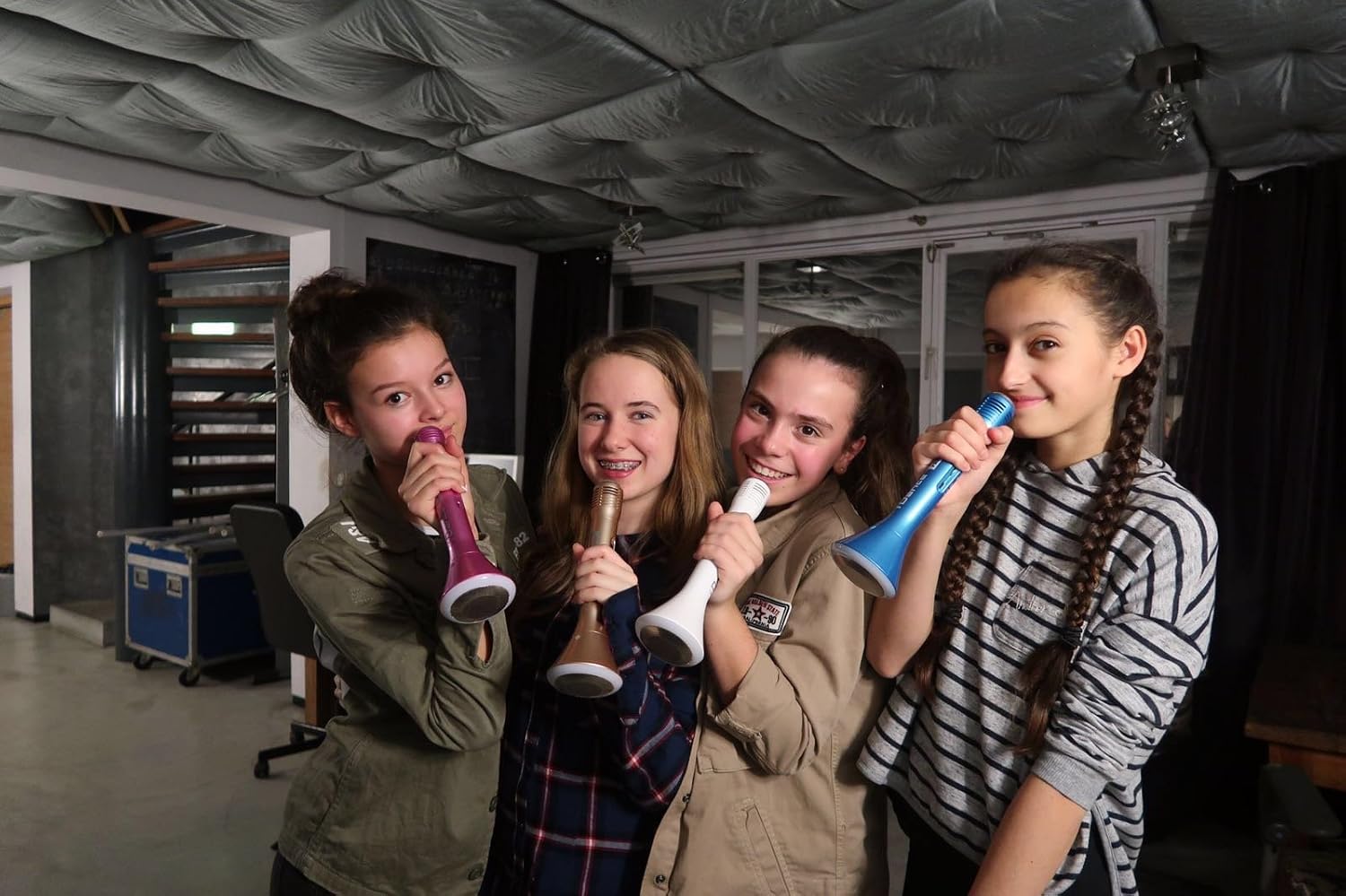
Image 4.3: Multiple users enjoying the iDance Party MIC PM 10, highlighting its group entertainment potential.
5. Manteniment
5.1 Neteja
- Wipe the microphone's exterior with a soft, dry cloth.
- No utilitzeu netejadors abrasius, dissolvents ni productes químics agressius.
- Eviteu que entri humitat a cap obertura.
5.2 Emmagatzematge
- Guardeu el micròfon en un lloc fresc i sec, allunyat de la llum solar directa i de temperatures extremes.
- Si l'emmagatzemeu durant un període prolongat, assegureu-vos que la bateria estigui parcialment carregada (al voltant del 50%) per allargar-ne la vida útil.
6. Solució De Problemes
- Sense energia: Ensure the device is fully charged. Connect it to a power source using the USB cable.
- No es pot emparellar Bluetooth: Make sure Bluetooth is enabled on your device and the microphone is in pairing mode. Try restarting both devices. Ensure no other devices are currently connected to the microphone.
- Volum baix del micròfon: Adjust the microphone volume control on the device. Ensure you are speaking directly into the microphone grille.
- No hi ha so de l'altaveu: Check the master volume control on the microphone and your connected device. Ensure music is playing from the source.
- So distorsionat: Reduce the volume on both the microphone and your connected device. Ensure the microphone is not too close to the speaker, which can cause feedback.
7. Especificacions
| Característica | Especificació |
|---|---|
| Nom del model | Party MIC PM 10 |
| Marca | iDance |
| Tecnologia de connectivitat | Bluetooth, USB Type-A |
| Característica especial | Wireless, LED Lighting, Echo Control |
| Dispositius compatibles | Portàtil, tauleta, telèfon intel·ligent |
| Color | Blanc |
| Components inclosos | Microphone, Speaker (integrated) |
| Patró polar | Unidireccional |
| Característiques del micròfon | Portàtil |
| Font d'alimentació | Battery Powered (1 Lithium-ion included) |
| Durada de la bateria | Fins a 6 hores (aprox.) |
| Sortida de l'altaveu | 5W |
| Dimensions | 50 x 50 x 250 mm |
| Pes | 250 g (aprox.) |
| Material | Plàstic ABS |
| Número de model | PM10White |
| UPC | 489436706869 |
| País d'origen | Xina |
8. Informació de seguretat
- No exposeu el dispositiu a l'aigua ni a una humitat excessiva.
- Eviteu deixar caure o sotmetre el dispositiu a forts impactes.
- No intenteu desmuntar ni reparar el dispositiu vosaltres mateixos. Poseu-vos en contacte amb personal de servei qualificat.
- Mantenir fora de l'abast dels nens.
- Desfeu-vos de la bateria i del dispositiu d'acord amb la normativa local.
9. Garantia i Suport
For warranty information and customer support, please refer to the documentation provided with your purchase or visit the official iDance weblloc web. Conserveu el comprovant de compra per a reclamacions de garantia.