
Introducció
Thank you for choosing the INPHIC Rechargeable Wireless Mouse P-M1. This ultra-thin, silent-click optical mouse is designed for comfort and efficiency, offering a stable 2.4GHz wireless connection and adjustable DPI settings. This manual provides essential information for setting up, operating, maintaining, and troubleshooting your new device.
Què hi ha a la caixa
Si us plau, comproveu el contingut del paquet per assegurar-vos que hi hagi tots els elements:
- 1 x INPHIC Rechargeable Wireless Mouse P-M1
- 1 x USB Receiver (stored inside the mouse)
- 1 x cable de càrrega micro-USB
- 1 x Manual d'usuari
Configuració
- Localitza el receptor USB: The Nano USB receiver is conveniently stored in a slot at the bottom of the mouse. Gently slide open the cover to retrieve it.
- Connecteu-vos al vostre dispositiu: Plug the USB receiver into an available USB port on your computer, laptop, or MacBook. Your operating system should automatically detect and install the necessary drivers.
- Engegar el ratolí: Flip the power switch located on the bottom of the mouse to the 'ON' position. The mouse will automatically connect to the receiver.
- Començar a utilitzar: Once connected, you can immediately start using your INPHIC wireless mouse.

The INPHIC Rechargeable Wireless Mouse connects wirelessly to your device via a 2.4GHz USB receiver, offering a stable connection up to 10 meters.
This video provides a visual guide on how to set up and use the INPHIC Rechargeable Wireless Mouse, including connecting the USB receiver and basic operation.
Instruccions de funcionament
Funcions bàsiques
- Clic esquerre: Selecció i activació primàries.
- Clic dret: Accedeix als menús contextuals.
- Roda de desplaçament: Scrolls content vertically. The scroll wheel also functions as a middle click button.
Silent Click Feature
The INPHIC P-M1 mouse features a mute design for its left and right main keys, providing noiseless clicks. This is ideal for quiet environments such as libraries, offices, or late-night use at home, ensuring you do not disturb others.

Experience quiet and durable clicks, ideal for environments where silence is preferred. The ultra-thin design makes the mouse highly portable and easy to carry.
Ergonomic and Symmetric Design
The mouse is designed to be ultra-slim and comfortable, fitting naturally in your hand. Its symmetric design ensures comfortable use for both left-handed and right-handed users.
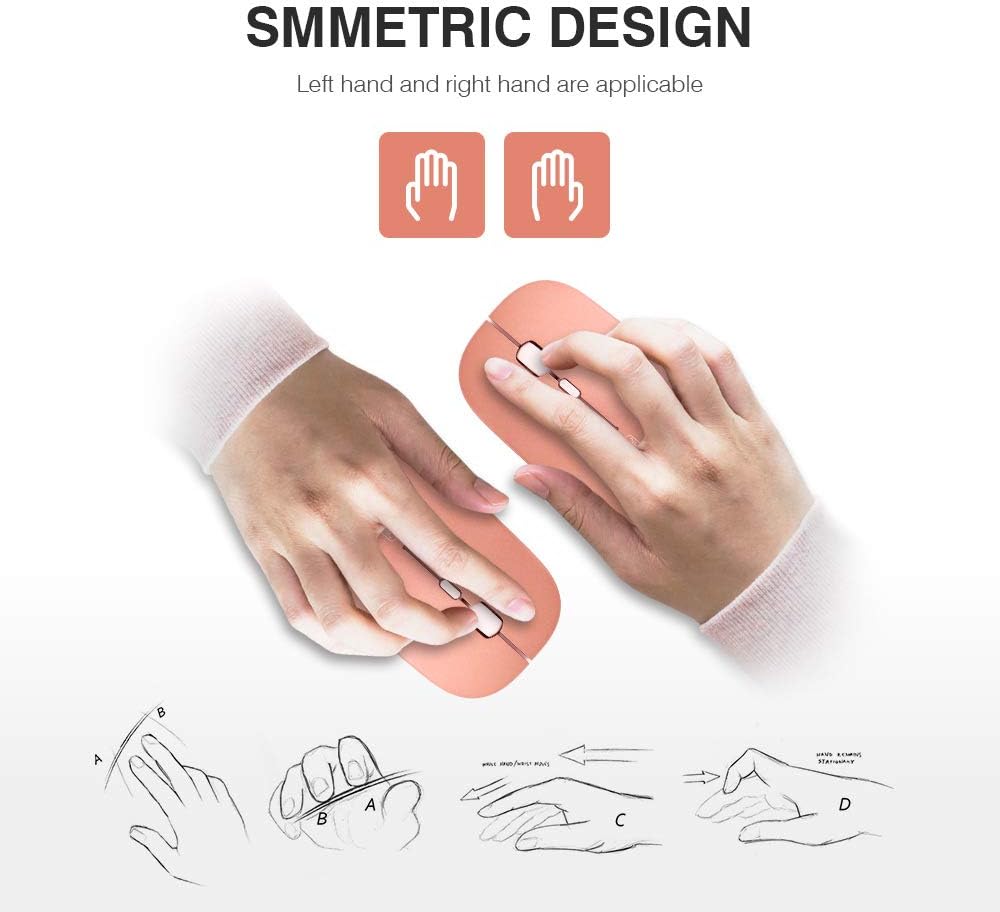
The mouse features a symmetric design, providing comfortable use for both left-handed and right-handed individuals.
Ajust de DPI
The INPHIC P-M1 mouse offers three adjustable DPI (Dots Per Inch) settings to customize cursor sensitivity and speed:
- 1000 DPI
- 1200 DPI
- 1600 DPI
To change the DPI setting, press the dedicated DPI button located on the top of the mouse, just below the scroll wheel. Each press will cycle through the available DPI levels.

Adjust the mouse sensitivity with three DPI levels: 1000, 1200, and 1600. Press the DPI button located near the scroll wheel to cycle through the settings.
Carregant el ratolí
Your INPHIC P-M1 mouse is equipped with a built-in 700mAh rechargeable battery, eliminating the need for disposable batteries.
- Càrrega: When the battery is low, connect the included Micro-USB charging cable to the charging port at the front of the mouse and to a USB power source (e.g., computer USB port, USB wall adapter).
- Durada de la bateria: A single full charge can provide up to 500 hours of use.

Un intern view diagram of the INPHIC mouse, highlighting its 700mAh rechargeable battery.

The INPHIC P-M1 wireless mouse in rose gold, showcasing its sleek design alongside a laptop and other desk items.
Mode d'estalvi d'energia
To conserve battery life, the mouse will automatically enter sleep mode after 3 minutes of inactivity. To wake the mouse, simply move it gently or click any button.
Manteniment
- Neteja: Use a soft, dry cloth to clean the surface of the mouse. Avoid using harsh chemicals or abrasive materials.
- Emmagatzematge: When not in use for extended periods, turn off the mouse to further conserve battery. Store the USB receiver inside the mouse to prevent loss.
- Eviteu condicions extremes: No exposeu el ratolí a temperatures extremes, llum solar directa ni humitat excessiva.
Resolució de problemes
If you encounter issues with your INPHIC P-M1 mouse, please refer to the following common solutions:
- El ratolí no respon:
- Assegureu-vos que el ratolí estigui encès.
- Check if the USB receiver is securely plugged into your device. Try a different USB port.
- Torneu a carregar el ratolí si la bateria està baixa.
- Reinicieu l'ordinador.
- Ubicació del receptor USB: The USB receiver is built into the bottom of the mouse for convenient storage.
- Compatibilitat amb MacBook: This mouse uses a standard USB-A receiver. If your MacBook only has USB-C ports, you will need a USB-C to USB-A adapter (not included) to connect the receiver.
- Mouse Not Waking Up from Sleep Mode: Gently move the mouse or click any button to reactivate it. If it still doesn't respond, try turning the mouse off and on again.
Especificacions
| Característica | Detall |
|---|---|
| Marca | INPHIC |
| Número de model | P-M1 |
| Tecnologia de connectivitat | Sense fil de 2.4 GHz (receptor USB) |
| Detecció de moviment | Òptic |
| Configuració de DPI | 1000, 1200, 1600 |
| Tipus de bateria | Rechargeable Lithium Metal (700mAh) |
| Durada mitjana de la bateria | Up to 2880 hours (approx. 3 months of typical use) |
| Compatibilitat de sistemes operatius | Windows XP, Vista, 7, 8, 10; Mac OS; Linux |
| Pes de l'article | 2.43 unces |
| Dimensions del producte (LxWxH) | 4.21 x 0.67 x 2.24 polzades |
| Característiques especials | Slim ergonomic design, Mute/Silent Click (left and right main keys) |
Garantia i Suport
INPHIC provides the following support for your P-M1 Rechargeable Wireless Mouse:
- Garantia de devolució de diners: 45-day money-back policy.
- Garantia de substitució: 12-month replacement warranty for manufacturing defects.
- Suport tècnic: Lifetime easy-to-reach technical support and customer service.
For further assistance or warranty claims, please contact INPHIC customer service through your purchase platform or the official INPHIC weblloc.
Producte acabatview Vídeo
A short video highlighting the sleek design and silent clicking capability of the INPHIC PM1 Wireless Mouse.