
1. Introduction to WavePad Free Audio Editor
WavePad Free Audio Editor is a sound and music editing software designed to facilitate the creation and modification of audio files. It offers a range of tools and effects suitable for both new and experienced users, enabling efficient audio production.
Image 1.1: WavePad Free Audio Editor software cover, highlighting its sound recording capabilities.
2. Configuració i instal·lació
2.1 Requisits del sistema
Before installation, ensure your PC meets the following specifications:
- Processador: Core 2 Duo
- RAM: 512 MB
- Espai al disc dur: 20 MB
- Targeta de vídeo: 64MB Supporting Pixel Shader 2.0
- Sistemes operatius compatibles: Windows 10, Windows 8, Windows 7, Windows Vista, Windows XP
2.2 Procés d'instal·lació
- Download the WavePad Free Audio Editor PC version from the official NCH Software website or a trusted distributor.
- Localitza l'instal·lador descarregat file (p. ex.,
wavepadsetup.exe) and double-click to run it. - Follow the on-screen prompts to complete the installation. This typically involves accepting the license agreement, choosing an installation directory, and confirming the installation.
- Once installation is complete, launch WavePad from your desktop shortcut or Start Menu.
3. Operating WavePad Free Audio Editor
WavePad features an intuitive interface designed for ease of use. Files can be imported via drag-and-drop or through the application's menu.
3.1 Basic Interface and Waveform Editing
The main interface displays audio waveforms, allowing for visual editing. You can select specific portions of the audio for various operations.
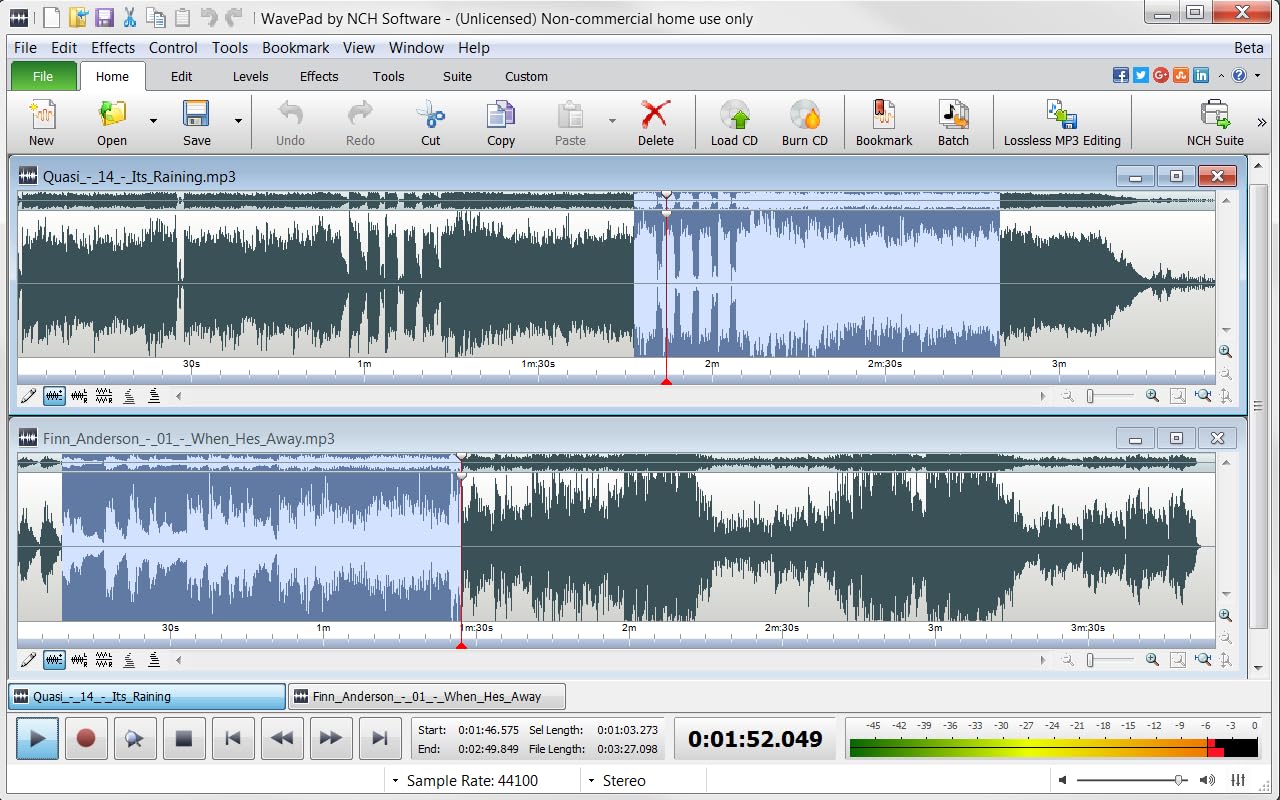
Image 3.1: WavePad's main editing window displaying two audio tracks and selection tools.
3.2 Editing and Effects
WavePad provides a comprehensive suite of editing tools and effects to refine your audio.
- Basic Editing: Use cut, copy, paste, split, and join functions to manipulate audio segments.
- Audio Cleanup: Features like noise reduction, click/pop reduction, and silence tools help enhance sound quality.
- Speed and Pitch: Adjust the speed and pitch of your tracks to achieve desired effects.
- Efectes especials: Apply various effects individually or use the Effect Chain for batch application.
- Ajust de nivell: Tools such as equalize, envelope, and auto gain control allow precise level adjustments.
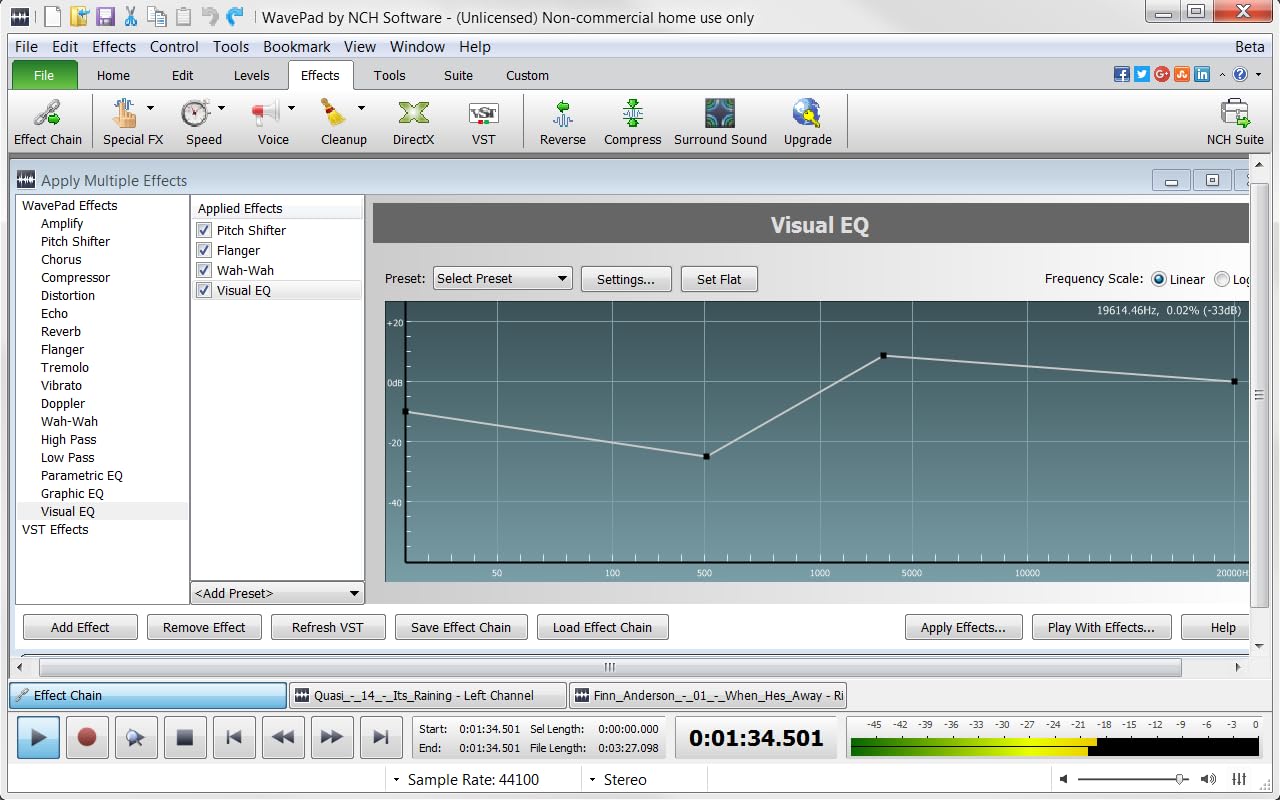
Image 3.2: The 'Apply Multiple Effects' dialog, demonstrating the visual equalizer and effect selection.
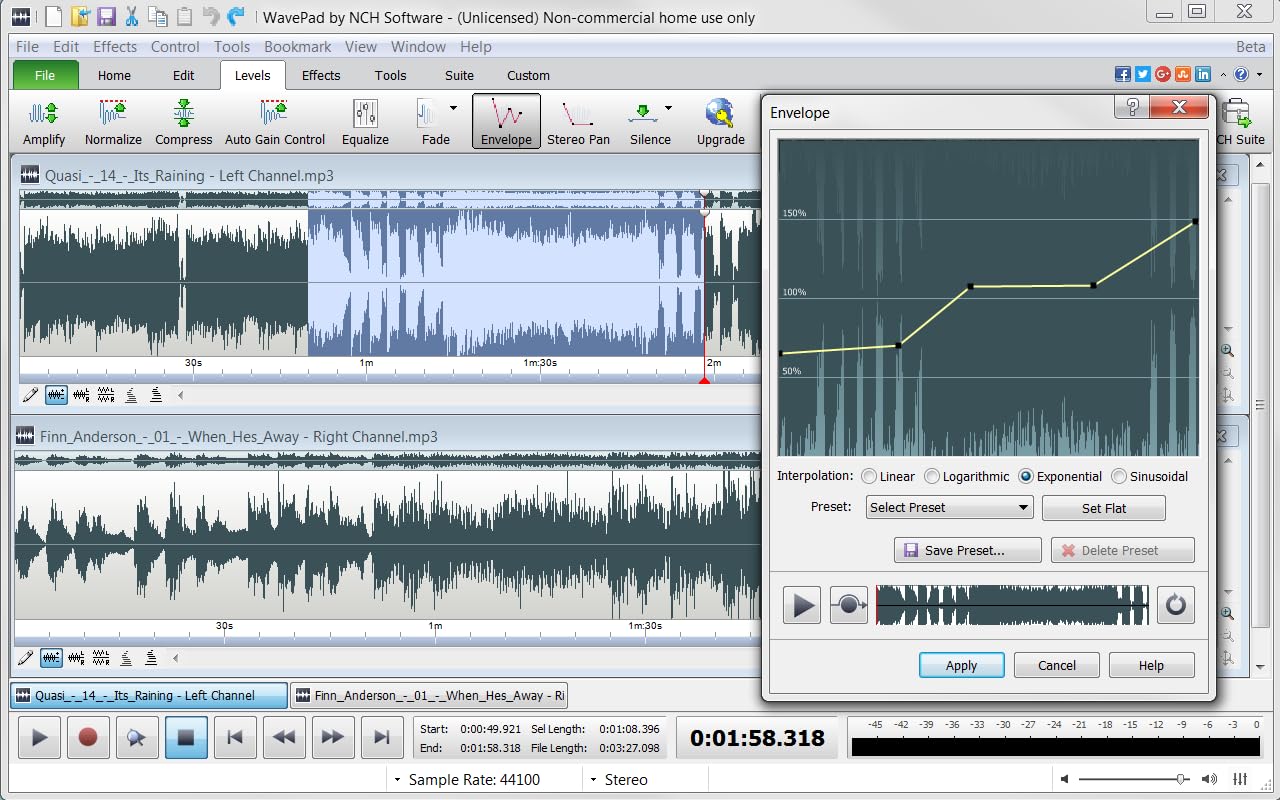
Image 3.3: The 'Envelope' tool for adjusting audio levels dynamically over the track's duration.
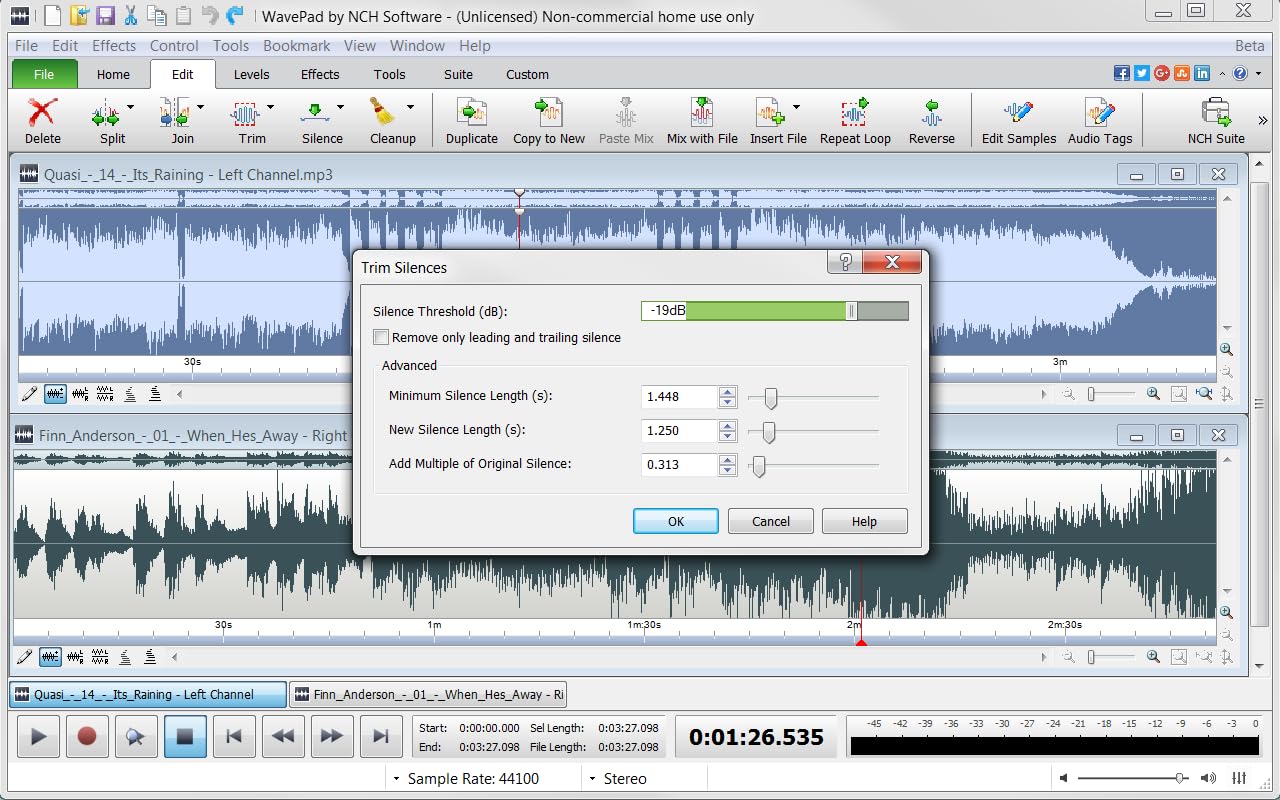
Image 3.4: The 'Trim Silences' feature, allowing users to automatically remove or reduce silent sections.
3.3 Eines útils
Beyond core editing, WavePad includes several utility tools:
- Adreces d'interès: Mark specific points in your track for easy navigation and reference.
- Batch Conversion: Convert multiple audio files ràpida i eficient.
- Lossless MP3 Editing: Edit MP3 files without compromising quality.
- NCH Sound Library: Access a collection of stock sound clips.
- Text-To-Speech: Convert written text into spoken audio.
- FFT & TFFT: Analyze sound frequencies at specific points or over time.

Image 3.5: Creating a bookmark within an audio track for easy navigation.
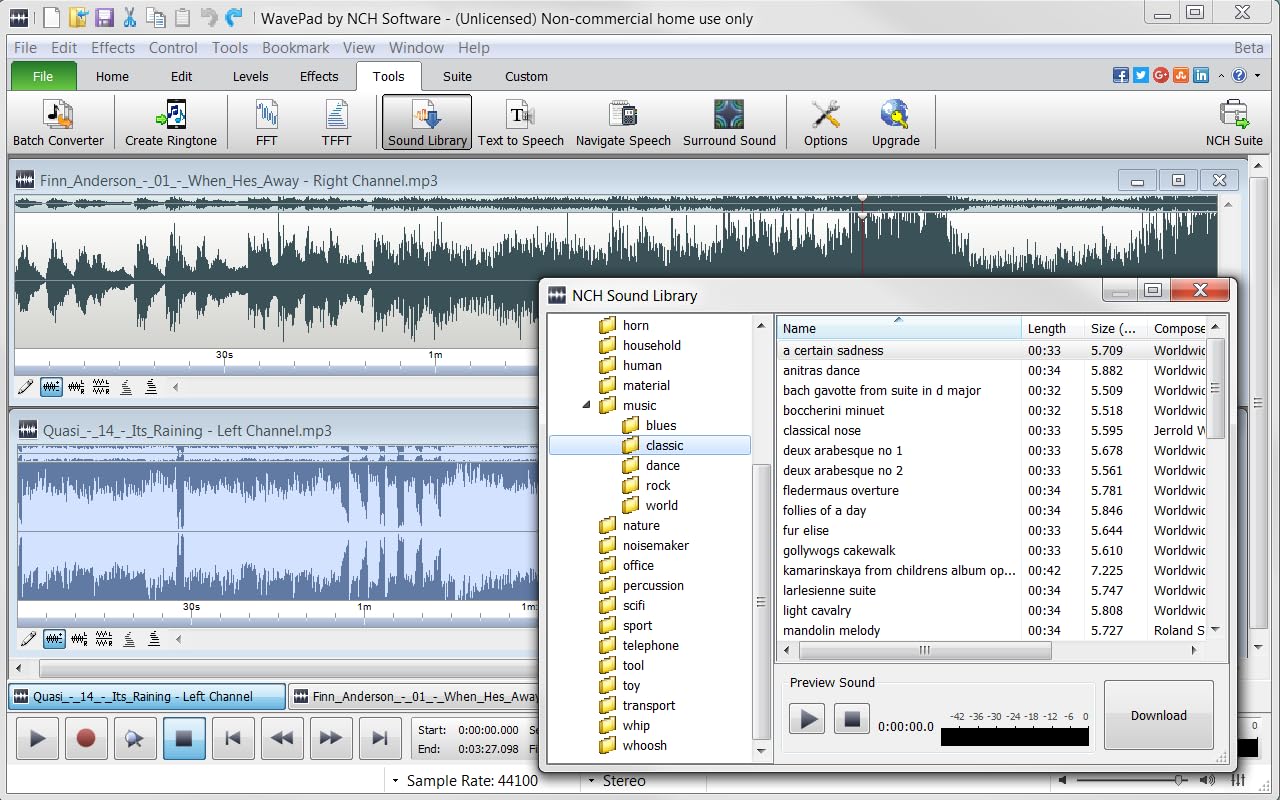
Image 3.6: Browsing the NCH Sound Library for additional audio elements.
3.4 Importing and Exporting
WavePad supports a wide array of file formats for both import and export, and offers integration with other NCH Software products.
- Export Formats: Export your edited audio into formats such as .wav, .mp3, .wma, .ogg, .m4a, .raw, .flac, and many more.
- Ringtone Creation: Easily create customized ringtones from your music.
- CD Integration: Import music directly from CDs or burn your edited tracks to a CD.
- Integració de programari: Connect with NCH MixPad for mixing or NCH Switch for format conversion.
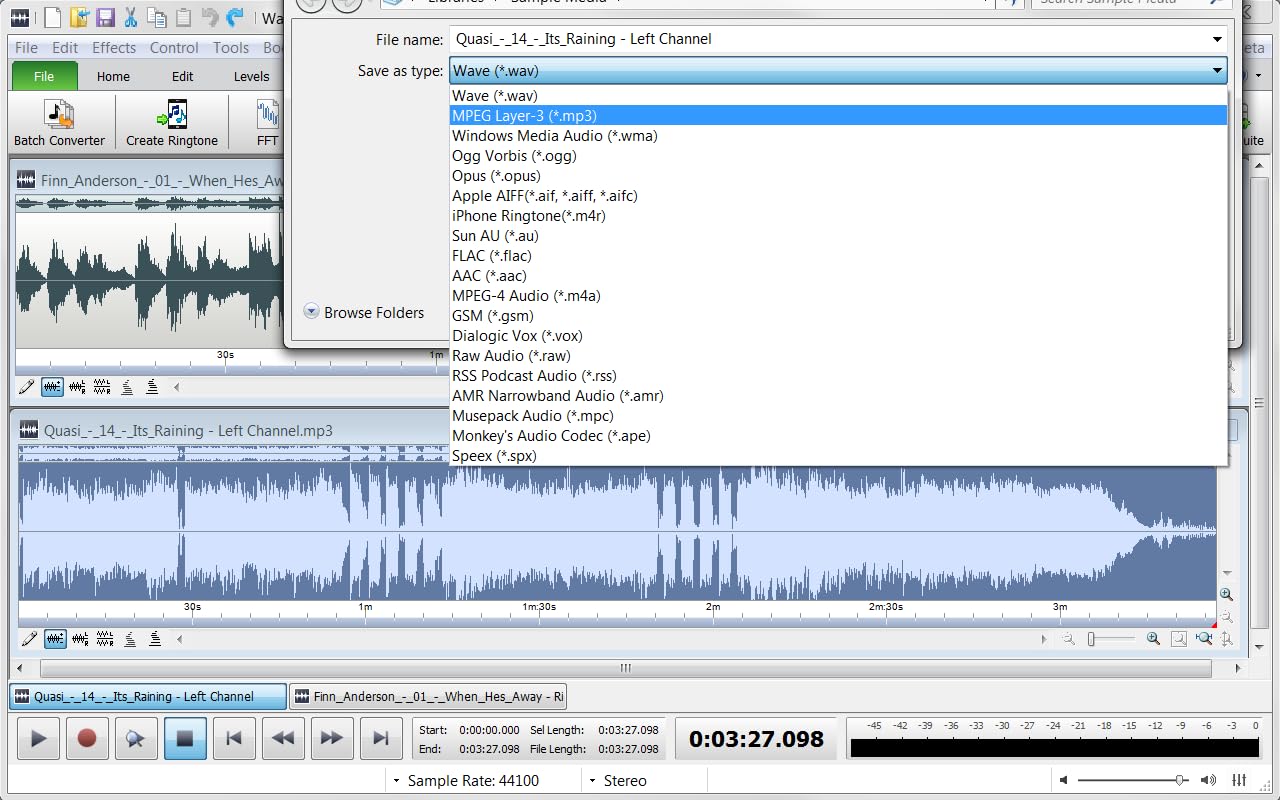
Image 3.7: The 'Save As' dialog, illustrating the wide range of supported export formats.
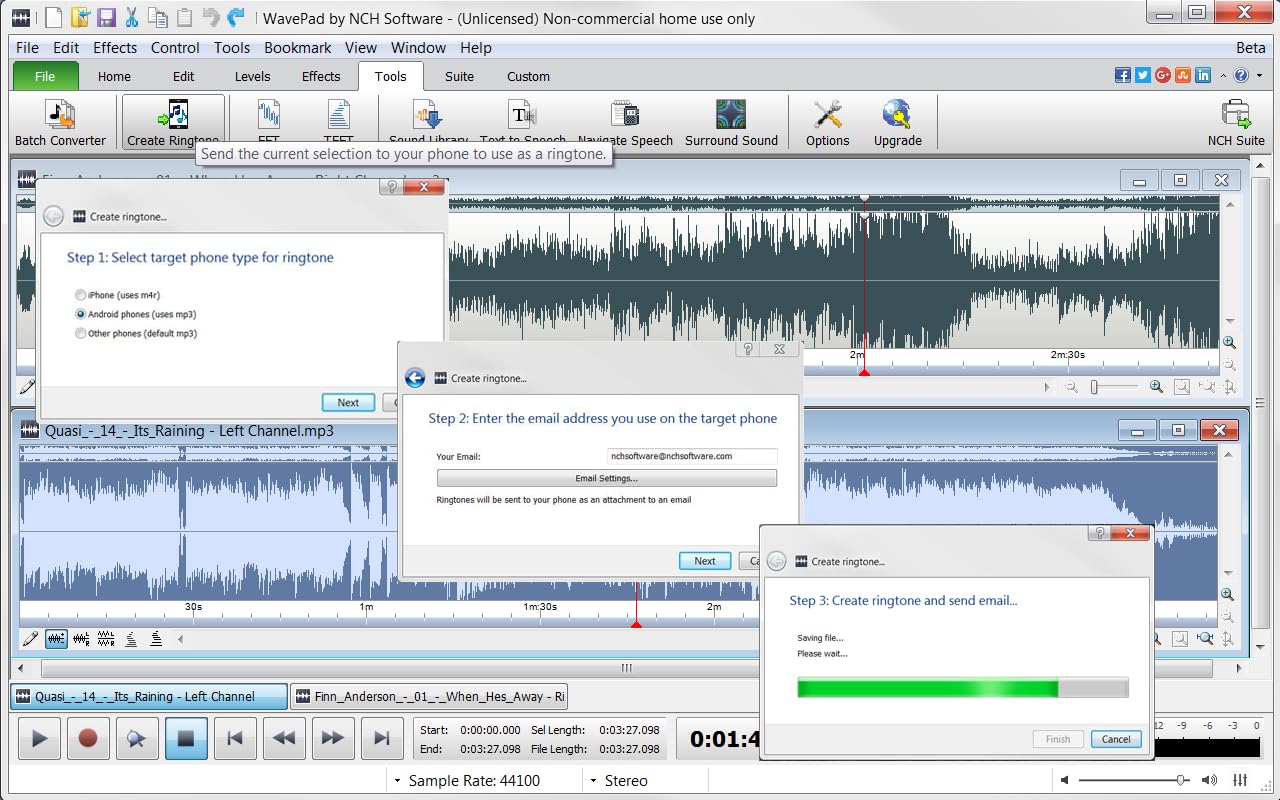
Image 3.8: The 'Create Ringtone' feature, demonstrating the process of generating and sending a custom ringtone.
4. Manteniment
To ensure optimal performance of WavePad Free Audio Editor:
- Actualitzacions periòdiques: Check for software updates periodically to benefit from new features, bug fixes, and performance improvements.
- Recursos del sistema: Close unnecessary applications while using WavePad, especially when working with large audio files, to free up system resources.
- Backup Projects: Regularly save and back up your audio projects to prevent data loss.
5. Solució De Problemes
If you encounter issues with WavePad, consider the following:
- El programari no s'inicia: Verify that your system meets the minimum requirements. Try reinstalling the software.
- Problemes de reproducció d'àudio: Check your sound card drivers and ensure they are up to date. Confirm that your audio output devices are correctly configured.
- Retard de rendiment: Reduce the number of open applications. For complex projects, consider upgrading your system RAM or processor.
- File Format Errors: Assegureu-vos l'àudio files you are importing are supported by WavePad. If exporting, verify the chosen format is compatible with your intended use.
- Refer to Help Documentation: WavePad includes built-in help documentation accessible through the software interface for more specific guidance.
6. Especificacions
The following are the minimum system requirements for WavePad Free Audio Editor PC Download:
- Processador: Core 2 Duo
- RAM: 512 MB
- Espai al disc dur: 20 MB
- Targeta de vídeo: 64MB Supporting Pixel Shader 2.0
- Sistemes operatius compatibles: Windows 10, Windows 8, Windows 7, Windows Vista, Windows XP
7. Garantia i Suport
WavePad Free Audio Editor is developed by NCH Software. For technical support, product inquiries, or information regarding potential paid upgrades and their terms, please visit the official NCH Software website. Specific warranty details for the free version are typically covered under the software's End User License Agreement (EULA) provided during installation.
Fabricant: NCH Software
Primer disponible: 10 de març de 2017
For further assistance, please refer to the support resources available on the NCH Software weblloc.