
Introducció
The Autel MaxiDAS DS808 KIT is a comprehensive automotive diagnostic system designed for professional technicians and enthusiasts. This bidirectional scan tool offers extensive capabilities for vehicle diagnostics, maintenance services, and advanced functions. It includes a full set of 11 non-standard OBD adapters to ensure wider vehicle compatibility.
Key features include reading and erasing diagnostic trouble codes (DTCs), displaying live data, performing active tests, and retrieving ECU information. The device supports over 30 service functions, advanced VAG Guided Functions, AutoVIN technology, and cloud-based report management.
Contingut del paquet
Upon opening the package, verify that all components are present and in good condition.
- Autel MaxiDAS DS808K Main Unit
- Cable principal
- Cable USB
- Adaptador d'alimentació
- Manual d'usuari
- Guia de referència ràpida
- Carrying Case for Main Unit
- Carrying Case for Adapters
- 11 Non-Standard OBD Adapters (e.g., for BMW, Mercedes-Benz, GM, Chrysler, etc.)
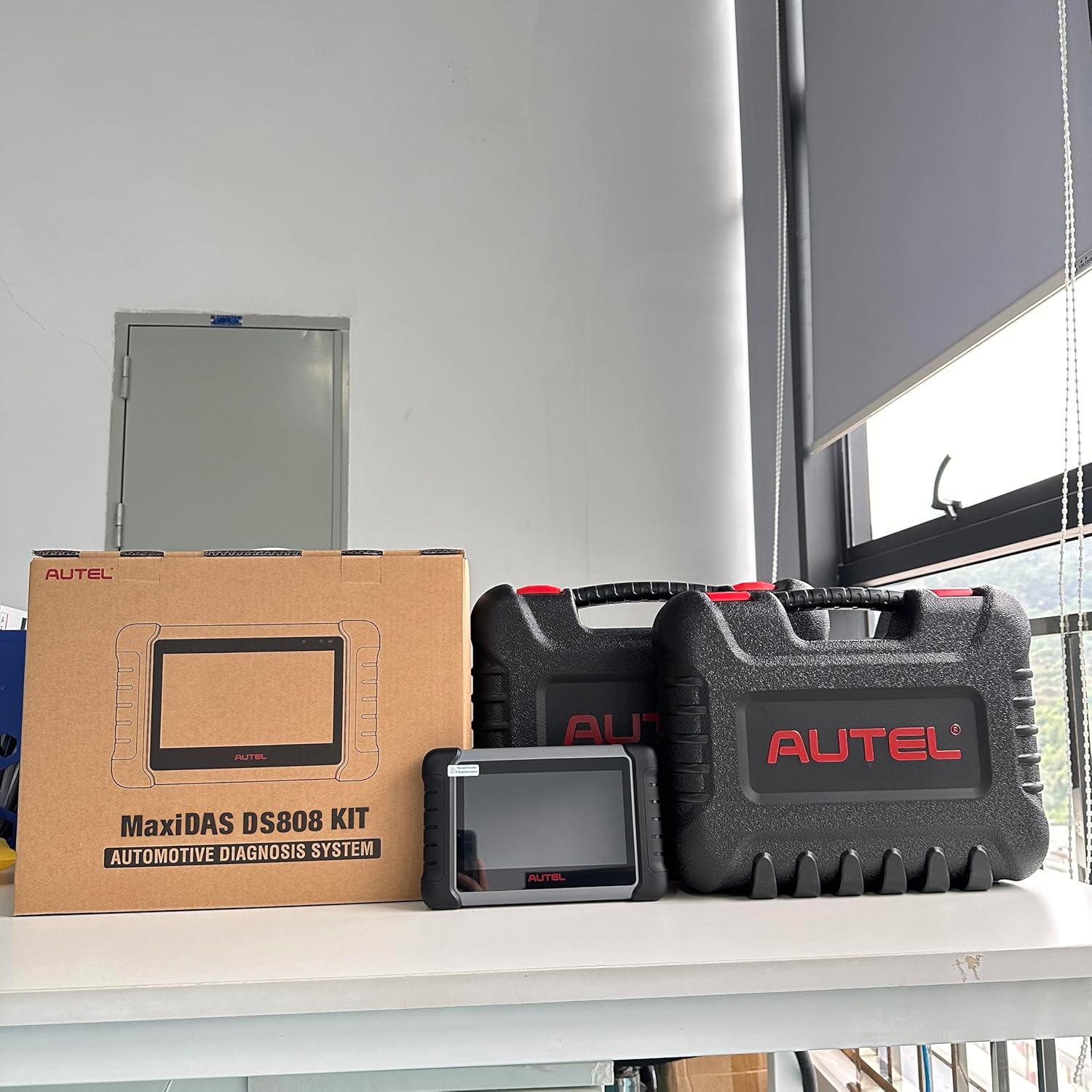
Image: The Autel MaxiDAS DS808 KIT, showing the diagnostic tablet, various cables, and two robust carrying cases for organized storage and transport.
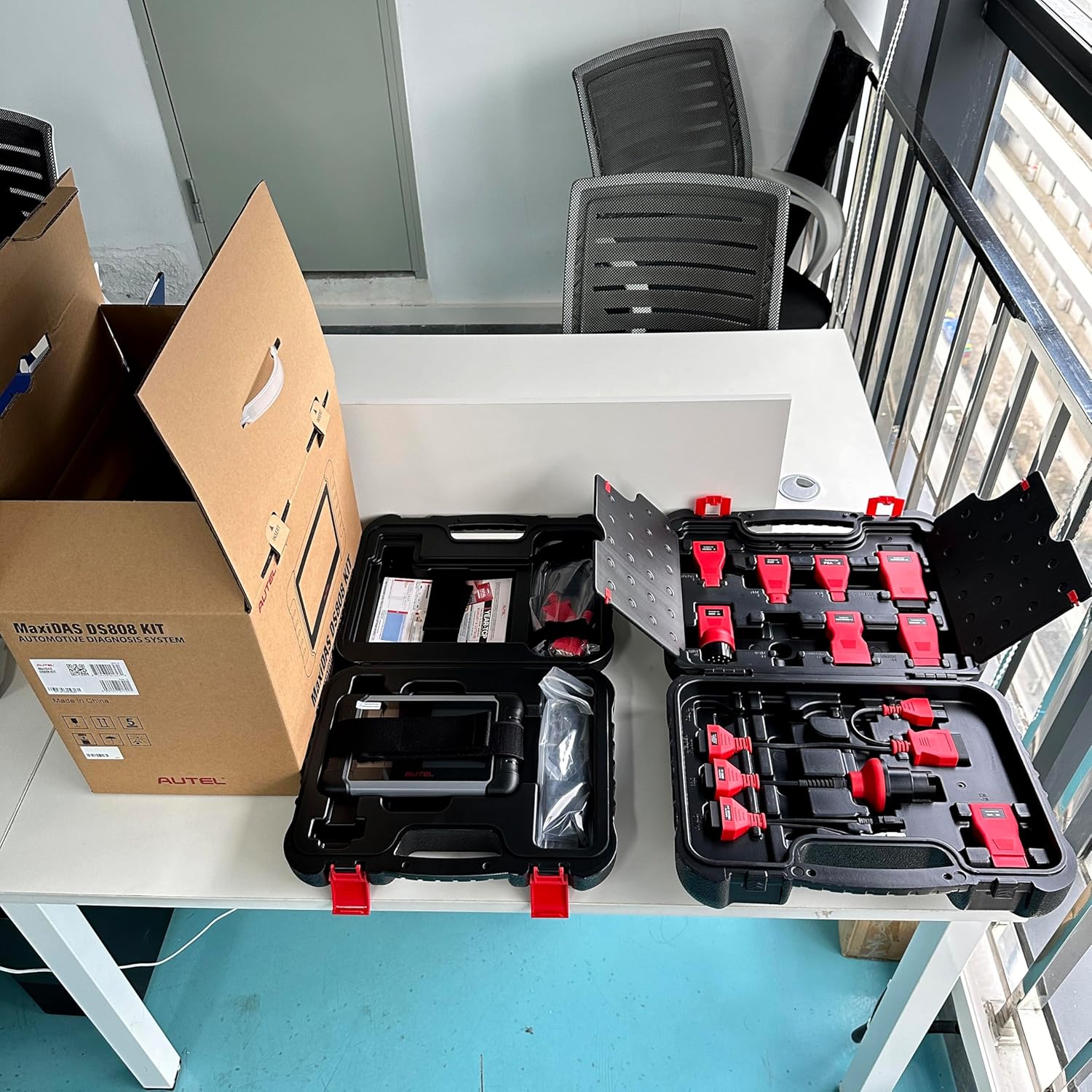
Image: An open carrying case revealing the comprehensive set of 11 non-standard OBD adapters included with the DS808 KIT, designed for broad vehicle compatibility.
Configuració
1. Engegada inicial
- Ensure the device is fully charged or connected to the power adapter.
- Press and hold the Power button to turn on the MaxiDAS DS808K.
- Segueix les instruccions que apareixen a la pantalla per seleccionar el teu idioma i la teva regió.
2. Connexió Wi-Fi
- Des del menú principal, navegueu fins a Configuració > Wi-Fi.
- Seleccioneu la xarxa Wi-Fi desitjada i introduïu la contrasenya si se us demana.
- A stable internet connection is required for software updates and online features.
3. Registration and Updates
- Register your device with Autel through the setup program. This typically involves creating an Autel ID.
- After registration, navigate to the Actualització application on the main menu.
- Download and install all available software updates to ensure optimal performance and the latest vehicle coverage.
4. Connexió al vehicle
- Locate the vehicle's Data Link Connector (DLC), usually under the dashboard on the driver's side.
- Connect the main cable to the MaxiDAS DS808K and then to the vehicle's DLC. For vehicles with non-standard OBD-II ports, use the appropriate adapter from the kit.
- Gireu l'encesa del vehicle a la posició ON position (engine off).
Instruccions de funcionament
1. OE-Level All System Diagnosis
The DS808K can perform a comprehensive scan of all available vehicle modules, including Engine, Transmission, ABS, SRS, EPB, SAS, BCM, and more. This function allows you to:
- Read and erase diagnostic trouble codes (DTCs).
- View live data streams in text or graph format.
- Analyze freeze frame data.
- Perform Auto VIN scan for quick vehicle identification.
2. Control bidireccional (prova activa)
This function allows the DS808K to send commands to the vehicle's ECU to activate specific actuators or components for testing. This helps in quickly pinpointing faulty components. Examples include activating fuel pumps, interior lights, A/C fans, windows, and more.
3. Més de 30 funcions de servei
The tool provides access to over 30 common maintenance and service functions, including but not limited to:
- Restabliment d’oli
- Restabliment del fre d'estacionament electrònic (EPB)
- Calibració del sensor d'angle de direcció (SAS).
- Sagnat de l’ABS
- Restabliment del sistema de gestió de bateries (BMS)
- Regeneració del filtre de partícules dièsel (DPF)
- Codificació d'injectors
- Adaptació de l'accelerador
- Prova d'equilibri de potència
Nota: The availability and compatibility of specific service functions vary by vehicle make, model, and year.
4. Advanced VAG Guided Function
For Volkswagen, Audi, Skoda, Seat, and Man_LD vehicles, the VAG Guided Functions provide step-by-step operational guidance with corresponding tips. This simplifies complex diagnostic processes, including auto log-in, matching, setting, and coding, reducing diagnostic time.
5. Auto VIN Scan & Read ECU Info
The Auto VIN technology automatically identifies the vehicle's make, model, and year, and scans all vehicle ECUs with a single touch. The Read ECU Info function retrieves and displays specific information about the control unit, such as unit type and version numbers.
6. Cloud Report Management
Upload diagnostic reports to the Autel Cloud for easy storage and sharing. Reports can be shared with customers via QR Code, email, or text message, enhancing data centralization and improving workflow efficiency.
Manteniment
- Protecció de pantalla: The device screen is sensitive. It is recommended to apply a screen protector to prevent scratches and damage.
- Neteja: Utilitzeu un suau, damp drap per netejar el dispositiu. Eviteu productes químics agressius o materials abrasius.
- Emmagatzematge: Store the device and its accessories in their designated carrying cases in a cool, dry place when not in use.
- Actualitzacions de programari: Regularly check for and install software updates to ensure the device has the latest vehicle coverage and features.
Resolució de problemes
- El dispositiu no s'encén: Ensure the battery is charged or the device is connected to a power source. If the issue persists, contact support.
- Connection Issues with Vehicle: Verify that the main cable and any necessary adapters are securely connected to both the device and the vehicle's DLC. Ensure the vehicle's ignition is in the ON position.
- Funció no compatible: Not all special functions are universally compatible with all vehicles. Before performing a specific function, verify compatibility by checking the vehicle's make, model, year, and VIN.
- Rendiment lent: Ensure the device has sufficient storage space. Close unnecessary applications. Perform regular software updates.
Especificacions
| Característica | Especificació |
|---|---|
| Marca | Autel |
| Número de model | MaxiDAS DS808K |
| Font d'alimentació | Funciona amb bateria |
| Sistema operatiu | Android 4.4 |
| Mida de la pantalla | 7 polzades |
| Resolució nativa | 1024 x 600 |
| UPC | 721352027391 |

Imatge: Part posterior view of the Autel MaxiDAS DS808K, displaying the product label with FCC ID, rate (5V 2A), and compliance markings.
Garantia
The Autel MaxiDAS DS808K comes with a 1 any de garantia del fabricant. Please retain your proof of purchase for warranty claims. For detailed warranty terms and conditions, refer to the official Autel weblloc o contacteu amb el servei d'atenció al client.
Suport
For technical assistance, compatibility inquiries, or customer service, please contact Autel support. When inquiring about vehicle compatibility for specific functions, provide your detailed car model, year, and VIN (Vehicle Identification Number).
- Oficial Weblloc: www.autel.com
- Correu electrònic: sales@autel.com
- Telèfon: +86 (0755) 8614-7779

Image: The back of the MaxiDAS DS808 KIT packaging, displaying Autel Intelligent Technology Corp., Ltd. contact details, including address, phone, email, and weblloc.