
Introducció
Welcome to your new Targus Compact Wireless Mouse. This manual provides essential information for proper setup, operation, and maintenance of your device. Please read these instructions carefully before use.
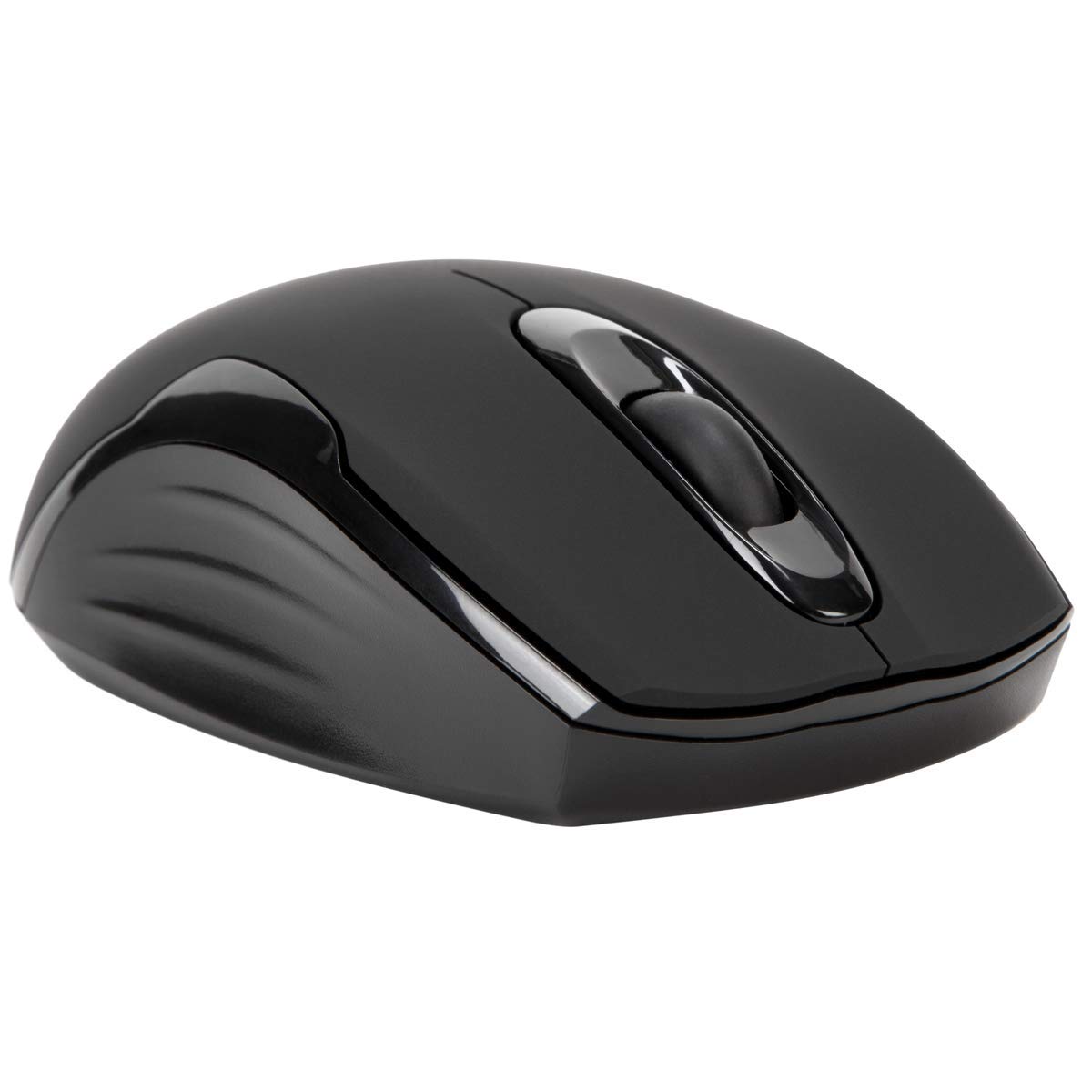
Contingut del paquet
- Targus Compact Wireless Mouse
- Receptor USB
- 1 x bateria AA
- Manual d'instruccions (aquest document)
Configuració
1. Instal·leu la bateria
Locate the battery compartment on the underside of the mouse. Insert the provided 1 x AA battery, ensuring correct polarity (+/-). Close the battery compartment cover securely.

2. Connecteu el receptor USB
Remove the USB receiver from its storage compartment, typically located near the battery. Plug the USB receiver into an available USB port on your computer.


3. Encès
Turn on the mouse using the power switch, usually located on the underside. The mouse should automatically connect to the receiver, and you can begin using it.
Funcionament
Funcions bàsiques
- Clic esquerre: Use for primary selection, opening items, and activating functions.
- Clic dret: Access contextual menus and additional options.
- Roda de desplaçament: Navega per documents i web pages vertically. Pressing the scroll wheel typically functions as a middle-click.
Blue Trace Technology
The Targus Compact Wireless Mouse features Blue Trace Technology, which allows it to track accurately on a wider variety of surfaces compared to standard optical mice, including glass, granite, and wood.
Sensibilitat DPI
The mouse is equipped with a 1,600 DPI (Dots Per Inch) optical sensor, providing a precise and responsive cursor movement for various tasks.
Manteniment
Canvi de bateria
When the mouse performance degrades or if it stops responding, it may be time to replace the AA battery. The average battery life is approximately 6 months, but this can vary based on usage.
Neteja
Per netejar el ratolí, feu servir un drap suau i sec. Per a la brutícia persistent, feu servir un drap lleugerament sec.amp cloth can be used, ensuring no moisture enters the internal components. Avoid using harsh chemicals, solvents, or abrasive cleaners, as these can damage the mouse's surface or internal parts.
Emmagatzematge del receptor USB
For convenient transport or storage, the USB receiver can be securely stored inside a dedicated compartment within the mouse itself. This helps prevent loss of the small receiver.
Resolució de problemes
El ratolí no respon
- Ensure the mouse is powered on using the switch on its underside.
- Check the battery level and replace the AA battery if necessary.
- Verify that the USB receiver is securely plugged into a working USB port on your computer.
- Prova de connectar el receptor USB a un port USB diferent de l'ordinador.
- Restart your computer to refresh the connection.
Moviment erràtic del cursor
- Netegeu el sensor òptic de la part inferior del ratolí amb un drap suau i sec.
- Ensure the surface you are using the mouse on is clean, flat, and suitable for optical tracking. Avoid highly reflective or transparent surfaces.
- Move the mouse closer to the USB receiver to reduce potential wireless interference.
Problemes de connectivitat
The mouse uses 2.4 GHz wireless technology designed for stable connection. If you experience persistent connectivity issues, try to minimize other wireless devices operating in close proximity that might cause interference.
Especificacions
| Marca | Targus |
| Nom del model | AMW575TT |
| Tecnologia de connectivitat | USB (Wireless 2.4 GHz) |
| Detecció de moviment | Optical (Blue Trace Technology) |
| Quantitat de botons | 3 |
| Orientació de la mà | Ambidextre |
| Dispositius compatibles | Universal (Windows® 10/8.1/8/7/Vista/XP/2000, Mac OS® X 10.6-10.12.4) |
| Font d'alimentació | Battery Powered (1 AAA battery required, included) |
| Mouse Maximum Sensitivity | 1600 Dots per Inch (DPI) |
| abast sense fils | 33.0 peus (10 metres) |
| Durada mitjana de la bateria | 6 mesos |
| Pes de l'article | 0.14 lliures |
| Dimensions de l'article (L x A) | 4.4" de llargada x 2.3" d'amplada |
| Material de tancament | Plàstic |
| Característiques addicionals | 128-bit AES-CCM encryption |
Garantia i suport
Informació de la garantia
This Targus product is covered by a 1 any de garantia del fabricant. Please retain your proof of purchase for any warranty claims. The warranty covers defects in materials and workmanship under normal use.
Atenció al client
For further assistance, technical support, or to inquire about warranty services, please visit the official Targus website or contact their customer service department. Contact information can typically be found on the Targus weblloc.
Nota: Avís de la Proposició 65: Aquest producte pot contenir substàncies químiques que l'estat de Califòrnia sap que causen càncer i defectes congènits o altres danys reproductius.


