
ABLEGRID USB Charging Cable for Philips MP3/MP4 Player Vibe Series
ABLEGRID USB Charging Cable User Manual
For Philips MP3/MP4 Player Vibe Series
Introducció
This manual provides essential information for the proper use, setup, and maintenance of your ABLEGRID USB Charging Cable. Please read this manual thoroughly before using the product to ensure optimal performance and longevity.
The ABLEGRID USB Charging Cable is designed to provide high-speed data transfer and charging capabilities for compatible devices, specifically Philips MP3/MP4 Player Vibe series and other devices utilizing a USB Mini-B connector.
Producte acabatview
The ABLEGRID USB Charging Cable features a standard USB A male connector on one end and a USB Mini B male connector on the other. It is a 1.2-meter high-speed USB 2.0 cable.
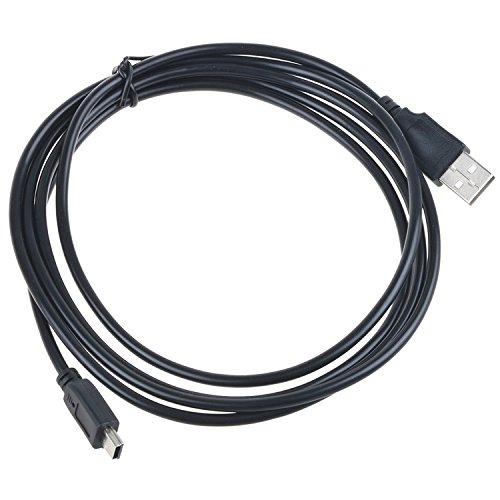


Característiques principals:
- 1.2 Meter (approximately 3.9 feet) cable length.
- High-speed USB 2.0 data transfer capability.
- Equipped with a standard USB Type-A male connector.
- Features a USB Mini-B male connector for device compatibility.
- Compatible with various devices including cellphones, GPS systems, PDAs, MP3/MP4 players, OTG devices, and digital cameras that use a USB Mini-B port.
Nota important:
Before connecting, verify that your device requires a USB Mini-B cable and not a USB Micro-B cable. These two connector types are distinct and not interchangeable.
Configuració
The ABLEGRID USB Charging Cable is a plug-and-play device and requires no software installation.
- Identify Device Port: Locate the USB Mini-B port on your Philips MP3/MP4 player or other compatible device. This port is typically small and trapezoidal in shape.
- Connecta't al dispositiu: Gently insert the USB Mini-B end of the ABLEGRID cable into the corresponding port on your device. Ensure the connector is oriented correctly to avoid damage. Do not force the connection.
- Connecteu-vos a la font d'alimentació/dades: Insert the standard USB Type-A end of the cable into a compatible USB port on a computer, a USB wall adapter, or a car charger.
- Verifica la connexió: Your device should indicate that it is charging or connected for data transfer, depending on the function initiated.
Instruccions de funcionament
Càrrega del dispositiu:
To charge your device, connect the USB Mini-B end to your device and the USB Type-A end to a powered USB port (e.g., wall charger, computer USB port, power bank). The device's charging indicator should activate.
Transferència de dades:
To transfer data (e.g., music, photos) between your device and a computer:
- Connect the USB Mini-B end to your device.
- Connect the USB Type-A end to an available USB port on your computer.
- Your computer should recognize the device as a removable storage drive or media device. Follow the on-screen prompts or access the device through "My Computer" (Windows) or "Finder" (macOS) to transfer files.
- Always safely eject or unmount your device from the computer before disconnecting the cable to prevent data corruption.
Cura i Manteniment
Proper care will extend the life of your ABLEGRID USB Charging Cable:
- Emmagatzematge: When not in use, coil the cable loosely. Avoid tight coiling or sharp bends, which can damage the internal wires.
- Neteja: Si cal, netegeu suaument el cable i els connectors amb un drap sec i suau. No utilitzeu netejadors líquids ni materials abrasius.
- Manipulació: Agafeu sempre la carcassa del connector quan connecteu o desconnecteu el cable. No estireu del cable en si, ja que això pot forçar les connexions i causar danys.
- Medi ambient: Mantingueu el cable allunyat de temperatures extremes, llum solar directa i humitat.
Resolució de problemes
| Problema | Causa possible | Solució |
|---|---|---|
| El dispositiu no es carrega. |
|
|
| Computer not recognizing device. |
|
|
| Slow charging/data transfer. |
|
|
Especificacions
| Característica | Detall |
|---|---|
| Marca | ABLEGRID |
| Tipus de cable | USB 2.0 |
| Connector 1 | USB tipus A mascle |
| Connector 2 | USB Mini-B Male |
| Longitud del cable | 1.2 metres (aprox. 3.9 peus) |
| Característica especial | High Speed Data Transfer and Charging |
| Dispositius compatibles | Philips MP3/MP4 Player Vibe Series (e.g., SA1VBE04K/37, SA1VBE04P/17, etc.), Cellphones, GPS systems, PDAs, OTG devices, Digital Cameras with USB Mini-B port. |
Informació de la garantia
ABLEGRID products typically come with a standard manufacturer's warranty. For specific warranty terms and conditions, please refer to the packaging or contact ABLEGRID customer support directly. Keep your purchase receipt as proof of purchase for warranty claims.
Atenció al client
For technical assistance, troubleshooting not covered in this manual, or warranty inquiries, please contact ABLEGRID customer support. Visit the official ABLEGRID weblloc web per obtenir la informació de contacte més actualitzada.
Note: As this product is from a small business brand, your support helps them grow.
Ask a question about this manual
Ask about setup, troubleshooting, compatibility, parts, safety, or missing instructions. Manuals+ will review the question and use this page’s manual context to help answer it.