
1. Introducció
Thank you for choosing the SJCAM SJ4000 Action Camera. This manual provides essential information for setting up, operating, maintaining, and troubleshooting your device. The SJ4000 is a Full HD 1080p action camera designed for capturing high-quality videos and photos in various environments, including underwater with its waterproof casing.
Key features include 1080p video recording, 12-megapixel photo capture, a 2.0-inch display, and waterproof capability up to 30 meters with the included housing.
2. Contingut del paquet
Si us plau, reviseu el paquet per assegurar-vos que hi ha tots els elements:
- SJCAM SJ4000 Camera Body
- Estoig impermeable
- Bateria recarregable d'ions de liti
- Various Mounts and Accessories (16 pieces)
- Cable USB
- Drap de neteja
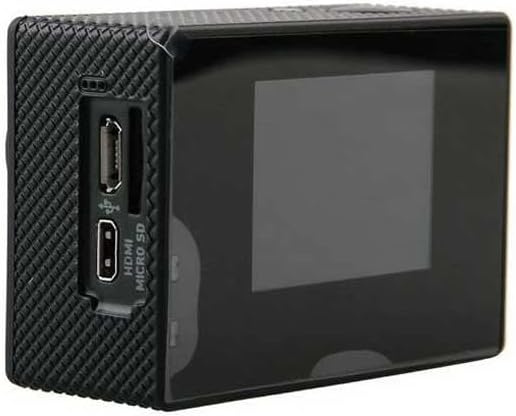
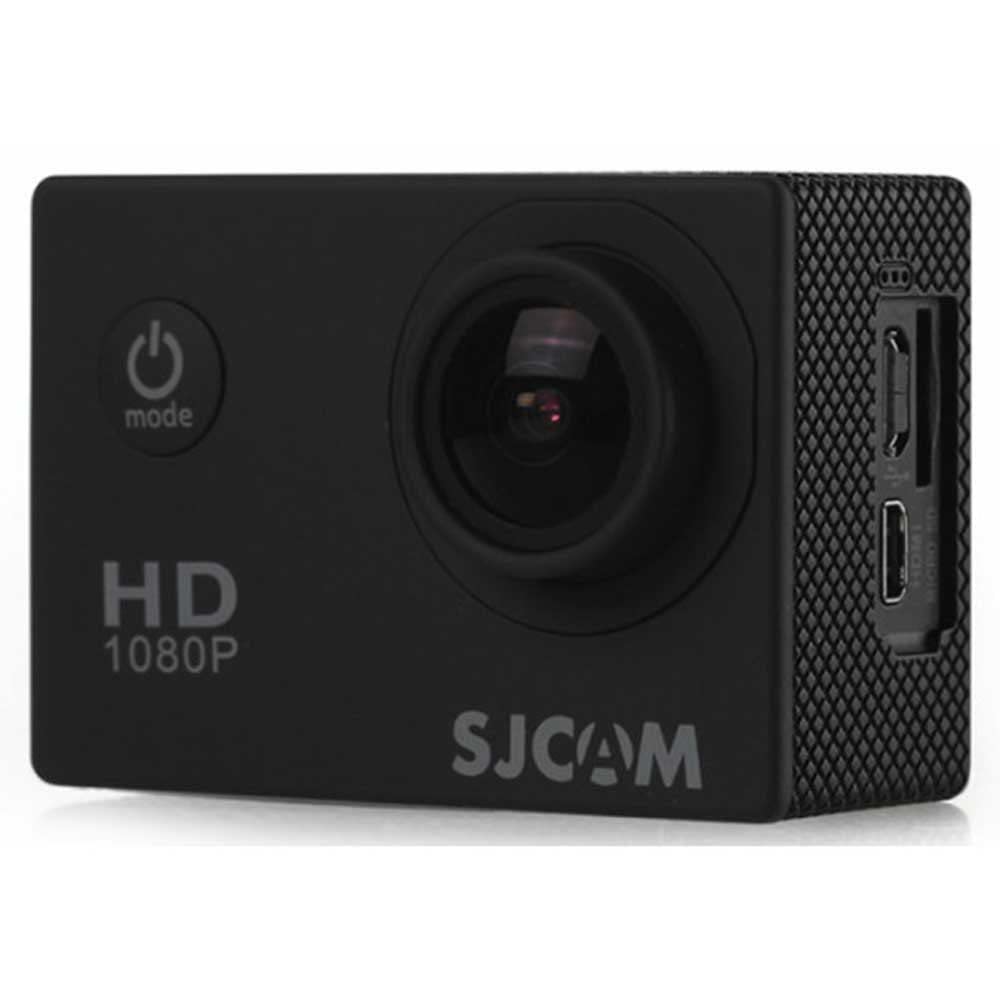
Image: SJCAM SJ4000 camera with its waterproof housing and a selection of included mounting accessories.
3. Configuració
3.1 Instal·lació i càrrega de la bateria
- Obriu la tapa del compartiment de la bateria que es troba a la part inferior de la càmera.
- Insert the Lithium-ion battery, ensuring the contacts align correctly.
- Tanqueu bé la tapa del compartiment de la bateria.
- To charge, connect the camera to a USB power source using the provided USB cable. The charging indicator light will illuminate.
3.2 Instal·lació de la targeta MicroSD
The SJ4000 requires a MicroSD card (not included) for storing recordings. Use a Class 10, UHS-3, or V60 MicroSD card with a maximum capacity of 32GB for optimal performance.
- Localitza la ranura per a targetes MicroSD al lateral de la càmera.
- Insert the MicroSD card with the contacts facing the front of the camera until it clicks into place.
- Per treure-la, premeu suaument la targeta fins que surti.
Imatge: Lateral view of the SJCAM SJ4000 camera body, highlighting the MicroSD card slot and HDMI port.
3.3 Ús de la funda impermeable
The waterproof case allows the camera to be used underwater up to 30 meters. Ensure the case is properly sealed before submerging.
- Open the latch on the waterproof case.
- Carefully place the camera inside the case, ensuring it fits snugly.
- Close the latch firmly to create a watertight seal.
- Before first use, test the empty waterproof case underwater to ensure no leaks.
4. Funcionament de la càmera
4.1 Encès/Apagat
- Encès: Press and hold the Power/Mode button on the front of the camera for a few seconds.
- Apagar: Press and hold the Power/Mode button again until the screen turns off.
4.2 Selecció del mode
Press the Power/Mode button repeatedly to cycle through the different modes:
- Mode d'enregistrament de vídeo: Indicated by a video camera icon.
- Mode de fotografia: Indicated by a camera icon.
- Mode de reproducció: Indicated by a play icon, for reviewing recorded content.
- Mode de configuració: Indicated by a gear icon.
4.3 Gravació de vídeo
- Canvia al mode de gravació de vídeo.
- Press the OK button (top of the camera) to start recording. A red dot or timer will appear on the screen.
- Torneu a prémer el botó D'acord per aturar la gravació.
4.4 Fer fotos
- Canvia al mode Foto.
- Frame your shot using the 2.0-inch display.
- Premeu el botó D'acord per fer una foto.
4.5 Navegació i configuració del menú
In Settings Mode, use the Up/Down buttons on the side of the camera to navigate through options. Press the OK button to select an option and the Power/Mode button to exit a menu.
Common settings include video resolution, photo resolution, loop recording, exposure, white balance, and date/time.
4.6 Connexió a un ordinador o dispositiu mòbil
The camera can connect to a computer via USB to transfer files. It is also compatible with Android and iOS devices for remote control and file management via a dedicated app (check SJCAM website for app availability).
5. Manteniment
- Neteja de la lent i la pantalla: Use the provided cleaning cloth or a soft, lint-free cloth to gently wipe the lens and screen. Avoid abrasive materials.
- Cura de la funda impermeable: After using the waterproof case in saltwater, rinse it with fresh water and allow it to air dry. Inspect the rubber seal regularly for any damage or debris.
- Cura de la bateria: Store the battery in a cool, dry place. Do not expose it to extreme temperatures. If not using the camera for an extended period, remove the battery.
- Emmagatzematge: Guardeu la càmera i els accessoris en una funda protectora per evitar danys per impactes o pols.
6. Solució De Problemes
- La càmera no s'encén: Ensure the battery is fully charged and correctly inserted. Try charging the camera for at least 30 minutes.
- La gravació s'atura de manera inesperada: Check if the MicroSD card is full or if it's a low-speed card. Format the MicroSD card (this will erase all data) or use a higher-speed card (Class 10, UHS-3, V60 recommended).
- Poca qualitat de vídeo: Ensure the lens is clean. Check the selected video resolution in the settings.
- Fuita d'aigua a la carcassa impermeable: Immediately remove the camera. Inspect the rubber seal for dirt, hair, or damage. Ensure the latch is securely closed. Do not use the case if the seal is compromised.
- Footage distortion from vibrations: The SJCAM SJ4000 features digital image stabilization. However, in environments with significant vibrations (e.g., mounted on a motorcycle), some distortion may still occur as it lacks advanced optical stabilization. Consider mounting the camera in locations with less vibration or using additional dampening accessories.
7. Especificacions
| Marca | SJCAM |
| Nom del model | SJ4000 |
| Resolució de gravació de vídeo | 1080p |
| Effective Photo Resolution | 12.23 MP |
| Mida de la pantalla | 2 polzades |
| Nivell de resistència a l'aigua | Waterproof (with case, up to 30m) |
| Estabilització d'imatge | Digital (No optical stabilization) |
| Zoom òptic | 4x |
| Zoom digital | 4x |
| Tipus de lent | Gran Angular |
| Tipus de targeta de memòria | MicroSD / SDHC / SDXC |
| Max Memory Card Size | 32 GB |
| Memory Card Speed Class | C10, UHS-3, V60 |
| Tecnologia de connectivitat | USB |
| Dispositius compatibles | Android, iOS |
| Tipus de bateria | 1 bateria de liti-ió (inclosa) |
| Format de captura de vídeo | MPEG (H.264) |
| Format d'imatge | JPEG |
8. Informació de la garantia
The SJCAM SJ4000 Action Camera comes with a Garantia del fabricant de 2 anys from the date of purchase. Please retain your proof of purchase for warranty claims. The warranty covers manufacturing defects but does not cover damage caused by misuse, accidents, or unauthorized modifications.
9. Suport
For further assistance, technical support, or warranty inquiries, please visit the official SJCAM website or contact their customer service department. Refer to the packaging or the official weblloc web per obtenir la informació de contacte més actualitzada.