
Introducció
The FeinTech FPS00200 is a USB fingerprint reader designed to enable biometric login via Windows Hello on compatible Windows 10 systems. This device provides a secure and convenient alternative to traditional password entry, enhancing user experience and system security.
Les característiques clau inclouen:
- USB connectivity for easy integration.
- Compatibility with Windows Hello for biometric authentication.
- 360° surface sensor for quick and accurate fingerprint recognition.
- Compact design, minimizing protrusion from the USB port.
- Support for multiple fingerprint registrations and intelligent learning for improved detection.

Image: The FeinTech FPS00200 USB Fingerprint Reader, a compact black device with a metallic USB connector.
Configuració
The FeinTech FPS00200 is designed for plug-and-play functionality with Windows 10. No additional software installation is typically required, as drivers are either included with Windows or automatically downloaded via Windows Update.
- Connecteu el dispositiu: Insert the FPS00200 into an available USB 2.0 or USB 3.0 port on your computer.
- Instal·lació del controlador: Windows 10 should automatically detect the device and install the necessary drivers. If an internet connection is available, Windows Update may download updated drivers if needed.
- Configura Windows Hello:
- Vés a Configuració > Comptes > Opcions d'inici de sessió.
- A "Empremta digital de Windows Hello", feu clic a Configurar.
- Follow the on-screen prompts to scan your fingerprint. You will be asked to scan your finger multiple times from different angles to ensure accurate recognition.
- You can register up to 5 different fingerprints, allowing for multiple fingers or multiple users to access the system.

Image: A graphic representation of a fingerprint, symbolizing biometric authentication.

Image: The compact fingerprint reader plugged into a laptop's USB port, showing its minimal protrusion.

Image: The Windows Hello for Business and Windows 10 logos, indicating compatibility with the operating system's biometric features.
Instruccions de funcionament
Once configured, the FPS00200 allows for quick and secure login to your Windows 10 system and compatible applications.
- Inicia sesió: At the Windows login screen, place a registered finger on the sensor. The device will recognize your fingerprint and log you in within approximately one second.
- Reconeixement 360°: The sensor is designed to recognize your fingerprint regardless of the angle at which you place your finger.
- Suport a l'aplicació: In addition to Windows login, the fingerprint reader can be used with applications that support Windows Hello, such as Microsoft Edge and various password managers (e.g., Enpass, RoboForm).
- Eliminació del dispositiu: If the fingerprint sensor is removed from the computer, Windows will revert to requiring a password or PIN for login. Re-inserting the device will automatically reactivate fingerprint login without needing to repeat the setup process.
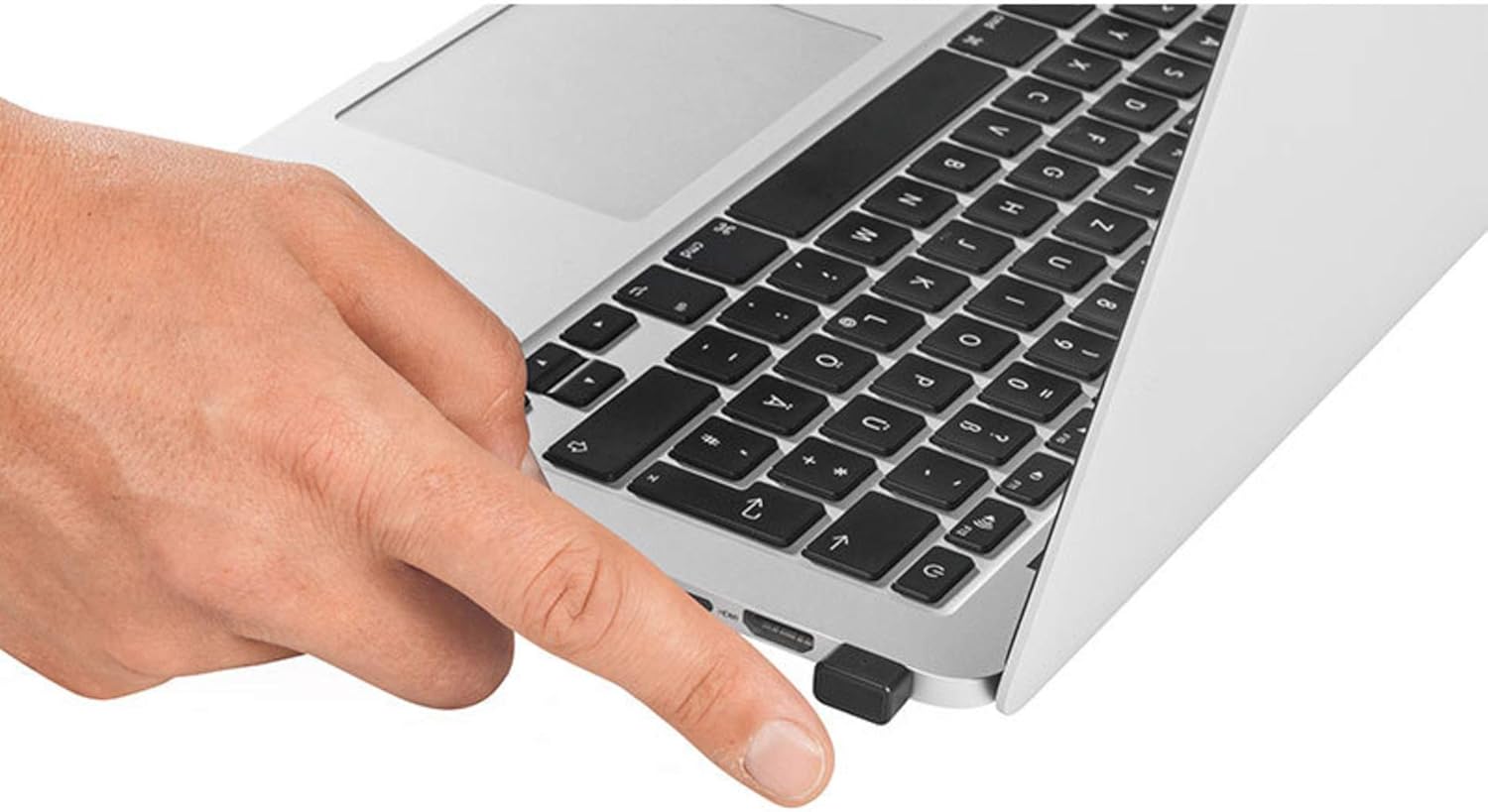
Image: A user's finger positioned on the FeinTech FPS00200 fingerprint reader, which is plugged into a laptop.
Manteniment
To ensure optimal performance and longevity of your FeinTech FPS00200 fingerprint reader, follow these maintenance guidelines:
- Neteja: Gently wipe the sensor surface with a soft, dry, lint-free cloth. Avoid using abrasive materials, harsh chemicals, or liquids directly on the sensor.
- Emmagatzematge: Quan no l'utilitzeu, guardeu el dispositiu en un lloc net i sec, allunyat de temperatures extremes i de la llum solar directa.
- Manipulació: Eviteu deixar caure el dispositiu ni sotmetre'l a impactes forts, ja que podrien danyar els components interns.
- Port USB: Ensure the USB port on your computer is clean and free of debris before inserting the fingerprint reader.
Resolució de problemes
If you encounter issues with your FeinTech FPS00200, consider the following troubleshooting steps:
- Dispositiu no reconegut:
- Prova de connectar el dispositiu a un port USB diferent.
- Assegureu-vos que els controladors USB de l'ordinador estiguin actualitzats.
- Reinicieu l'ordinador.
- Empremta digital no reconeguda:
- Assegureu-vos que el vostre dit estigui net i sec.
- Place your finger firmly and completely on the sensor surface.
- Try scanning a different registered finger.
- Re-register your fingerprint in Windows Hello settings. The intelligent learning algorithm improves recognition over time, but re-registration can help if issues persist.
- Windows Hello Setup Issues:
- Ensure your Windows 10 operating system is fully updated.
- Verify that you have an active internet connection for driver downloads if necessary.
- Check Windows Device Manager for any errors related to the fingerprint reader.
- Compatibilitat: This device is designed for Windows 10 (32 and 64 bit). It is not guaranteed to work with other operating systems like Linux.
Especificacions
| Característica | Detall |
|---|---|
| Marca | FeinTech |
| Número de model | FPS00200 |
| Color | Negre |
| Tecnologia de connectivitat | USB (2.0 / 3.0 compatible) |
| Sistema operatiu | Windows 10 (32 i 64 bits) |
| Característiques especials | Biometric, 360° recognition |
| Dispositius compatibles | Ordinador personal |
| Fabricant | FeinTech |
| País d'origen | Xina |
Informació de la garantia
The FeinTech FPS00200 USB Fingerprint Reader comes with a Garantia del fabricant de 2 anys. Please retain your proof of purchase for warranty claims. For specific terms and conditions, refer to the warranty documentation provided with your product or contact FeinTech customer support.
Suport
For further assistance or detailed video instructions on setting up your device, please refer to the QR code provided on the product packaging. This QR code links to official support resources. For additional inquiries, please contact FeinTech customer support directly.