
Introducció
The Riwbox WT-7S Kids Bluetooth Headphones are designed to provide an engaging audio experience for children, featuring LED lights that synchronize with music. These headphones offer both wireless Bluetooth 5.3 connectivity and a wired mode for continuous use. They are foldable for portability and include a built-in microphone for communication.
Característiques clau
- Llums LED dinàmiques: LED lights on both sides of the headphones flash with the music's frequency, adding a fun visual element.
- Tecnologia Bluetooth 5.3: Ensures stable and efficient wireless connection with powerful 40mm speakers for natural sound and strong bass.
- ON/OFF LED Light Function: Users can turn off the LED blinking effect in Bluetooth mode to conserve battery life.
- Dual Mode (Wired/Wireless): Seamlessly switch between Bluetooth wireless mode and wired mode using the included Riwbox D1 audio cable when the battery is low.
- Controls integrats: Convenient controls on the headphone allow for easy navigation of songs and volume adjustment.
- Disseny plegable: The headphones can be folded for compact storage and portability, making them ideal for travel.
- Micròfon integrat: Enables hands-free calls and voice chat.
Què hi ha a la caixa
- Riwbox WT-7S Kids Bluetooth Headphones (Blue)
- Riwbox D1 Audio Cable (3.5mm Jack)
- Cable de càrrega USB
Guia de configuració
1. Càrrega dels auriculars
Before first use, fully charge your Riwbox WT-7S headphones. Connect the provided USB charging cable to the USB charge port on the headphones and the other end to a compatible USB power source (e.g., computer USB port, wall adapter). The LED indicator will show charging status and turn off when fully charged. Charging time is approximately 3 hours.

Image: Diagram showing the location of the USB charge port and LED indicator on the Riwbox WT-7S headphones.
2. Emparellament Bluetooth
- Assegureu-vos que els auriculars estiguin apagats.
- Press and hold the power button until the LED indicator flashes blue and red alternately, indicating pairing mode.
- Al dispositiu (telèfon intel·ligent, tauleta, PC), activeu el Bluetooth i cerqueu els dispositius disponibles.
- Select "WT-7S" from the list of found devices.
- Once connected, the LED indicator will turn solid blue or flash slowly.

Image: Riwbox WT-7S headphones connected wirelessly to a smartphone, illustrating the Bluetooth connection and power display.
The headphones support Bluetooth 5.3 and have a range of up to 10 meters.
3. Connexió per cable (mode AUX)
To use the headphones in wired mode, connect the Riwbox D1 audio cable (3.5mm jack) to the AUX port on the headphones and the other end to your audio device's 3.5mm audio output. This mode allows you to continue listening even when the headphone battery is depleted.

Image: Riwbox WT-7S headphones connected via a 3.5mm audio cable, demonstrating wired compatibility with devices like computers, iPads, smartphones, and MP3/MP4 players.
Instruccions de funcionament
Controls acabatsview
Image: Detailed diagram of the Riwbox WT-7S headphone controls, including ON/OFF switch, microphone, LED indicator, USB charge port, and 3.5mm audio AUX port.
| Botó/Control | Function (Bluetooth Mode) |
|---|---|
| Interruptor ON/OFF | Encén o apaga els auriculars. |
| Botó Reproduir/Pausa | Short press to play or pause music. Press to answer/hang up calls. |
| Puja el volum (+) | Premeu breument per augmentar el volum. |
| Baixar el volum (-) | Premeu breument per reduir el volum. |
| Botó de la següent cançó | Long press to skip to the next song. |
| Botó de cançó anterior | Long press to go to the previous song. |
| Control de llum LED | Long press to open/close the LED light effect. |
| Micròfon | For hands-free calls and voice input. |
The LED lights on the earcups will flash according to the music's rhythm, enhancing the listening experience. You can turn off the LED lights to save battery life, extending playtime up to 39.99 hours.

Imatge: Frontal view of the Riwbox WT-7S Kids Bluetooth Headphones in blue, showcasing the illuminated LED lights on the earcup.
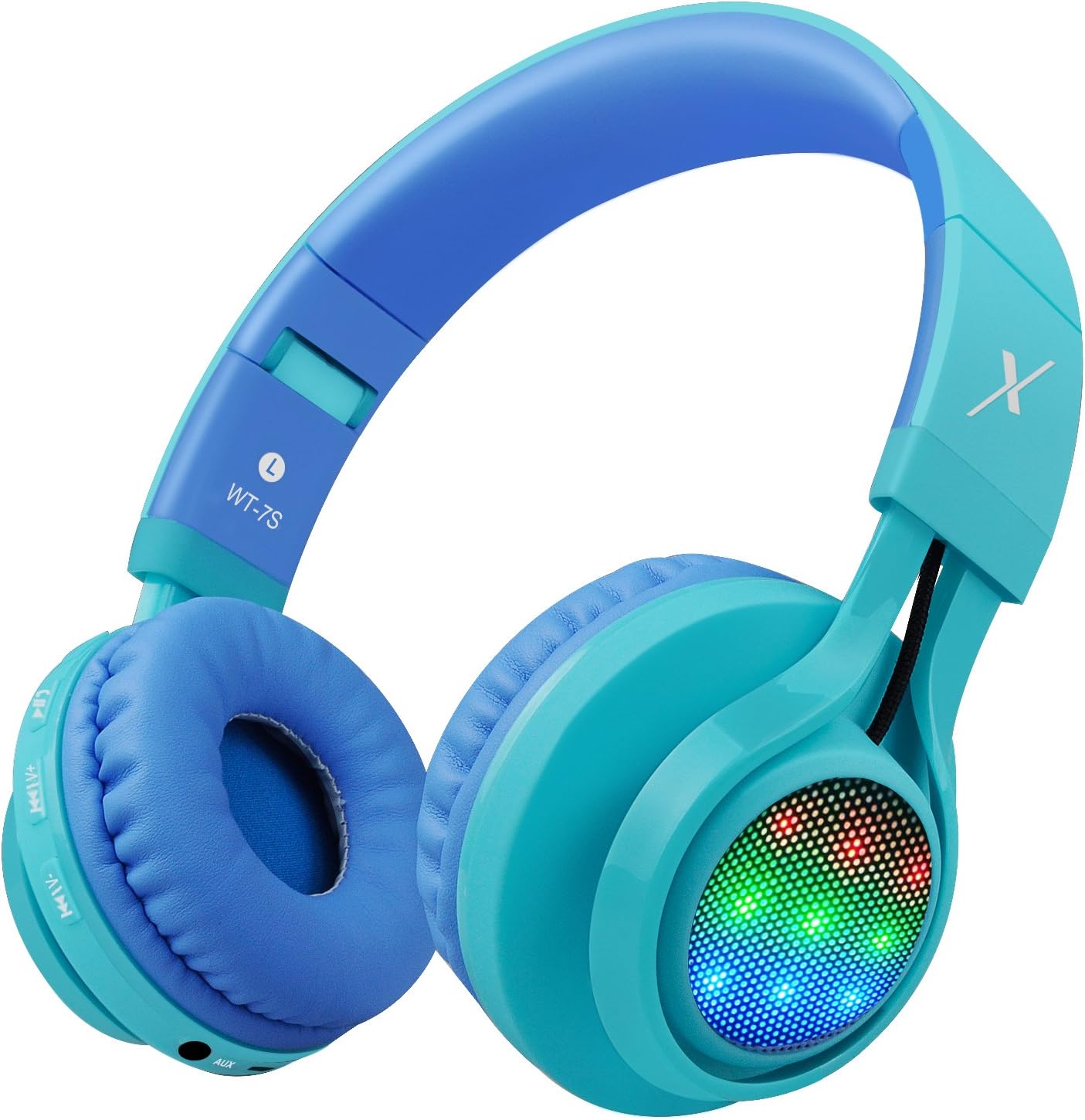
Imatge: Lateral view of the Riwbox WT-7S Kids Bluetooth Headphones in blue, highlighting the LED lights on the earcup and the control buttons.
Manteniment i cura
- Neteja: Use a soft, dry cloth to clean the headphones. Avoid using abrasive cleaners or solvents.
- Emmagatzematge: When not in use, store the headphones in a cool, dry place. The foldable design allows for compact storage, minimizing space.
- Cura de la bateria: Per allargar la durada de la bateria, eviteu descarregar completament els auriculars amb freqüència. Carregueu-los regularment, fins i tot si no els feu servir constantment.
- Resistència a l'aigua: Els auriculars són resistents a l'aigua, però no impermeables. Eviteu submergir-los a l'aigua o exposar-los a la pluja intensa.

Image: The Riwbox WT-7S headphones shown in their collapsed, folded state, demonstrating how they minimize storage space and fit easily into a backpack or drawer.
Resolució de problemes
| Problema | Possible solució |
|---|---|
| Els auriculars no s'encenen. | Ensure the headphones are charged. Connect to a power source using the USB charging cable. |
| No es pot emparellar amb un dispositiu Bluetooth. |
|
| No hi ha so en mode sense fil. |
|
| No hi ha so en mode amb cable. |
|
| LED lights are not flashing. | Long press the LED light control button to ensure the feature is enabled. If enabled, ensure music is playing. |
Especificacions del producte
| Especificació | Detall |
|---|---|
| Nom del model | WT-7S |
| Marca | Riwbox |
| Color | Blau |
| Tecnologia de connectivitat | Bluetooth |
| Tecnologia de comunicació sense fils | Bluetooth |
| Versió Bluetooth | 5.3 (Note: Product data shows 4.0, but feature bullets state 5.3. Using 5.3 as it's more recent and likely correct for current models.) |
| Interval Bluetooth | 10 metres |
| Mida del controlador d'àudio | 40 mil·límetres |
| Resposta de freqüència | 20 Hz - 20 kHz |
| Sensibilitat | 108 dB |
| Impedància | 32 ohms |
| Conector d'auriculars | 3.5 mm Jack |
| Temps de càrrega | 3 hores |
| Durada de la bateria | 39.99 hores |
| Pes de l'article | 210 grams (7.4 unces) |
| Dimensions del producte | 7.09 x 5.91 x 3.15 polzades |
| Nivell de resistència a l'aigua | Resistent a l'aigua |
| Tipus de control | Control de volum, tàctil |
| Material | Plàstic |
Garantia i Suport
For warranty information and customer support, please refer to the product packaging or visit the official Riwbox weblloc web. Conserveu el rebut de compra per a qualsevol reclamació de garantia.
També podeu visitar el Riwbox Store on Amazon per obtenir més informació sobre el producte i recursos d'assistència.
Vídeos de productes
Video: An official product video titled "Top Best Headphones for Kids with LED and Mic" by Cotico (Seller). This video demonstrates the features and usage of the Riwbox WT-7S headphones, including the LED lights and overall design, in a family setting.
