
1. Introducció
Thank you for choosing the Flexispot EB2B Electric Height-Adjustable Desk Frame. This manual provides essential information for the safe and efficient assembly, operation, and maintenance of your new desk frame. Please read this manual thoroughly before installation and keep it for future reference.
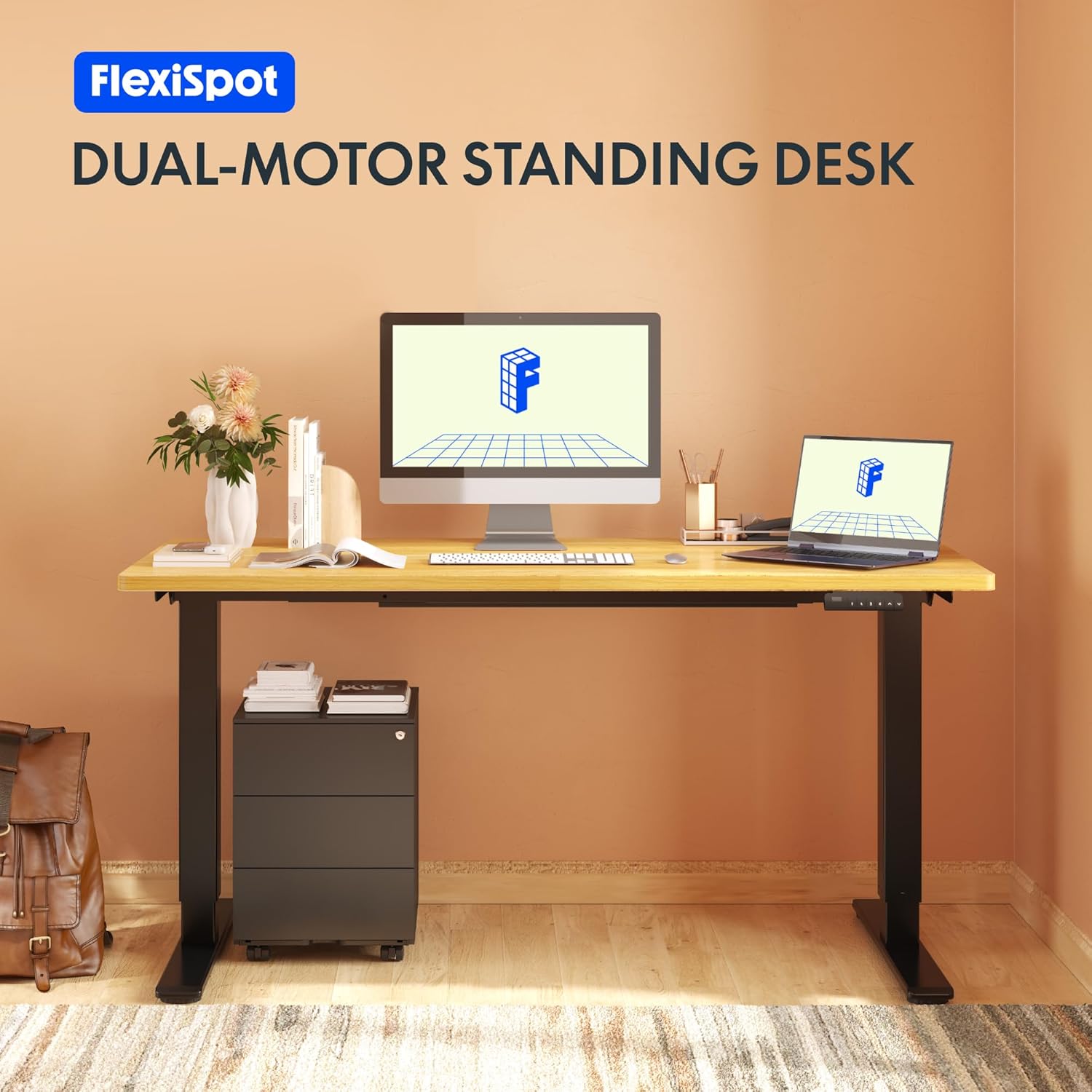
Image: The Flexispot EB2B desk frame supporting a complete desk setup, highlighting its dual-motor design.
2. Informació de seguretat
Per garantir un funcionament segur i evitar danys, observeu les següents precaucions de seguretat:
- Assegureu-vos que tots els components estiguin ben subjectats abans d'utilitzar-los.
- No supereu la capacitat màxima de pes de 100 kg (220 lliures).
- Mantingueu els nens i les mascotes allunyats de l'escriptori durant el funcionament per evitar lesions per les peces mòbils.
- Ensure there are no obstructions in the desk's path when adjusting height. The anti-collision system is designed to prevent damage, but manual vigilance is always recommended.
- Do not disassemble or modify the desk frame or its electrical components. Contact qualified personnel for repairs.
- Desconnecteu l'alimentació abans de netejar o realitzar qualsevol manteniment.

Image: Visual representation of the anti-collision system, showing the desk rebounding upon detecting an obstruction.
3. Contingut del paquet
Si us plau, comproveu que hi hagi totes les peces abans de començar el muntatge:
- Potes d'escriptori (2)
- Peus (2)
- Travessa (1)
- Suports laterals (2)
- Caixa de control (1)
- Handset/Control Panel (1)
- Adaptador de corrent (1)
- Cable d'alimentació (1)
- Cable Management Clips (4)
- Assembly Hardware (screws, Allen keys, etc.)

Image: All main components of the Flexispot EB2B desk frame, including the dual legs, crossbar, and control panel.
4. Muntatge i muntatge
Follow these steps to assemble your Flexispot EB2B desk frame. It is recommended to have two people for assembly.
- Prepara la zona: Clear a spacious area for assembly. Lay down a soft cloth or cardboard to protect the desk frame and your floor.
- Uneix els peus a les cames: Fixeu fermament els peus a la part inferior de cada pota de l'escriptori amb els cargols proporcionats.
- Muntar la barra transversal: Connect the two desk legs to the adjustable crossbar. Ensure the crossbar is extended to the desired width to accommodate your tabletop (Min: 110cm, Max: 180cm).
- Instal·leu els suports laterals: Attach the side brackets to the top of the desk legs, which will support your tabletop.
- Muntar la caixa de control: Secure the control box to the designated area under the crossbar.
- Connectar els cables: Connect the motor cables from each leg to the control box. Connect the handset cable to the control box. Finally, connect the power adapter to the control box and the power cord to the adapter.
- Fixar el taulell: Carefully place your tabletop (not included) onto the assembled frame. Ensure it is centered and aligned. Secure the tabletop to the frame using appropriate screws (ensure screws are not too long to penetrate the tabletop surface). The frame is compatible with tabletops from 110 cm to 180 cm wide and 50 cm to 80 cm deep.
- Gestió de cables: Use the provided cable management clips to organize and secure all cables, preventing them from dangling or getting caught.

Image: A diagram illustrating the adaptable desktop sizes (width and depth) that the Flexispot EB2B desk frame can accommodate.
5. Instruccions de funcionament
The Flexispot EB2B features a user-friendly control panel for height adjustment and memory functions.
5.1. Ajust bàsic d'alçada
- Pujar escriptori: Manteniu premut el botó UP (^) botó per elevar l'escriptori a l'alçada desitjada.
- Escriptori inferior: Manteniu premut el botó DOWN (v) botó per baixar l'escriptori a l'alçada desitjada.
- The LED display will show the current height in centimeters. The desk operates smoothly and quietly, with a noise level below 50 dB and a lifting speed of 3.2 cm/sec.
5.2. Preajustos de memòria
The control panel allows you to save up to four preferred height settings.
- Ajusteu l'escriptori a l'alçada desitjada amb els botons AMUNT/AVALL.
- Premeu el botó M. button (or 'S' depending on the model) followed by the desired preset number (1, 2, 3 o 4). The display will show 'S-' then the number, indicating the height has been saved.
- To recall a saved height, simply press the corresponding preset number (1, 2, 3 o 4). L'escriptori es mourà automàticament a la posició desada.
5.3. Sedentary Reminder System
The advanced control panel includes a sedentary reminder system to encourage healthy work habits. Consult your specific control panel's instructions for activating and setting reminder intervals.
5.4. Sistema anticol·lisió
The desk is equipped with an anti-collision system. If the desk encounters an obstruction during height adjustment, it will automatically stop and reverse slightly to prevent damage. You can adjust the sensitivity of this system (refer to the detailed control panel manual for specific steps).

Imatge: Una imatge detallada view of the control panel, showing the LED display, up/down buttons, and four memory preset buttons.
6. Manteniment
Regular maintenance ensures the longevity and optimal performance of your desk frame.
- Neteja: Netegeu el marc de l'escriptori amb un drap suauamp cloth. Avoid using harsh chemicals or abrasive cleaners. Ensure the desk is unplugged before cleaning.
- Inspecció: Reviseu periòdicament tots els cargols i connexions per assegurar-vos que estiguin ben ajustats. Torneu a apretar-los si cal.
- Comprovació del cable: Assegureu-vos que tots els cables estiguin connectats correctament i no presentin danys.
- Lubricació: The lifting mechanism is designed for maintenance-free operation. Do not apply lubricants unless specifically instructed by Flexispot support.
7. Solució De Problemes
If you encounter issues with your Flexispot EB2B desk frame, refer to the following common problems and solutions:
| Problema | Causa possible | Solució |
|---|---|---|
| L'escriptori no es mou. | Power cable disconnected; control box error. | Check all cable connections. Unplug and replug the power cord. Perform a reset (see below). |
| L'escriptori es mou de manera irregular o fa un soroll inusual. | Loose connections; uneven weight distribution. | Check all screws and ensure they are tight. Redistribute weight evenly on the tabletop. |
| Error code on display (e.g., E01, E02). | System error; overload; motor issue. | Refer to the specific error code in the detailed control panel manual. Often, a reset can resolve these. |
| El sistema anticol·lisió s'activa massa sovint. | High sensitivity setting. | Adjust the anti-collision sensitivity via the control panel settings (refer to control panel manual). |
7.1. Procediment de reinici
If the desk is not functioning correctly, a reset may resolve the issue:
- Manteniu premut el botó DOWN (v) button until the desk reaches its lowest position and slightly rebounds. Continue holding for approximately 5-10 seconds until the display shows 'RST' or 'RESET'.
- Release the button. The desk will then move slightly up and down to calibrate. Once the display shows the lowest height (e.g., 71.0), the reset is complete.
8. Especificacions
| Característica | Detall |
|---|---|
| Número de model | EB2B (E2B-DE / EB2B-EU) |
| Height Range (without tabletop) | 71 cm - 119 cm (27.9" - 46.8") |
| Frame Width (extensible) | 110 cm - 180 cm (43.3" - 70.8") |
| Compatible Tabletop Width | 110 cm - 180 cm (43.3" - 70.8") |
| Compatible Tabletop Depth | 50 cm - 80 cm (19.7" - 31.5") |
| Capacitat de càrrega màxima | 100 kg (220 lliures) |
| Velocitat d'elevació | 3.2 cm/sec (1.26"/sec) |
| Nivell de soroll | < 50 dB |
| Motors | Dual-motor system |
| Tauler de control | Advanced all-in-one keyboard with 4 memory presets and sedentary reminder. |
| Anti-Collision System | Sí |
| Material | Acer d'aliatge |
| Color | Negre |

Image: The Flexispot EB2B frame demonstrating its large height adjustment range (70-119 cm) and anti-collision feature.
9. Garantia i Suport
Flexispot stands behind the quality of its products.
- Garantia del marc: The desk frame is covered by a 5 any de garantia.
- Motor and Controller Warranty: The motors and controllers are covered by a 3 any de garantia.
For warranty claims, technical support, or any questions not covered in this manual, please contact Flexispot customer service through their official website or your point of purchase. Please have your model number (EB2B) and purchase information ready.

Image: Visual representation of the warranty terms: 5 years for the desk frame and 3 years for controllers and motors.