
TECKNET EKB005-Black
TECKNET 2.4G Wireless Keyboard User Manual
Model: EKB005-Black
Marca: TECKNET
Introducció
The TECKNET 2.4G Wireless Keyboard is a mini compact keyboard designed for convenience and portability. It features media hotkeys, a long 12-month battery life, and is compatible with various devices including PCs, desktops, laptops, and Smart TVs. Its comfortable key design ensures smooth, quiet typing, reducing finger fatigue. The plug-and-play functionality allows for easy setup with a stable wireless connection up to 49 feet (15 meters).

Figure 1: TECKNET 2.4G Wireless Keyboard, showcasing its compact design and full QWERTY layout.
Què hi ha a la caixa
- TECKNET wireless keyboard
- 2.4 GHz Nano USB receiver
- Guia d'usuari
Configuració
1. Instal·lació de la bateria
The keyboard requires 2 AAA batteries (not included). Locate the battery compartment on the back of the keyboard. Slide open the cover, insert the batteries according to the polarity indicators, and close the cover securely.

Figura 2: posterior view of the keyboard, highlighting the battery compartment and the integrated USB receiver storage.
2. Connexió del receptor USB
The 2.4 GHz Nano USB receiver is conveniently stored next to the battery slot on the back of the keyboard. Gently remove the receiver. Plug the USB receiver into an available USB port on your computer, laptop, or Smart TV. The keyboard is plug-and-play, meaning it should be recognized automatically by your device without needing additional drivers.

Figure 3: The keyboard in use, demonstrating its wireless connection range of up to 49 feet (15 meters).
3. Encès
Locate the On/Off switch on the back of the keyboard and slide it to the 'On' position. The keyboard is now ready for use.
Funcionament del teclat
Mecanografia bàsica
The keyboard features a stylish chocolate keycap design, providing a smooth and quiet typing experience. The low-profile keys reduce key travel, contributing to comfortable and efficient typing.
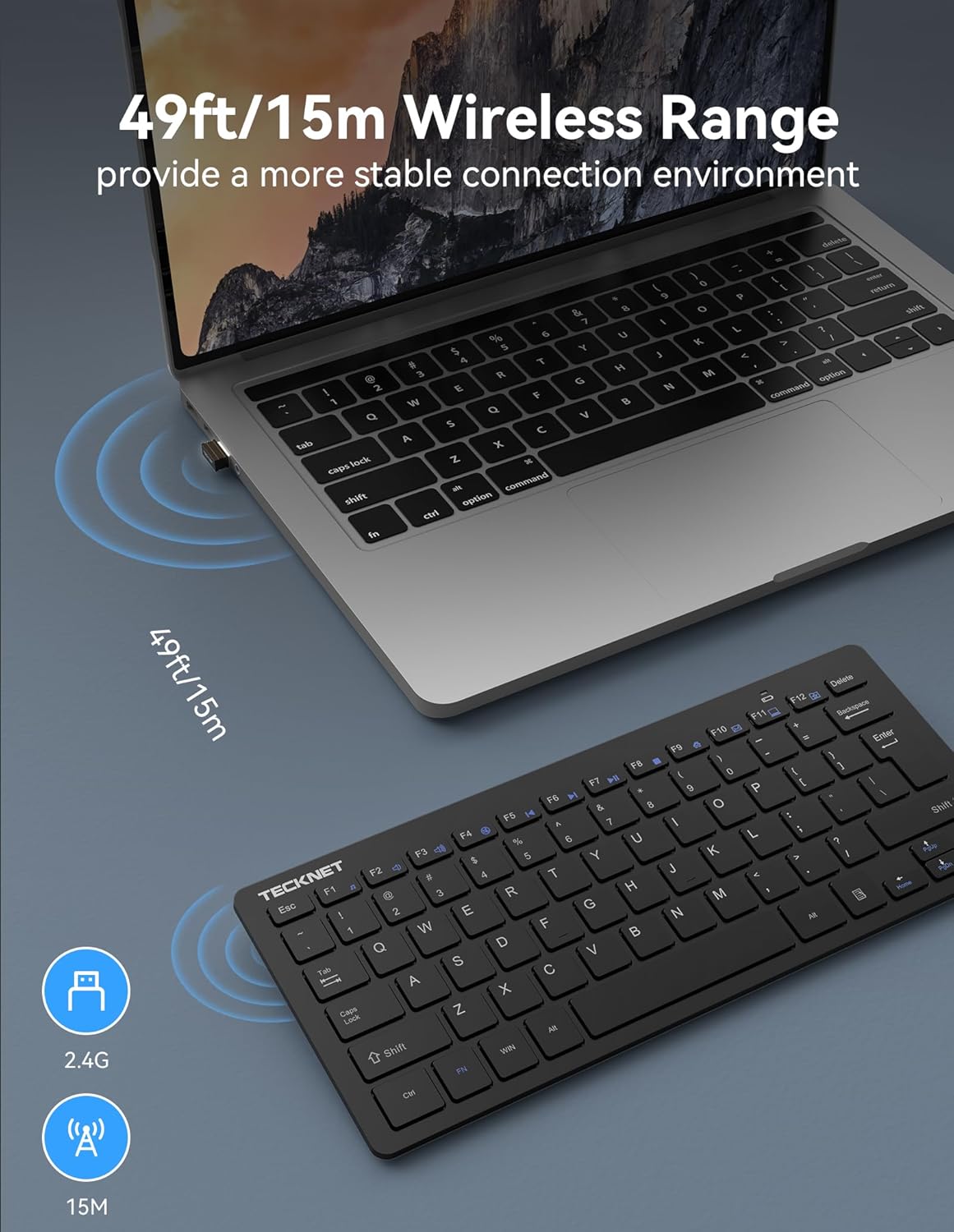
Figure 4: The keyboard's slim and portable design, making it easy to store and transport.
Tecles d'accés directe multimèdia
The keyboard includes 14 multimedia hotkeys for quick access to various functions. To use these functions, press and hold the 'FN' key, then press the corresponding F-key (F1-F12).
- FN+F1: Música
- FN+F2: Volum -
- FN+F3: Volum +
- FN+F4: Silenciar
- FN+F5: Pista anterior
- FN+F6: Pista següent
- FN+F7: Reproduir/Pausa
- FN+F8: Atureu-vos
- FN+F9: Internet
- FN+F10: Correu electrònic
- FN+F11: El meu ordinador
- FN+F12: (Function not specified, typically a custom key or system function)

Figure 5: Visual representation of the keyboard's 14 multimedia hotkeys and their functions.
Mode d'estalvi d'energia
The keyboard features an intelligent power-saving mode and an on/off switch to conserve battery life. It can be woken up with a single key press. This design allows for a battery life of up to 12 months based on 2 hours of uninterrupted use per day.

Figure 6: Illustration of the keyboard's energy-saving features, contributing to its extended battery life.
Manteniment
Neteja
To clean the keyboard, use a soft, lint-free cloth. For stubborn dirt, slightly dampen the cloth with water or a mild cleaning solution. Avoid using harsh chemicals or abrasive materials, as these can damage the keyboard's surface or keys.
Canvi de bateria
When the battery indicator light on the keyboard signals low power, it's time to replace the AAA batteries. Follow the battery installation steps outlined in the Setup section.
Resolució de problemes
El teclat no respon
- Ensure the keyboard's On/Off switch is in the 'On' position.
- Check if the USB receiver is securely plugged into a working USB port on your device. Try a different USB port if necessary.
- Substituïu les piles AAA per unes de noves.
- Ensure the keyboard is within the effective wireless range (up to 49ft/15m) of the USB receiver.
- Reinicieu l'ordinador o el dispositiu.
Les tecles no funcionen correctament
- Gently clean around the affected keys to remove any debris that might be obstructing their movement.
- Ensure no software conflicts are present by testing the keyboard on another device.
Especificacions
| Característica | Detall |
|---|---|
| Dimensions del producte | 11.49 x 4.9 x 0.78 polzades |
| Pes de l'article | 6.7 unces |
| Fabricant | TECNET |
| Llengua | Anglès |
| ASIN | B072N471V4 |
| País d'origen | Xina |
| Número de model de l'article | EKB005-Black |
| Marca | TECNET |
| Dispositius compatibles | PC |
| Tecnologia de connectivitat | USB sense fil |
| Descripció del teclat | Multi Funcional |
| Usos recomanats per al producte | Oficina |
| Característica especial | Ergonomic, Lightweight, Low-Profile clau |
| Color | Negre |
| Nombre de claus | 78 |
| Suport de color de retroil·luminació del teclat | Color únic |
| Estil | Modern |
Vídeos de productes
Video 1: Official TECKNET Wireless Keyboard overview, demonstrating its features and design.
Garantia i assistència al client
TECKNET offers a 36-month warranty for this product (registration required). If you encounter any problems while using the keyboard, please feel free to contact our professional customer service team for assistance.
For customer service inquiries, please refer to the contact information provided in your product packaging or visit the official TECKNET weblloc.
Ask a question about this manual
Ask about setup, troubleshooting, compatibility, parts, safety, or missing instructions. Manuals+ will review the question and use this page’s manual context to help answer it.