
Introducció
This manual provides essential instructions for setting up, operating, maintaining, and troubleshooting your Chuwi Hi13 Tablet PC. Please read this guide thoroughly to ensure proper use and to maximize the performance and longevity of your device.
The Chuwi Hi13 is a versatile 13.5-inch tablet PC running Windows 10, powered by an Intel Apollo Lake Celeron N3450 Quad Core processor, featuring 4GB RAM and 64GB eMMC storage. It is designed for both productivity and entertainment, offering a high-resolution display and various connectivity options.

Image: The Chuwi Hi13 Tablet PC showcasing its Windows 10 operating system interface.
Producte acabatview
Components físics i ports
Familiarize yourself with the physical layout and available ports on your Chuwi Hi13 tablet.

Imatge: Lateral view diagram of the Chuwi Hi13 tablet, highlighting its dimensions and port locations including earphone jack, Micro HDMI, Micro USB, Type-C, and TF Card slot.
- Port per a auriculars: 3.5mm jack for audio output.
- Ranura per a targetes Micro SD: Per ampliar l'emmagatzematge fins a 128 GB.
- Micro HDMI Slot: Per connectar a pantalles externes.
- Port micro USB: Per a la transferència de dades i la càrrega.
- Port de tipus C: Versatile port for charging, data, and display output.
- Botó d'encesa: Located on the side for turning the device on/off and sleep/wake.
- Botons de volum: Per ajustar els nivells d'àudio.
Display and Cameras
The Chuwi Hi13 features a high-resolution display and dual cameras for various applications.

Image: Close-up of the Chuwi Hi13's 13.5-inch IPS capacitive screen, demonstrating its 3000x2000 resolution and vibrant color reproduction.
- Pantalla: 13.5-inch IPS Capacitive Touch Screen with 3000 x 2000 resolution, offering wide viewing angles and impressive clarity.
- Càmera frontal: 2.0MP, suitable for video calls and selfies.
- Càmera posterior: 5.0MP, for capturing photos and videos.

Image: Two Chuwi Hi13 tablets, one showing the front 2.0MP camera and the other highlighting the rear 5.0MP camera, indicating their use for photos and video calls.
Guia de configuració
Initial Power On and Windows 10 Setup
- Carregueu el dispositiu: Before first use, connect the provided charger to the Type-C or Micro USB port and allow the tablet to charge fully. The battery indicator will show charging status.
- Encès: Press and hold the Power button on the side of the tablet until the Chuwi logo appears.
- Windows 10 Configuration: Follow the on-screen prompts to complete the initial Windows 10 setup. This includes selecting your region, language, connecting to a Wi-Fi network, and creating a user account.
- Actualitzacions: After setup, it is recommended to check for and install any available Windows updates to ensure optimal performance and security.

Image: The Chuwi Hi13 tablet connected to its docking keyboard, displaying the Windows 10 operating system, indicating its dual-mode functionality.
Accessoris de connexió
- Docking Keyboard: Align the tablet with the magnetic connector on the docking keyboard and gently press until it clicks into place. The keyboard will be automatically recognized by Windows 10.
- stylus: If using a compatible active stylus (sold separately), follow its specific pairing instructions, typically involving Bluetooth pairing through Windows settings.
- Emmagatzematge extern: Insert a Micro SD card into the designated slot to expand storage capacity.
Instruccions de funcionament
Navigating Windows 10
The Chuwi Hi13 runs Windows 10 Home 64-bit, offering a familiar desktop environment and tablet mode functionality.
- Menú d'inici: Access applications, settings, and power options via the Start Menu.
- Navegador perimetral: Utilize the pre-installed Microsoft Edge browser for web navegació.
- Mode tauleta: Windows 10 can switch between desktop and tablet modes, optimizing the interface for touch input.
Touch Screen and Input
The 13.5-inch IPS 10-point touch screen supports multi-touch gestures for intuitive navigation.
- Toca: Equivalent a un clic del ratolí.
- Mantén premut: Equivalent a un clic amb el botó dret.
- Pessiga per fer zoom: Feu servir dos dits per ampliar o reduir el contingut.
- Llisca: Navigate through menus or scroll content.
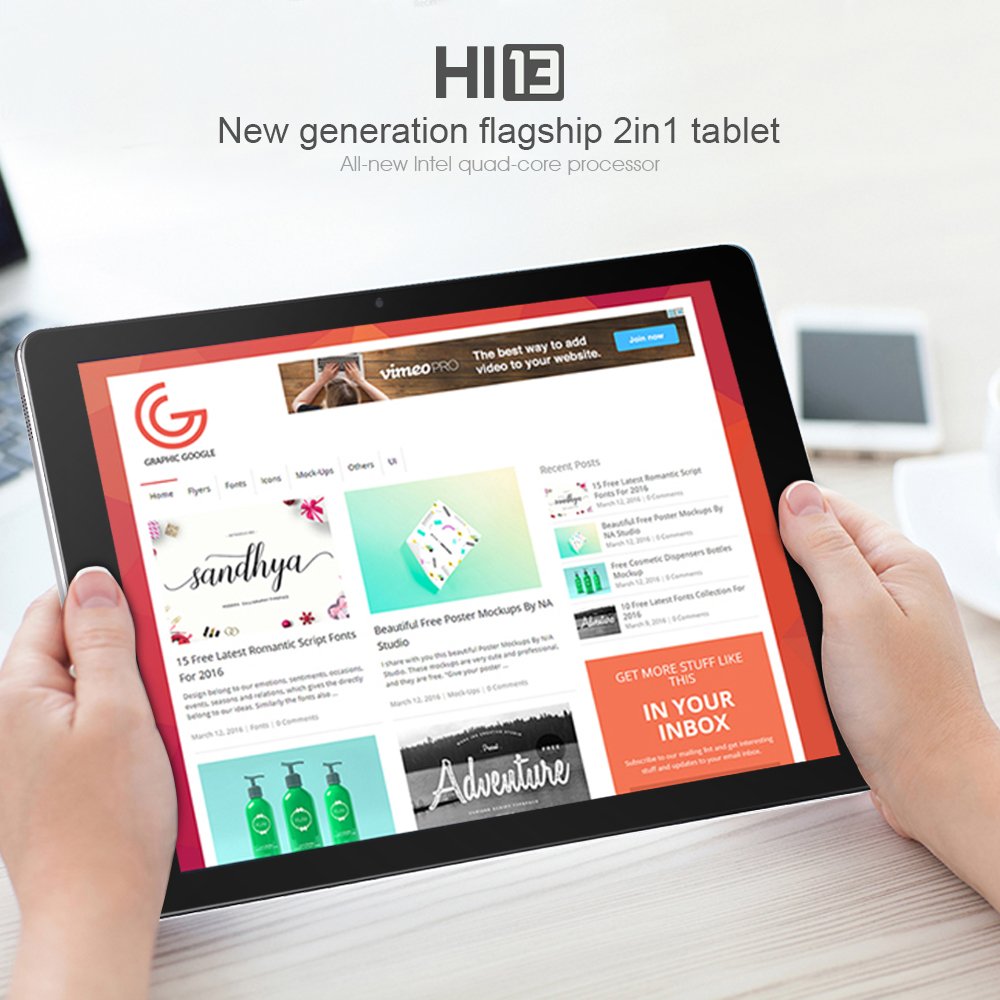
Image: A user holding the Chuwi Hi13 tablet in landscape orientation, browsing a website, demonstrating its use for media consumption and web accés.
Connectivitat
- Wi-Fi: Connect to wireless networks using the built-in 802.11a/ac/b/g/n dual-band Wi-Fi (2.4GHz / 5.0GHz).
- Bluetooth: Pair with Bluetooth 4.0 devices such as headphones, speakers, or input devices.
- HDMI: Use the Micro HDMI port to connect to an external monitor or TV for a larger display.
- OTG: The tablet supports On-The-Go (OTG) functionality, allowing you to connect USB peripherals via an adapter.
Manteniment
Neteja del dispositiu
- Pantalla: Feu servir un drap suau i sense borrissol, lleugerament humitampened with water or a screen cleaner, to gently wipe the display. Avoid harsh chemicals.
- Cos: Wipe the tablet's body with a soft, dry cloth.
- Ports: Keep ports free of dust and debris. Use a can of compressed air if necessary, but avoid inserting objects into the ports.
Cura de la bateria
- Eviteu les temperatures extremes, ja que poden reduir la durada de la bateria.
- For optimal battery health, try to keep the charge level between 20% and 80% when possible.
- Feu servir només el carregador original o un carregador compatible certificat.
Actualitzacions de programari
Regularly check for and install Windows updates to ensure your system has the latest features, security patches, and performance improvements. Go to Configuració > Actualització i seguretat > Actualització de Windows.
Resolució de problemes
Problemes comuns i solucions
- El dispositiu no s'encén:
- Ensure the device is fully charged. Connect the charger and wait a few minutes before attempting to power on again.
- Try holding the power button for 10-15 seconds for a hard reset.
- Rendiment lent:
- Tanca les aplicacions innecessàries que s'executen en segon pla.
- Comproveu i instal·leu les actualitzacions pendents de Windows.
- Ensure sufficient free storage space (at least 10-15% of total capacity).
- Run a disk cleanup and defragmentation (for HDD, though eMMC benefits less from defrag).
- Consider performing a factory reset if performance issues persist after other steps (back up data first).
- Problemes de càrrega:
- Verify the charger and cable are securely connected to both the tablet and the power outlet.
- Try a different compatible charger and cable if available.
- Inspeccioneu el port de càrrega per detectar qualsevol dany o residu visible.
- Display Problems (No image, flickering):
- Reinicieu la tauleta.
- If connected to an external display, ensure the HDMI cable is properly connected and the correct input is selected on the external display.
- Check display settings in Windows.
- Problemes de connectivitat Wi-Fi/Bluetooth:
- Toggle Wi-Fi/Bluetooth off and on in Windows settings.
- Restart the tablet and your router/modem.
- Ensure drivers are up to date via Device Manager.
Especificacions
Detailed technical specifications for the Chuwi Hi13 Tablet PC.
| Característica | Especificació |
|---|---|
| Marca | Chuwi |
| Model | Hola13 |
| Sistema operatiu | Windows 10 Home de 64 bits |
| Processador | Intel Apollo Lake Celeron N3450 Quad Core (up to 2.2GHz) |
| Gràfics | Intel HD Graphics 500 |
| RAM | 4 GB DDR3L |
| Emmagatzematge | 64GB eMMC (Expandable up to 128GB via Micro SD) |
| Mida de la pantalla | 13.5 polzades |
| Resolució de pantalla | 3000 x 2000 IPS Capacitive (10-Point) |
| Càmera frontal | 2.0MP |
| Càmera posterior | 5.0MP |
| Wi-Fi | 802.11a/ac/b/g/n Dual Band (2.4GHz / 5.0GHz) |
| Bluetooth | Sí (Bluetooth 4.0) |
| Ports | 1x 3.5mm Earphone, 1x Micro SD, 1x Micro HDMI, 1x Micro USB, 1x Type-C |
| Bateria | 10000 mAh |
| Dimensions | 334 x 222 x 8.9 mm |
| Pes | 1080 g (1.08 kg) |
Garantia i Suport
Informació de la garantia
The Chuwi Hi13 Tablet PC comes with a Garantia del fabricant de 1 anysAquesta garantia cobreix els defectes de materials i de fabricació en condicions d'ús normal. Si us plau, conserveu el comprovant de compra per a reclamacions de garantia.
La garantia no cobreix els danys causats per mal ús, accidents, modificacions no autoritzades o desgast normal.
Atenció al client
For technical assistance, warranty claims, or further inquiries, please refer to the official Chuwi support channels. You can typically find support contact information, FAQs, and driver downloads on the official Chuwi weblloc.
It is recommended to visit the Chuwi Store on Amazon or the official Chuwi global weblloc web per obtenir els recursos de suport més actualitzats.