
Philips 472027
Bombeta LED intel·ligent Philips Hue White A19 (model 472027) - Manual d'usuari
Your Guide to Smart Lighting
1. Introducció
The Philips Hue White A19 Smart LED Bulb (Model 472027) enhances your home with soft white lighting that can be dimmed and controlled remotely. This smart bulb allows you to automate your lighting, making it appear as if you are home even when you are not, and to set convenient timers. It integrates seamlessly into your existing Philips Hue system, offering a versatile and energy-efficient lighting solution.

Image 1.1: Philips Hue White A19 Smart LED Bulbs (Pack of 4)
This manual provides essential information for setting up, operating, and maintaining your Philips Hue White A19 Smart LED Bulbs.
Video 1.1: Introduction to Philips Hue Lighting System. This video provides an overview of the Philips Hue system, including remote control, scheduling, and personalization features.
2. Què hi ha a la caixa
Your Philips Hue White A19 Smart LED Bulb package includes:
- 4 x Philips Hue White A19 60W Equivalent Dimmable LED Smart Bulbs
Nota: A Philips Hue Hub (Model: 458471) is required for the full Hue experience and to enable features like voice control and remote access. The Hue Hub is sold separately.
3. Configuració i instal·lació
Follow these steps to install and set up your Philips Hue White A19 Smart LED Bulbs:
- Instal·leu les bombetes: Ensure the power is off at the light switch. Screw the Philips Hue White A19 Smart LED Bulbs into your desired light fixtures.
- Encès: Turn the power back on at the light switch.
- Connecta't al pont Hue: If you do not have a Philips Hue Hub, please acquire one (Model: 458471) and set it up according to its instructions. The Hue Hub connects to your home Wi-Fi router.
- Descarrega l'aplicació: Download the Philips Hue mobile app from your device's app store (available for iOS and Android).
- Pair Bulbs: Open the Philips Hue app. Navigate to 'Settings' and then 'Light setup'. Tap the '+' icon to add new lights. The app will search for your new bulbs. If a bulb is not found automatically, you can manually enter its serial number (found on the bulb itself) and tap 'Search'.
- Confirmeu la connexió: Once found, tap on your new light in the app. The bulb will blink to confirm the connection.
- Assign to Room: Name your new light and assign it to a room within the app. This allows for organized control and integration into existing scenes and timers.
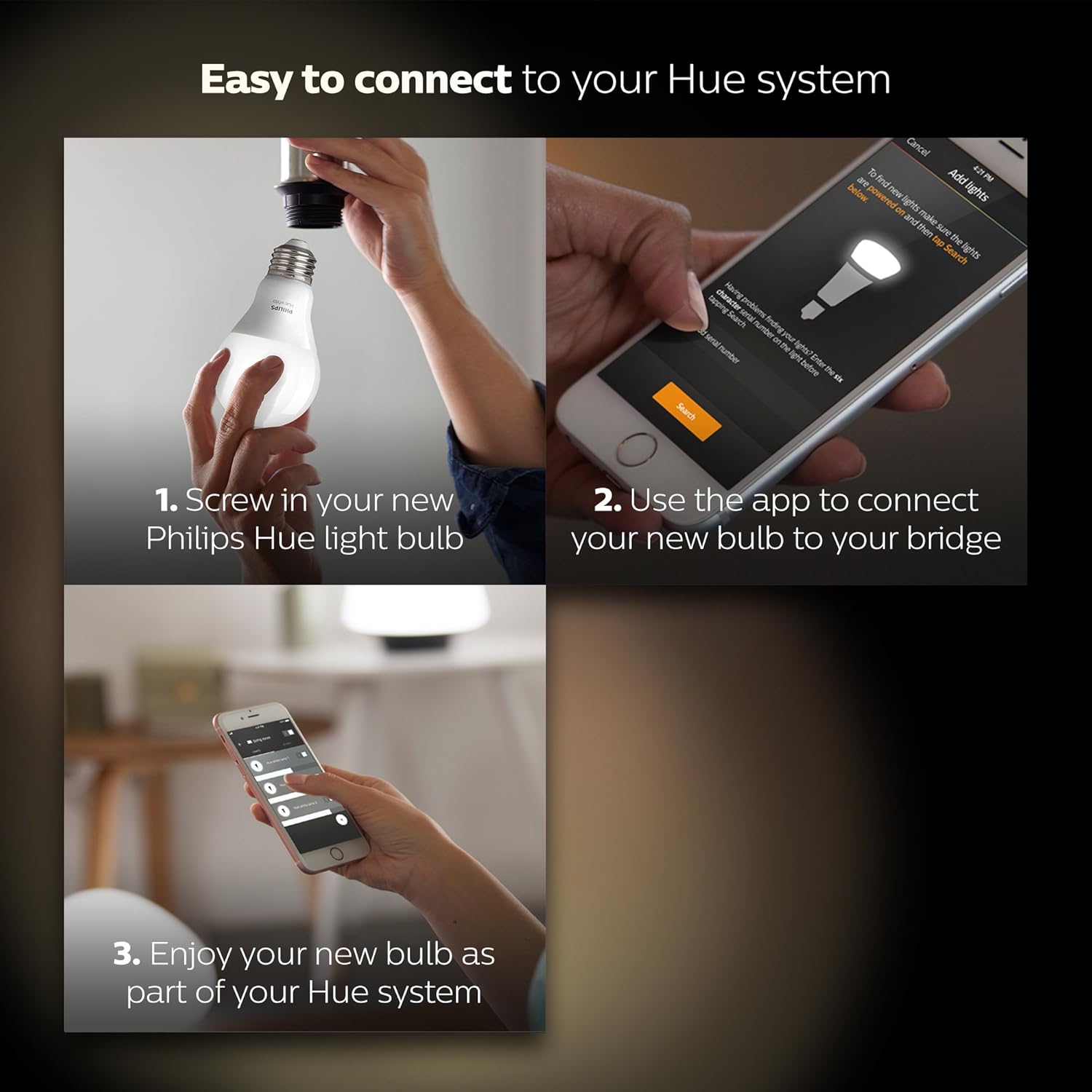
Image 3.1: Easy connection steps for Philips Hue bulbs.
Video 3.1: Installing Philips Hue Smart Bulbs. This video demonstrates the process of adding new Philips Hue bulbs to your system using the mobile application.
4. Funcionament de les bombetes intel·ligents
Once installed and paired with your Philips Hue Hub, you can control your bulbs using various methods:
4.1. Philips Hue App Control
The Philips Hue app provides comprehensive control over your lighting system:
- Control d'encesa/apagada: Turn lights on or off from anywhere with a Wi-Fi connection.
- Dimecres: Adjust the brightness to your desired level.
- Programació: Set up daily schedules to automate when your lights turn on or off, or to create routines that simulate presence when you are away.

Image 4.1: Controlling lights using the Philips Hue app on a smart device.

Image 4.2: Setting daily schedules within the Philips Hue app.
4.2. Control per veu
The Philips Hue White A19 bulbs are compatible with popular voice assistants when connected to a Philips Hue Hub:
- Amazon Alexa: Use voice commands with your Alexa-enabled devices.
- Apple HomeKit: Control your lights using Siri on your Apple devices.
- Assistent de Google: Manage your lighting with voice commands through Google Assistant.
4.3. Integració de la llar intel·ligent
Expand your smart home capabilities by connecting your Philips Hue system to other smart home devices and platforms, such as Amazon Echo Plus, Nest, or SmartThings systems. You can also integrate with accessories like the Hue Dimmer Switch, Hue Tap, or Hue Motion Sensor (sold separately) for additional control options.

Image 4.3: Philips Hue integration with various smart home partners.
5. Manteniment
To ensure optimal performance and longevity of your Philips Hue White A19 Smart LED Bulbs:
- Neteja: Disconnect power before cleaning. Use a soft, dry cloth to gently wipe the bulbs. Avoid using liquid or abrasive cleaners.
- Eliminació: These LED bulbs contain electronic components and should be recycled according to local regulations. Do not dispose of them in household waste.
- Entorn de funcionament: Use the bulbs in dry indoor environments within their specified temperature range. Avoid exposure to excessive moisture or extreme temperatures.
6. Solució De Problemes
If you encounter issues with your Philips Hue White A19 Smart LED Bulbs, consider the following:
- La bombeta no respon: Ensure the light switch is in the 'ON' position. Philips Hue bulbs require continuous power to function as smart bulbs. If the switch is turned off, the bulb loses power and cannot be controlled remotely.
- Problemes de connectivitat: Verify that your Philips Hue Hub is properly connected to your router and powered on. Check your Wi-Fi connection. If issues persist, try restarting your Hue Hub and router.
- Parpelleig: Ensure the bulbs are not connected to a traditional dimmer switch, as this can cause flickering or damage. Philips Hue bulbs are designed to be dimmed via the Hue app or compatible smart dimmers.
- Bulb Not Found During Setup: Double-check the serial number if manually entering. Ensure the bulb is powered on and within range of your Hue Hub.
- El control per veu no funciona: Confirm that your voice assistant device (e.g., Alexa, Google Home) is properly linked to your Philips Hue account and that the Hue skill/service is enabled.
For further assistance, refer to the Philips Hue support weblloc o contacteu amb el servei d'atenció al client.
7. Especificacions
| Característica | Detall |
|---|---|
| Marca | Philips |
| Nom del model | Hue White A19 |
| Número de model de l'article | 472027 |
| Tipus de llum | LED |
| Mida de la forma del bulb | A19 |
| Base del bulb | E26 Mitjà |
| Wattage | 9.5 watts |
| Wat equivalent incandescenttage | 60 watts |
| Brillantor | 840 lumens |
| Color clar | Blanc suau |
| Temperatura de color | 2700 Kelvin |
| Voltage | 120 Volts |
| Mètode de control | veu |
| Característica especial | Regulable (amb Hub o Echo Plus), Encès instantani, Necessita reciclatge |
| Ús interior/exterior | Interior |
| Dimensions del producte | 2.25 x 2.25 x 4.25 polzades |
| Pes de l'article | 7.2 unces |
| UPC | 046677472023 |
8. Garantia i Suport
For detailed warranty information, product support, and frequently asked questions, please visit the official Philips Hue website or contact Philips customer service directly. Keep your proof of purchase for warranty claims.
Ask a question about this manual
Ask about setup, troubleshooting, compatibility, parts, safety, or missing instructions. Manuals+ will review the question and use this page’s manual context to help answer it.