
1. Introducció
This manual provides comprehensive instructions for the proper use and maintenance of your Glazata EC200 Wireless Bluetooth Headset. Please read this manual carefully before operating the device to ensure optimal performance and longevity. Keep this manual for future reference.
2. Contingut del paquet
Verifiqueu que tots els elements que s'enumeren a continuació s'inclouen al vostre paquet:
- Glazata EC200 Bluetooth Headset (earpiece body)
- Puntes per a les orelles (diverses mides)
- Ear Hooks (various sizes)
- Cable de càrrega micro USB
- Manual d'usuari
Video: Unboxing the Glazata EC200 Bluetooth Headset and its accessories.

Image: All components of the Glazata EC200 package, including the headset, ear tips, ear hooks, charging cable, and user manual.
3. Producte acabatview
Familiarize yourself with the main components and controls of your Glazata EC200 headset.

Image: Labeled diagram of the Glazata EC200 headset highlighting the Multifunction key, On/Off switch, and Volume control buttons.
- Tecla multifunció: Controls calls and music playback.
- Interruptor d'encesa/apagada: Powers the headset on or off.
- "+" Key: Increases volume, next song.
- "-" Key: Decreases volume, previous song.
4. Configuració
4.1 Càrrega dels auriculars
Before first use, fully charge the headset. Use the provided Micro USB charging cable to connect the headset to a USB power source (e.g., computer, wall adapter). The charging indicator light will show charging status. A full charge typically takes approximately 2 hours.
4.2 Com portar els auriculars
The EC200 comes with various ear tips and a 360° rotatable ear hook for a comfortable and secure fit. Choose the ear tip size (L/M/S) that best suits your ear canal. Adjust the ear hook to fit either your left or right ear.
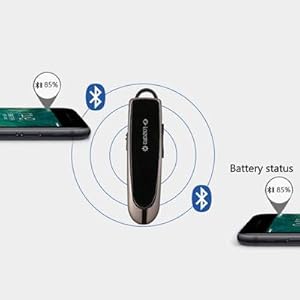
Image: Illustrations demonstrating the 360° rotatable ear hook and how the headset can be worn comfortably on either the left or right ear.
4.3 Vinculació amb un dispositiu
- Encès: Slide the On/Off switch to the 'On' position. The indicator light will flash, indicating it's in pairing mode.
- Activa el Bluetooth: Al telèfon intel·ligent, a la tauleta o a l'ordinador, activeu el Bluetooth.
- Seleccioneu el dispositiu: In the Bluetooth device list, search for 'EC200' and select it to connect.
- Confirmació: Once connected, the indicator light will change, and you may hear an audio prompt.
4.4 Multipoint Connection (Connecting Two Devices)
The EC200 supports connecting to two Bluetooth devices simultaneously, allowing you to switch between them for calls or music.
- Pair the headset with the first device as described in 4.3.
- Desactiva el Bluetooth al primer dispositiu. Els auriculars tornaran a entrar en mode d'emparellament.
- Emparella els auriculars amb el segon dispositiu.
- Torneu a activar el Bluetooth al primer dispositiu. Els auriculars s'haurien de connectar automàticament als dos dispositius.

Image: Visual representation of the EC200 headset maintaining simultaneous connections with two separate mobile devices.
5. Instruccions de funcionament
5.1 Encès/Apagat
- Encès: Slide the On/Off switch to the 'On' position.
- Apagar: Slide the On/Off switch to the 'Off' position.
5.2 Funcions de trucada
- Resposta / Penjar: Tap the Multifunction key once.
- Rebutja la trucada: Long-press the Multifunction key for 2 seconds, then release.
- Torna a marcar l'últim número: Double-tap the Multifunction key.
5.3 Reproducció de música
- Reproduir/pausa: Tap the Multifunction key once.
- Pujar el volum: Tap the "+" key.
- Baixar el volum: Tap the "-" key.
- Següent cançó: Long-press the "+" key for 2 seconds.
- Cançó anterior: Long-press the "-" key for 2 seconds.
5.4 Activació de l'assistent de veu
Activate your device's voice assistant (Siri or Google Assistant) directly from the headset.
- Activar: Press and hold the Multifunction button for 3 seconds until you hear a response, then release.

Image: A user in a car activating their phone's voice assistant (Siri or Android) by pressing the multifunction button on the Glazata EC200 headset.
6. Característiques clau
- Advanced Qualcomm QCC3020 Smart Chip: Equipped with the industry-leading Qualcomm 3020 smart chip and Bluetooth 5.0 standard, the EC200 ensures stable connectivity and high-quality audio. It supports HSP, AVRCP, HFP, and A2DP Bluetooth profiles.
- Clear Sound with AAC-LC and DSP: The AAC-LC code technology minimizes background noise, delivering pure sound quality. A single microphone with 80MIPS Kalimba digital signal processing (DSP) enhances voice clarity during calls.
- Durada de la bateria ampliada: Enjoy approximately 20-30 hours of continuous talk or music playback and up to 60 days of standby time. The built-in sensor enables a power-saving sleep function, automatically turning off after 2 minutes of inactivity.
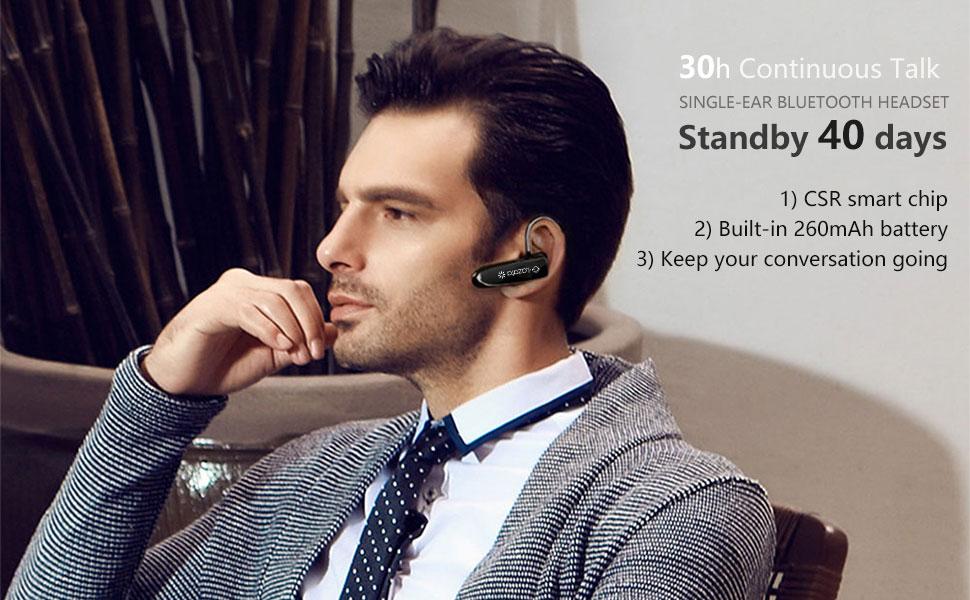
Image: Infographic detailing the Glazata EC200's battery performance, including 60 days standby, 20 hours continuous call, 19 hours music play, and its automatic power-saving sleep function.
- CVC 8.0 Noise Cancellation: Experience reduced ambient noise for clearer conversations and immersive audio.

Image: A visual comparison of audio waveforms before and after CVC 8.0 Noise Cancellation, illustrating its effectiveness in reducing background noise.
- Ajust còmode i segur: The headset features medically beneficial ergonomic earplugs in three sizes (L/M/S) and a 360° rotatable ear hook, ensuring a snug and comfortable fit that stays in place.
- Àmplia compatibilitat: The EC200 is compatible with Apple iOS and Android systems, including iPhones, iPads, tablets, and other smartphones and Bluetooth adapters.
Image: The Glazata EC200 headset displayed with various compatible devices, including smartphones, smartwatches, tablets, and laptops, highlighting its broad compatibility.
7. Especificacions
| Característica | Detall |
|---|---|
| Nom del model | EC200 Bluetooth Earpiece |
| Tecnologia de connectivitat | Sense fil (Bluetooth) |
| Versió Bluetooth | 5.0 Standard (Qualcomm 3020 chip) |
| Interval Bluetooth | 10 metres (33 peus) |
| Durada de la bateria (conversa/música) | 20-30 hores |
| Temps d'espera | Fins a 60 dies |
| Temps de càrrega | 2 hores |
| Port de càrrega | Micro USB |
| Control de soroll | Cancel·lació de soroll CVC 8.0 |
| Micròfon | Built-in HD Microphone with 80MIPS Kalimba DSP |
| Mètode de control | Physical Buttons (Multifunction, Volume +/-, On/Off Switch) |
| Dispositius compatibles | Apple iOS, Android smartphones, tablets, PCs with Bluetooth |
| Nivell de resistència a l'aigua | No resistent a l'aigua |
| Dimensions | 2.36 x 0.59 x 0.39 polzades |
| Pes de l'article | 0.48 unces (0.03 lliures) |
| ID de la FCC | 2AMLTEC200 |
8. Solució De Problemes
If you encounter issues with your Glazata EC200 headset, please refer to the following common solutions:
- Els auriculars no s'encenen: Ensure the headset is fully charged. Connect it to a power source using the Micro USB cable.
- No es pot emparellar amb el dispositiu:
- Ensure the headset is in pairing mode (indicator light flashing).
- Assegureu-vos que el Bluetooth estigui habilitat al vostre dispositiu.
- Place the headset and your device within 1 meter (3 feet) during pairing.
- If previously paired, delete 'EC200' from your device's Bluetooth list and attempt to pair again.
- No hi ha so o hi ha mala qualitat de so:
- Comproveu els nivells de volum tant dels auriculars com del dispositiu connectat.
- Ensure the headset is within Bluetooth range (10 meters/33 feet) of your device.
- Prova de tornar a emparellar els auriculars amb el dispositiu.
- Ensure the ear tip is properly seated in your ear for optimal sound.
- Connexió intermitent:
- Apropa't al dispositiu connectat per reduir les interferències.
- Avoid physical obstructions between the headset and your device.
- Assegureu-vos que no hi hagi altres senyals sense fils forts que interfereixin.
9. Garantia i Suport
The Glazata EC200 Headset has been tested and complies with the limits for the Federal Communication Commission (FCC ID: 2AMLTEC200).
For any questions, technical support, or warranty inquiries, please contact Glazata customer service through the retailer where you purchased the product or visit the official Glazata weblloc per obtenir informació de contacte.


