
Introducció
This manual provides comprehensive instructions for the setup, operation, maintenance, and troubleshooting of your Mediacom 2020B1-B2 Universal On Demand TV/Cable Remote Control. Please read this guide thoroughly to ensure proper use and to maximize the functionality of your remote.
Configuració
1. Instal·lació de la bateria
The remote control requires two AAA batteries (included). Follow these steps to install them:
- Localitzeu la tapa del compartiment de la bateria a la part posterior del comandament a distància.
- Premeu la pestanya i feu lliscar la coberta cap avall.
- Introduïu dues piles AAA, assegurant-vos que els terminals positiu (+) i negatiu (-) s'alineïn correctament amb les marques de l'interior del compartiment.
- Feu lliscar la coberta de la bateria al seu lloc fins que faci un clic de manera segura.

Imatge: Enrere view of the Mediacom 2020B1-B2 remote control, showing the battery compartment and quick setup instructions.
2. Quick Setup / Programming
To program your remote control to operate your TV or cable box, use the quick setup method:
- Press and Hold SETUP: Locate the 'SETUP' button on your remote. Press and hold this button until the LED indicator light on the remote blinks twice.
- Enter 3-Digit Code: Refer to your device's manual for the appropriate 3-digit programming code for your TV or cable box. Enter this code using the number buttons on the remote.
- Funcionalitat de prova: After entering the code, press the 'CH+' or 'CH-' button to test if the remote is controlling your device. If the device responds, the programming was successful. If not, repeat the steps with a different code from your device's manual, if available.
Instruccions de funcionament
The Mediacom 2020B1-B2 remote control features a standard layout for easy navigation of your TV and cable services. Below are the primary functions of key buttons:
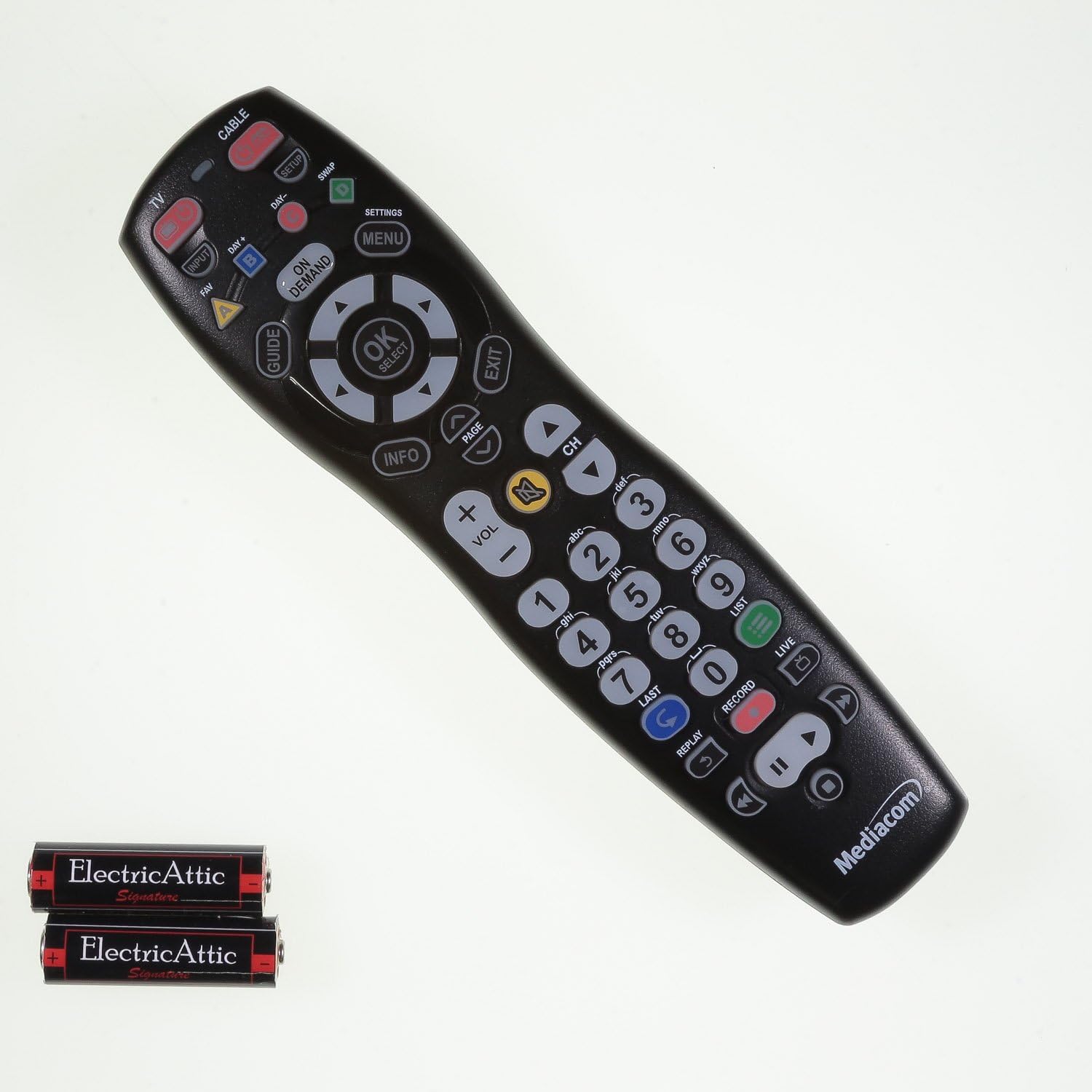
Imatge: Frontal view of the Mediacom 2020B1-B2 remote control, displaying all operational buttons.
- POTÈNCIA: Turns your TV or cable box on/off.
- TV / CABLE: Toggles control between TV and cable box functions.
- GUIA: Mostra la guia del programa.
- MENU / SETTINGS: Accesses the device's main menu or settings.
- OK / SELECT: Confirma les seleccions dins dels menús.
- Fletxes de navegació (amunt, avall, esquerra, dreta): Navigates through menus and program guides.
- VOL +/-: Ajusta el nivell de volum.
- CH +/-: Canvia de canal amunt o avall.
- Teclat numèric (0-9): Introdueix directament els números de canal.
- INFORMACIÓ: Mostra informació sobre el programa actual.
- A DEMANDA: Accedeix a contingut a la carta.
- Playback Controls (PLAY, PAUSE, STOP, REW, FWD, RECORD): Controla les funcions de reproducció multimèdia.
Manteniment
Canvi de bateria
Replace batteries when the remote's LED indicator light fails to illuminate or blinks weakly, or when the remote becomes unresponsive. Always replace both batteries simultaneously with new AAA batteries.
Neteja
Per netejar el comandament a distància, feu servir un drap suau i sec. Per a la brutícia resistent, fregueu lleugerament.ampen the cloth with water. Avoid using harsh chemicals or abrasive cleaners, as these can damage the remote's surface or internal components.
Resolució de problemes
- El comandament a distància no respon: Check battery orientation and ensure batteries are fresh. Reprogram the remote if necessary.
- Botons específics que no funcionen: Ensure the remote is in the correct mode (TV or CABLE). Clean around the unresponsive button to remove any debris.
- LED indicator not blinking: This usually indicates dead or incorrectly installed batteries. Replace batteries and check their orientation.
- Remote not controlling device after programming: Try alternative 3-digit codes for your device. Ensure there are no obstructions between the remote and the device's infrared sensor.
Especificacions
- Número de model: 2020B1-B2
- Tecnologia de connectivitat: infrarojos
- Dispositius compatibles: Television, Cable Box
- Font d'alimentació: 2 x piles AAA
- Color: Negre
- Pes de l'article: Aproximadament 6 unces
- Dimensions del paquet: Aproximadament 9.84 x 2.48 x 1.26 polzades
- Característica especial: Universal
Suport
For additional support, programming codes, or further assistance with your Mediacom 2020B1-B2 Universal Remote Control, please visit the official support weblloc: